
How Do I Use BloFin Earn? (Web)
August 16, 2025 at 10:55 AMWhat is BloFin Earn?
BloFin Earn allows you to deposit crypto assets into savings products to earn interest.
-
Flexible Products: Redeem your assets anytime, interest is calculated daily.
-
Fixed Products: Lock your assets for a fixed period to enjoy higher returns. Assets are automatically redeemed with interest at maturity.
BloFin Earn supports a range of popular assets such as USDT, USDC, BTC, ETH, SOL, DOGE, and XRP, among others.
The availability of products, terms, and interest rates may change. Please always refer to the BloFin Earn page for the latest list.
How to Access BloFin Earn (Web)
-
Log in to your BloFin account at blofin.com.
-
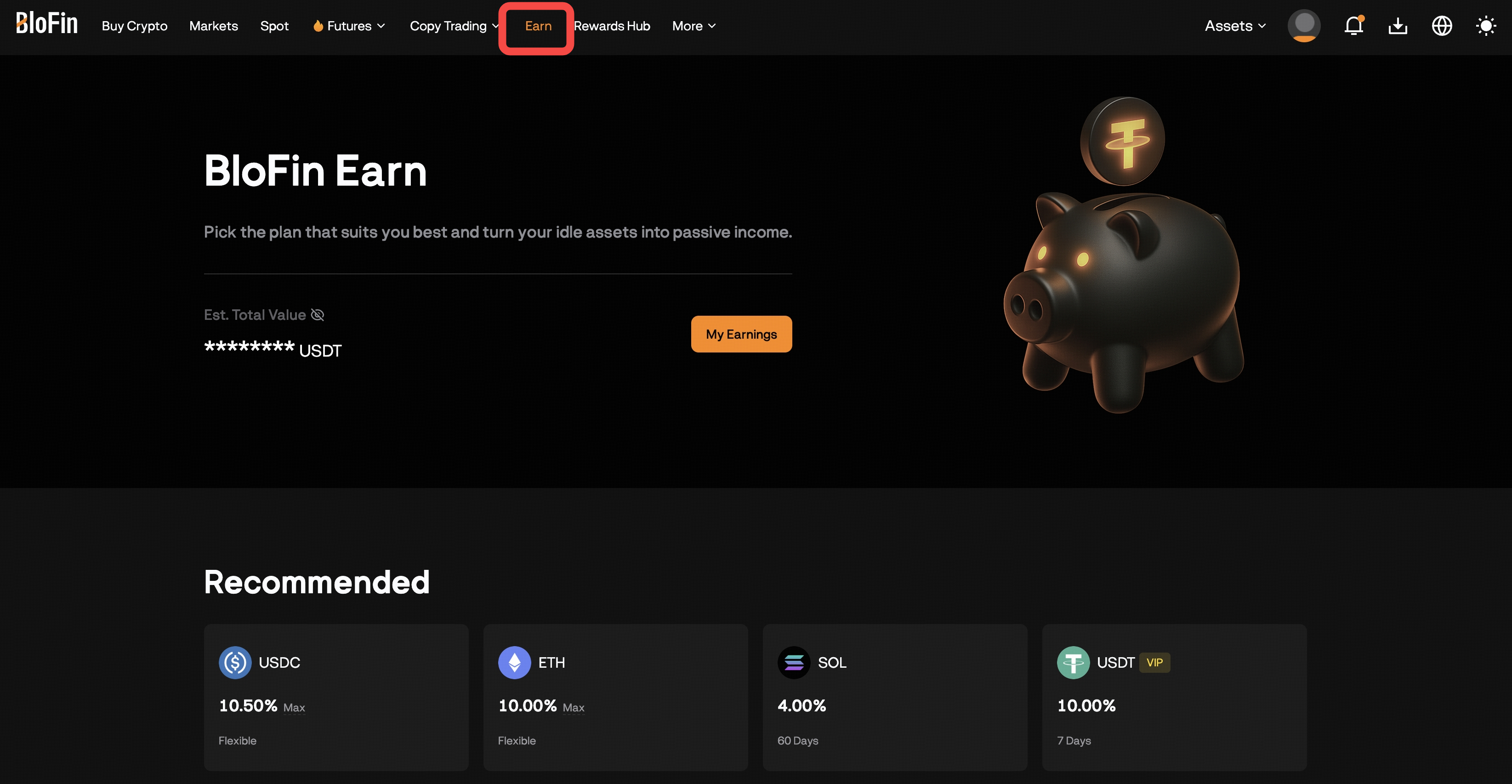
In the navigation bar, click [Earn] to view available products
How to Subscribe to an Earn Product
Step-by-Step:
-
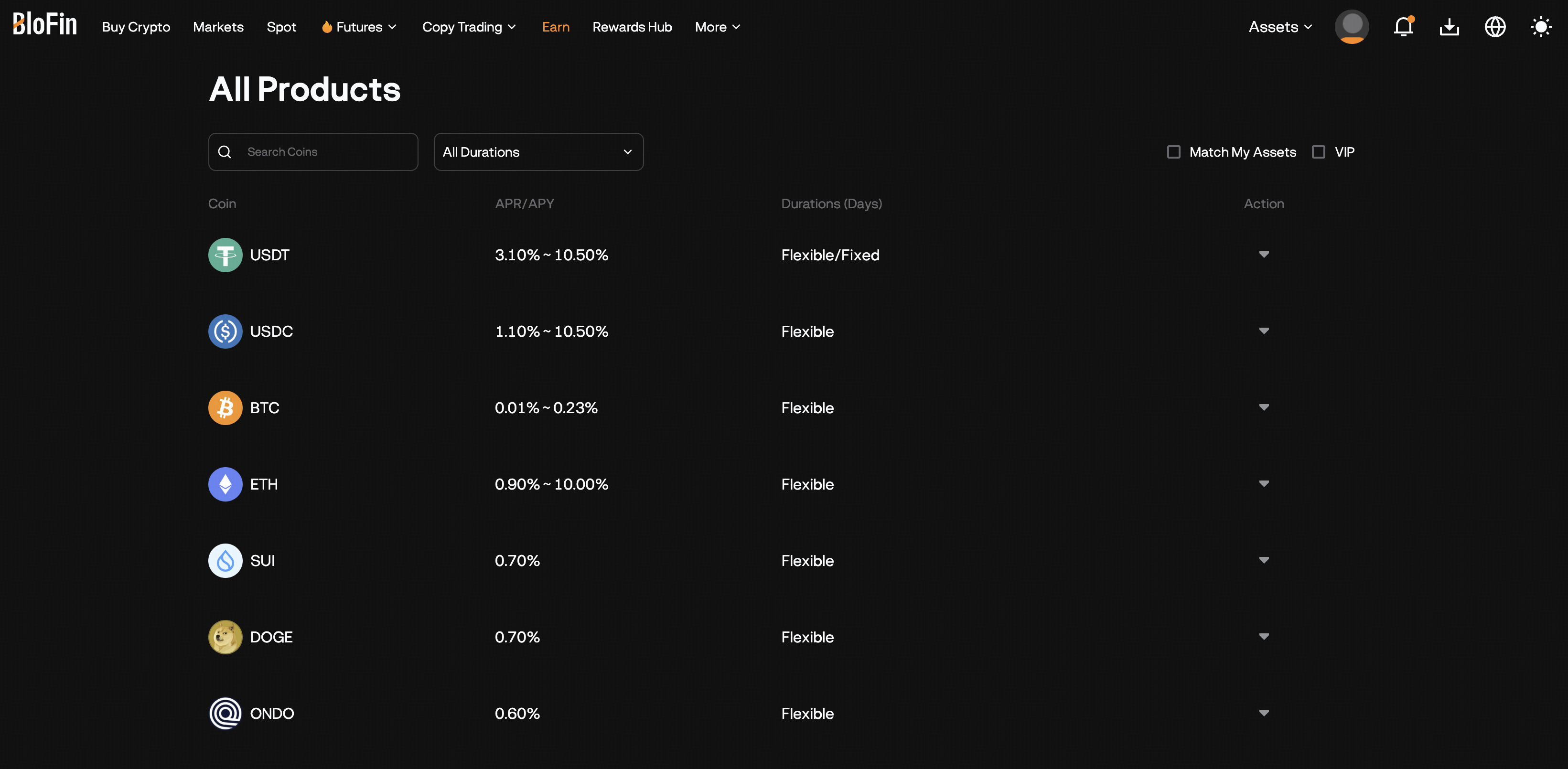
On the Earn page, browse the product listings and click [Subscribe] on the plan you prefer.
-
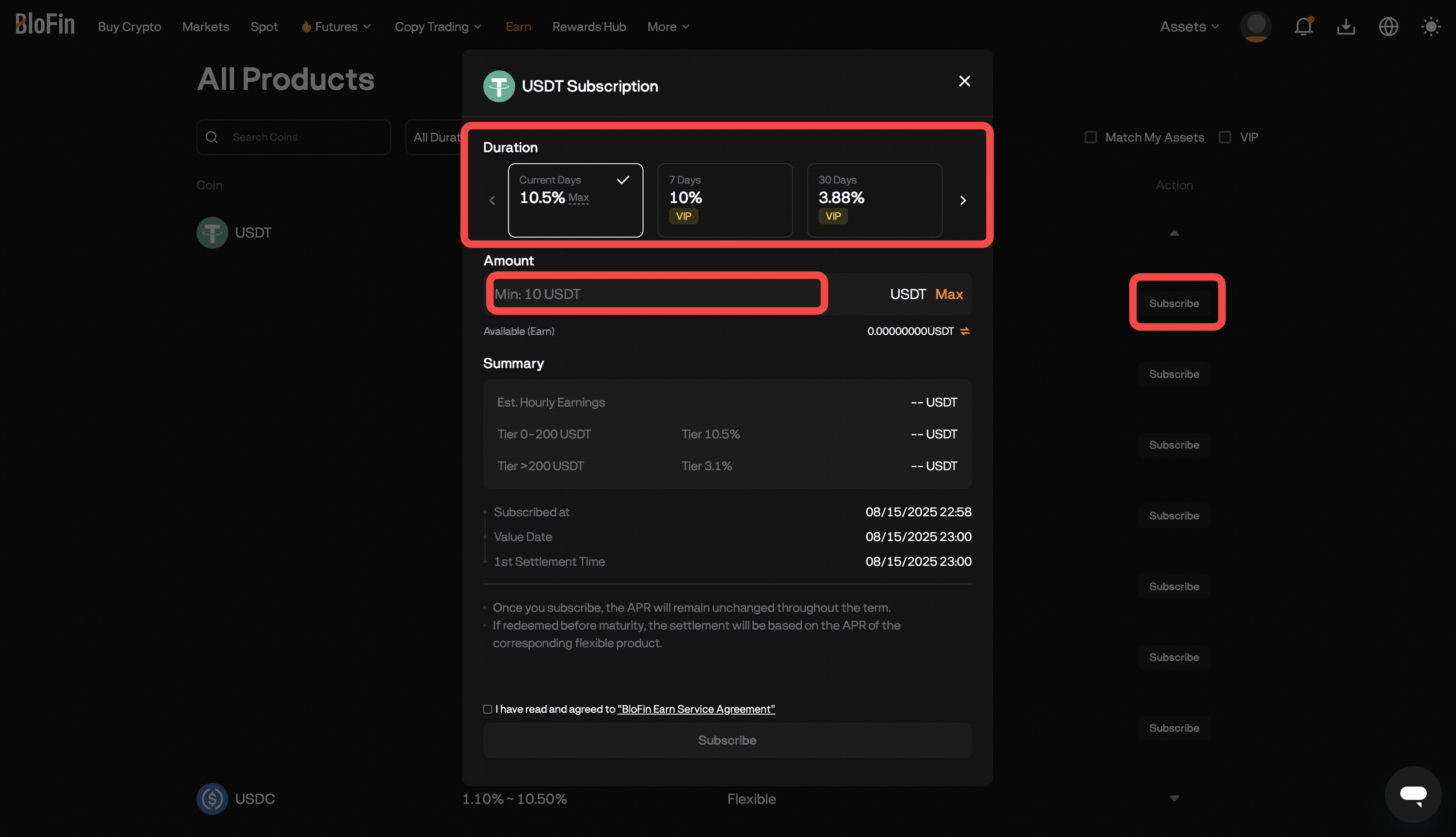
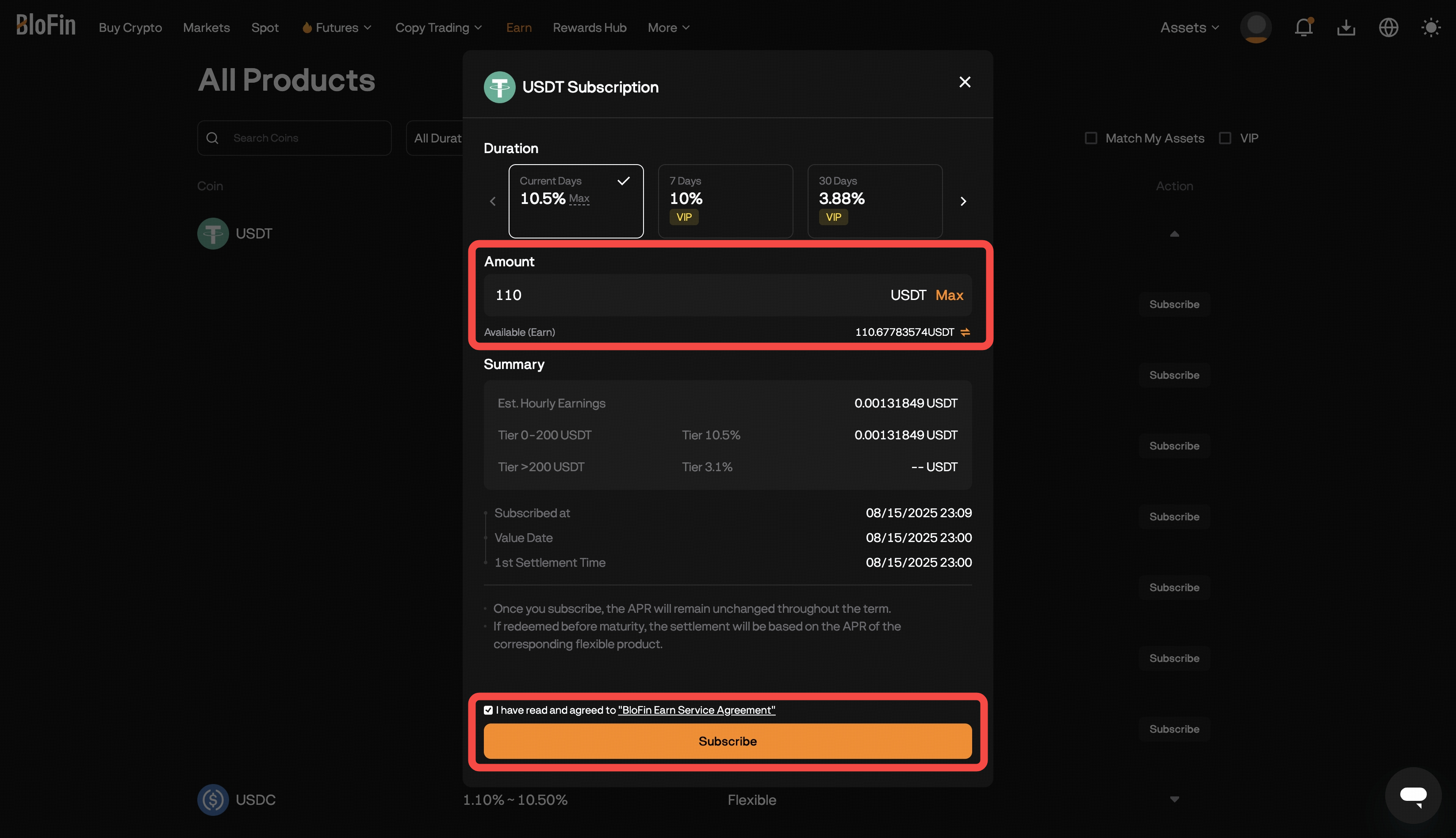
On the subscription page:
-
Select the duration (in days) for your subscription.
-
Enter the amount you wish to subscribe.
-
If your Earn account doesn’t have enough crypto, click
 [Transfer Icon] to move assets from your other accounts (e.g., Funding).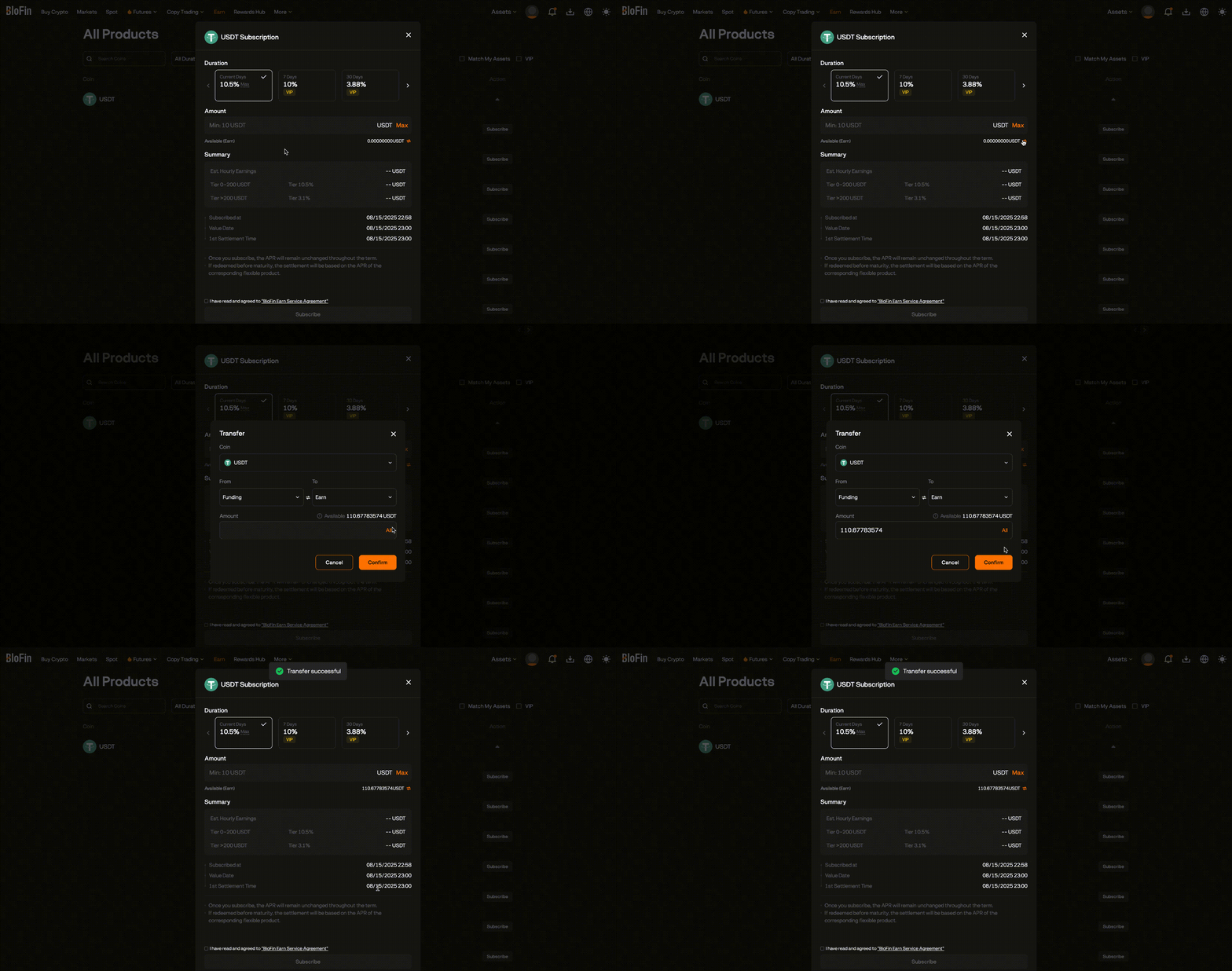
-
Once the tokens are in your Earn account, re-enter the subscription amount and click [Confirm].
-
Read and check the box “I have read and agreed to the BloFin Earn Service Agreement”
-
Click [Subscribe] to finalize.
-
-
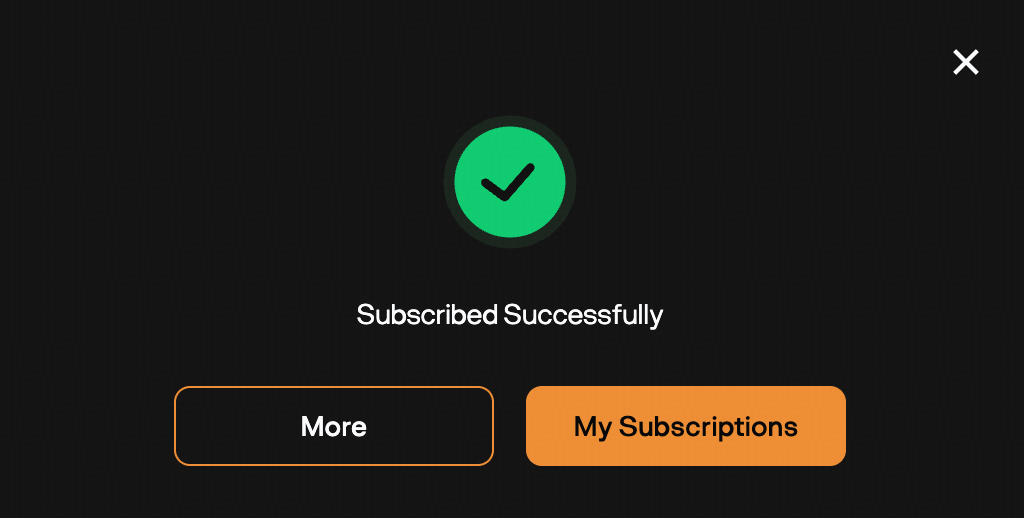
Once completed, your subscription will be active and start accruing interest according to the product’s terms.
How to Redeem Flexible Earn Subscriptions
-
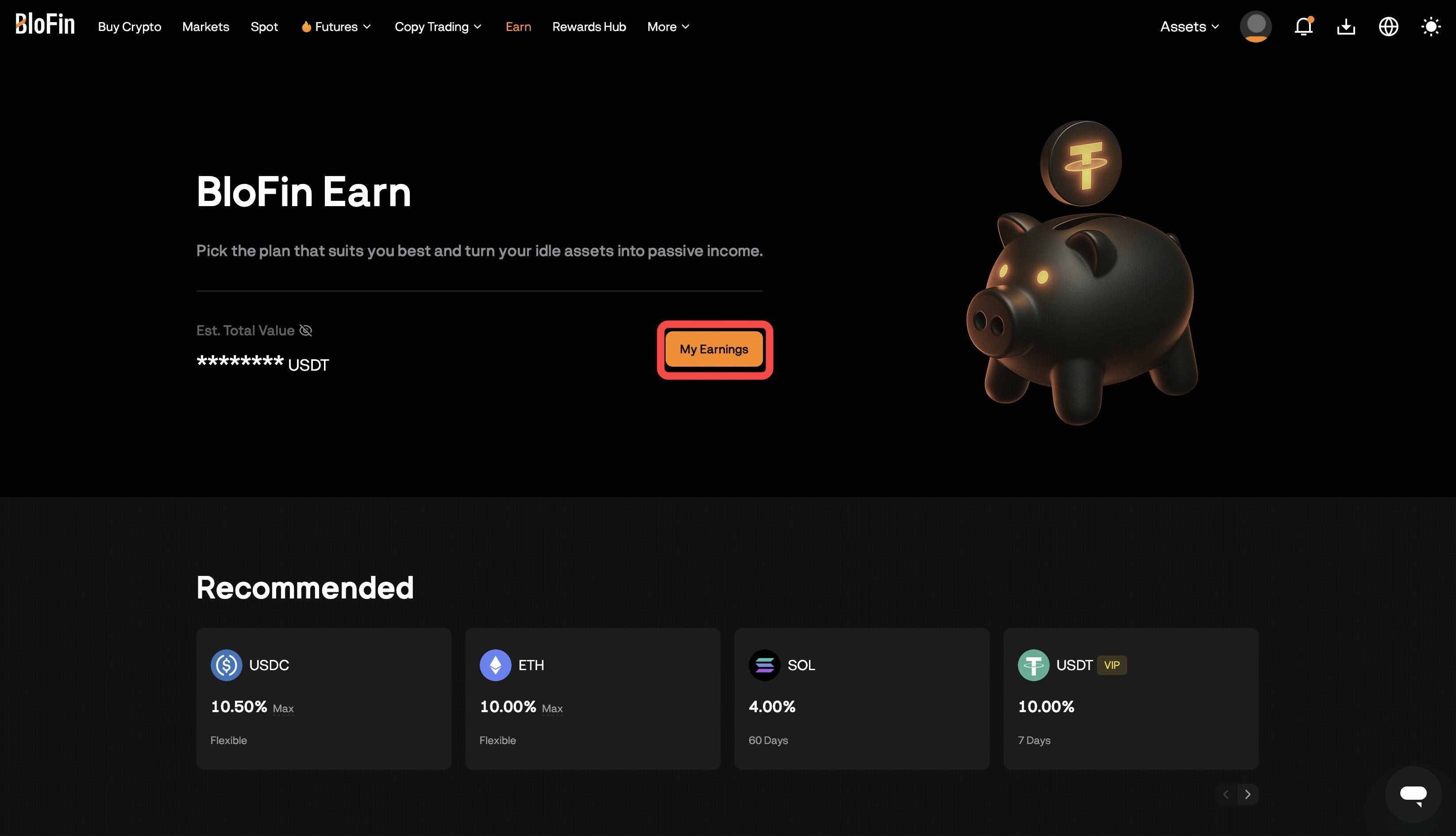
Navigate to [Earn] → [My Earnings].
-
Find your active Flexible Earn subscription under the Active section.
-
Click [Redeem], enter the amount you want to redeem, and click [Confirm].
-
The redeemed assets will be credited to your Earn account balance and can be transferred to other accounts at any time.
Note: Interest is calculated up to the day before redemption.
How to Redeem Fixed Earn Subscriptions
-
Fixed Earn products do not support early redemption.
-
Your principal and accrued interest will be automatically redeemed to your Earn account after the maturity date.
Viewing and Managing Your Earn Subscriptions
-
Go to [Earn] → [My Earnings].
-
Switch between the My Assets, Active and Completed tabs to view your ongoing and past subscriptions.
Tabs Overview
-
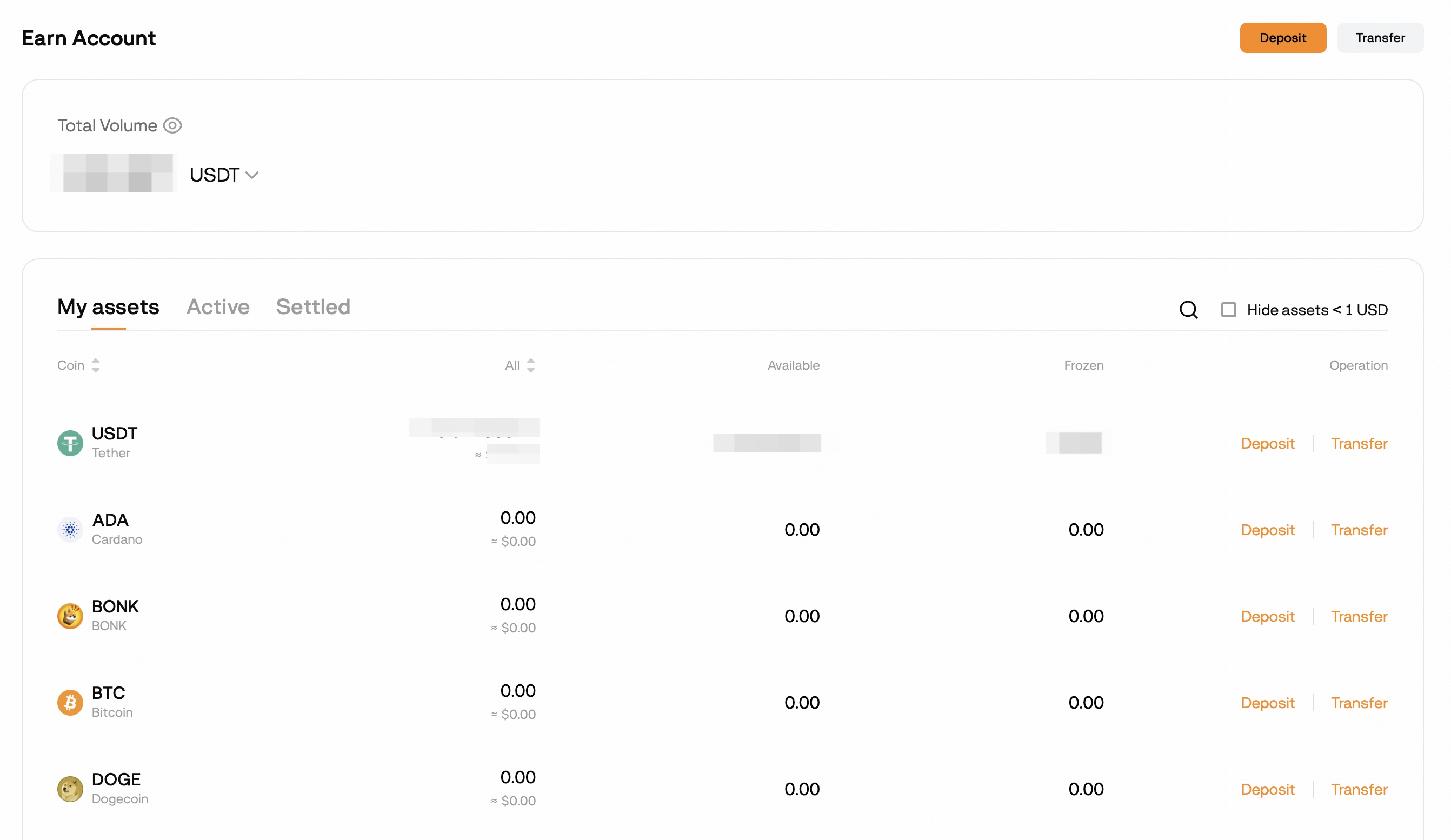
My Assets
-
Displays all assets in your Earn account.
-
Shows Balances, Available Amounts, and Frozen Amounts.
-
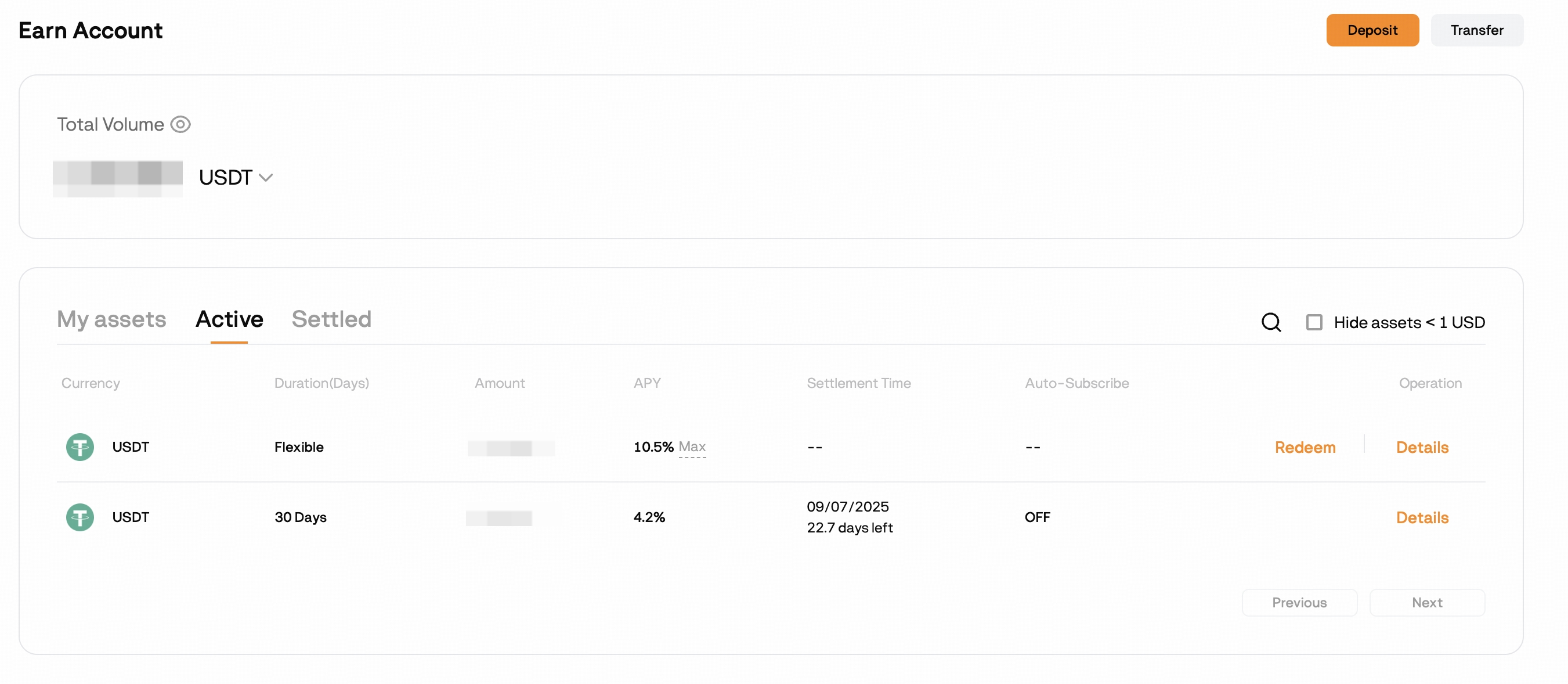
Active
-
Shows subscriptions that are currently earning interest.
-
Displays Duration, Amount, APY, Settlement Time, and Auto-Subscribe status.
-
For Flexible subscription, click Redeem to withdraw funds anytime.
-
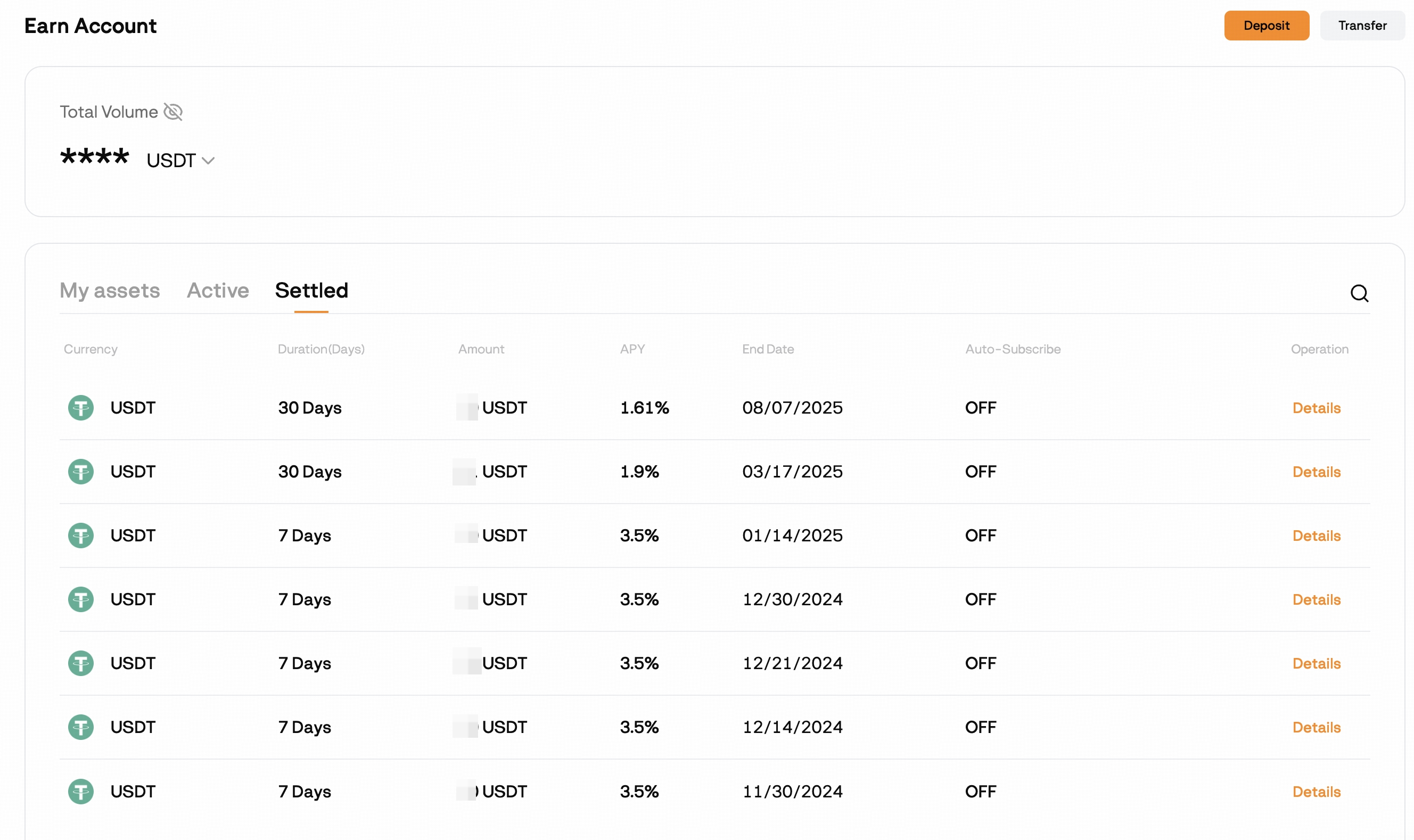
Settled
-
Displays Completed Subscriptions with Duration, Amount, APY, End Date,and Auto-Subscribe Status.
-
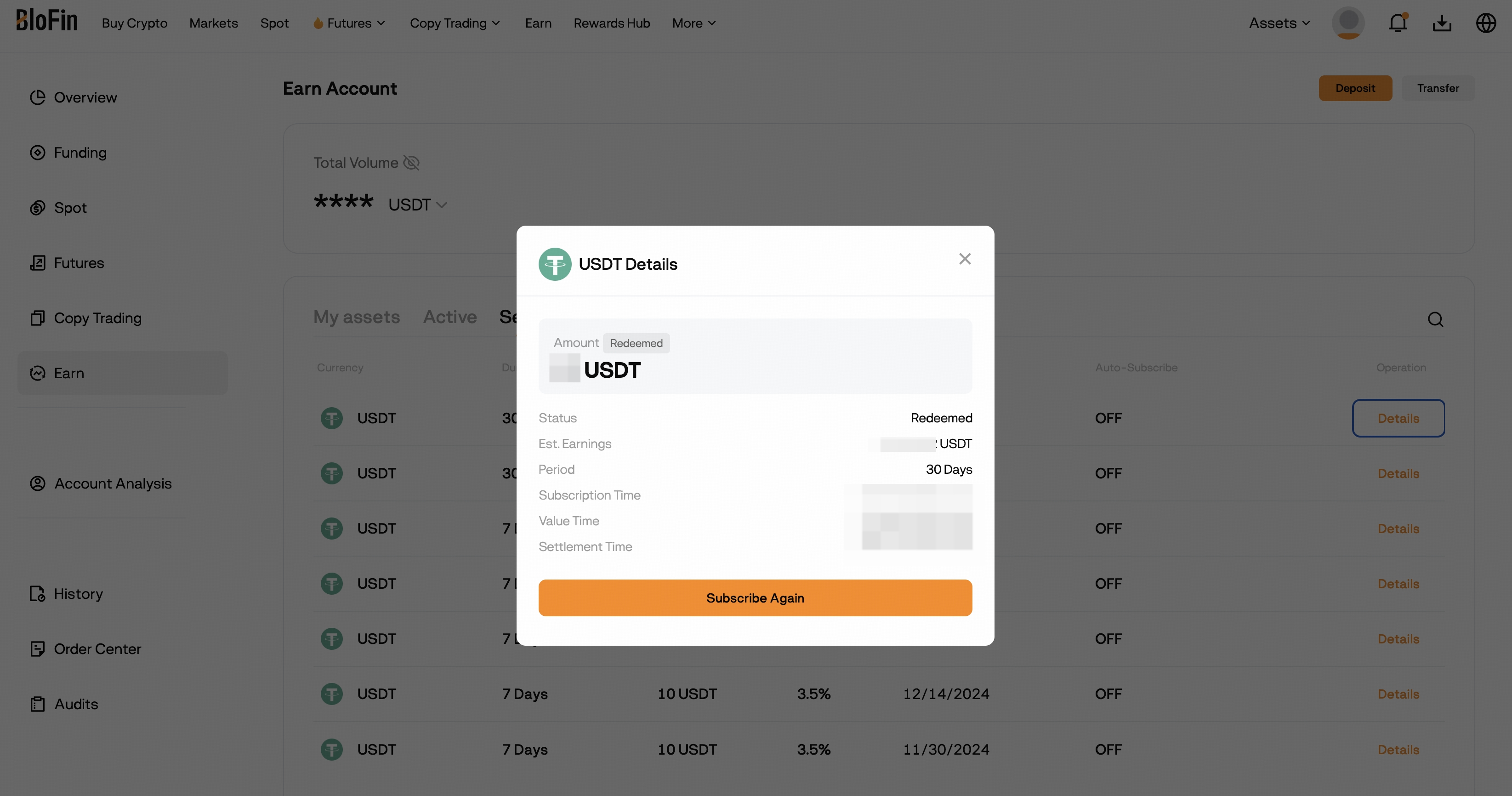
Click Details to view the subscription history.
-
-
-
-
-
From here, you can:
-
Check interest accrual.
-
Redeem Flexible products.
-
Enable or disable Auto-Subscribe.
-
What is Auto-Subscribe?
-
If enabled during subscription, your principal and interest will be automatically re-invested in the same product type and duration at the prevailing rate upon maturity.
-
If disabled, your funds will return to your Earn account when the product matures.
-
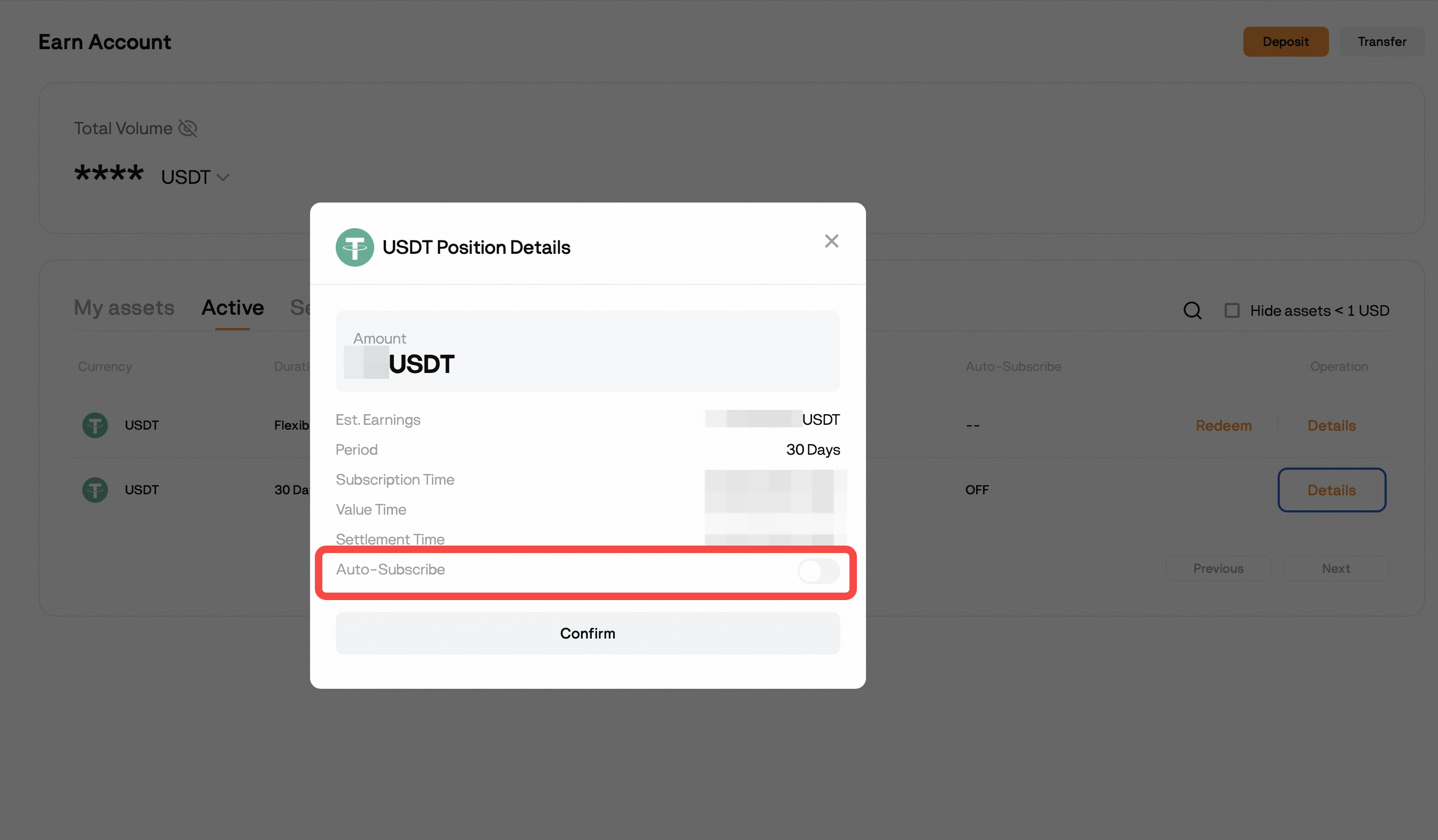
You can enable or disable Auto-Subscribe at any time before maturity by toggling the Auto-Subscribe button in your subscription details.
Notes & Reminders
-
Interest starts accruing from the day after subscription.
-
For Flexible products, redeeming before the end of the day will forfeit that day’s interest.
-
For Fixed products, funds are locked until maturity.
-
Always check product-specific rules before subscribing.
Make sure you understand the terms of each Earn product before subscribing so you can choose the option that best fits your investment goals and liquidity needs. For the most up-to-date product list, interest rates, and terms, visit the BloFin Earn page.