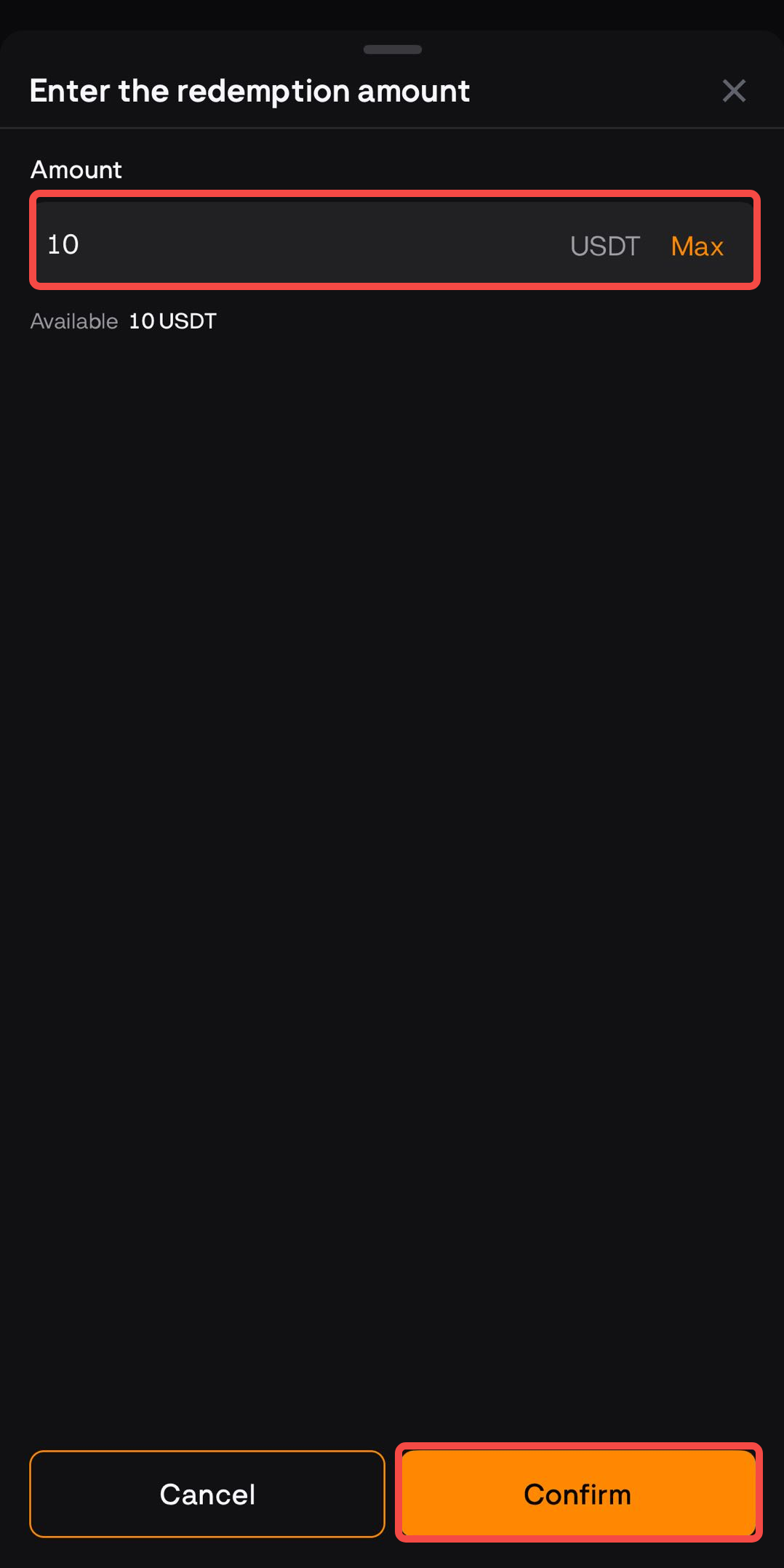
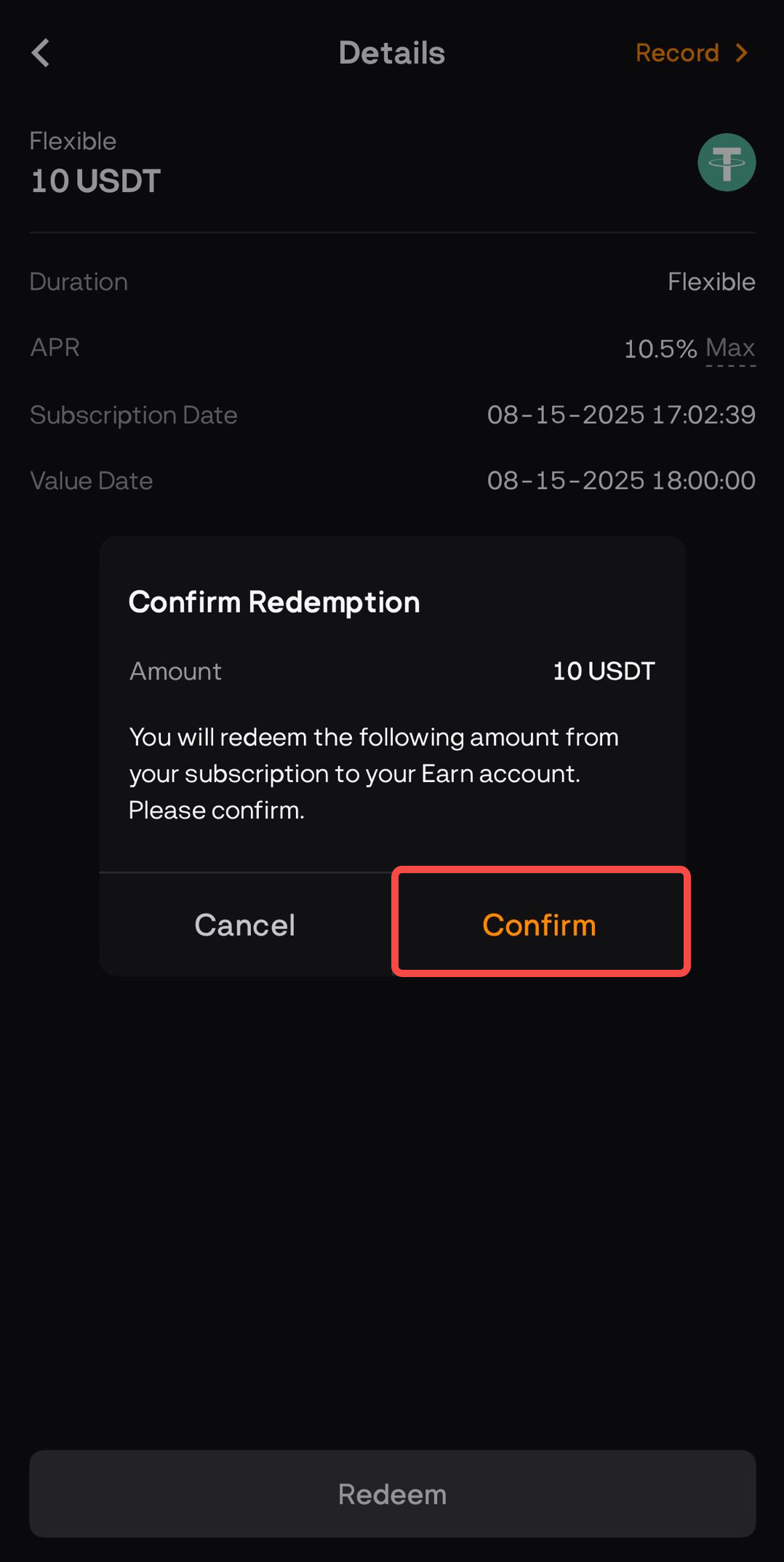
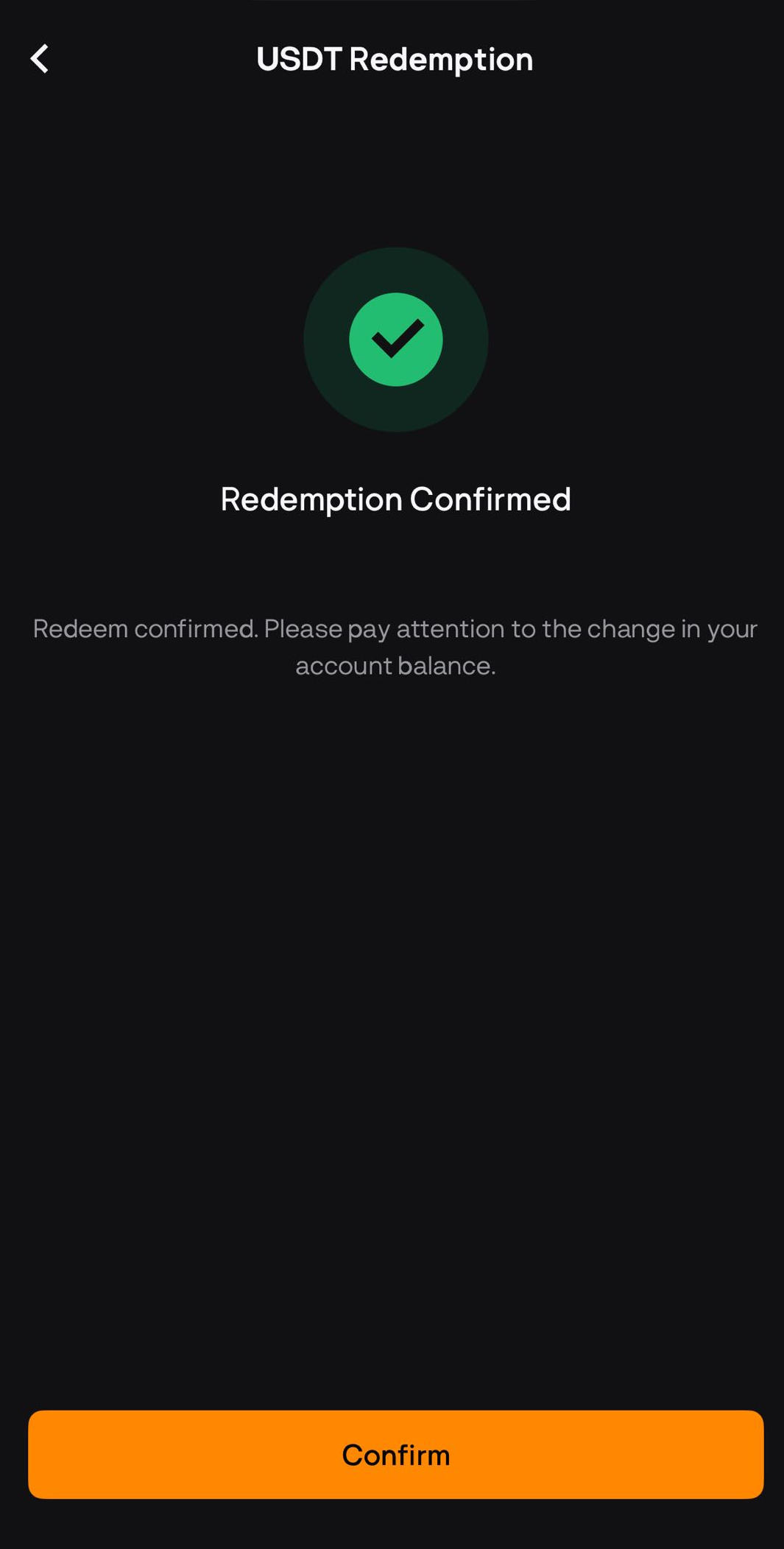
Flexible Subscription provide the flexibility to redeem your assets whenever needed, giving you quick access to your funds. With Flexible Subscription, you can deposit your assets and earn interest while retaining the ability to withdraw them anytime.
Fixed Subscription require you to deposit your assets for a fixed period, during which you earn a higher return compared to Flexible Subscription. By committing to the lock-up period, you can benefit from the increased interest rates offered by Fixed Subscription, maximizing your potential earnings. So, after the subscription expires, the principal and interest will be returned to your Earn Account automatically.
Web
Redemption of Flexible Earn Subscription
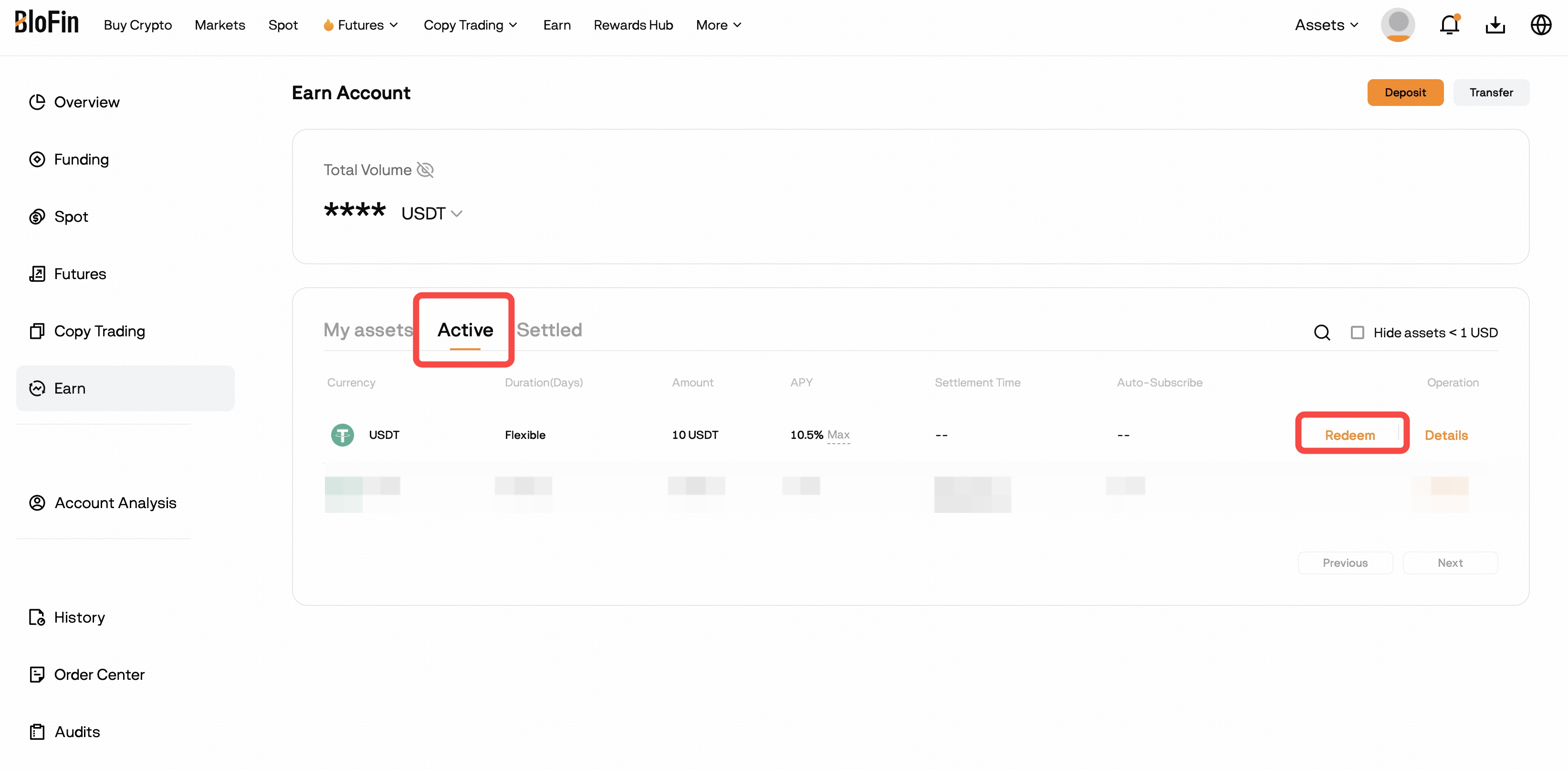
1. Click on [Earn] in the navigation bar - [My Earnings] to view your Earn subscription in your Earn Account.
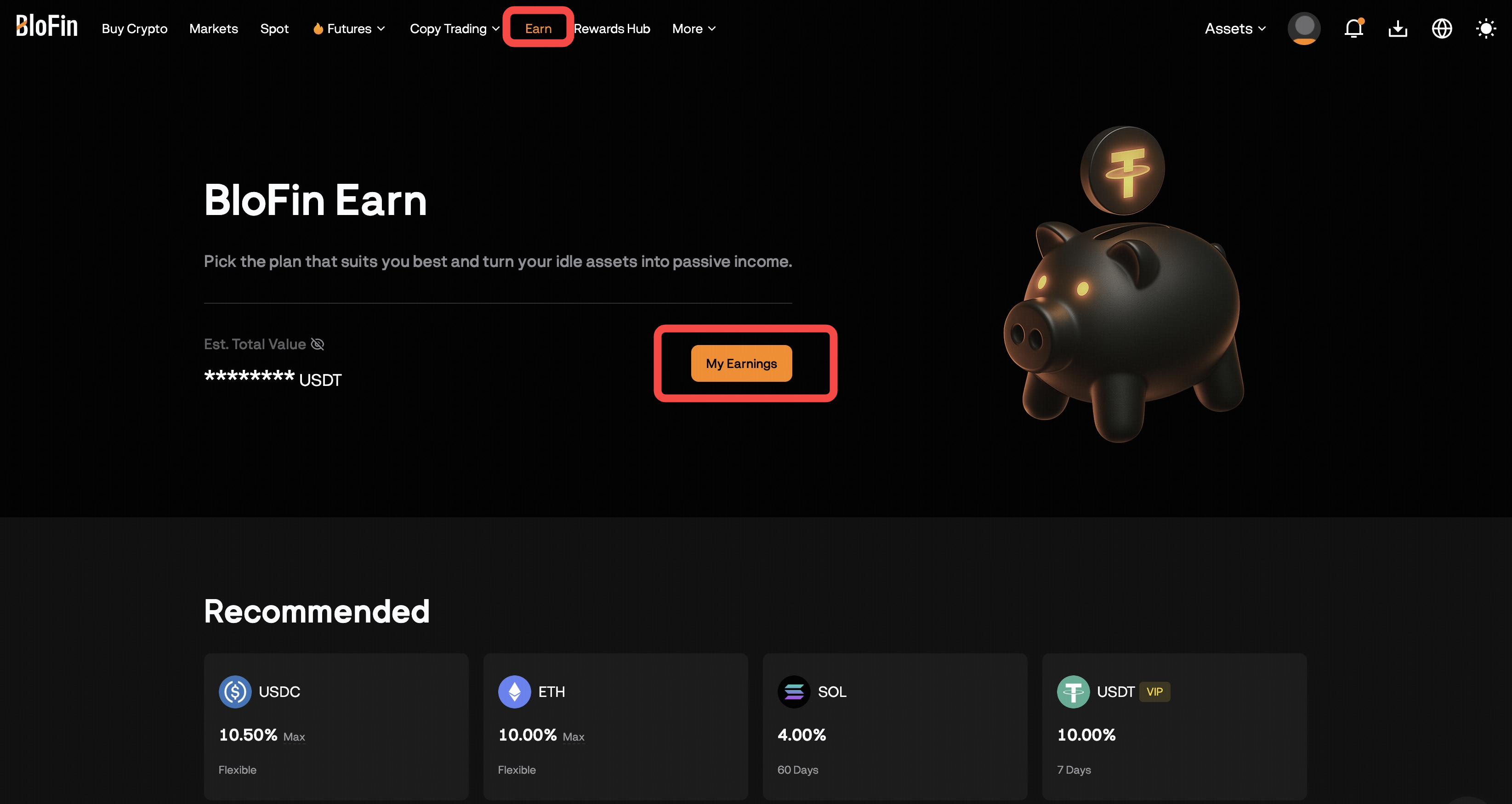
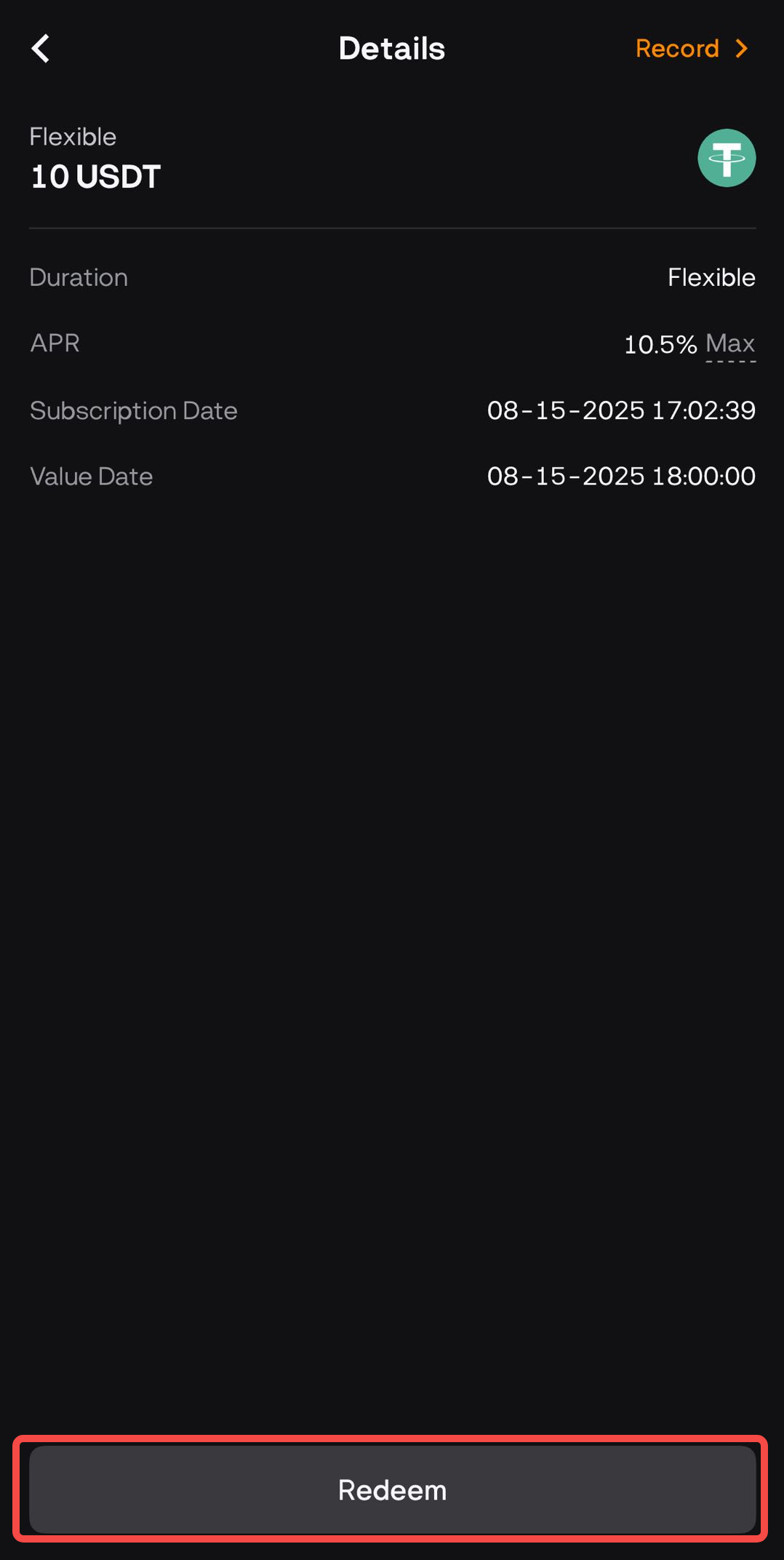
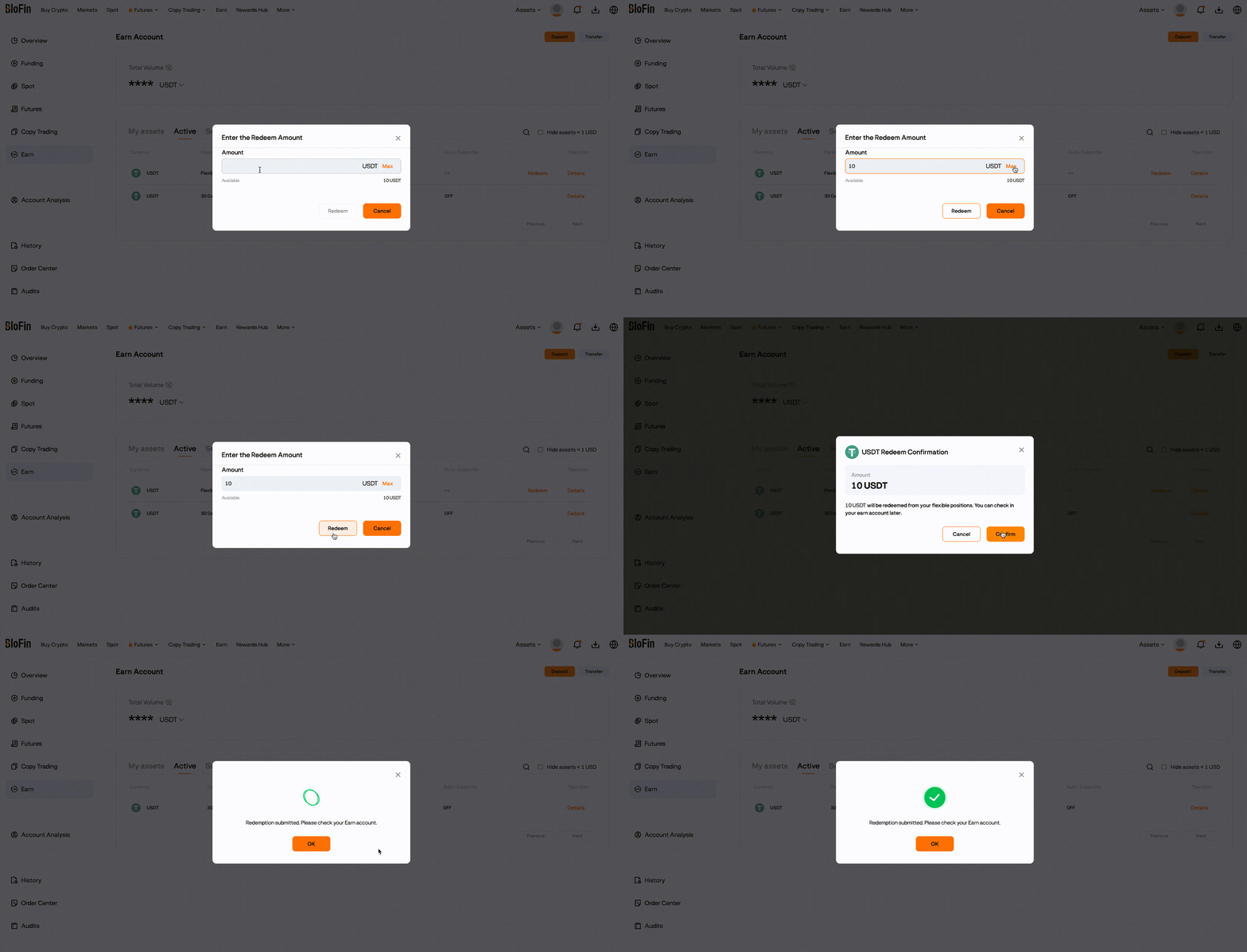
2. Find your Flexible Earn subscription under [Active] section, and click [Redeem] to access the redemption page. Fill in the amount you want to redeem, then click [Redeem] and [Confirm]. The assets you redeemed will be available to your Earn Account.
Redemption of Fixed Earn Subscription
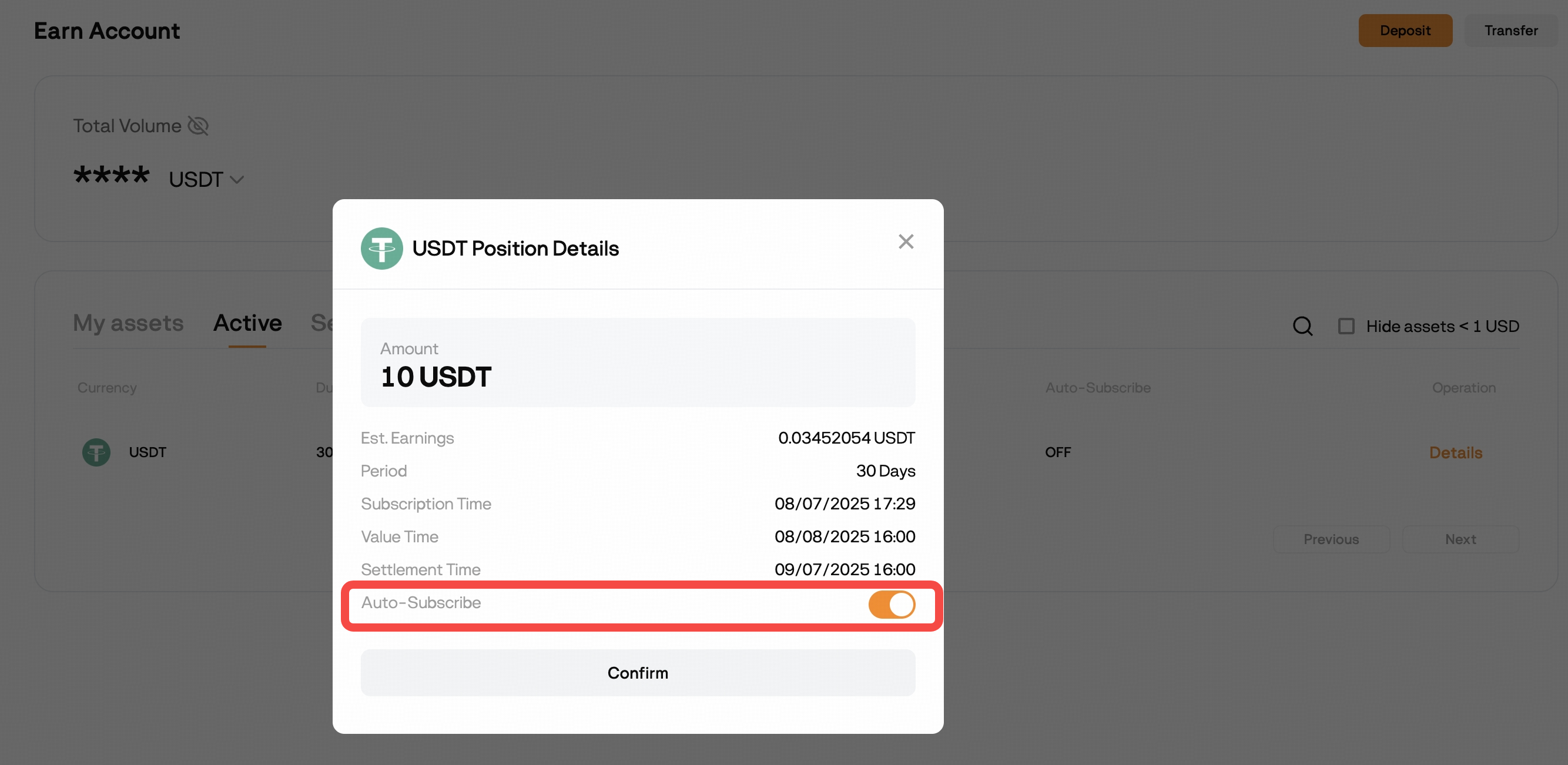
Fixed Earn subscription do not support early redemption. Your subscription amount and the interest earned will be automatically redeemed and credited to your Earn Account after the maturity date.
App
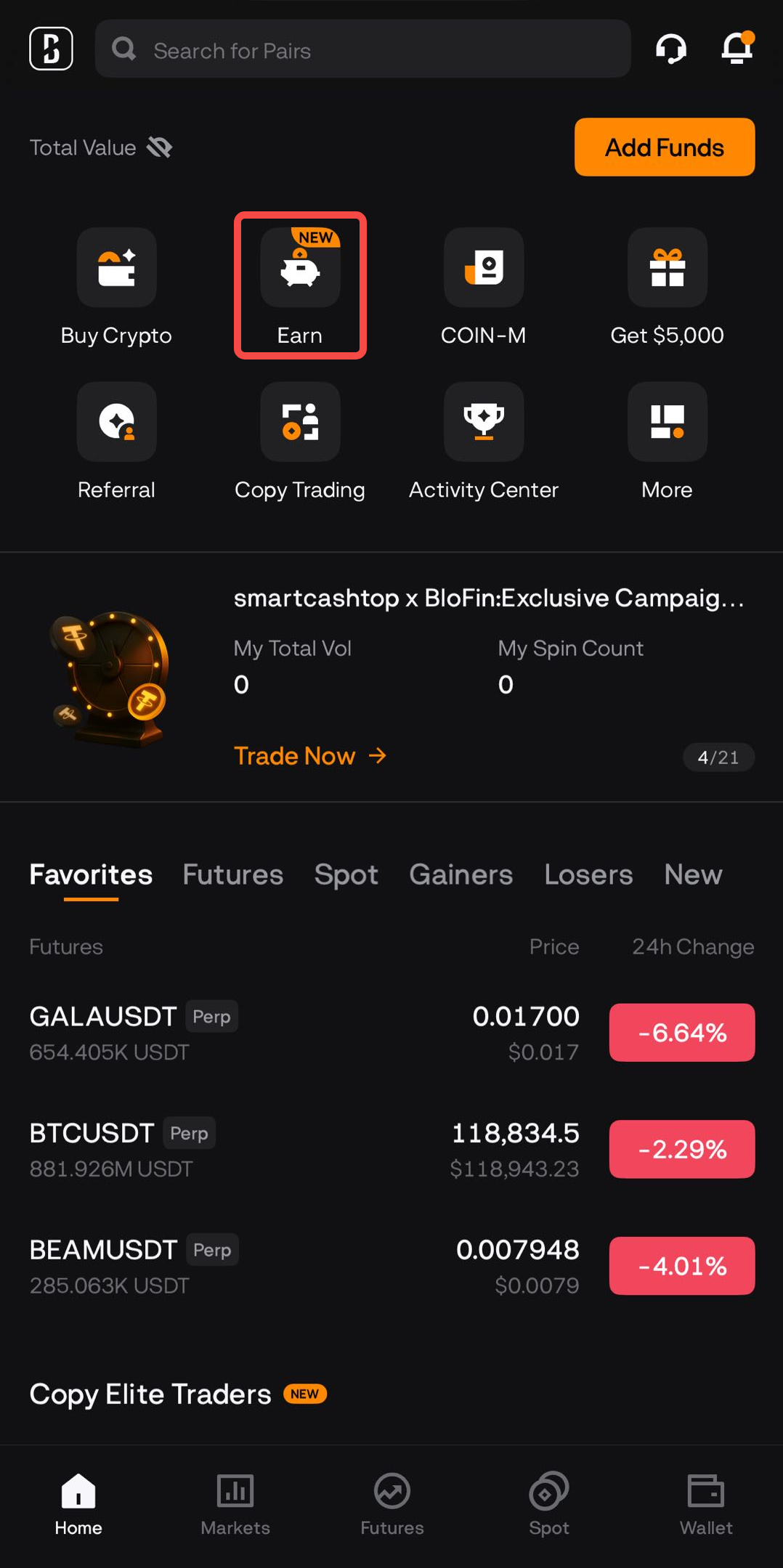
Redemption of Flexible Earn Subscription
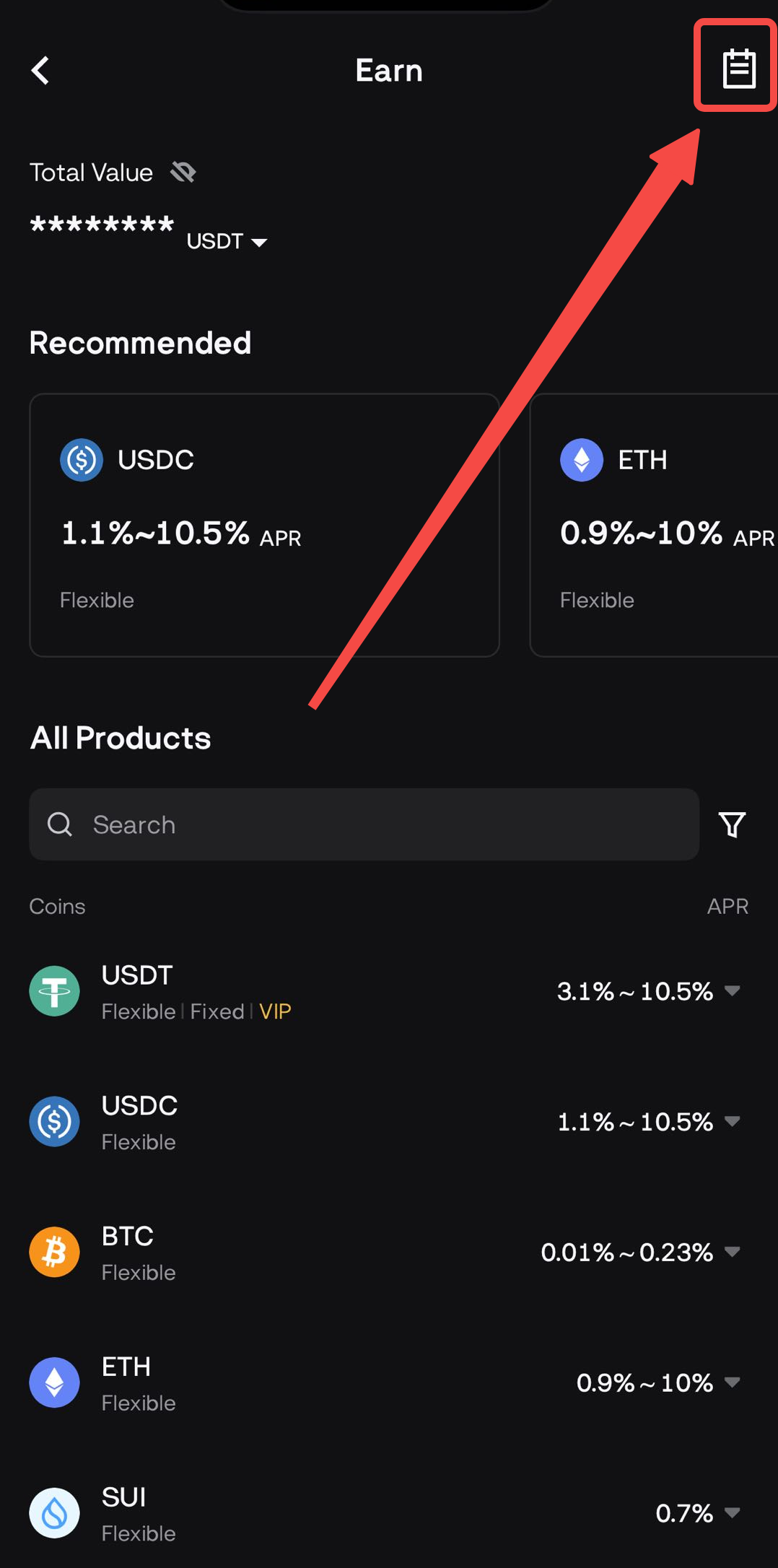
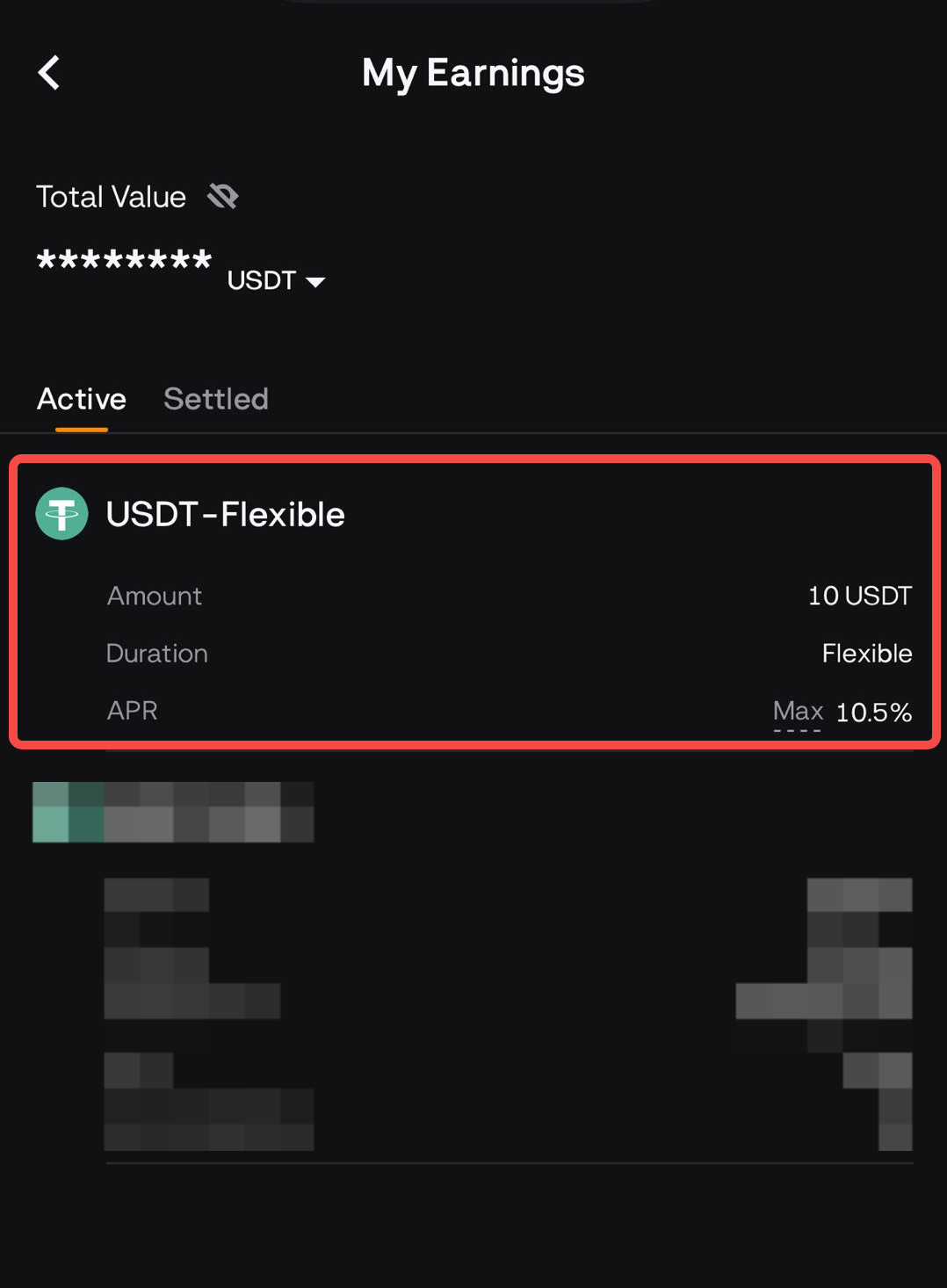
 [History Icon] on the upper-right corner to visit My Earnings Page.