
How to Use BloFin Tax API
February 3, 2026 at 07:53 PMThe BloFin Tax API enables you to systematically track trading activity and generate standardized records required for tax filing and regulatory reporting.
By leveraging the Tax API, you can securely export transaction data across supported products and time ranges, significantly reducing manual effort and improving accuracy in tax preparation workflows.
Here is a step-by-step guide on how to use the Tax API service on BloFin.
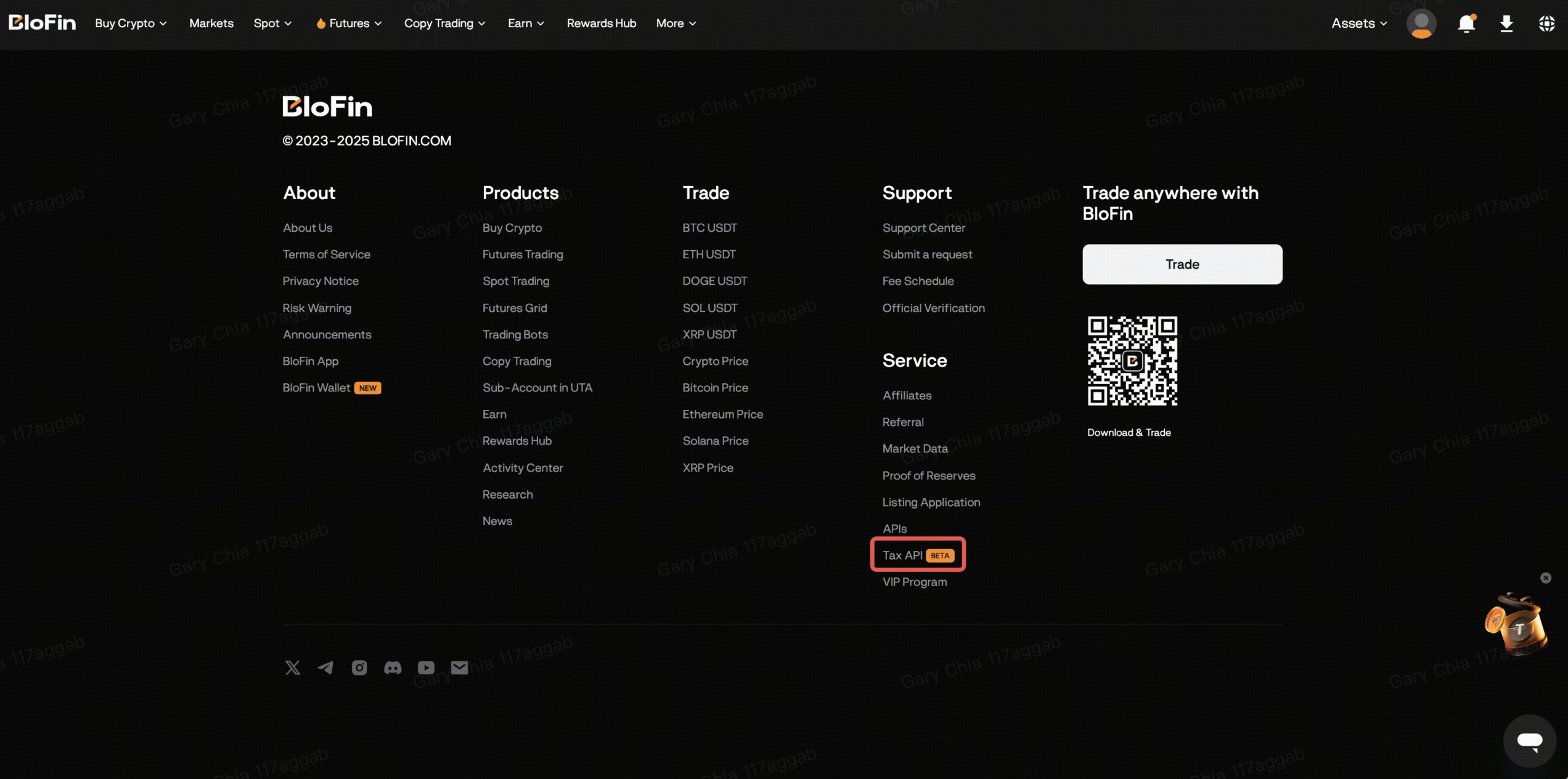
Step 1: Log in to your BloFin account, scroll to the website footer, and select Tax API under Services.
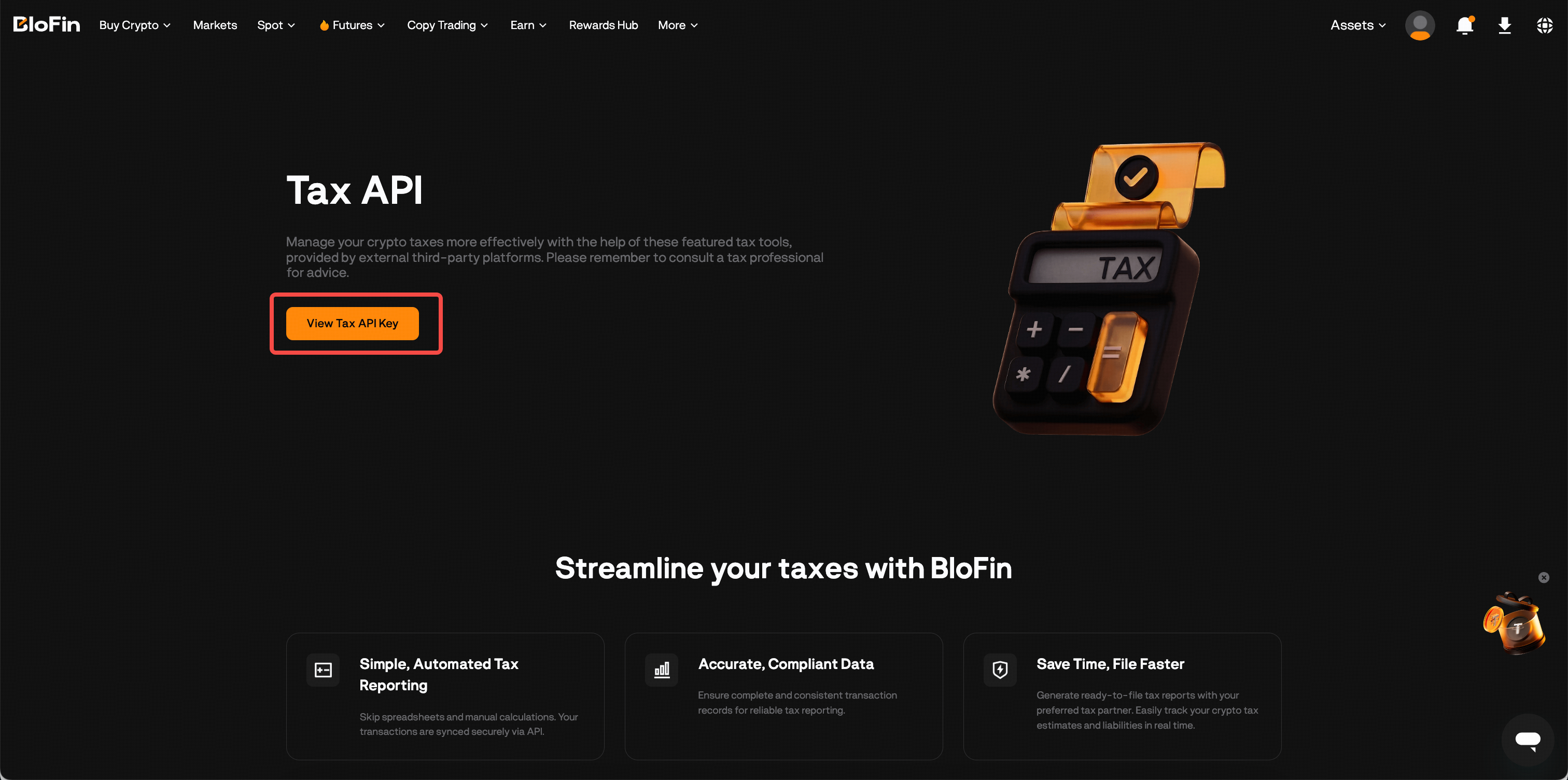
Step 2: On the Tax API page, click Create Tax API Key to generate your API Key and API Secret.
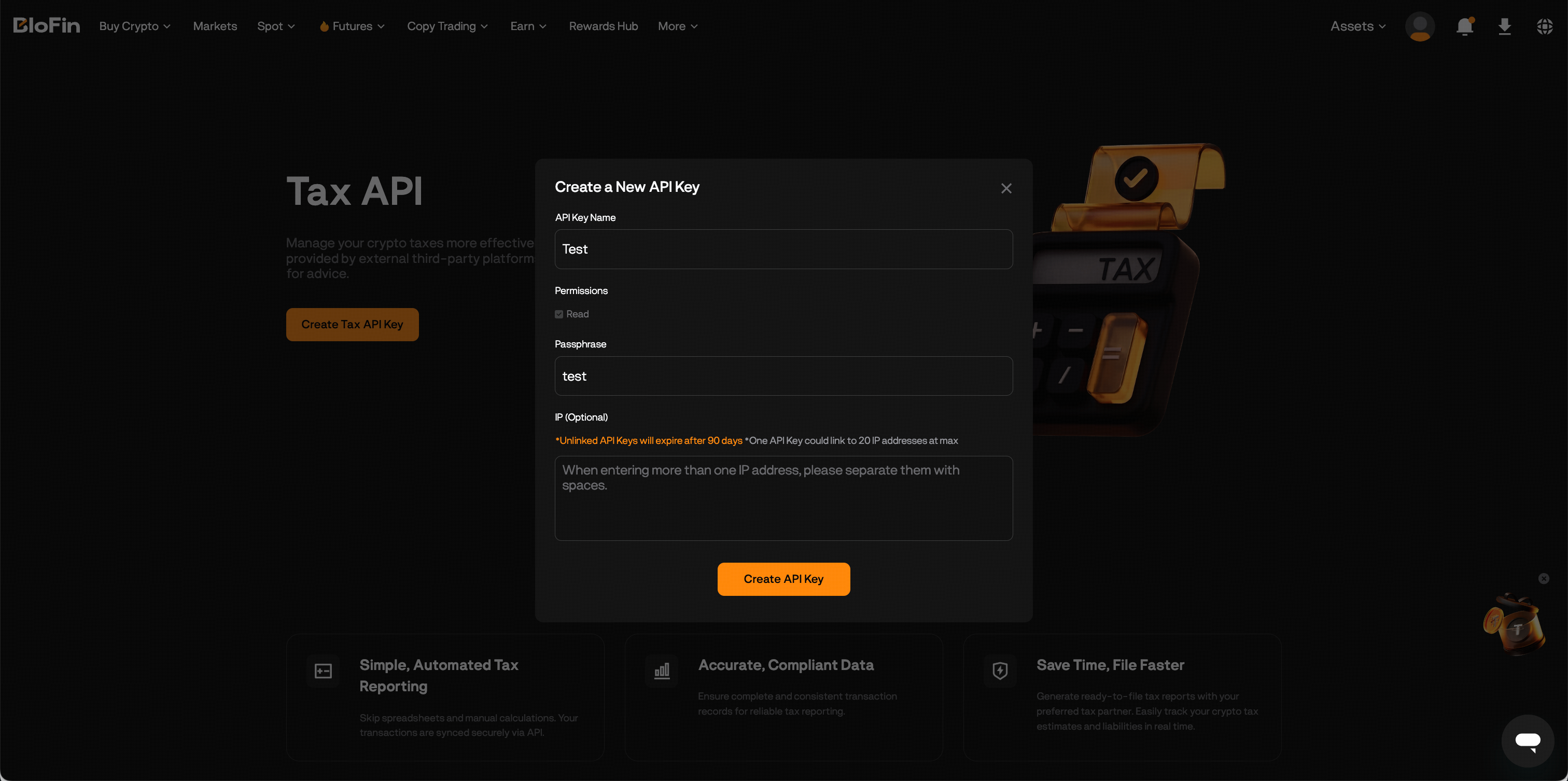
Step 3: Enter an API Key name and Passphrase. You may optionally configure IP whitelisting for additional security and each Tax API Key can support up to 20 IP addresses.
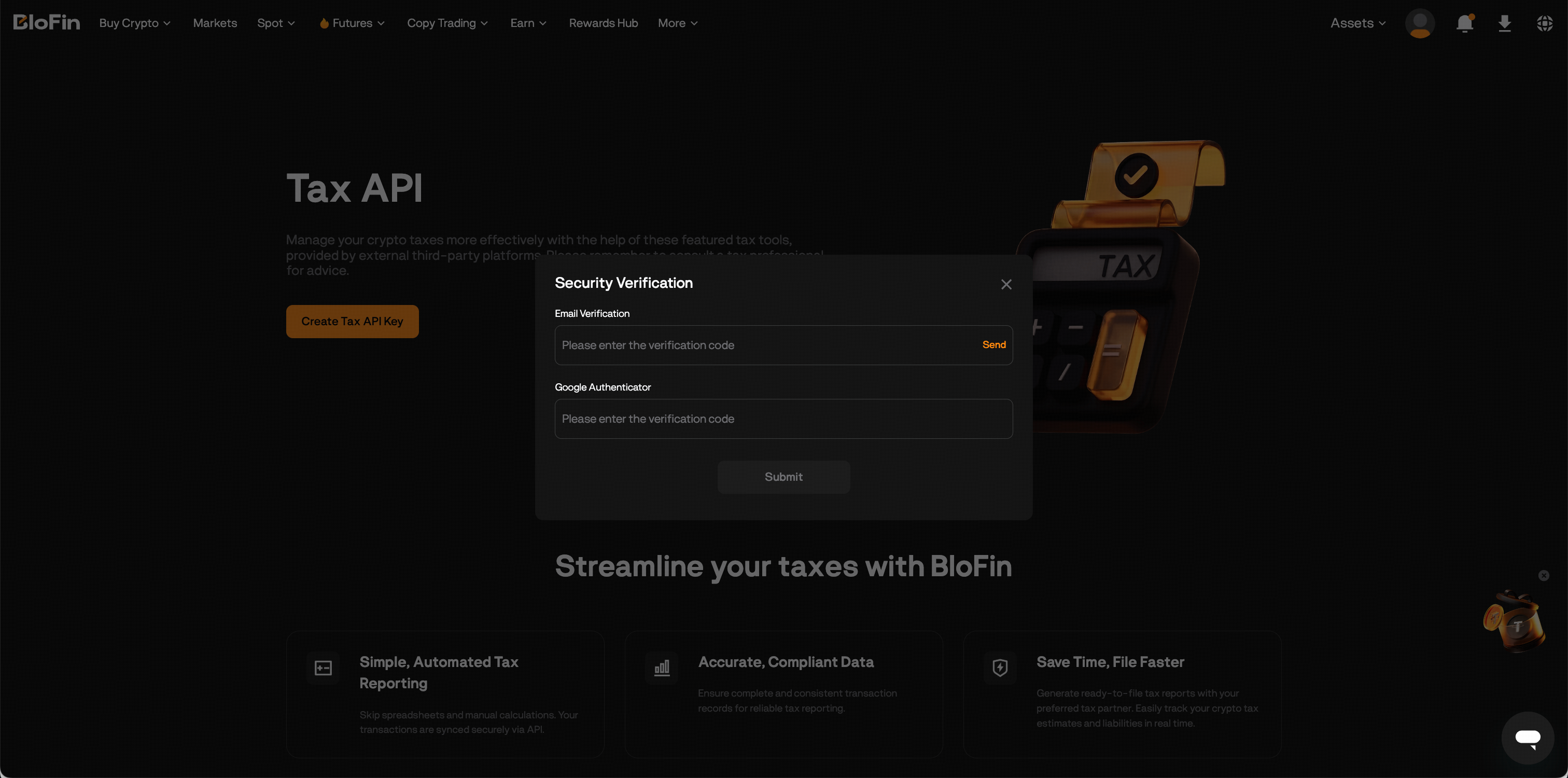
Step 4: Complete the required security verification steps to create your Tax API Key.
Once completed, your Tax API Key will be successfully created. Tax API Keys without IP restrictions expire after 90 days, while keys with IP whitelisting remain valid indefinitely. After the Tax API Key expires, you can create a new Tax API Key.
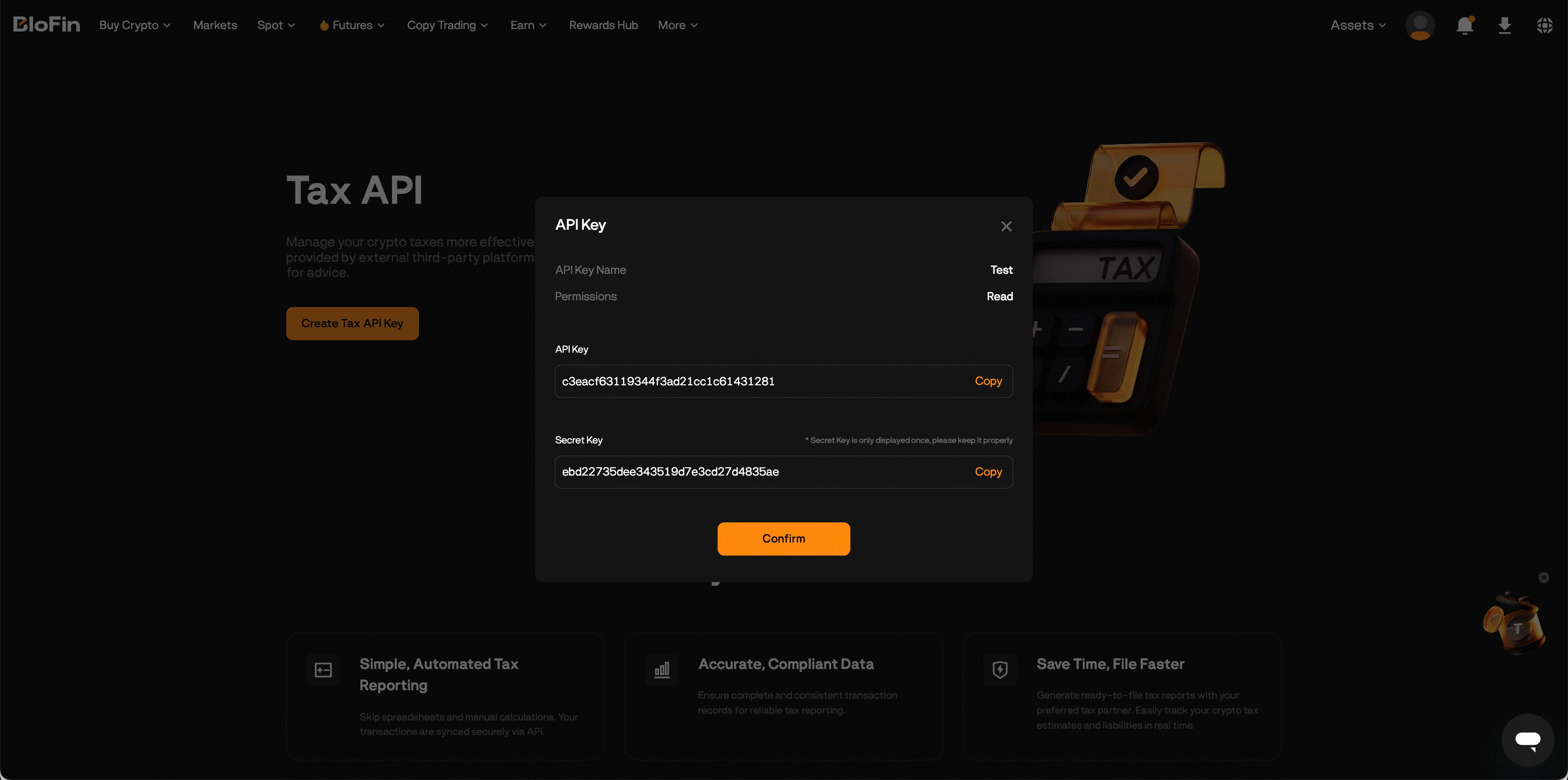
Step 5: Select a third-party tax service provider, click Get started, enter your Tax API key and Secret Key, and submit.

Disclaimer:BloFin is not responsible for the quality, accuracy, or reliability of any products or services provided by third-party tax service providers and expressly disclaims any liability arising from their use. Any engagement with third-party tax partners is undertaken at the user’s own discretion and risk.
Was this article helpful?