
BloFin Proof of Reserves
July 21, 2026 at 09:22 AMBloFin secures the safety and accessibility of your cryptocurrency assets for trading and withdrawal by upholding a 1:1 reserve of all users' funds on our platform.
Please follow the steps below to verify your assets on BloFin:
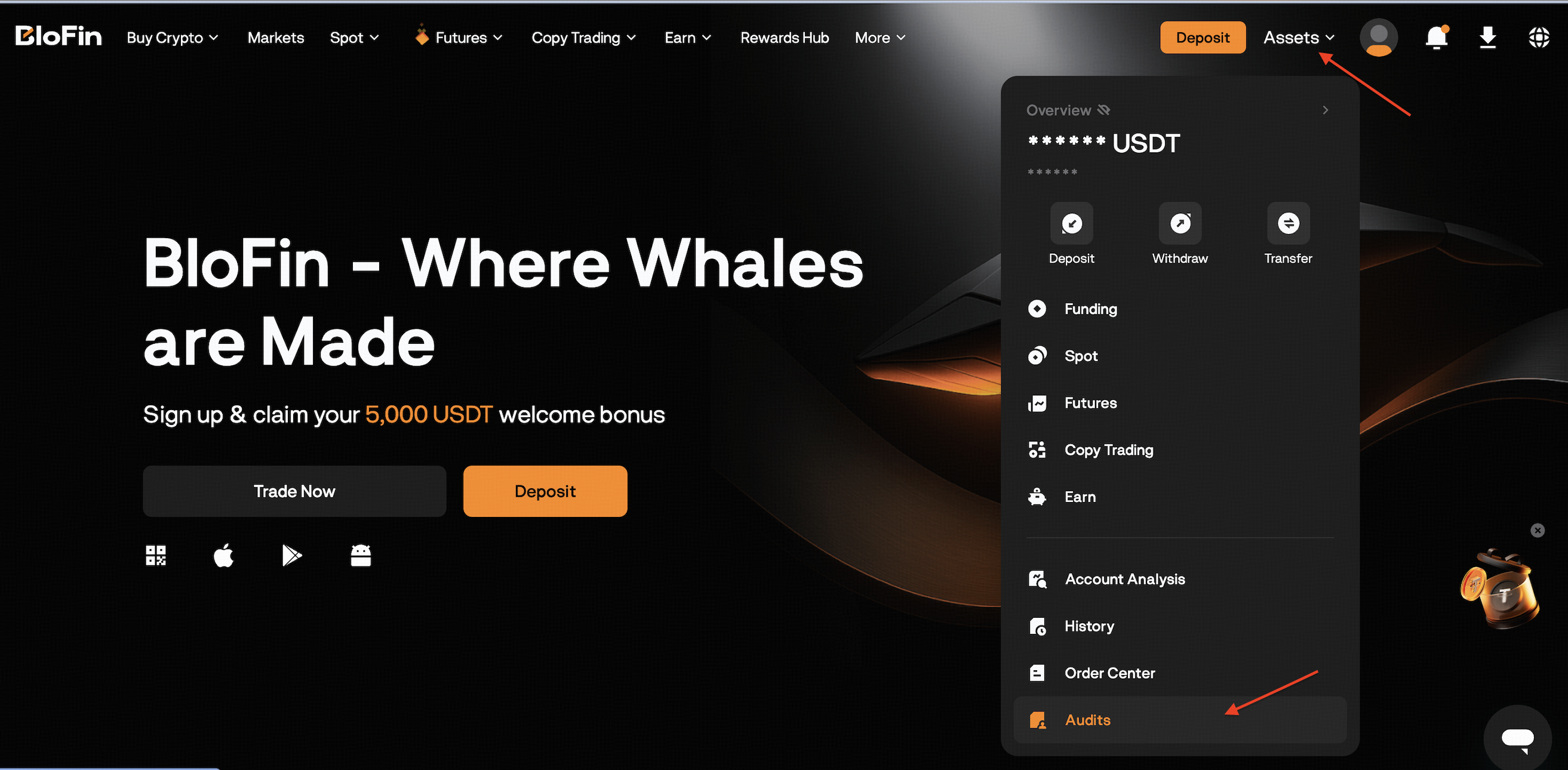
1. Log in to your BloFin account, click [Assets] and select [Audits] in the drop-down menu.
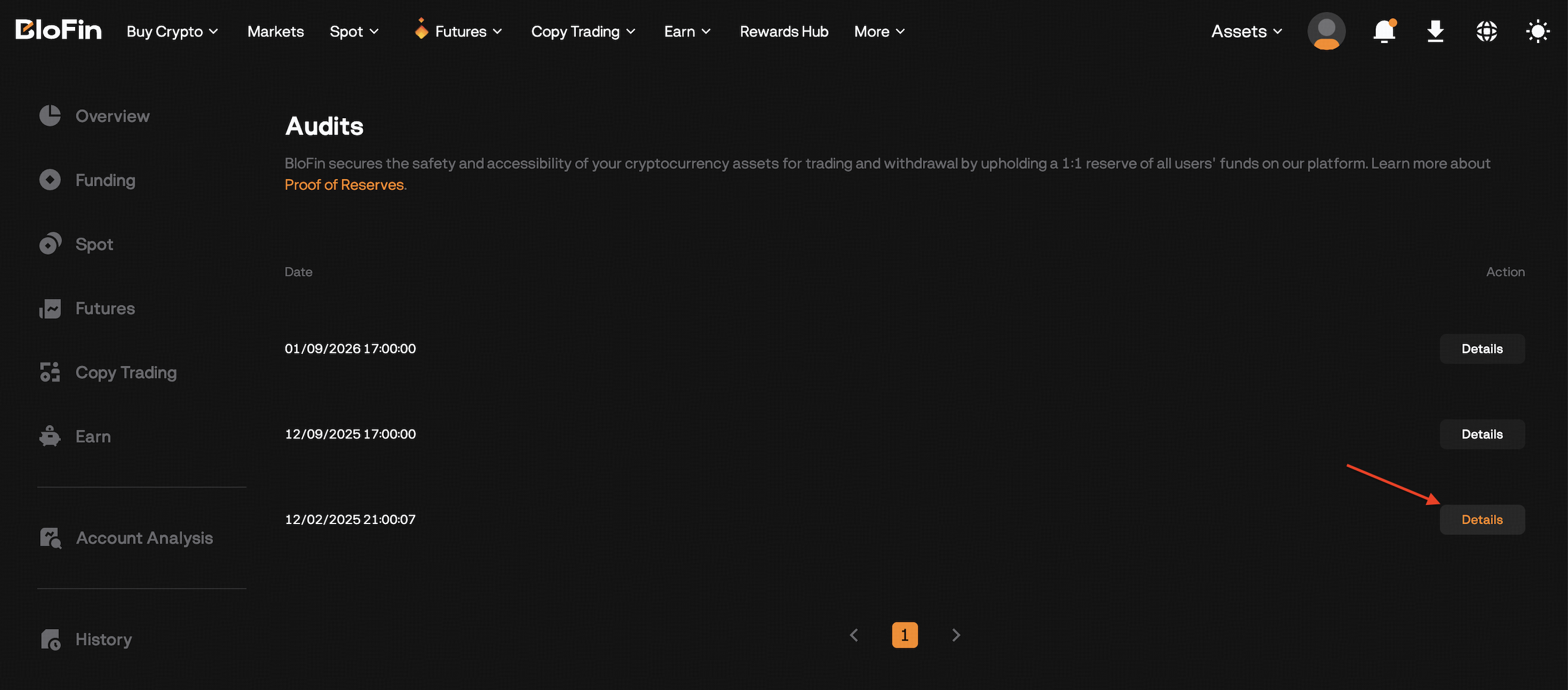
2. Click [Details] to view your asset data.
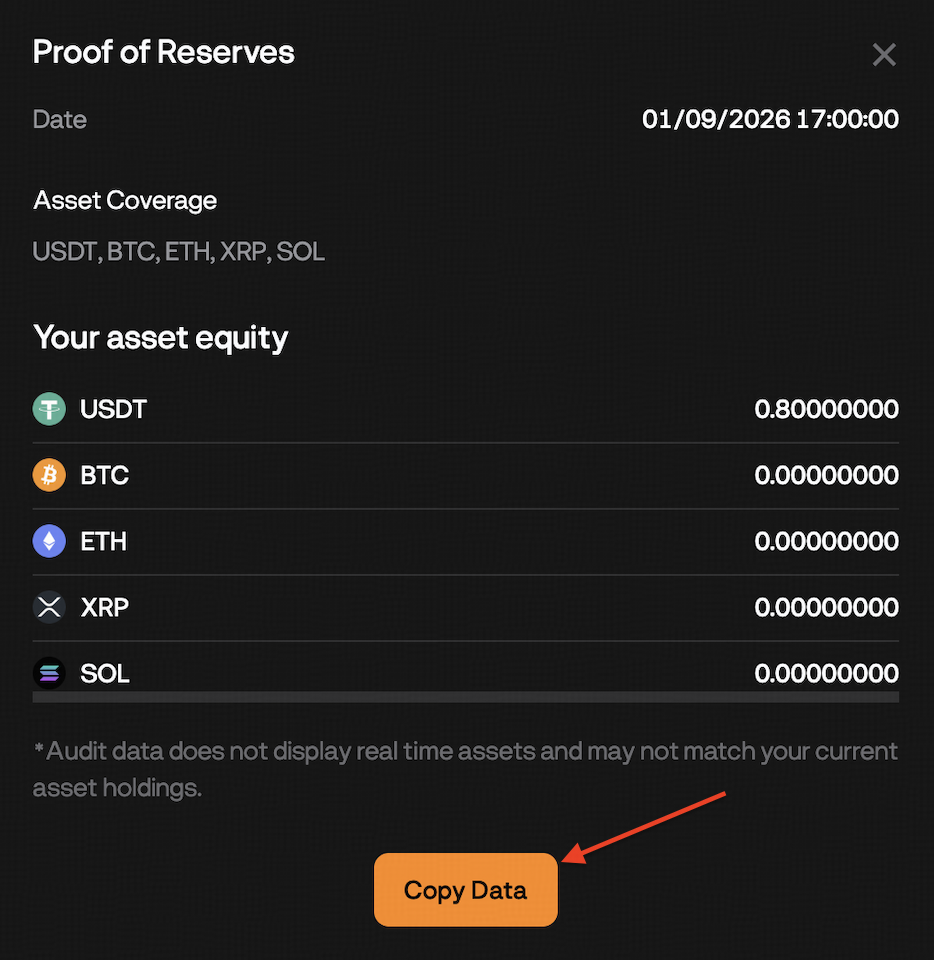
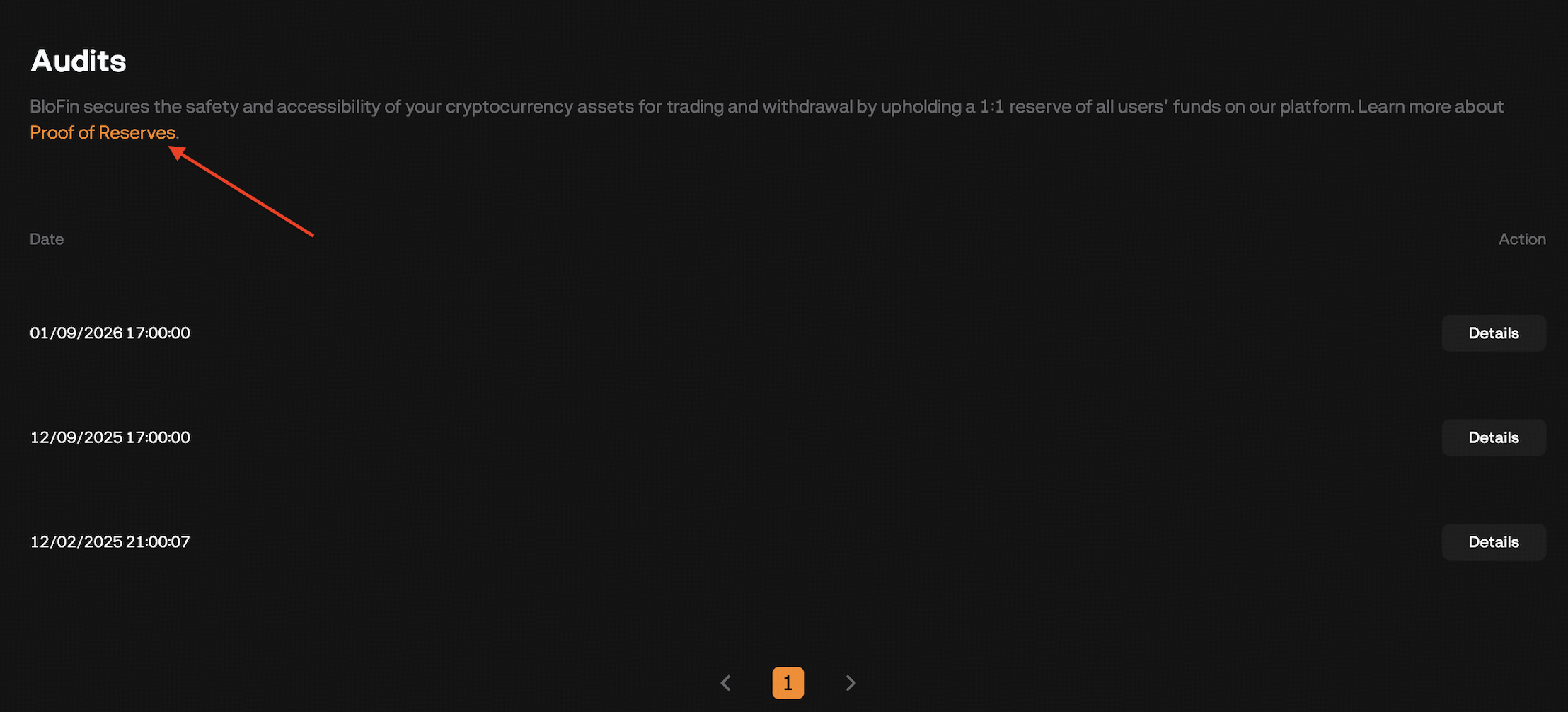
3. Click [Copy Data], then return to the Audits page and click [Proof of Reserves] to next.
The scope of this asset quantity snapshot includes: futures account (Equity), funding account, earn account, copyTrading account (Equity).
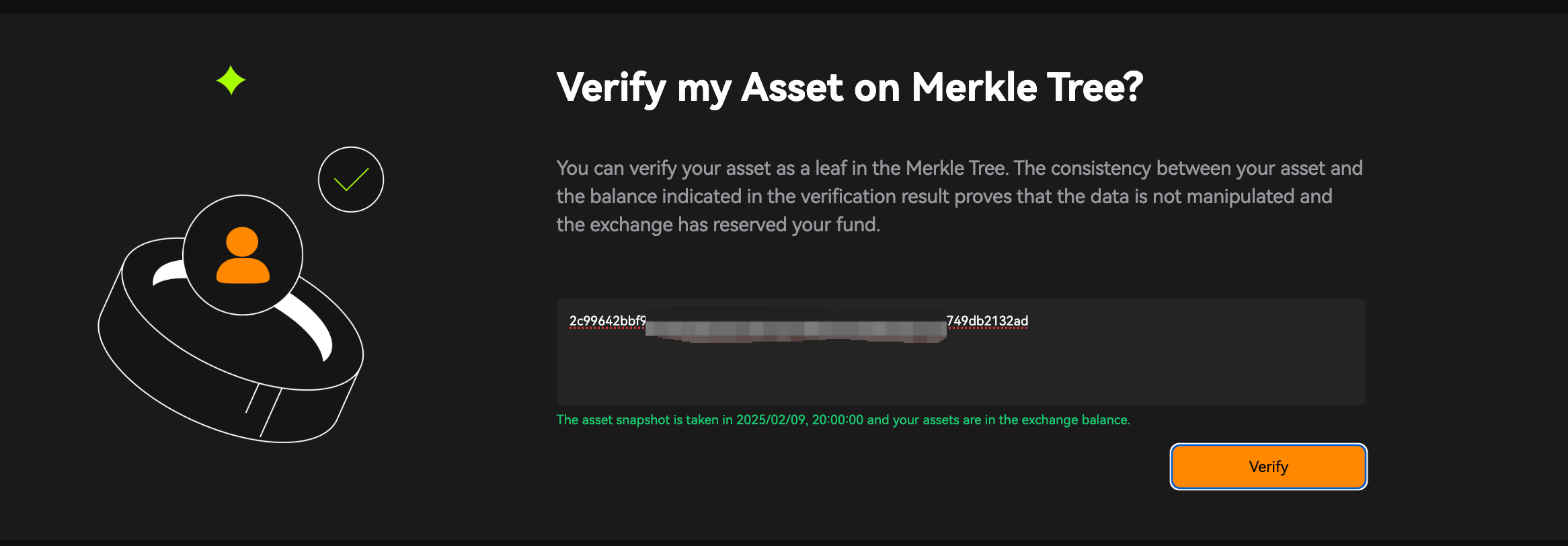
4. Paste your asset audit data into the designated text box, then click on [Verify]. The platform will compare the submitted snapshot with the Merkle tree and provide the verification result.
Click to learn more about What is Proof of Reserves?