
What is Sub-Account?
July 21, 2026 at 09:59 AM
A sub-account is a secondary account connected to your BloFin account. You can create multiple sub-accounts to diversify your trading strategies and reduce risks. Sub-accounts can be used for Spot and Futures trading.
How do I create a sub-account?
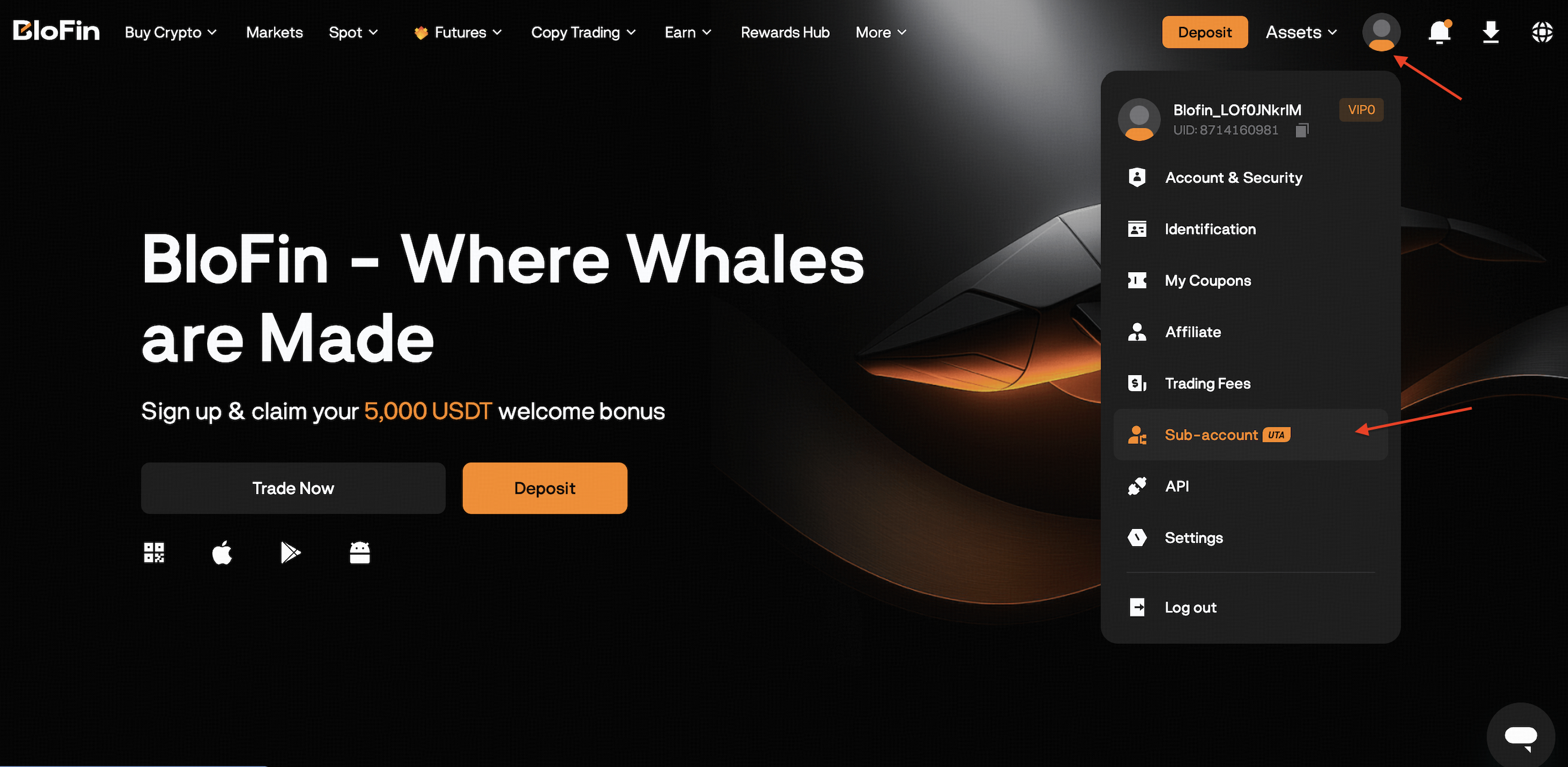
1. Open the BloFin website and log in to your account, hover mouse over the profile icon and select [Sub-account].
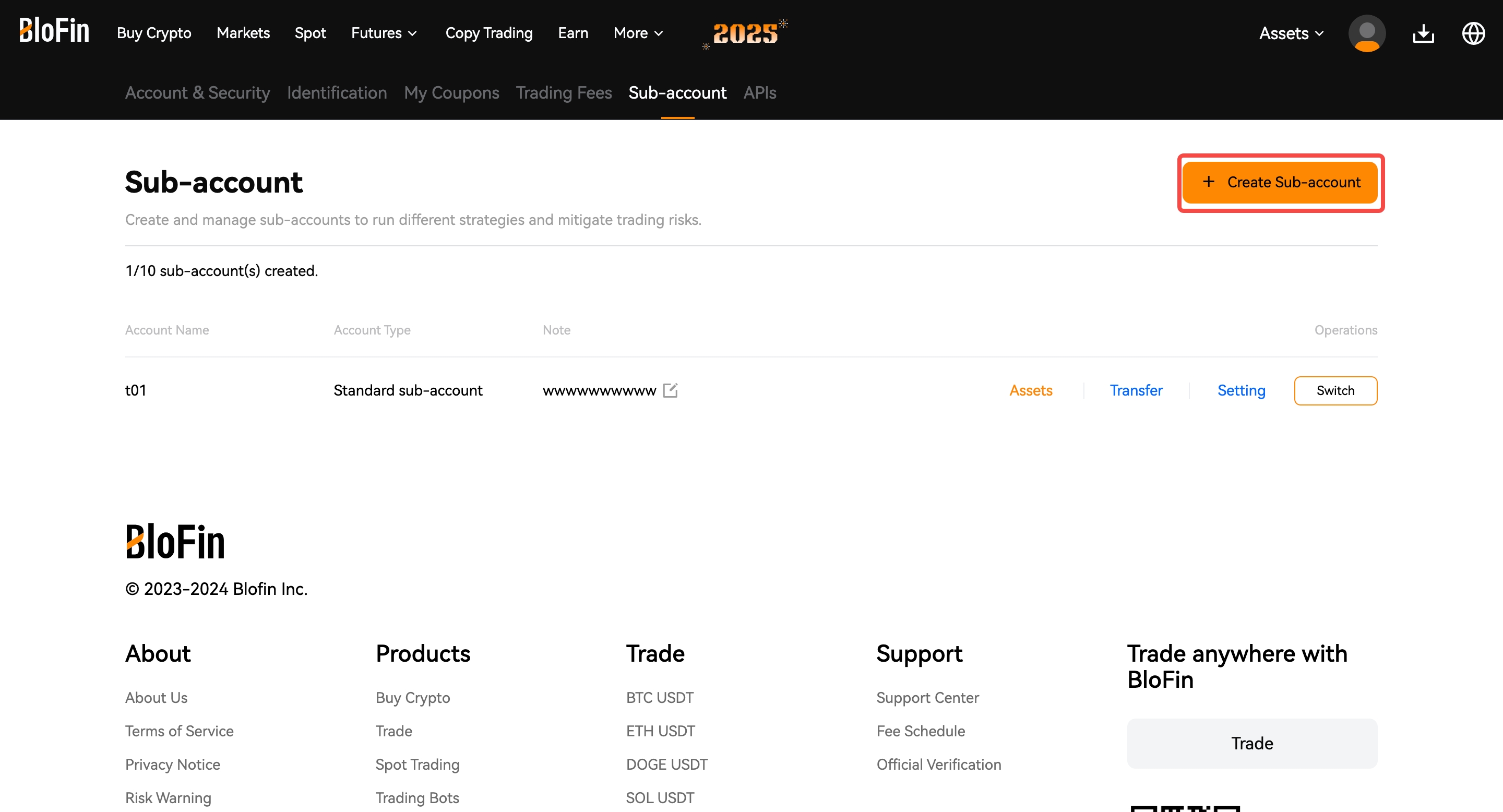
2. Click on the [+Create Sub-account], then enter your Account Name or enable “Individual Login”?
- When enabled, the sub-account can log in independently
- When disabled, the sub-account is managed only through the main account
- Enable this if you want to give access to another user or team member
Standard sub-account: you can separate your funds to run different trading strategies by transferring funds into your sub-account. However, you're not allowed to perform withdrawals in sub-accounts.
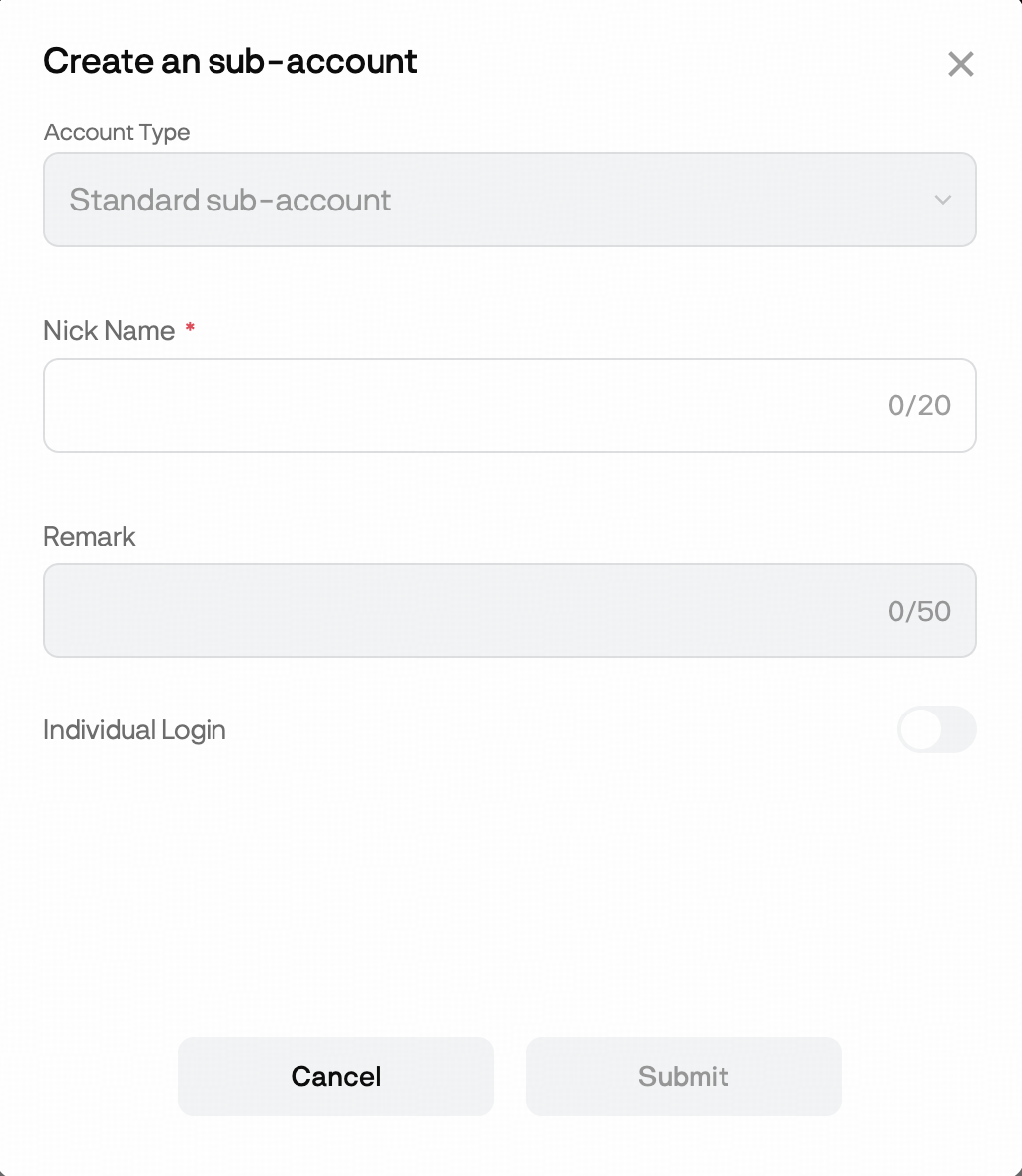
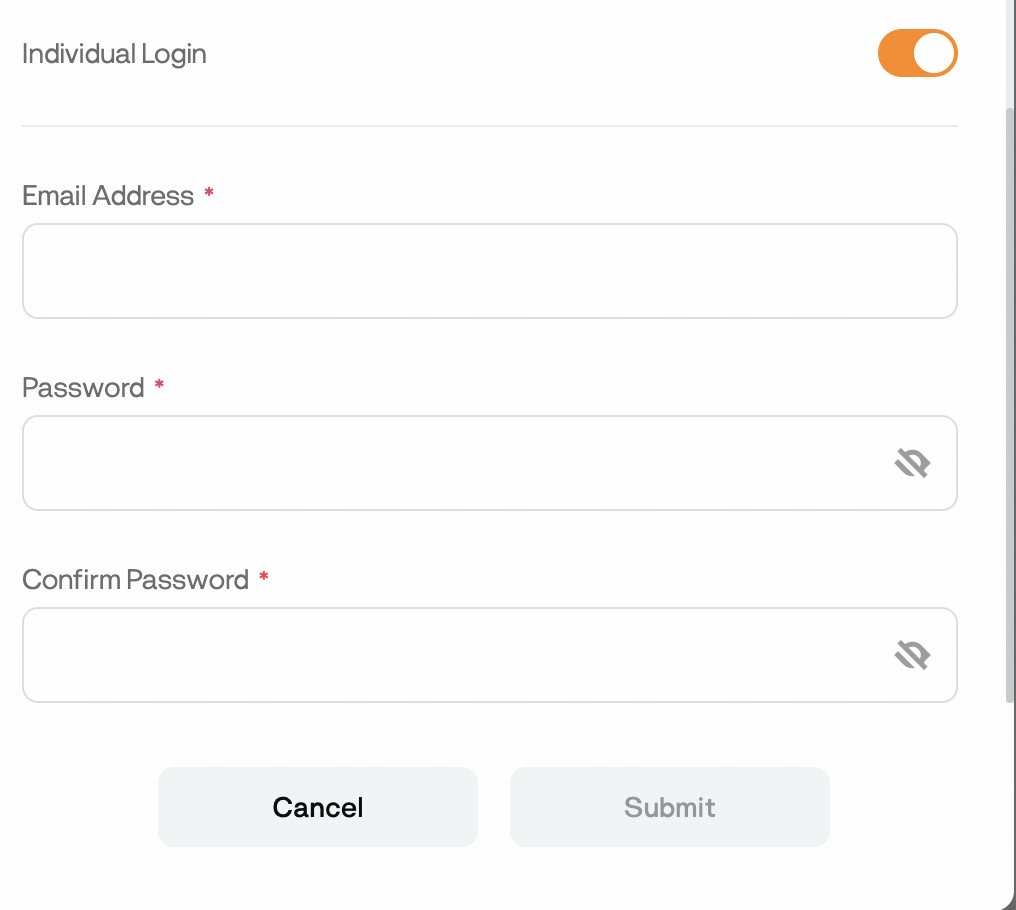
3. Confirm your information and click [Submit].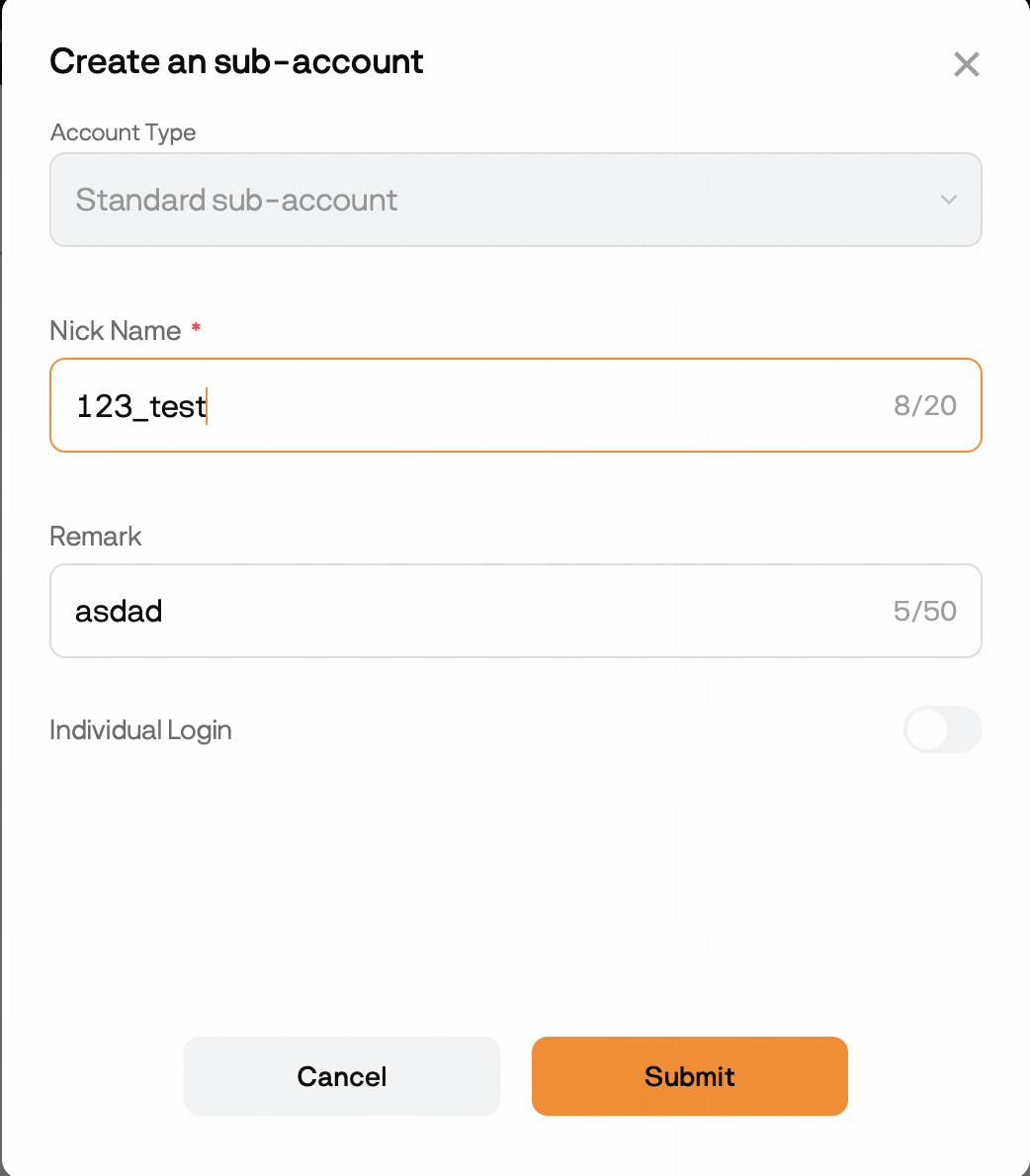
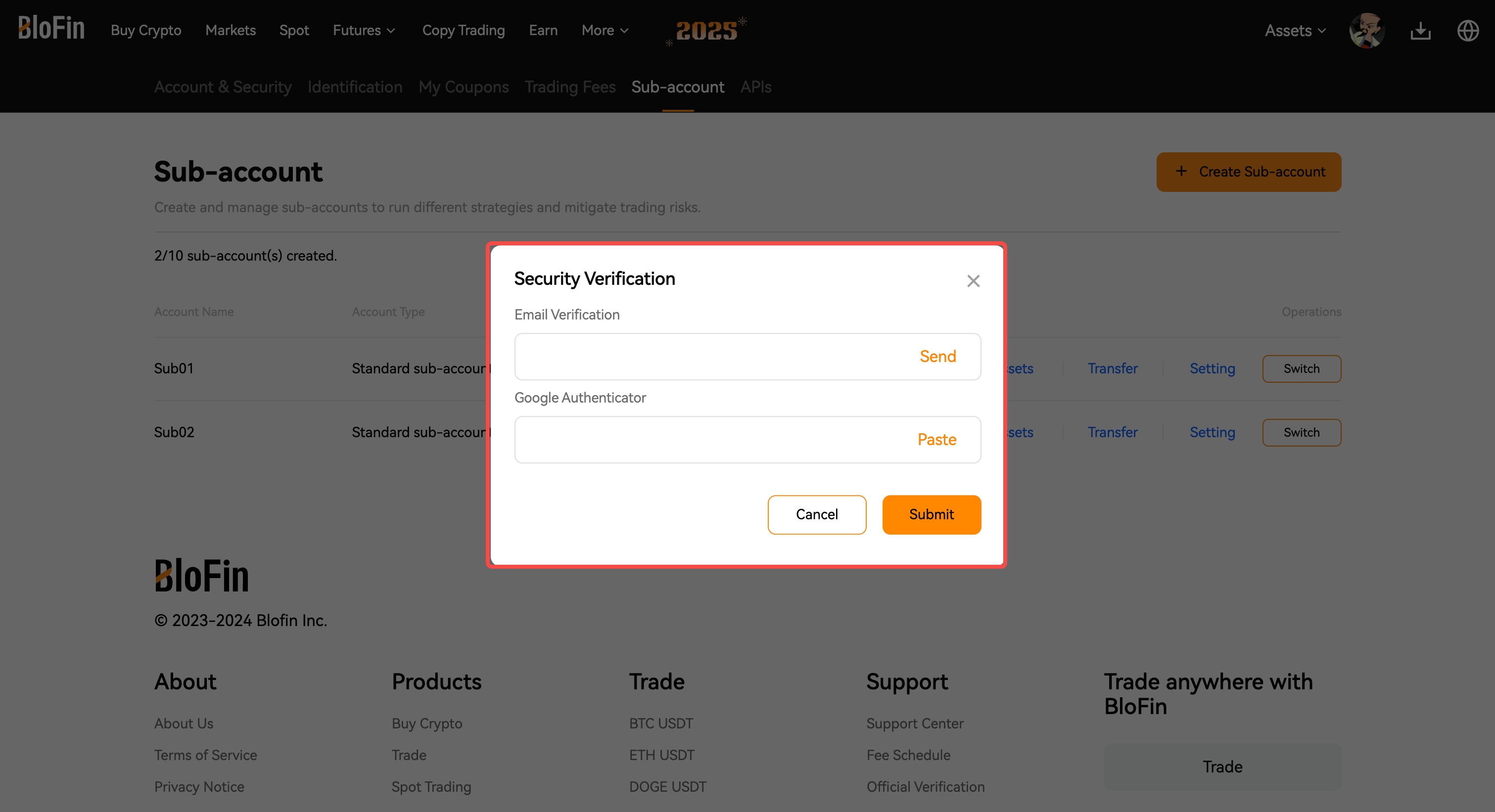
4. Fill in the security verification to complete your sub-account creation.
Sub-Accounts FAQ
What is a Sub-account?
A Sub-account is a secondary account linked to your main BloFin account. It allows you to separate assets and trading activities, making it easier to manage different trading strategies and reduce risk.
Sub-accounts support:
- Spot Trading
- Futures Trading
- API Trading
- Copy Trading
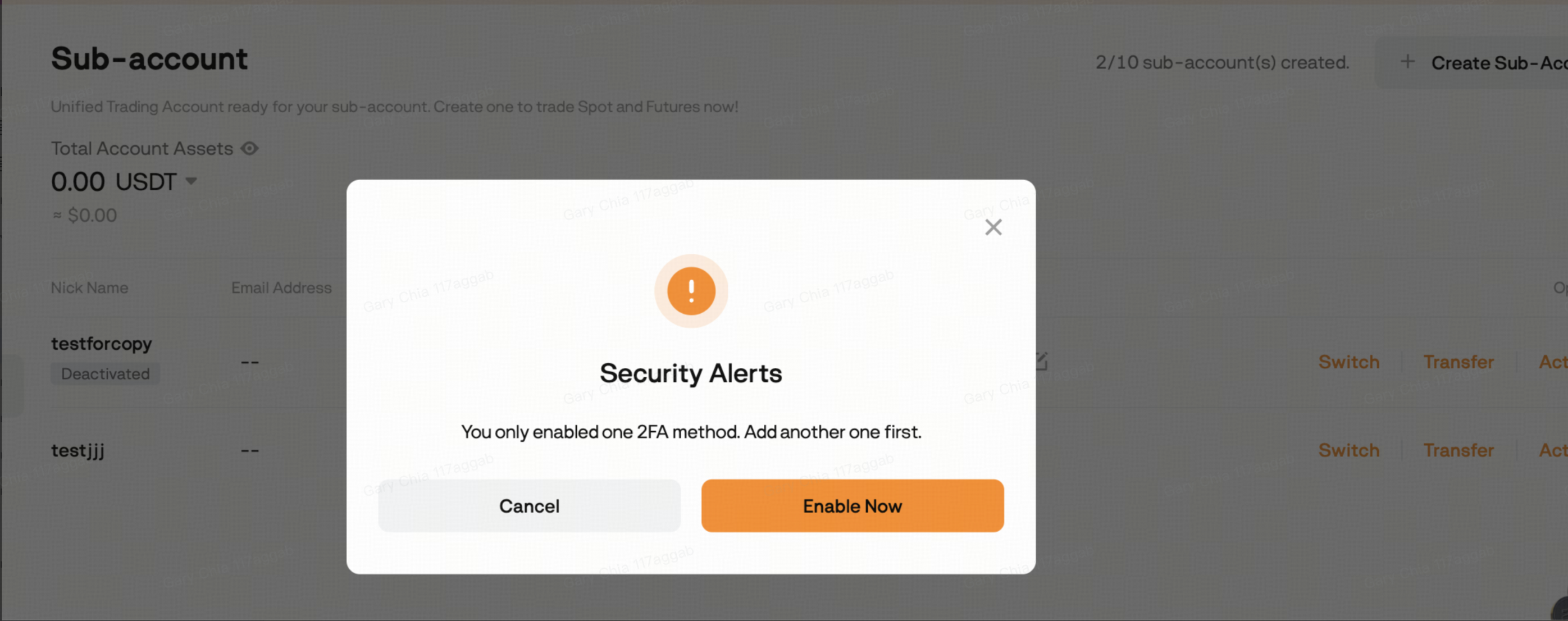
Why can't I create a Sub-account?
Creating a Sub-account requires your main account to have at least two security settings enabled.
For example:
- Google Authenticator
- Email Verification
- SMS Verification
Enable the required security settings first, then try creating the Sub-account again.
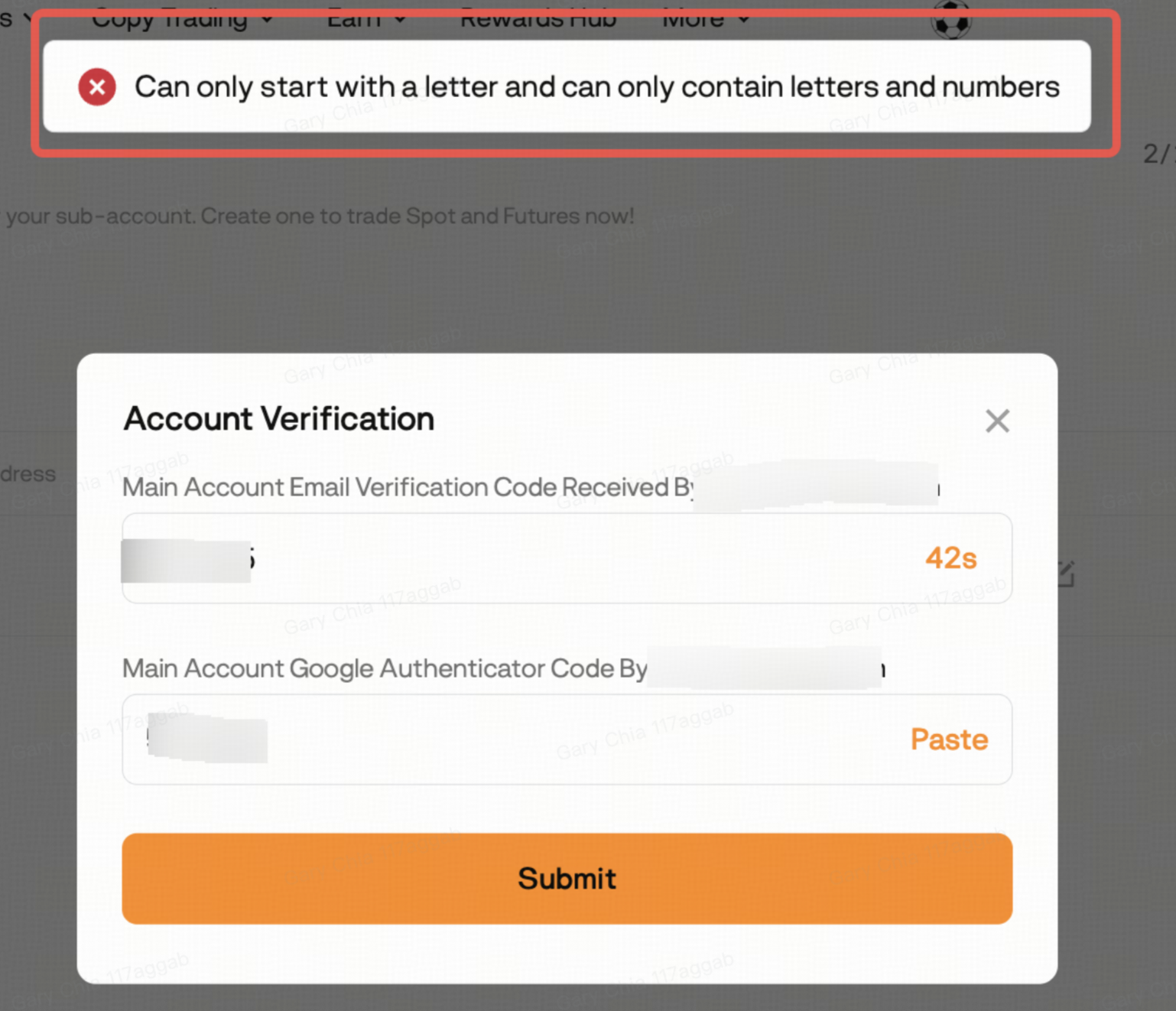
Why do I receive the error "Can only start with a letter and can only contain letters and numbers"?
Your Sub-account nickname doesn't meet the naming requirements.
The nickname must:
- Be 3–20 characters long
- Start with a letter
- Contain only letters and numbers
After updating the nickname, try creating the Sub-account again.
How many Sub-accounts can I create?
Each main account can create up to 10 Sub-accounts.
Please note:
- Deactivating a Sub-account does not restore your available quota.
- Once you've created 10 Sub-accounts, no additional Sub-accounts can be created.
How do I switch to a Sub-account?
Method 1: Switch from your main account
- Go to Profile → Sub-accounts.
- Click Switch next to the desired Sub-account.
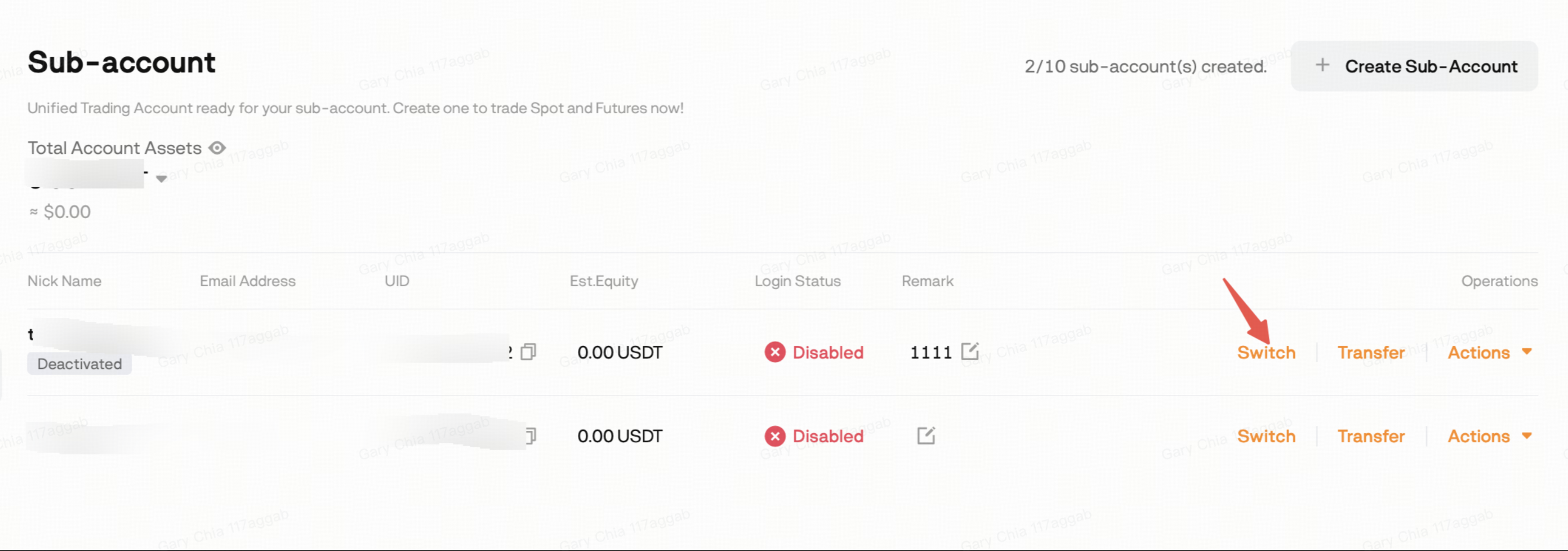
Method 2: Log in directly
If Individual Login was enabled when the Sub-account was created, you can log in directly using the Sub-account's login credentials.
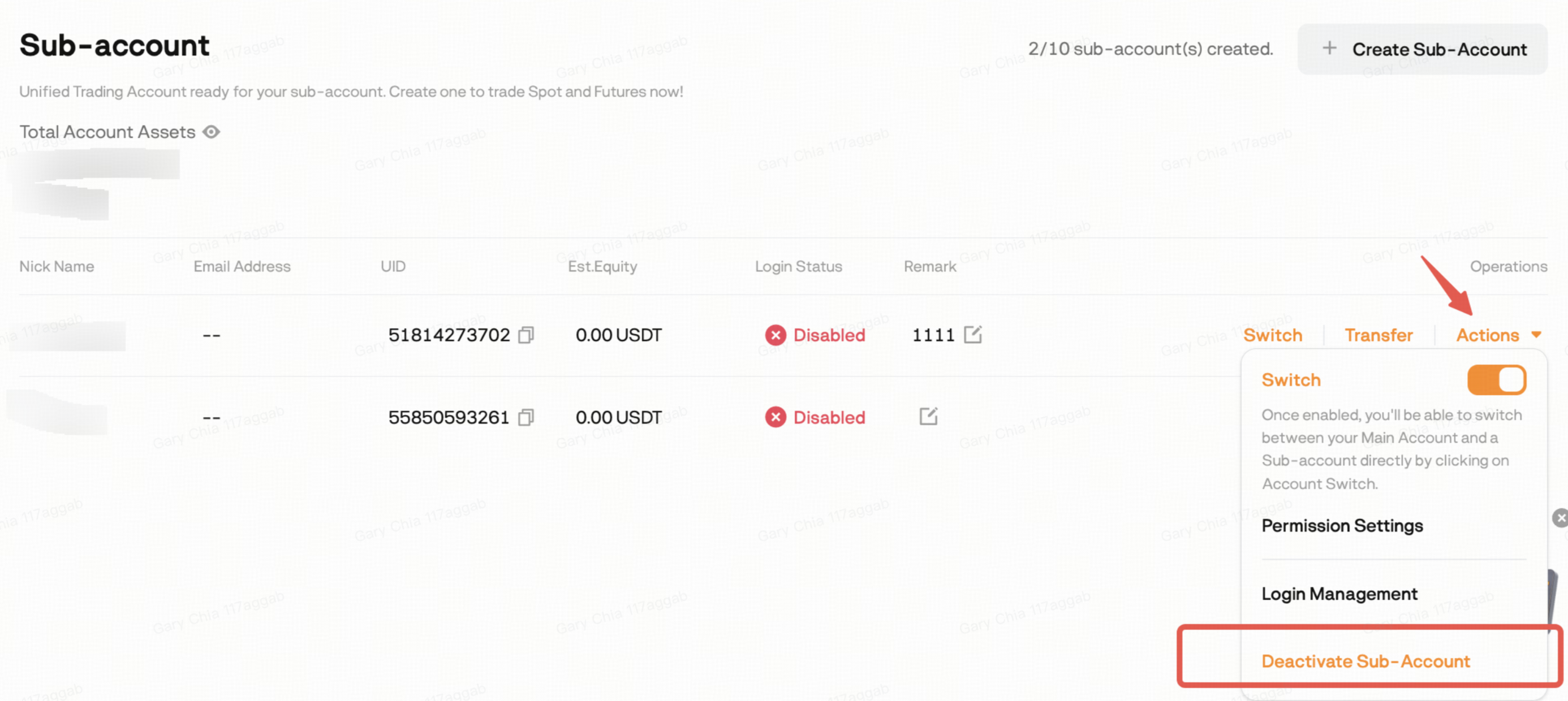
How do I deactivate a Sub-account?
- Go to Profile → Sub-accounts.
- Select the desired Sub-account.
- Click Deactivate.
Please note:
- A deactivated Sub-account cannot perform trading operations.
- Existing positions may be affected if left unmanaged.
- You can reactivate the Sub-account at any time.
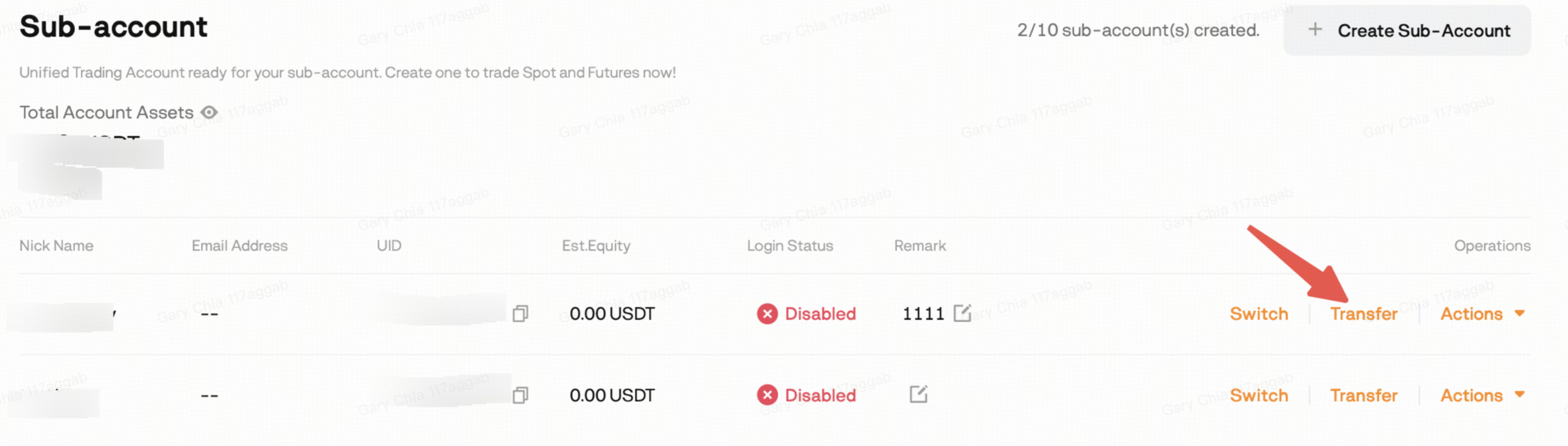
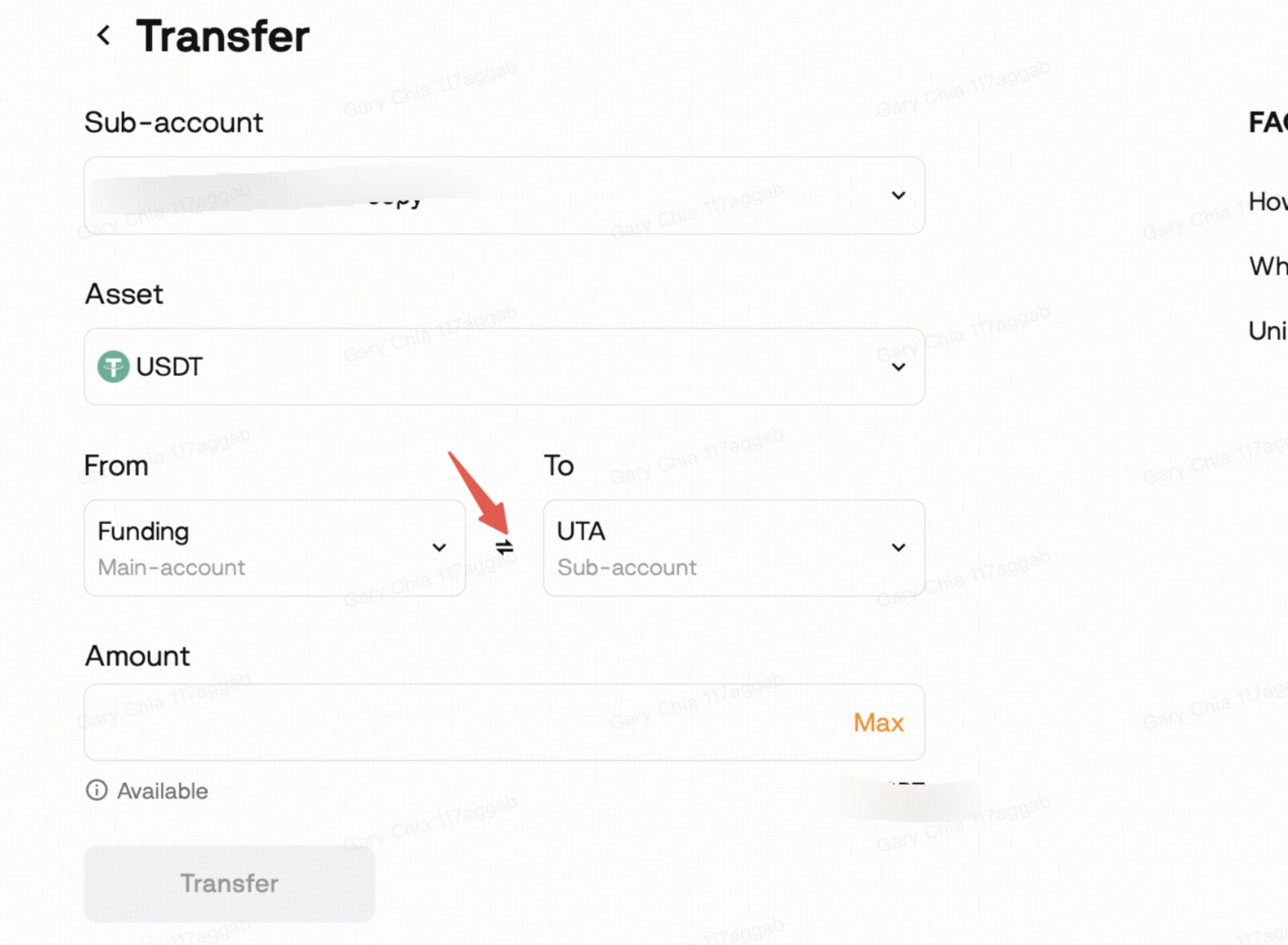
How do I transfer assets between my main account and Sub-account?
Asset transfers can only be initiated from the main account.
Web
Profile → Sub-accounts → Transfer
App
Profile → Sub-accounts
Use the From/To button to switch the transfer direction.
Can a Sub-account withdraw assets?
No.
Sub-accounts do not support direct withdrawals.
To withdraw funds:
- Transfer assets from the Sub-account to the main account.
- Submit the withdrawal from the main account.
Does a Sub-account support API Trading?
Yes.
Sub-accounts support API Trading after your main account's API application has been approved.
Can a Sub-account become a Copy Trading Master Trader?
Yes.
If your main account is already a Master Trader, you can apply for your Sub-account to become a Master Trader as well.
Please contact BloFin Customer Support for assistance.
Can I reset my Sub-account's Copy Trading ROI?
Yes.
Each trader can reset their ROI up to two times per calendar month.
Please contact Customer Support if you need assistance with an ROI reset.
Does a Sub-account support Unified Trading Account (UTA) mode?
Sub-accounts operate in UTA mode by default.