
How to Reset My Password on BloFin Account?
April 21, 2026 at 06:54 PMIf you can remember your password and are able to log into BloFin successfully, please follow the steps below to change it:
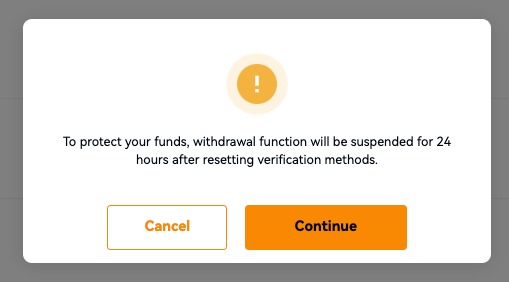
To protect your funds, the withdrawal function will be suspended for 24 hours after resetting verification methods.
A Step-by-Step Guide on Web
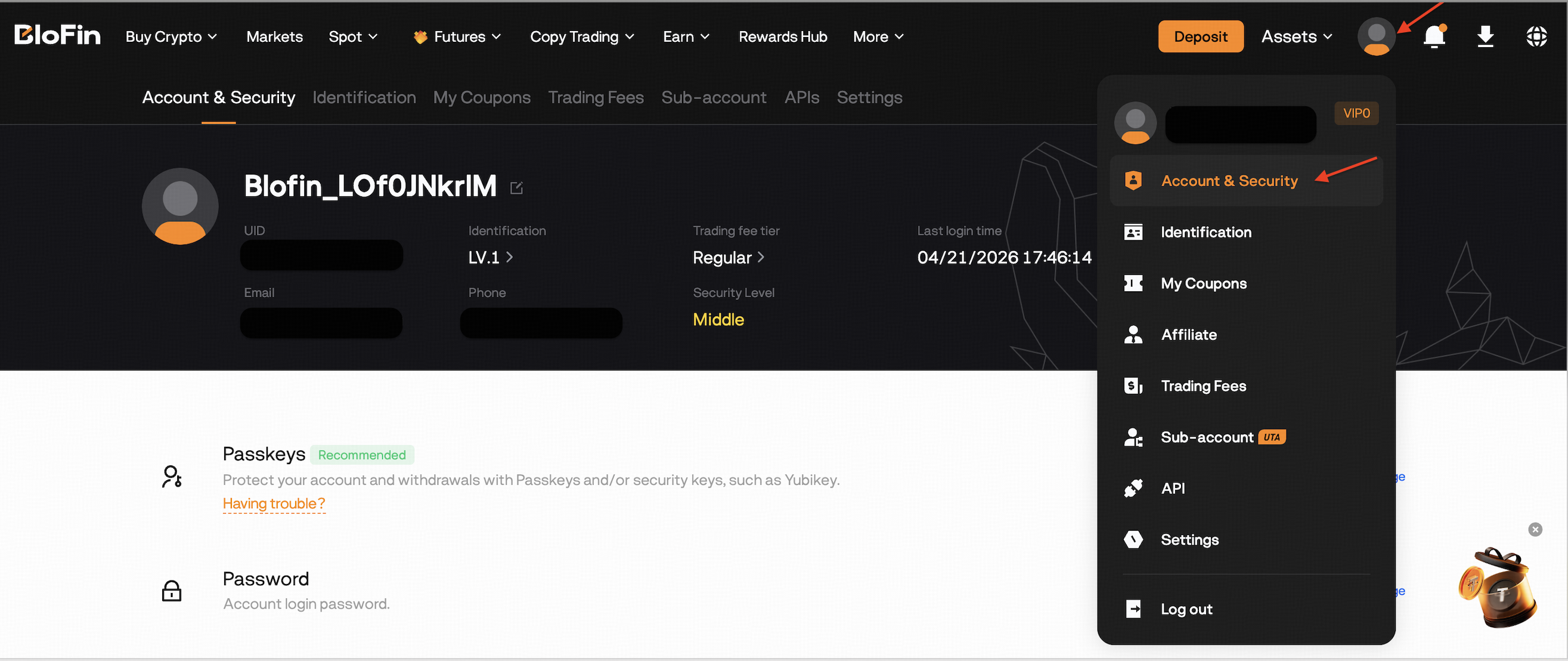
1. Log in to your BloFin account and hover your mouse over profile icon > [Account & Security]. Go to [Password] and click [Change]. A pop-up window appears, click [Continue] to enter the [Change Login Password] page.

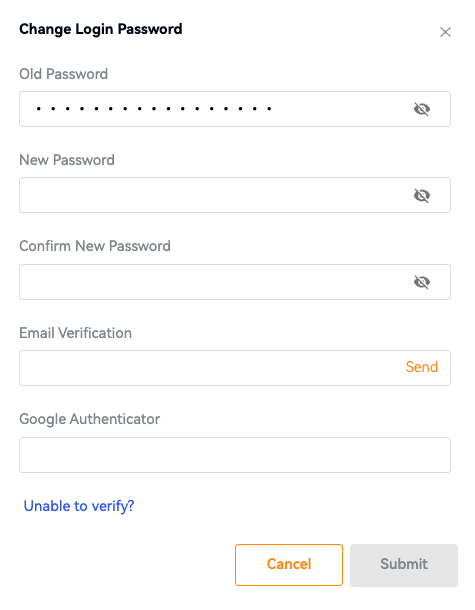
2. On the [Change Login Password] page, enter your [Old Password], [New Password], and [Confirm New Password]. Next, verify your email code/SMS code, and Google Authenticator code. Finally, click on [Submit]. The password changes successfully.
A Step-by-Step Guide on App
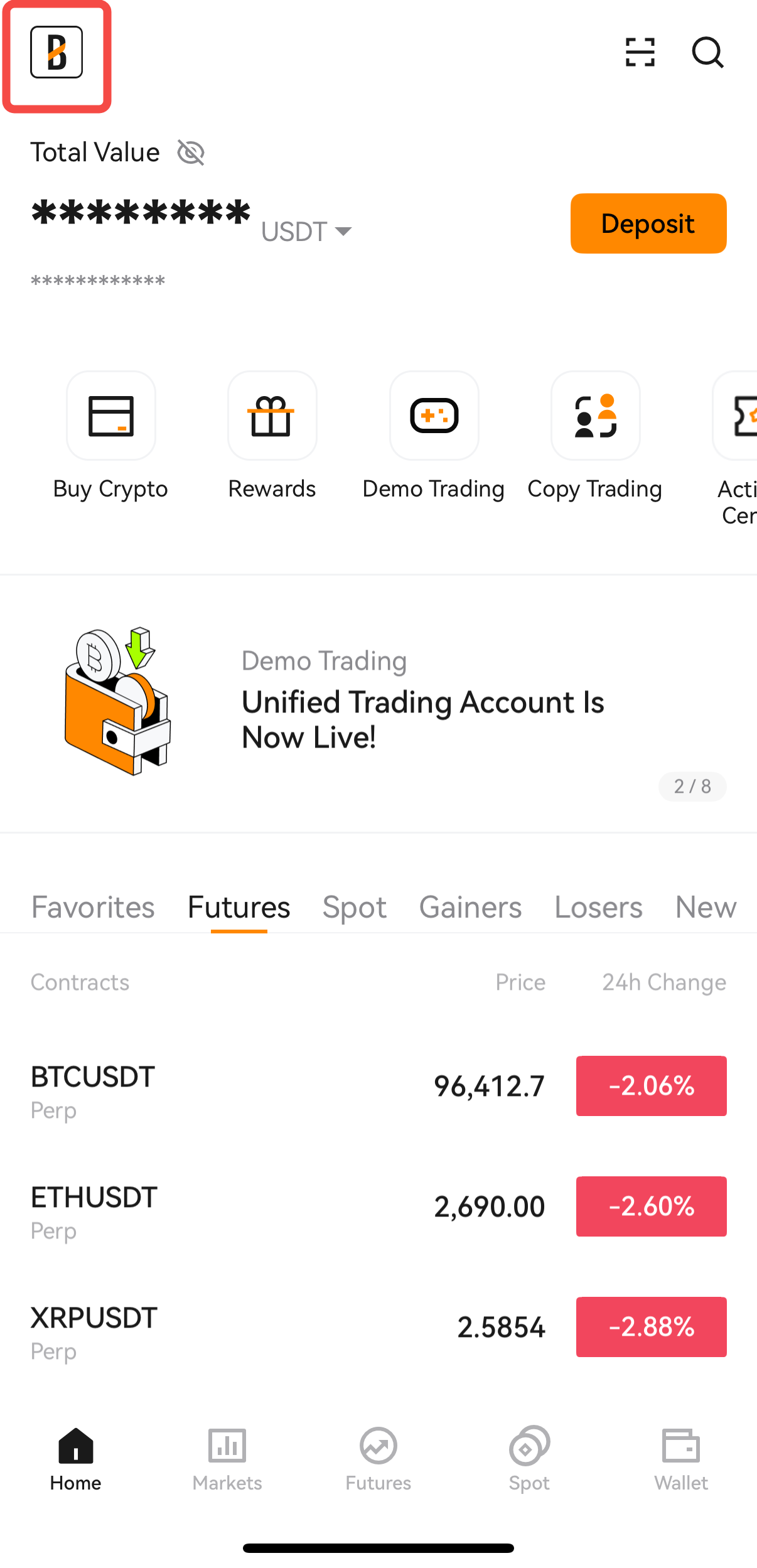
1. Log in to your BloFin account, tap [User Avatar], and select [Account & Security].
.
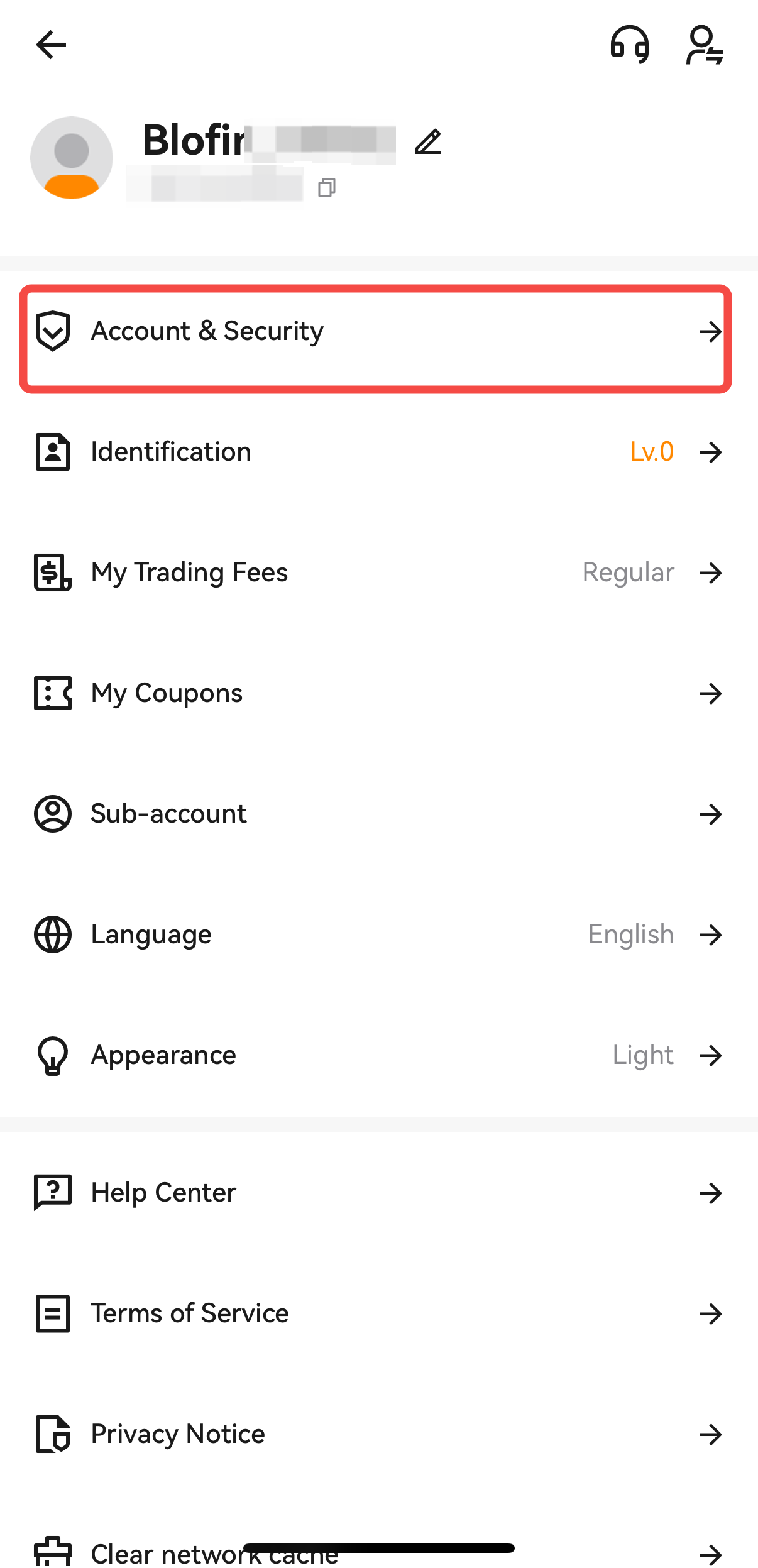
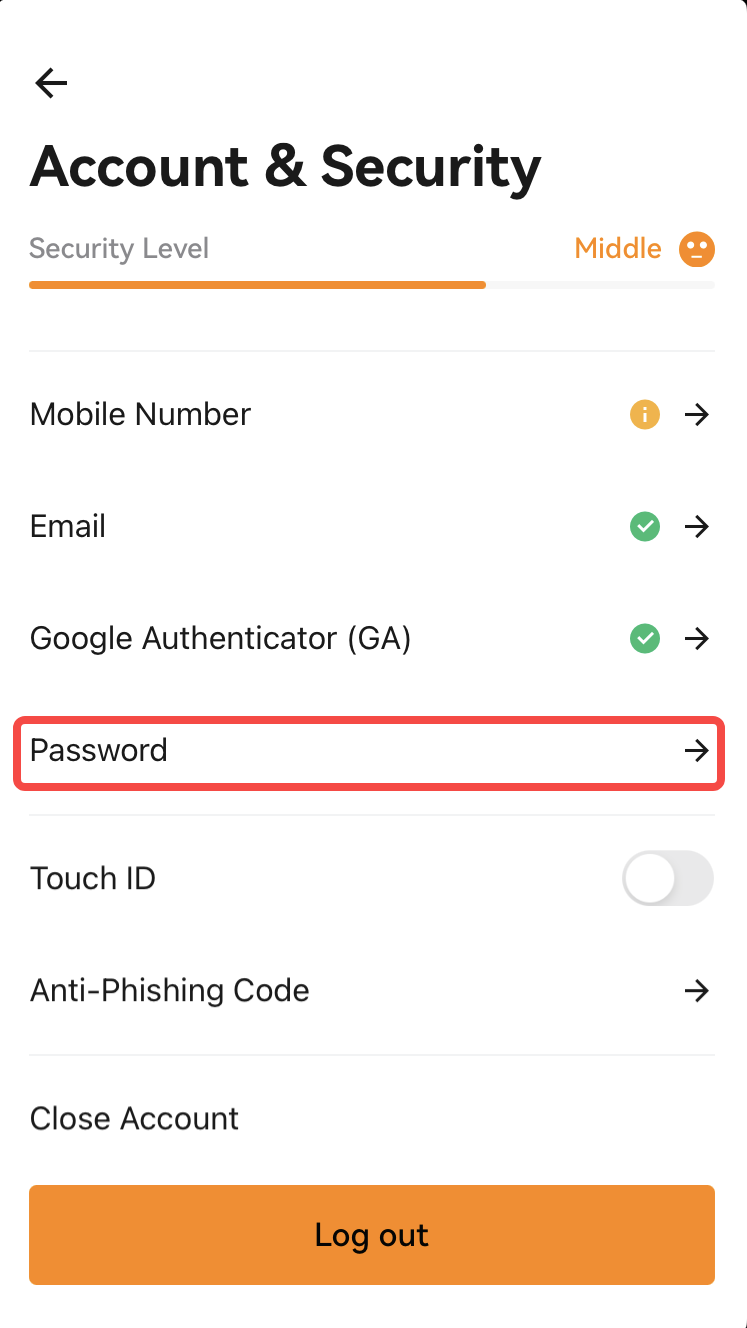
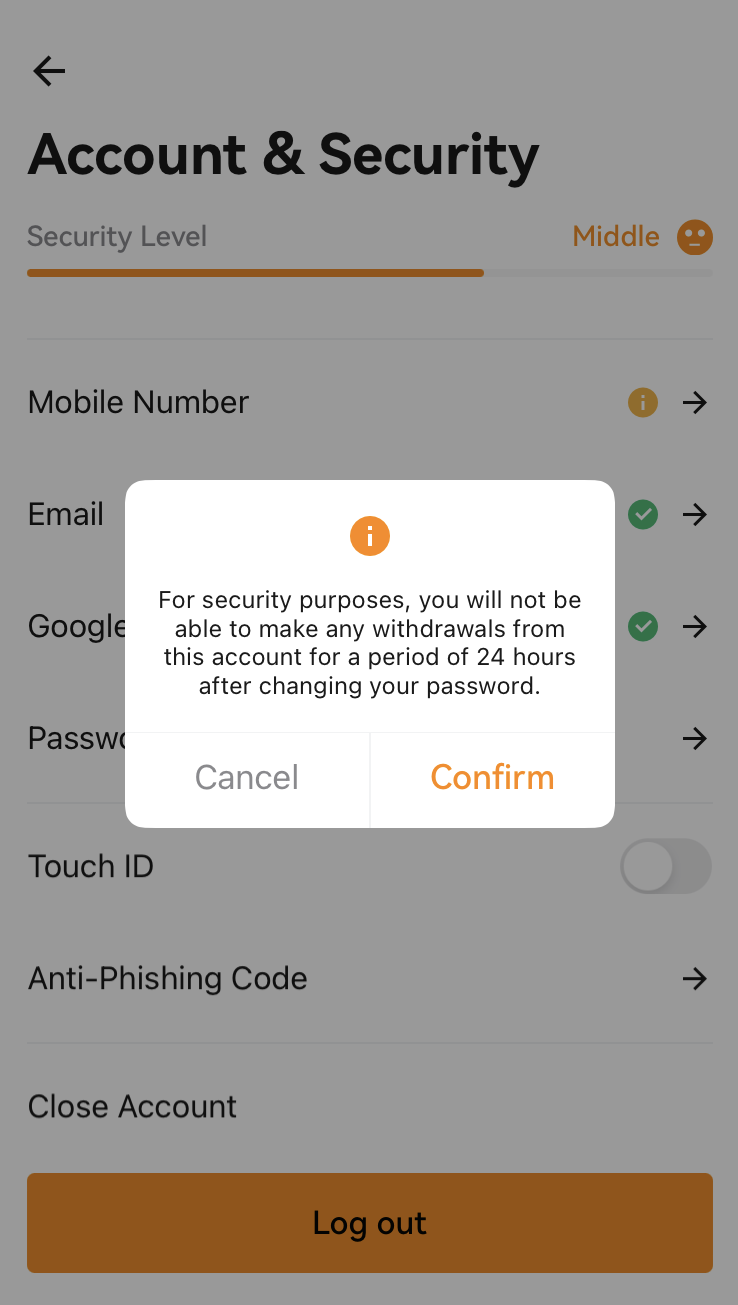
2. Navigate to the [Password] section and click on the arrow [→]. This action will prompt a pop-up window to appear. Click on [Confirm] to access the Change Password interface.
 .
. 
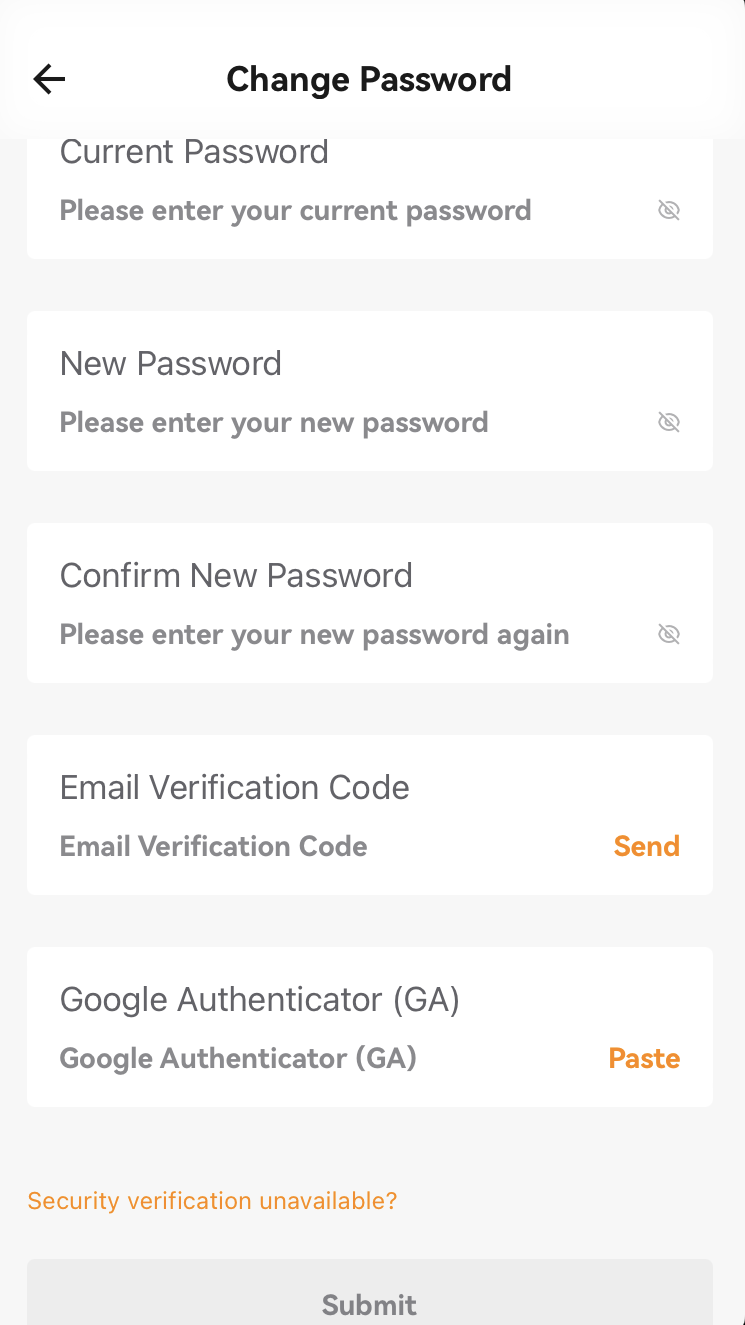
- On the [Change Password] interface, enter your [Current Password], [New Password], and [Confirm New Password]. Next, verify your email code/SMS code, and Google Authenticator code. Finally, click on [Submit] to successfully update your password.
If you have forgotten your password, please follow the steps below to reset it:
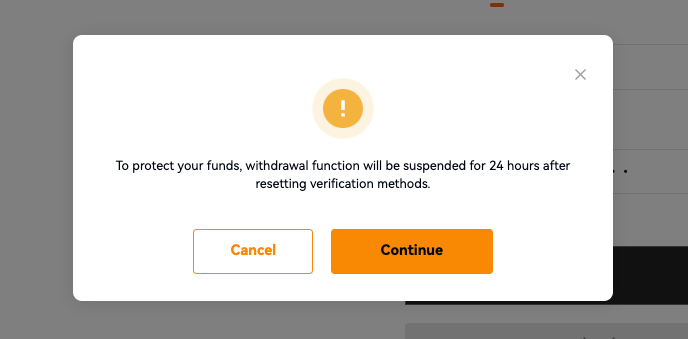
To protect your funds, the withdrawal function will be suspended for 24 hours after resetting verification methods.
A Step-by-Step Guide on Web
1. Go to the Login page and click [Forgot Password]. A pop-up window appears, click on [Continue] to enter the [Reset Password] page.
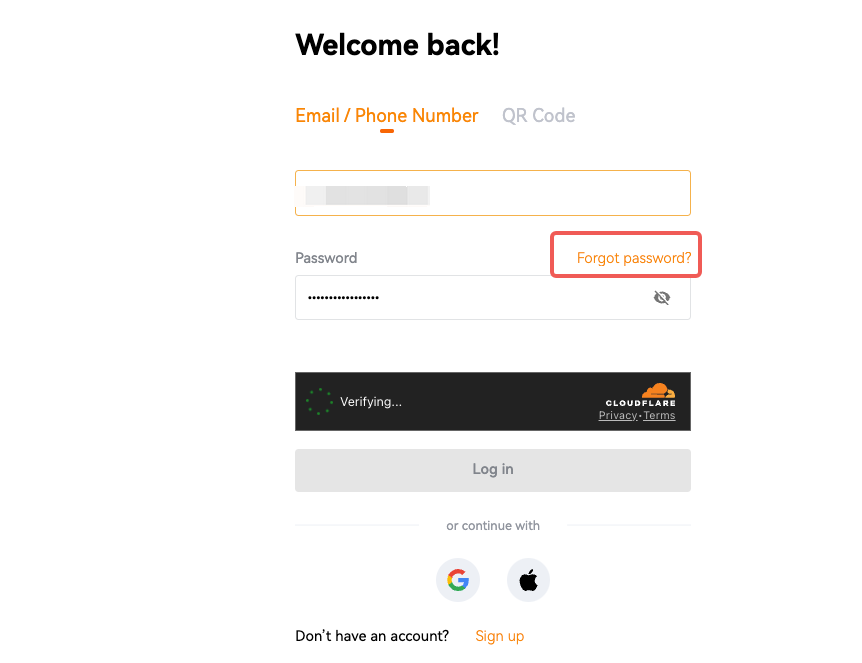
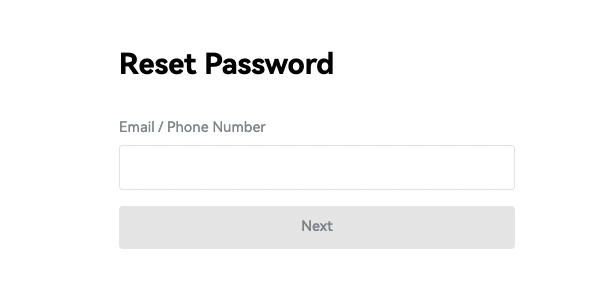
2. On the [Reset Password] page, enter your account email or phone number, then click [Next].
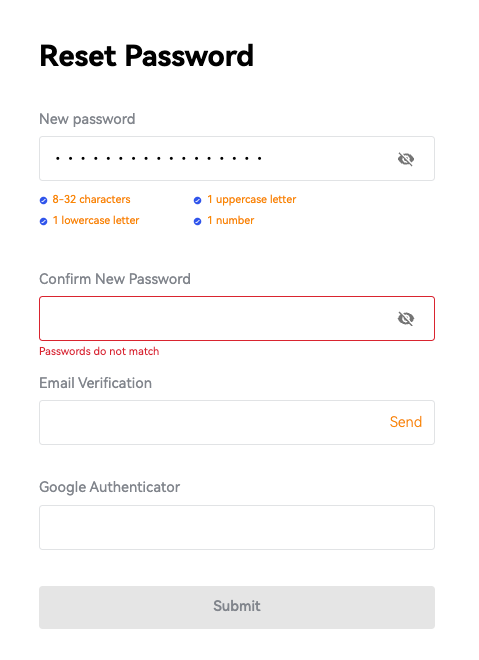
3. Enter your [New Password], [Confirm New Password]. Next, verify your email verification code/SMS verification code and Google Authenticator code. Finally, click on [Submit]. The password is reset successfully.
A Step-by-Step Guide on App
1. Go to the Login page on the BloFin App and tap on [Forgot Password].
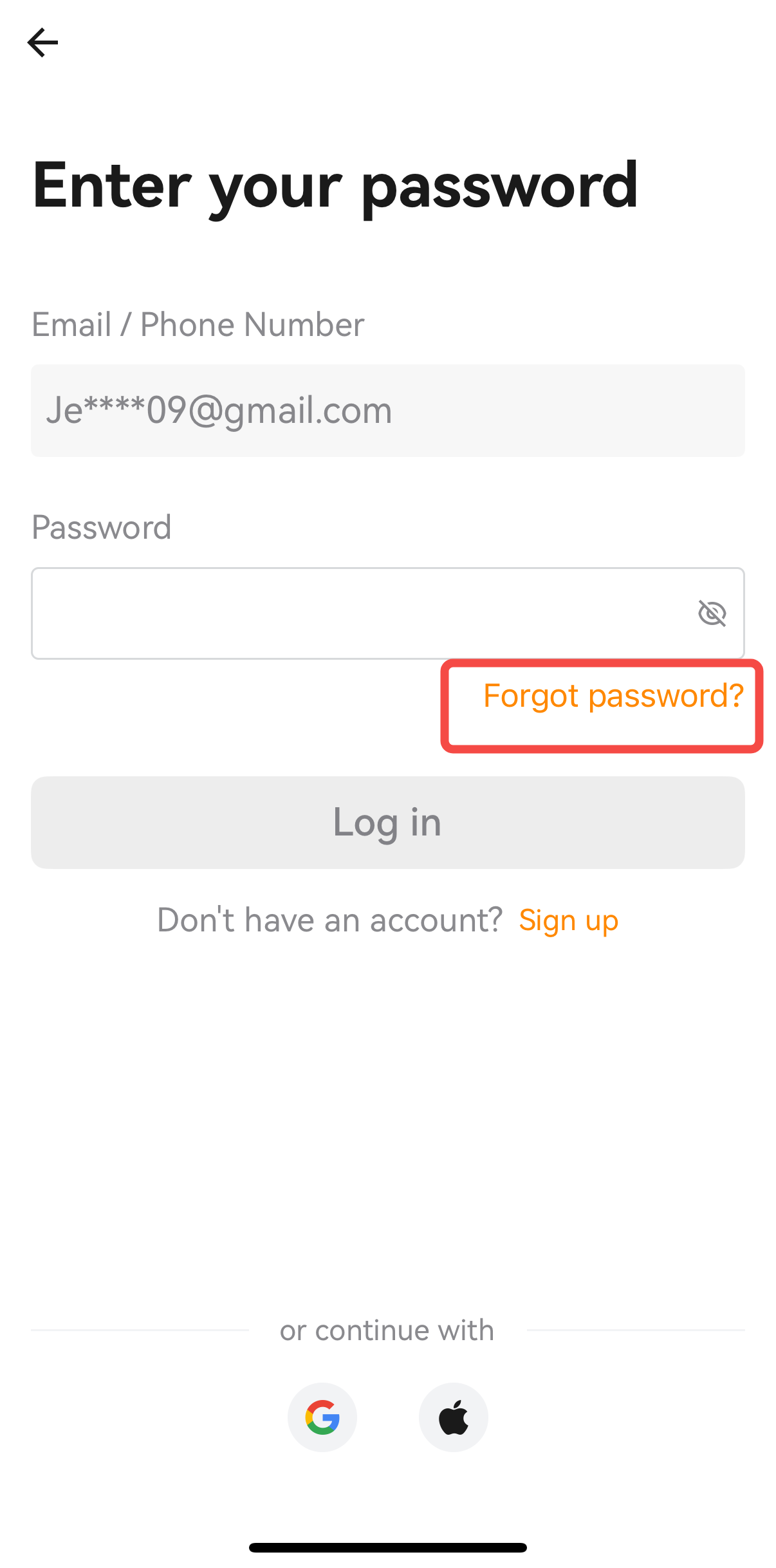
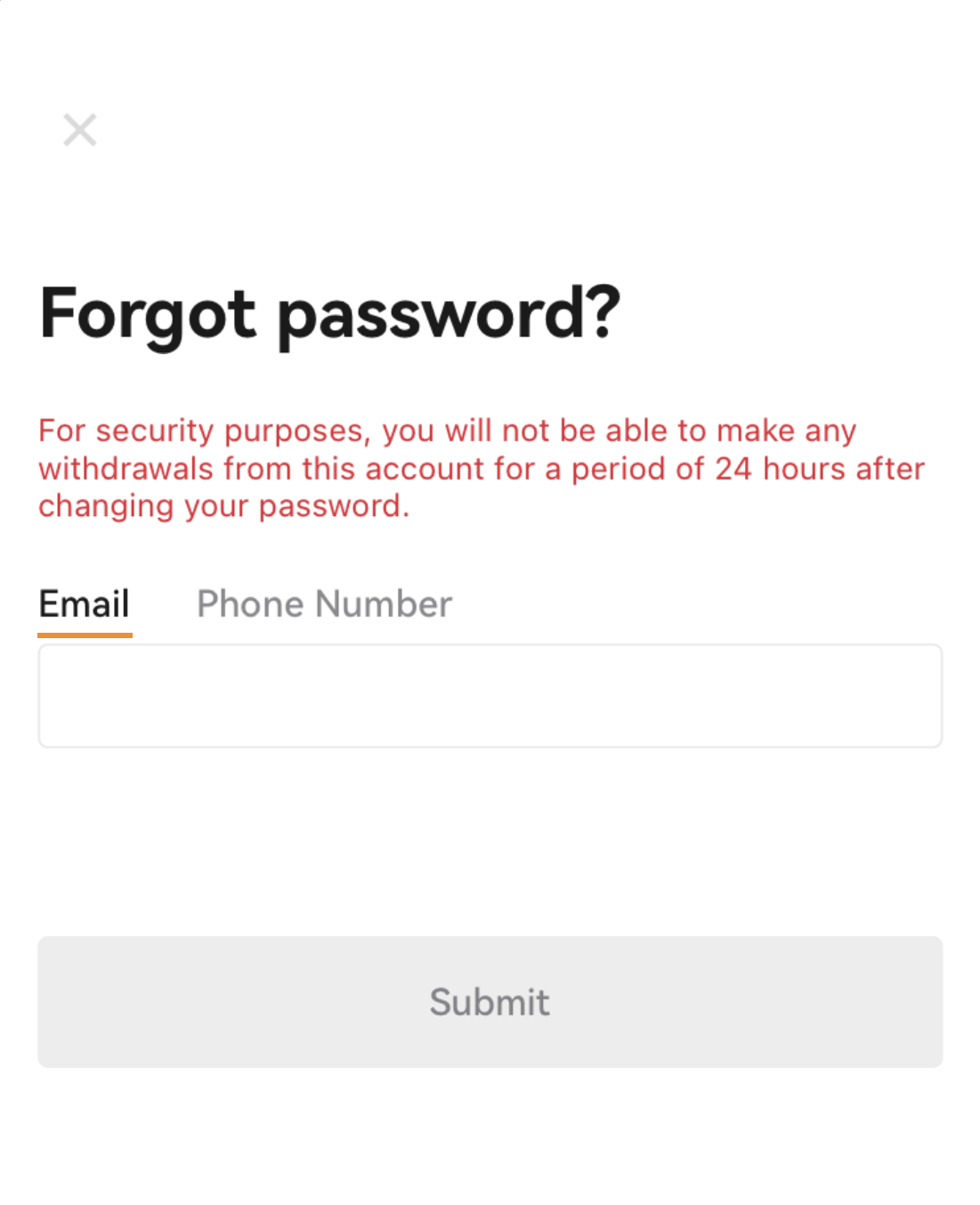
- On the [Forgot Password] interface, enter your account email/phone number. Please pay more attention to the red text reminders. Then, click on [Submit] to proceed.
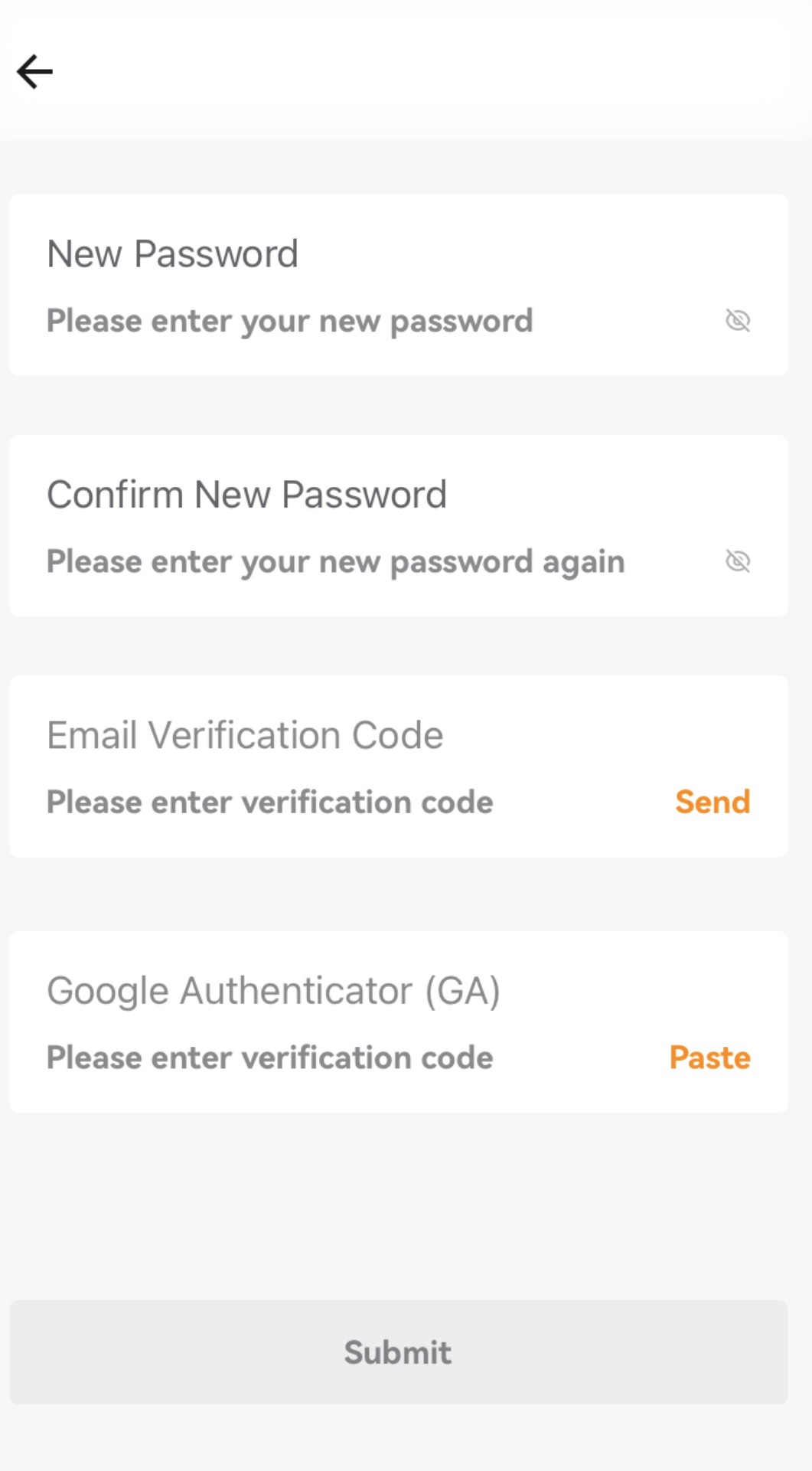
- Enter your [New Password], [Confirm New Password]. Next, verify your email verification code/SMS verification code and Google Authenticator code. Finally, tap on [Submit]. The password was reset successfully.
Notes:
- The password is made up of 8-32 characters with combination of upper and lower letters, numbers, and symbols.
- The email verification code is valid for 5 minutes.
- Google Authenticator code is valid for 30 seconds.
- To protect your funds, the withdrawal function will be suspended for 24 hours after resetting verification methods.
Was this article helpful?