How to Export Transaction History on BloFin?
April 21, 2026 at 05:58 PMYou can easily export your trading history directly from Blofin. Currently, we only support exporting Spot and Futures trading history up to 180 days.
For records such as deposits/withdrawals, copy trading, funding fee history, or transaction history beyond 180 days, please submit a ticket to our Support Team.
👉 Submit request here: BloFin Support Center
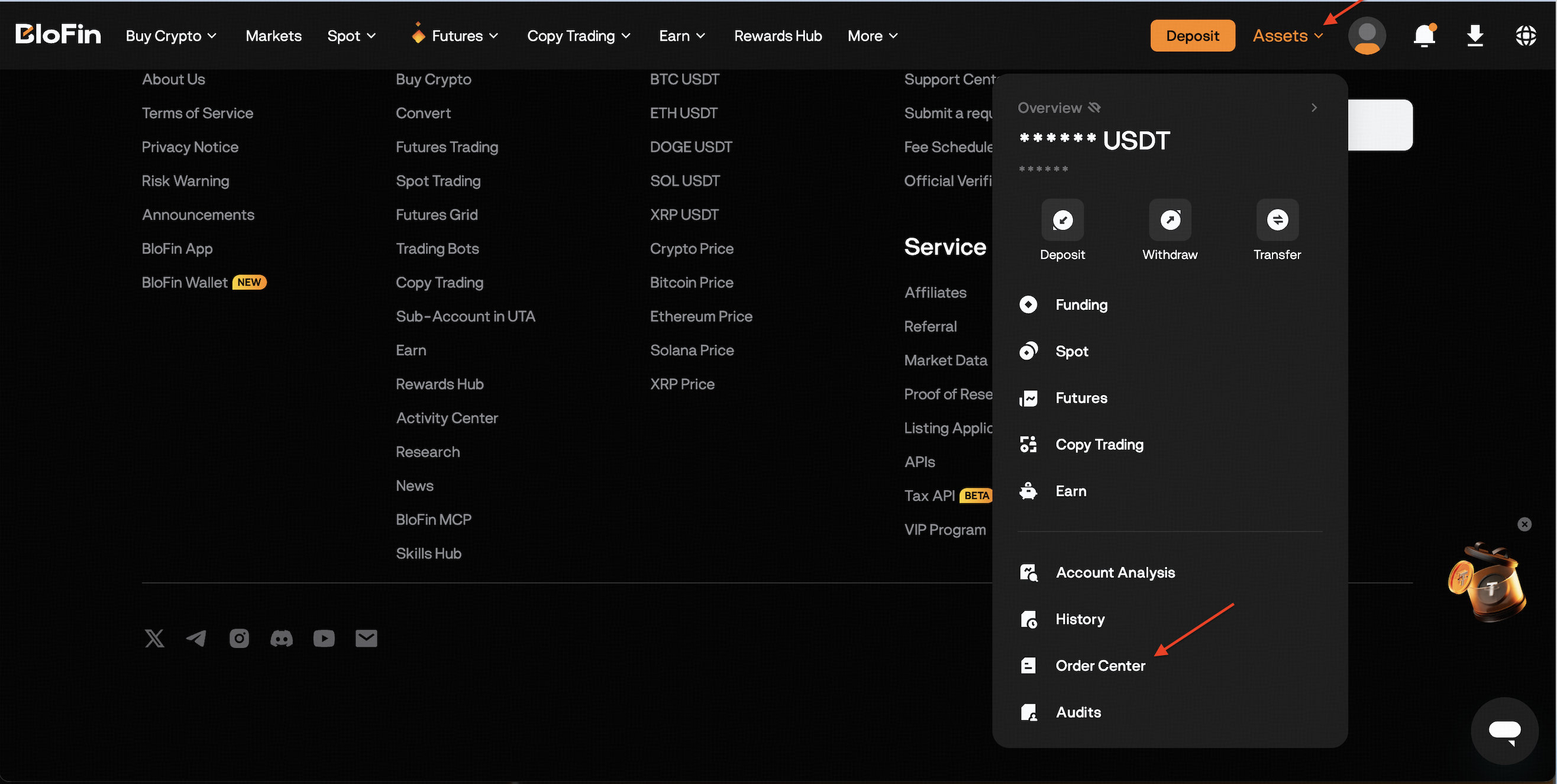
How to export your trading history via the web
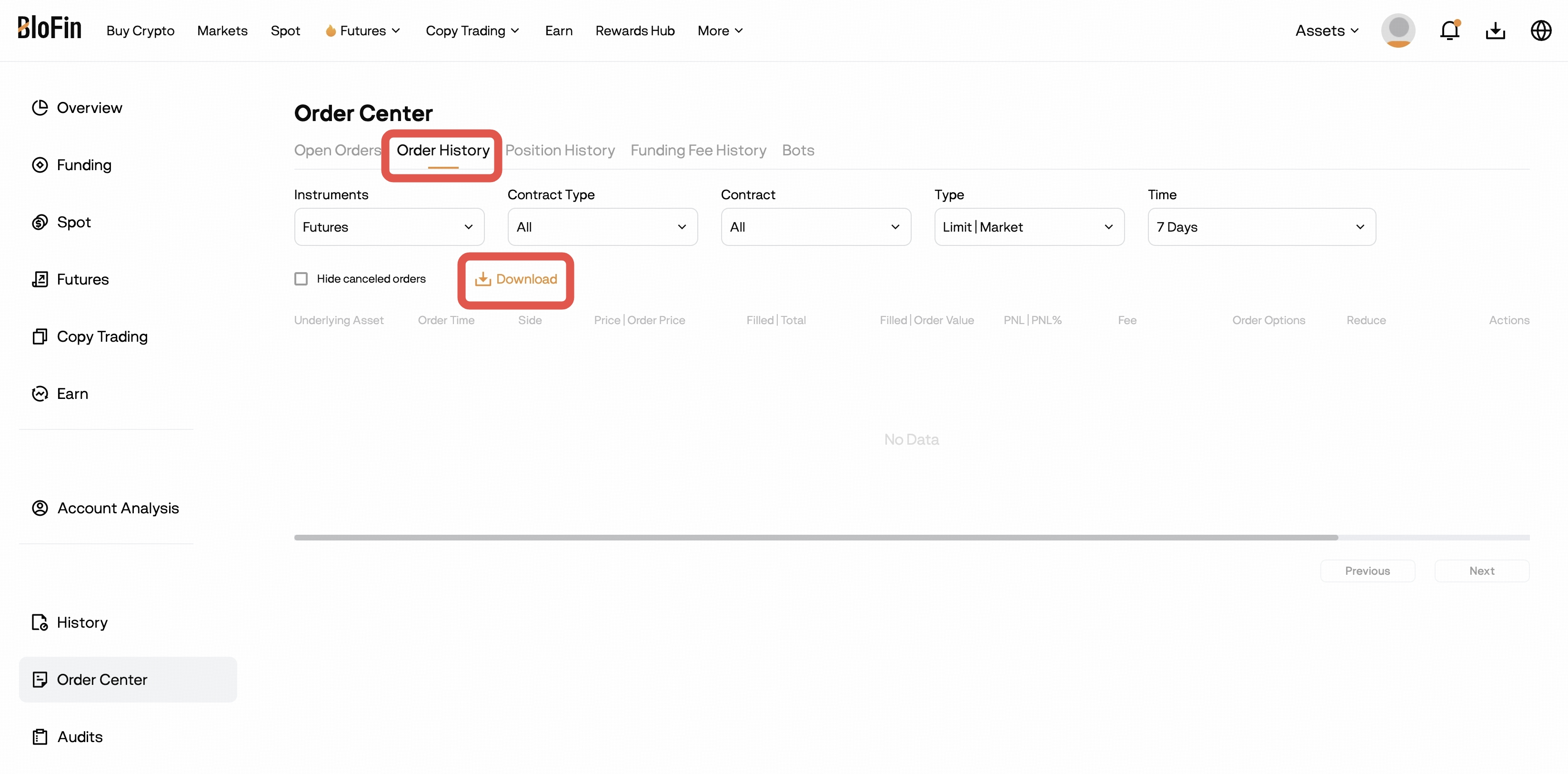
- Select the Order History tab and click on Download.
- In the pop-up window:
- Choose the instrument (Spot or Futures)
- Select your Date Range (up to 180 days)
- Optional: tick Hide canceled orders if you don’t want to include them
- Click Export.
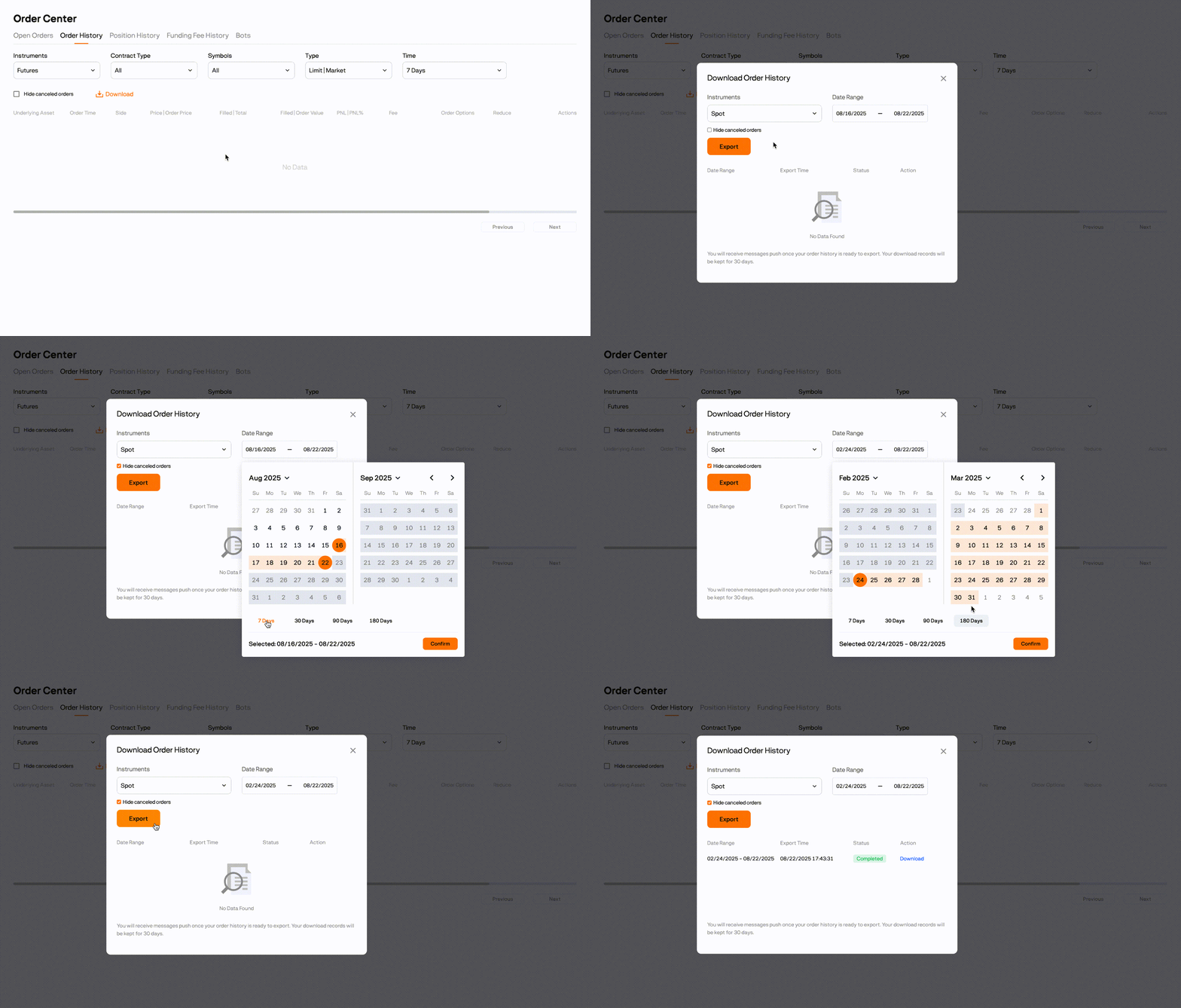
Once the file is ready, you’ll receive a notification. Your exported records will be available for download and kept for 30 days.
FAQ: Exporting Your Trading History on BloFin
Q: Can I export my trading history on the BloFin app?A: No. Exporting is currently only supported on the BloFin website. The mobile app does not support export functions at this time.Q: What types of trading history can I export?A: You can export Spot and Futures trading history directly from the website.Q: How far back can I export my trading history?A: You can export up to 180 days at a time.Q: What if I need records beyond 180 days?A: For transaction history beyond 180 days, please submit a request via our Support CenterQ: Can I export other types of records (Deposits, Withdrawals, Copy Trading, Funding Fees)?A: Not directly. For these, please submit a ticket through our Support CenterQ: Is there a limit to how many times I can export?A: Yes. You can make up to 30 export requests within 30 days.Was this article helpful?