
How to Change Your Email/Phone Number? (Web)
April 21, 2026 at 06:29 PM1. All security settings are available
If all of your security items are working fine and you can log into your BloFin account successfully, please follow these steps to change your email/phone number:
Please note that withdrawals will be unavailable within 24 hours after resetting the security features to protect your assets.
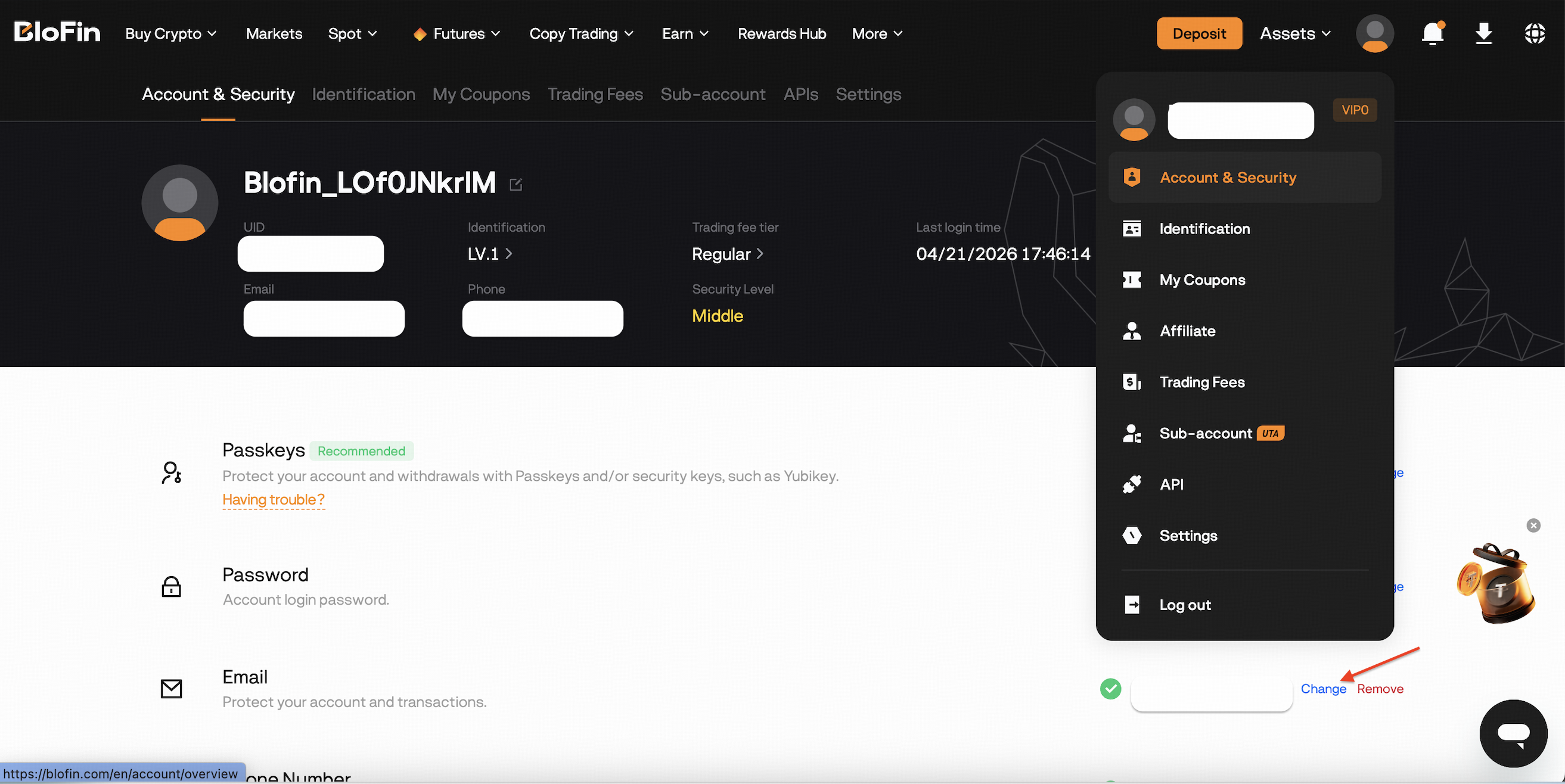
1. Log in to your BloFin account and click on [user avatar] in the upper right corner.
2. Select [Account & Security] to the account and security page.
3. Navigate to the [Email] section and click on [Change] to access the Change Email page.
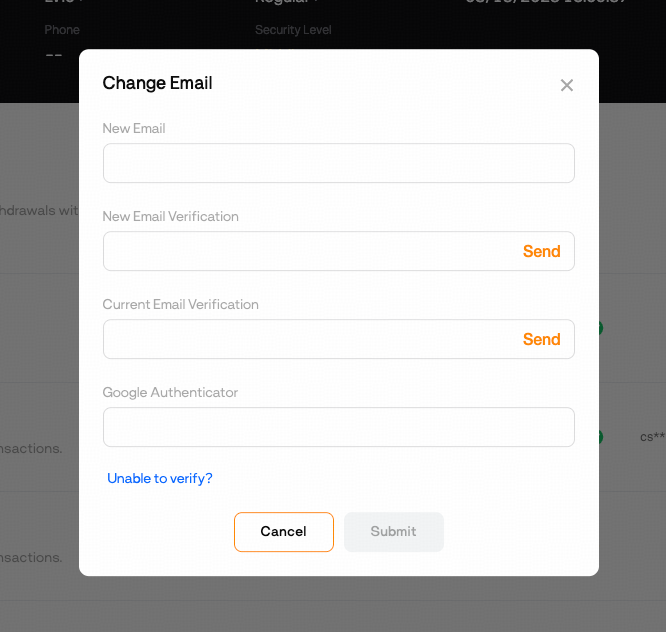
4. Enter your new email address and verify it by entering the new email code, current email code/SMS code, and Google Authenticator code (2fa).
5. Click [Submit] to successfully change your email.
2. If your email/phone is unavailable but you still remember your login password
If your email/phone is unavailable but you still remember your login password or you can log into your account, please follow the guide below the change or remove your email/phone number.
Please note that withdrawals will be unavailable within 48 hours after resetting the security features to protect your assets.
1. Click the link to reset your email/phone number: https://blofin.com/reset-security.
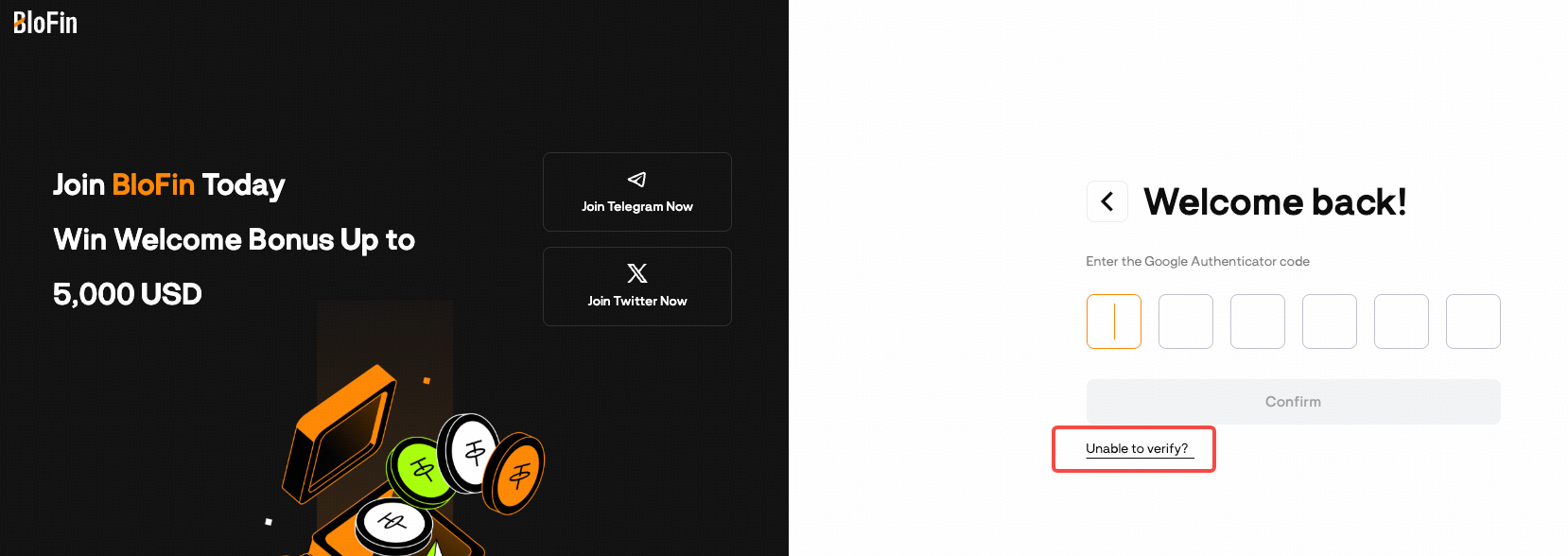
Alternatively, fill in your registration email/phone number and login password, then click on [Unable to verify] on the security verification page to reset your email/phone number.
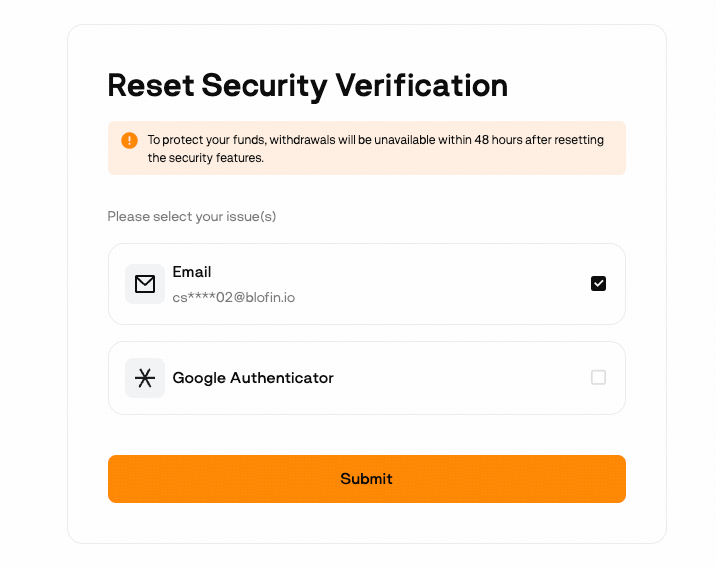
2. On the Reset Security Verification page, select your issues and click [Submit].
Note: if you have more than one security item issues, you can select all of them at one time.
3. Next, verify the other available security items.
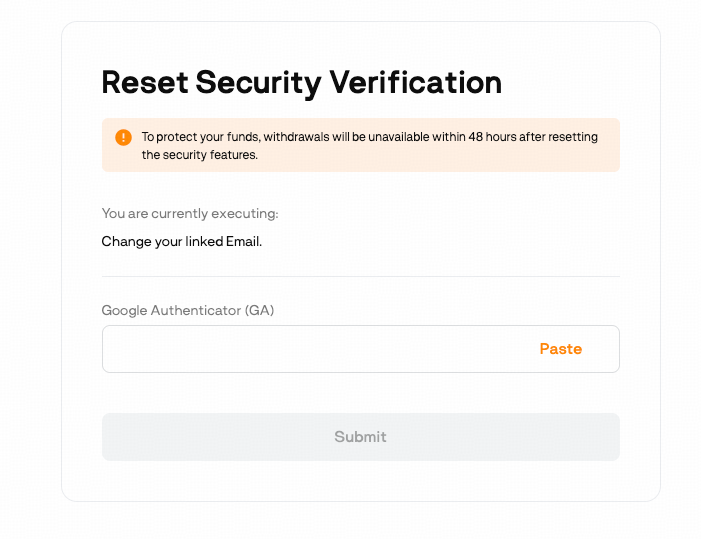
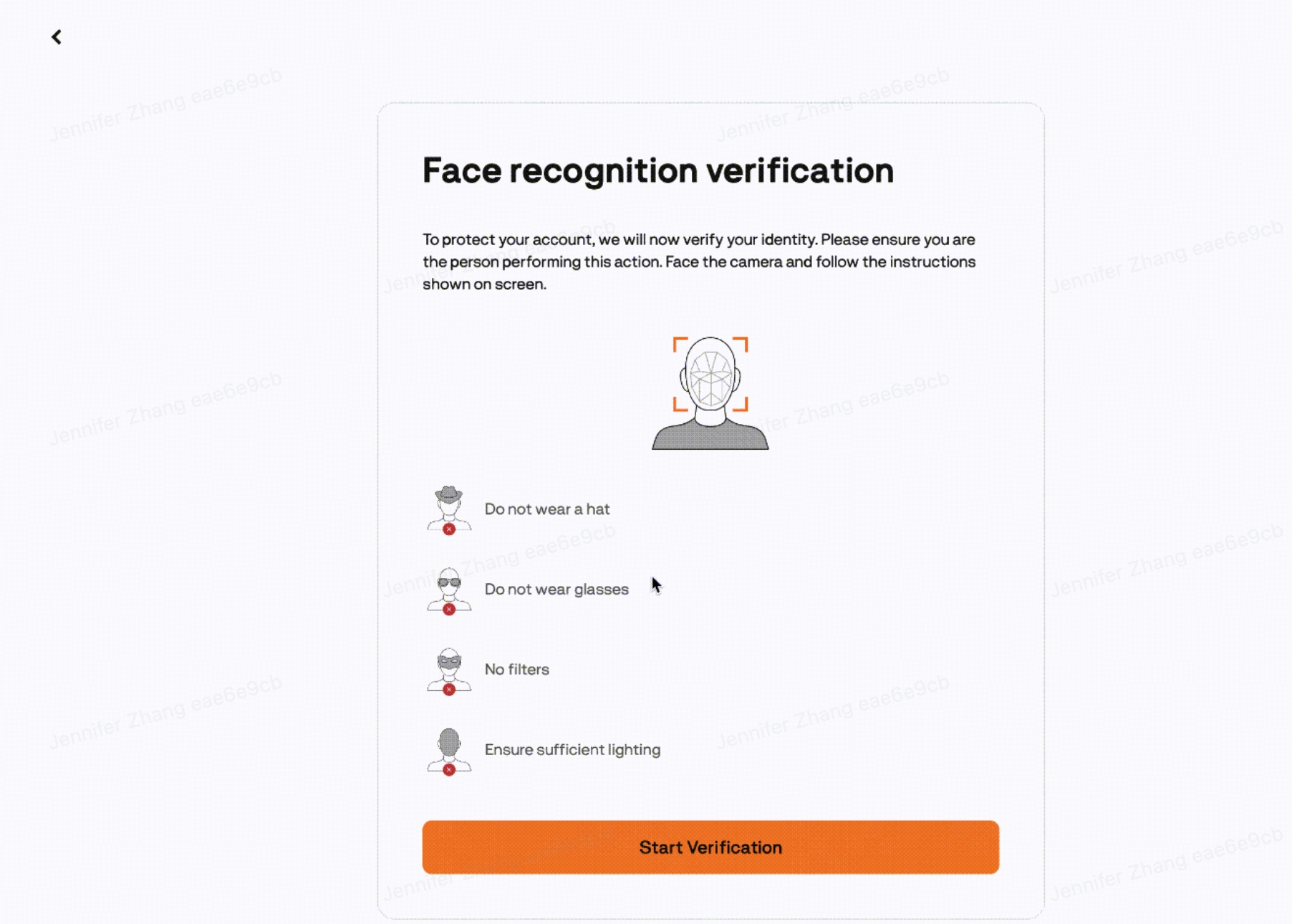
4. Next, KYC verification and facial recognition
For KYC-verified accounts, after security verification you’ll proceed to [face recognition verification]. Once completed, continue to the next page to upload your videos.
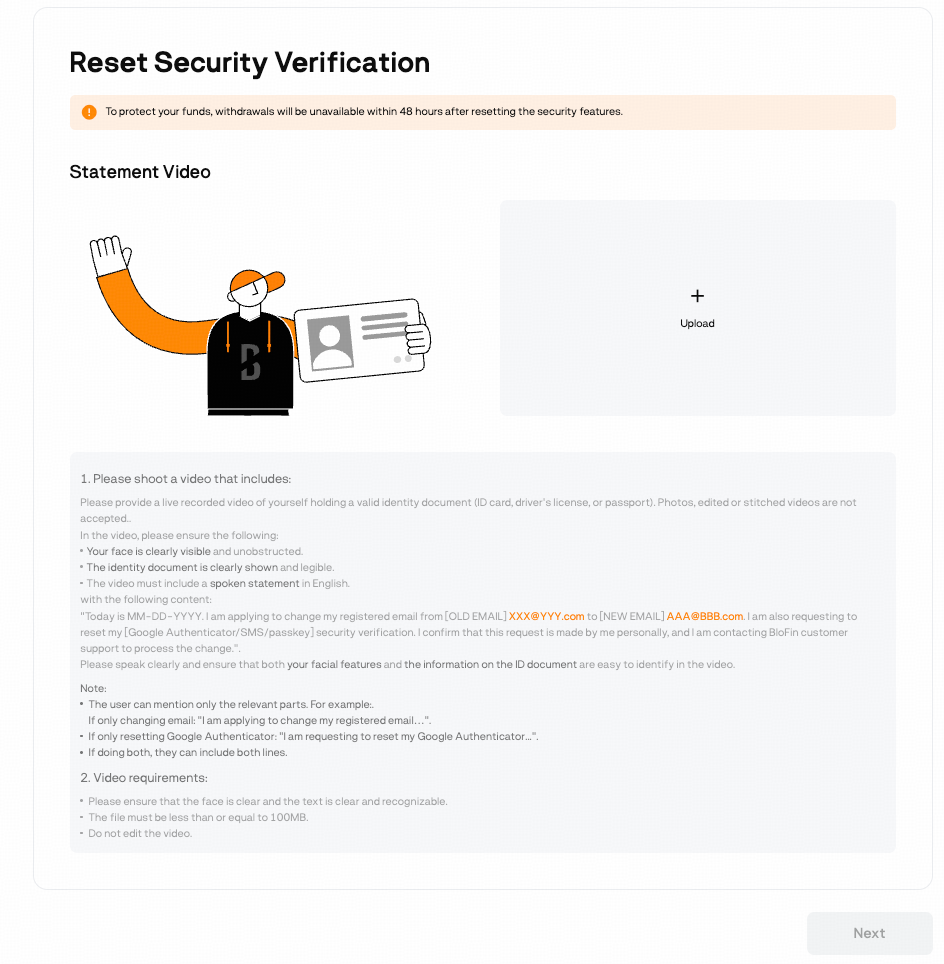
5. On the statement videos page, upload your identity verification and source of funds videos, then answer the security questions.
1) Identity verification video.
In the video, please ensure the following:
Your face is clearly visible and unobstructed.
The identity document is clearly shown and legible.
The video must include a spoken statement of your request in English.
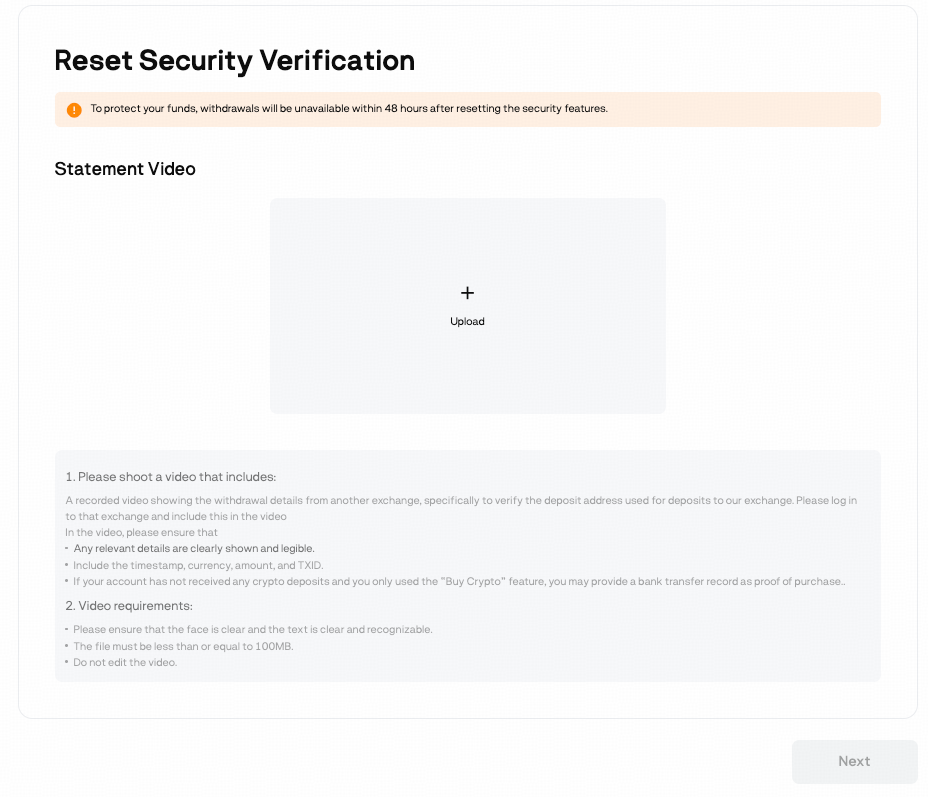
2) Source of Funds video for one deposit record
In the video, please ensure the following:
Any relevant withdrawal details on the sending platform are clearly shown and legible.
Include the timestamp, currency, amount, and TXID.
If your account has not received any crypto deposits and you only used the “Buy Crypto” feature, you may provide a bank transfer record as proof of purchase.
Note: If you have no any on-chain deposit or fiat deposit records, you don't need to upload the SOF video.
3) Security questions
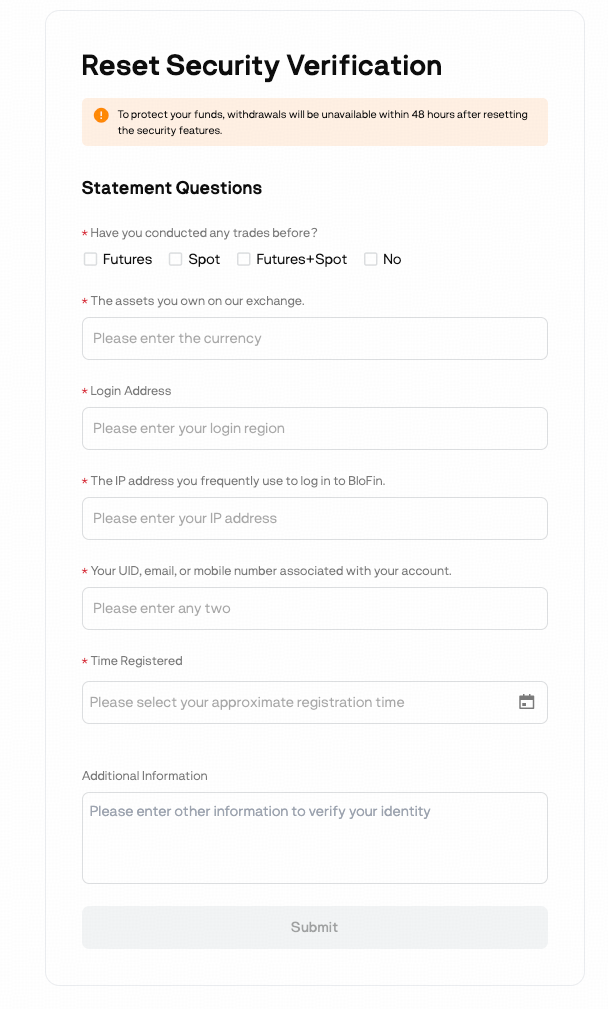
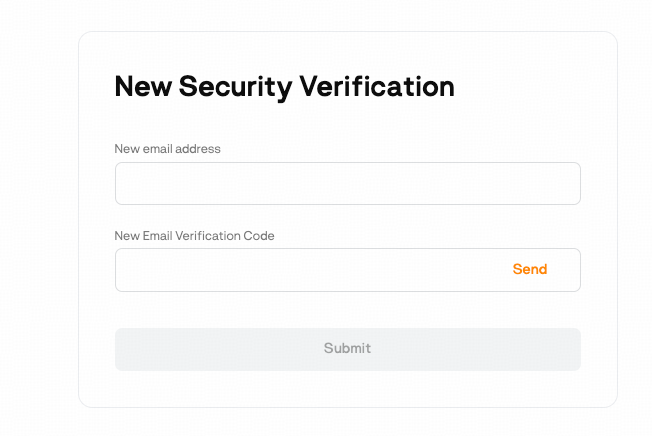
6. Click [Submit] to next step to complete the [New Security Verification].
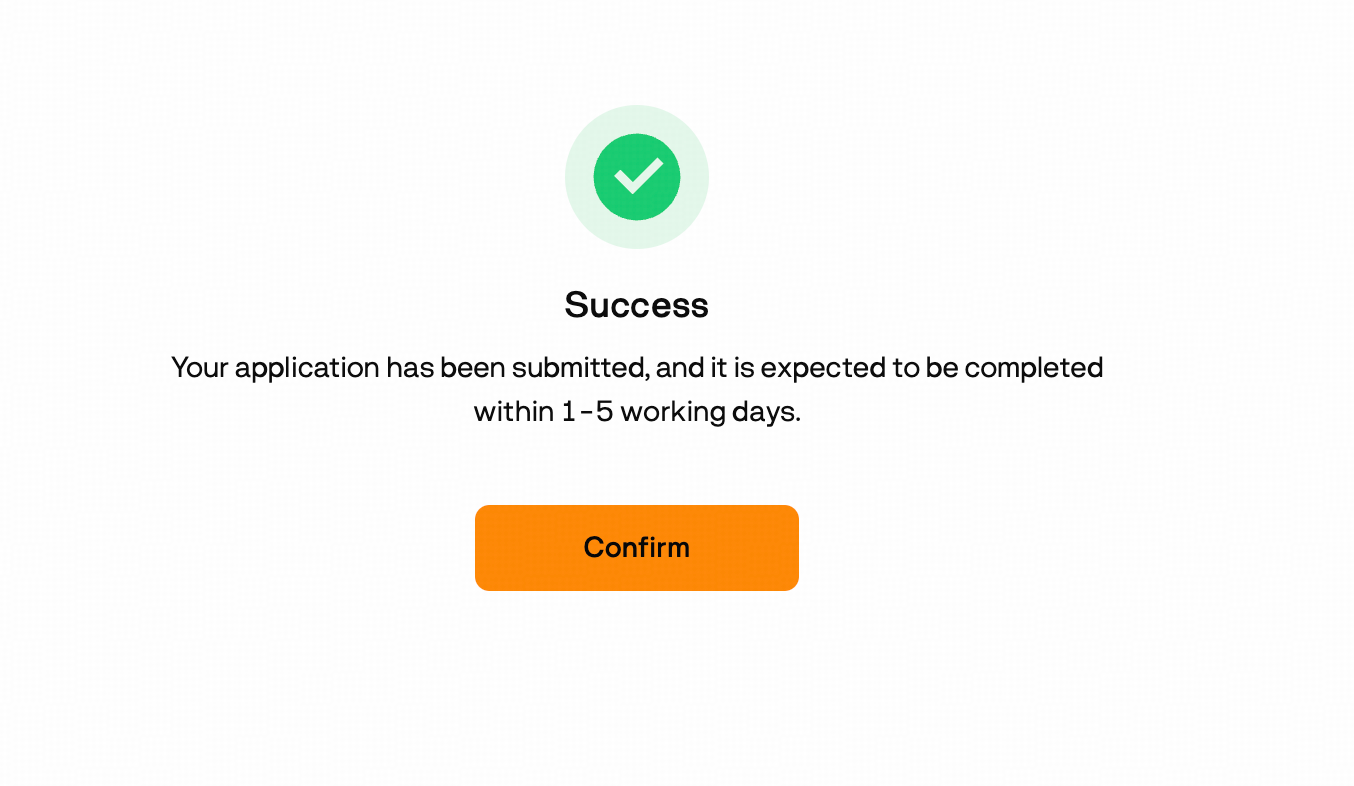
7. Click [Confirm] to submit your request. Processing usually requires 1–5 business days, after which you will receive system email notification and push notification.
3. If you forget your login password and can not access your account
Please contact our support team via live chat or email at [email protected] for further assistance.