
How to Deposit Crypto on BloFin
August 26, 2025 at 05:35 PMDepositing crypto into BloFin is straightforward, but it’s important to follow the steps carefully to ensure your funds are credited correctly.
Important Reminders Before Depositing
-
Match the network: The deposit network you choose on BloFin must match the withdrawal network from your sending platform. If they don’t match, your funds may be lost.
-
Check the minimum deposit amount: Each token has a minimum requirement. Deposits below this amount will not be credited.
-
Only deposit supported tokens: Sending unsupported tokens or using unsupported networks may result in permanent loss of funds. Always check the deposit page for supported options, and be sure to verify the contract address of the token you are sending or receiving before making a transfer.
How to Deposit on the Web
-
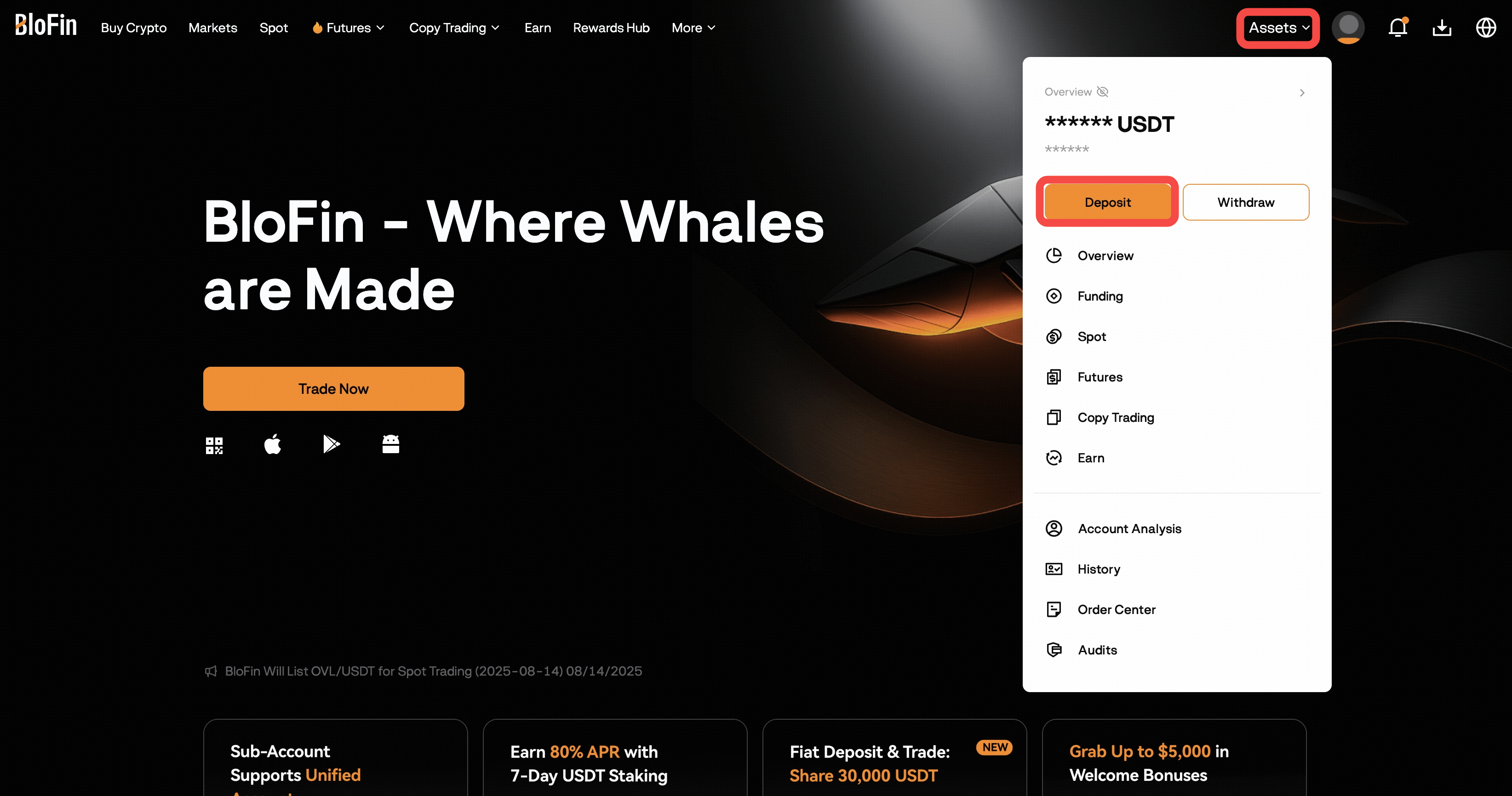
Log in to your BloFin account at https://blofin.com/ and go to Assets → Deposit, or click the Deposit button anywhere on the Assets Page.
-
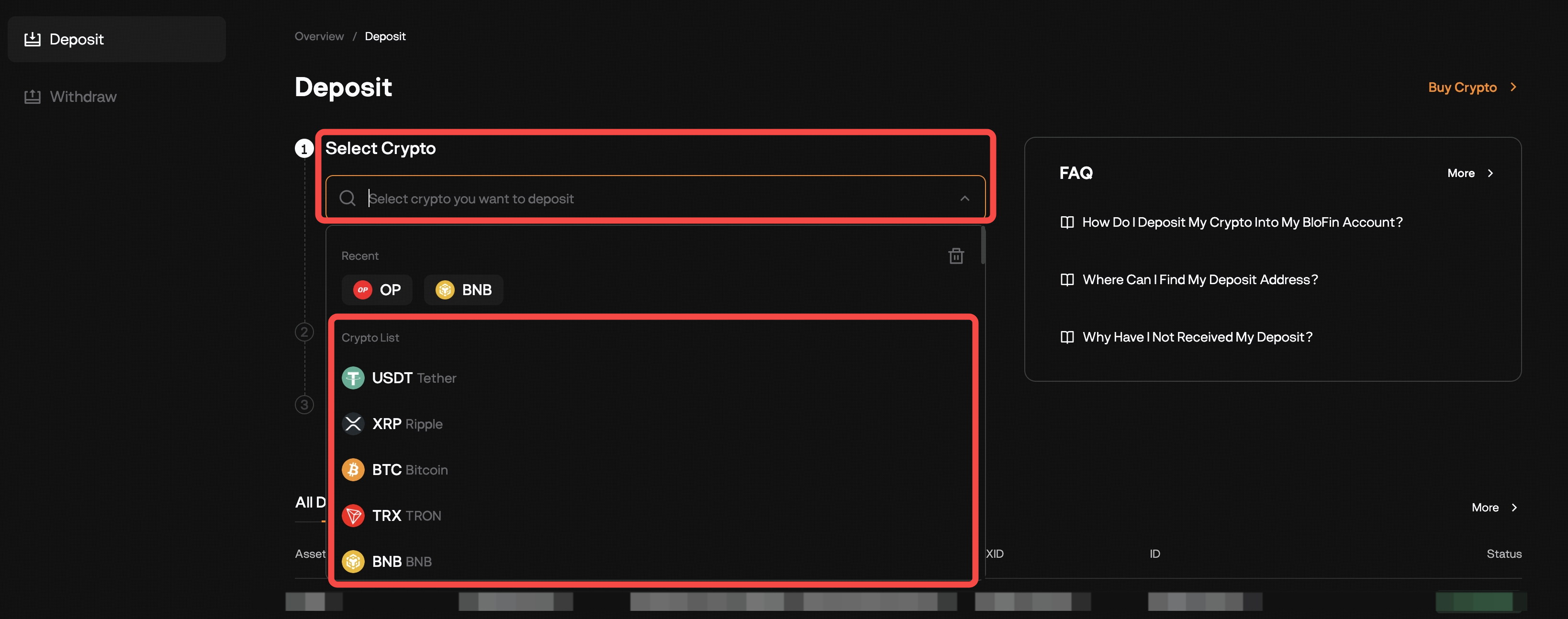
Select the cryptocurrency you want to deposit (e.g., USDT).
-
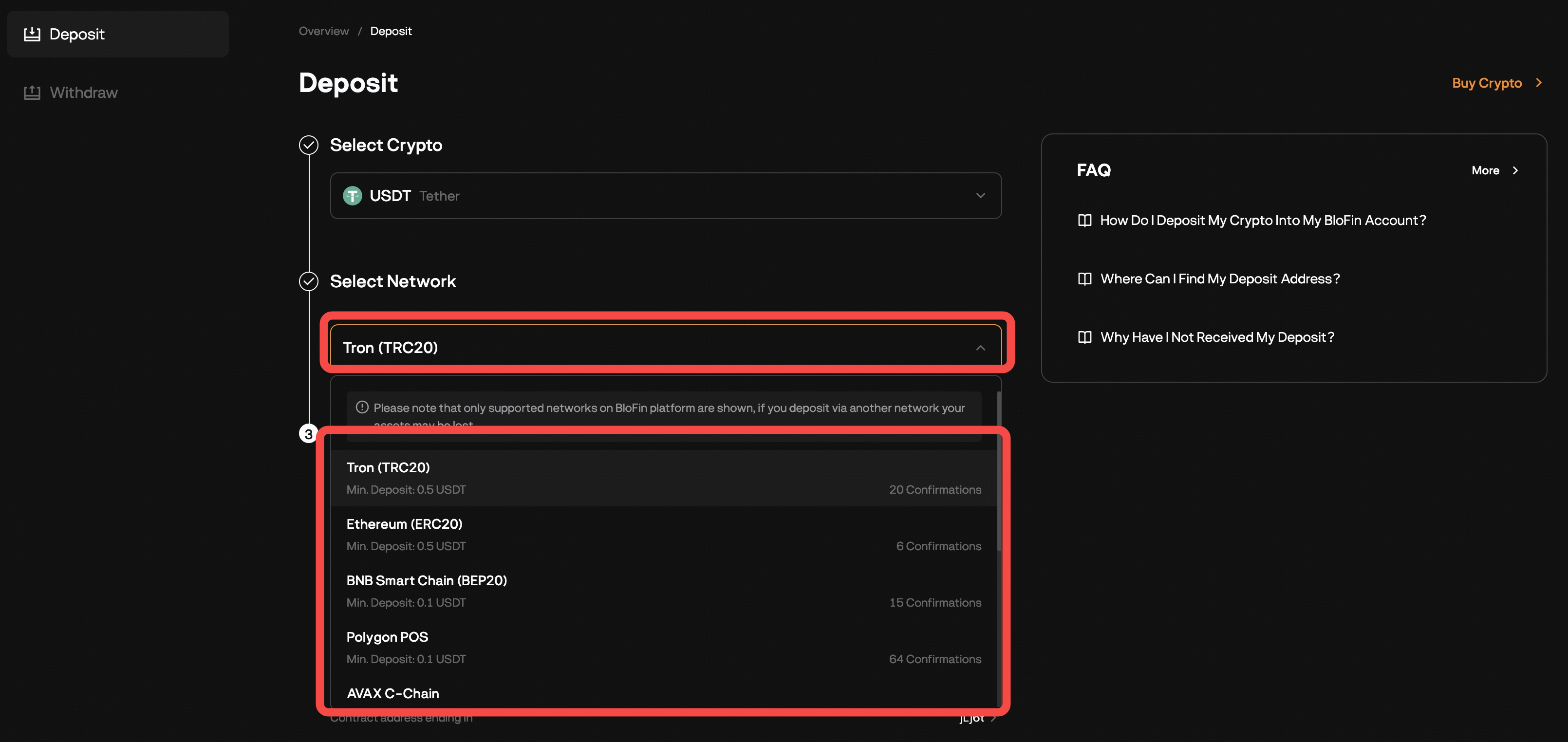
Choose the correct network (e.g., TRC20, ERC20, BEP20).
-
⚠️ Ensure the sending platform is using the same network.
-
-
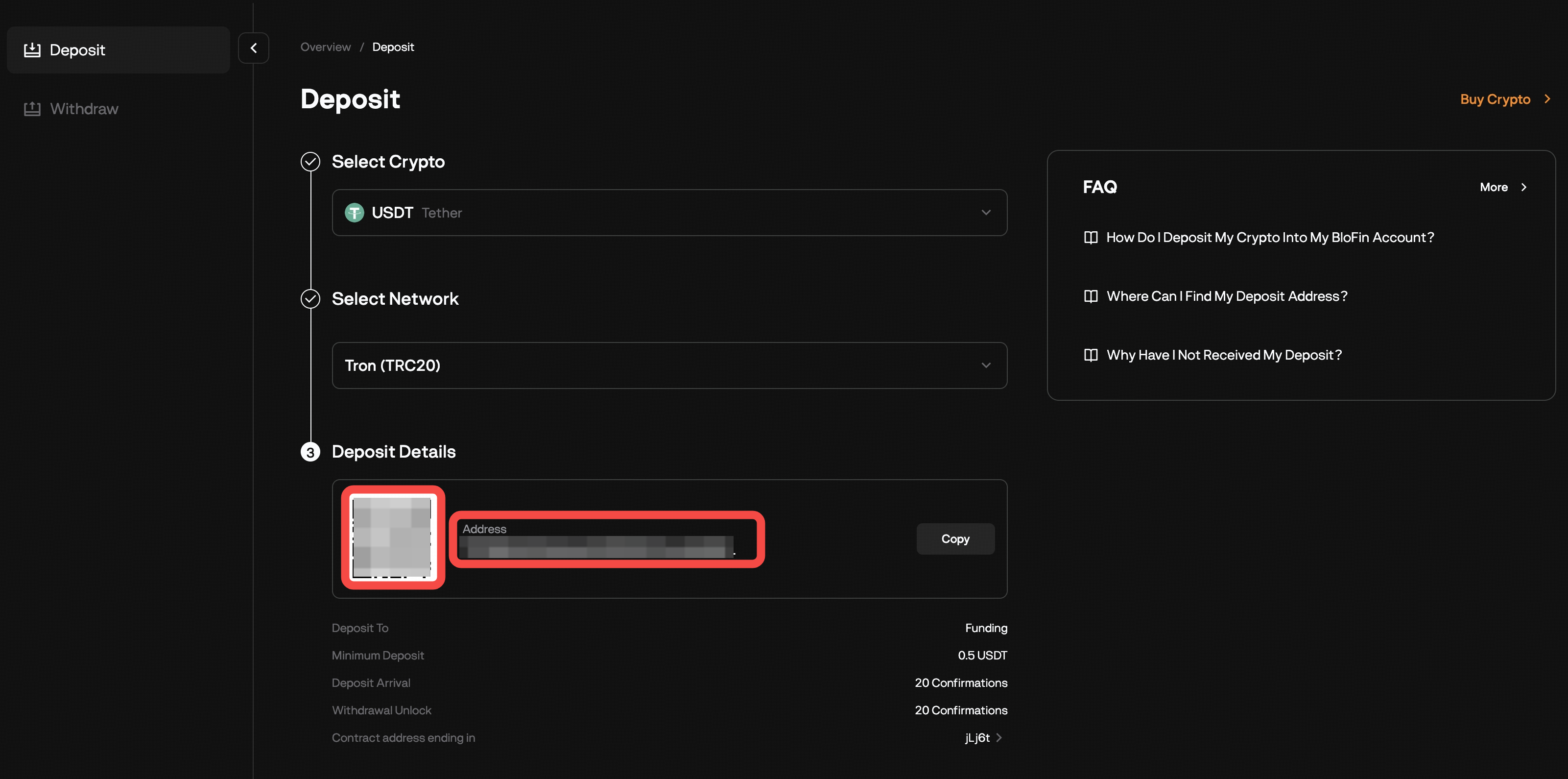
Copy the deposit address or scan the QR code.
-
Paste or scan this address on your sending wallet/exchange and complete the transfer.
-
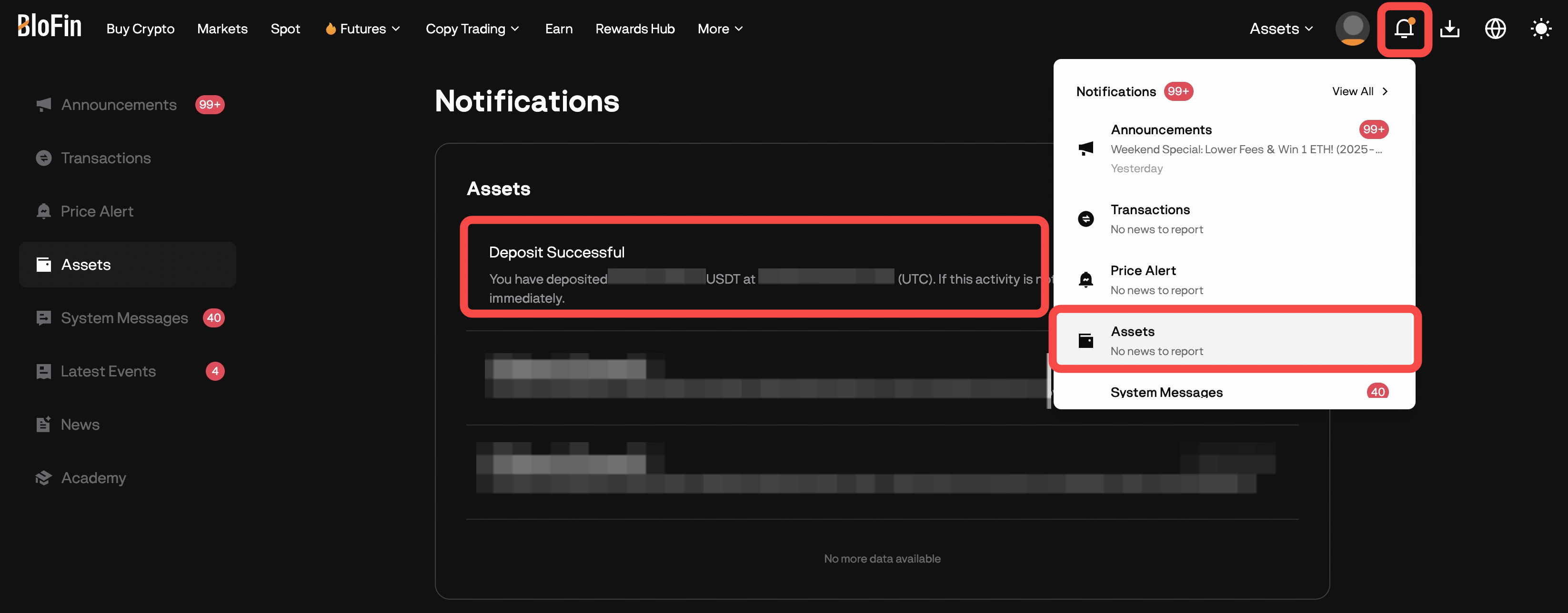
After the required blockchain confirmations, your funds will appear in your Funding Account. You will receive a deposit confirmation via registered email and notification center.
-
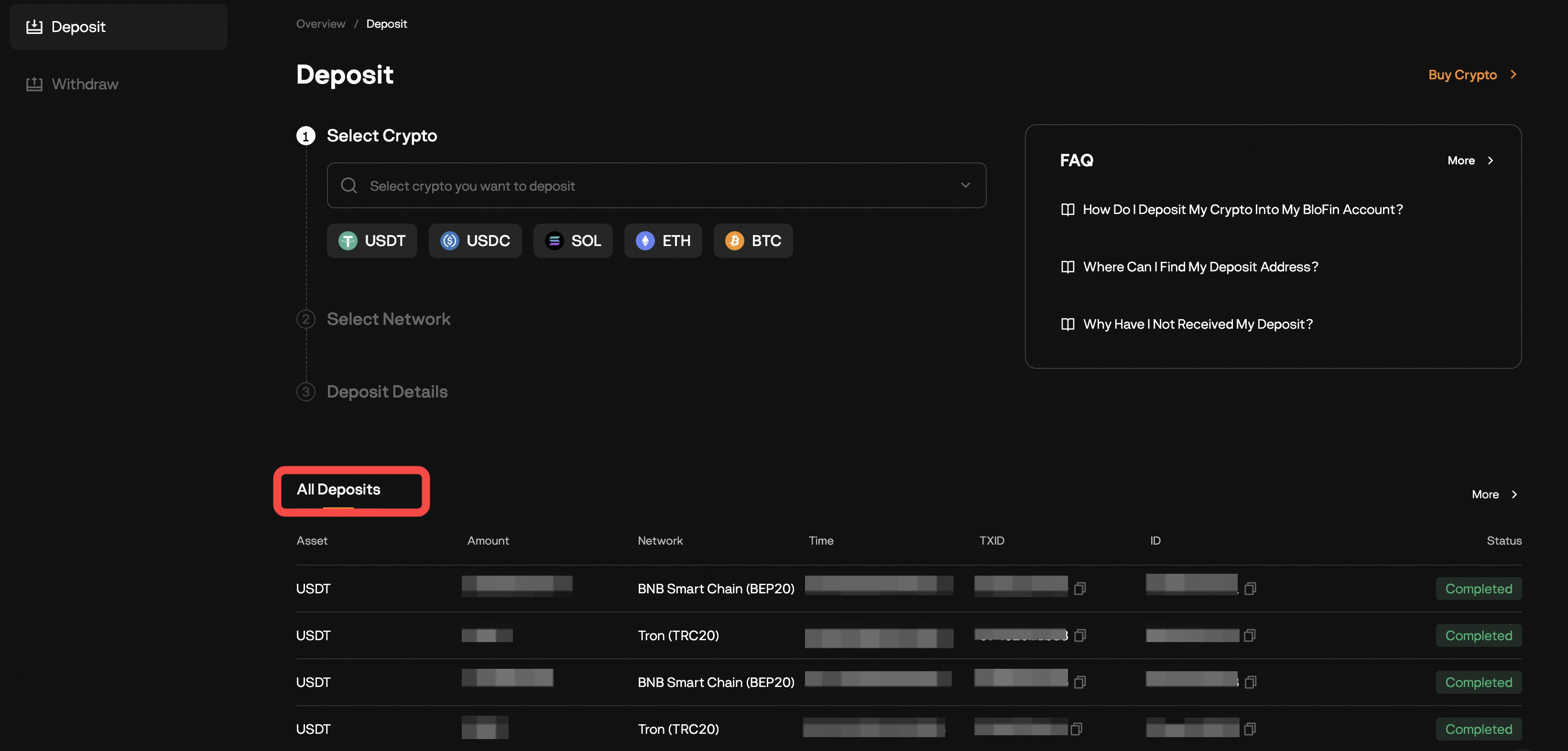
You can check your Deposit History on the Deposit page.
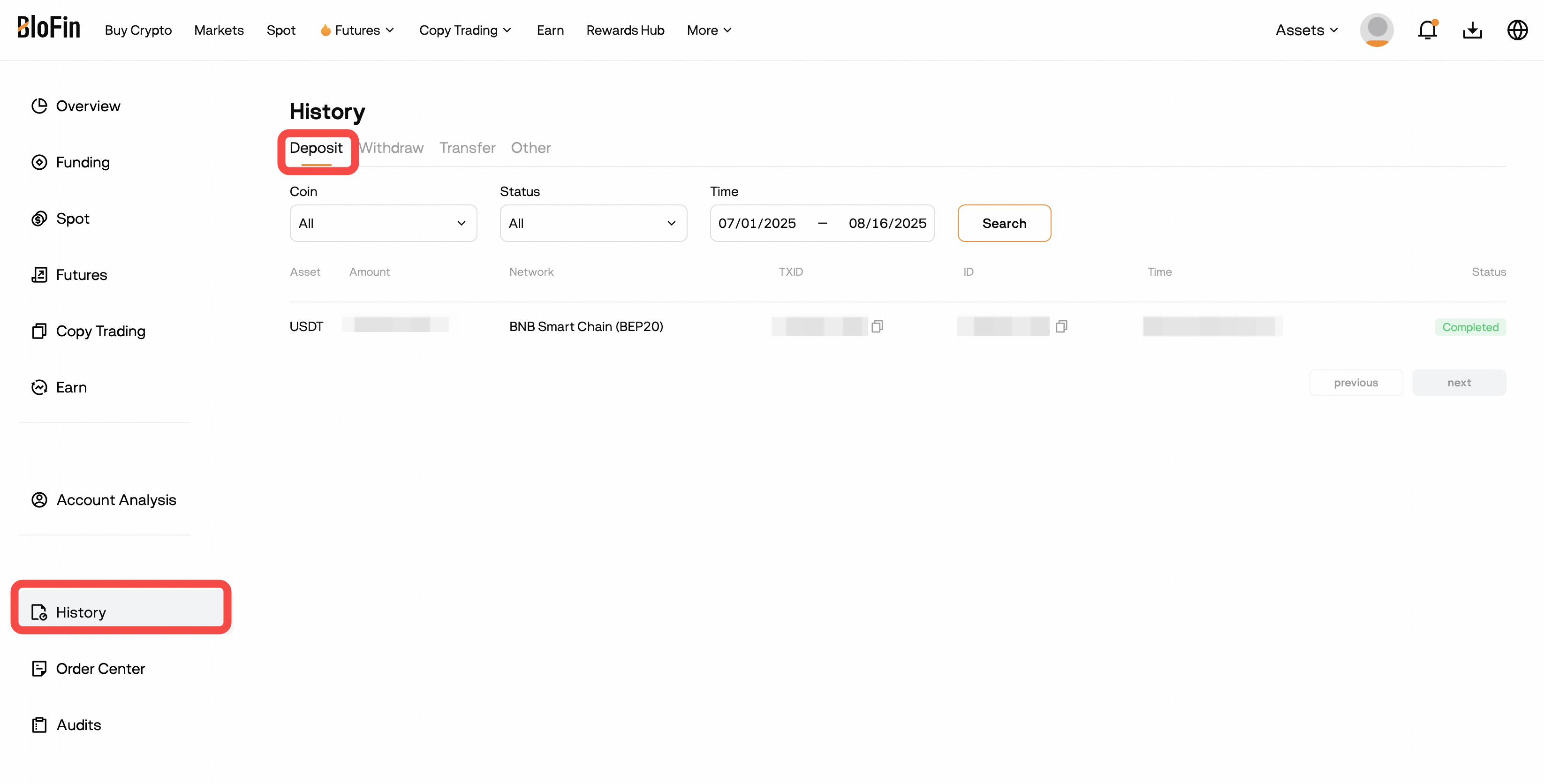
Alternatively, going to the History: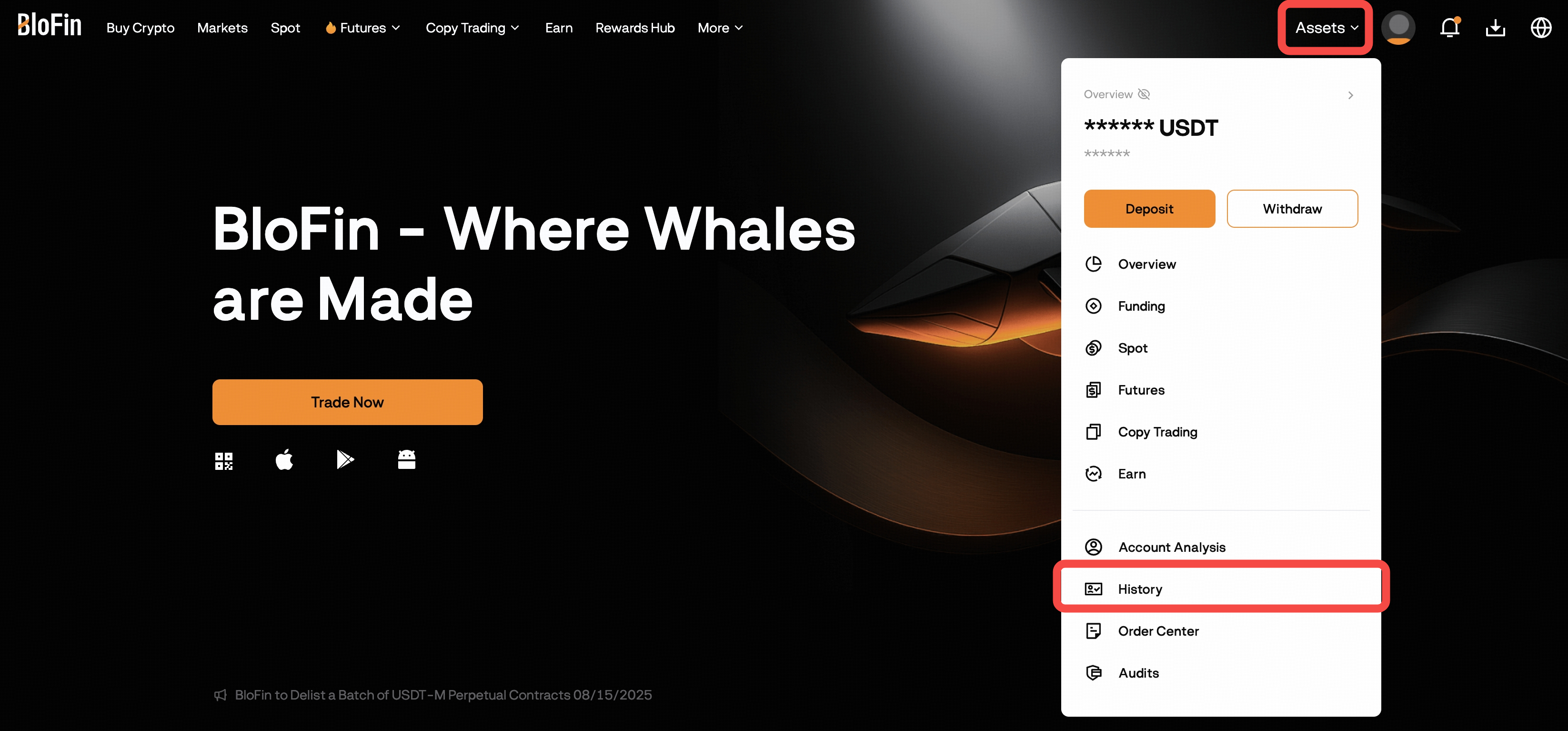
How to Deposit on App
-
Open the BloFin App and log in. Tap Add Funds → Deposit Crypto
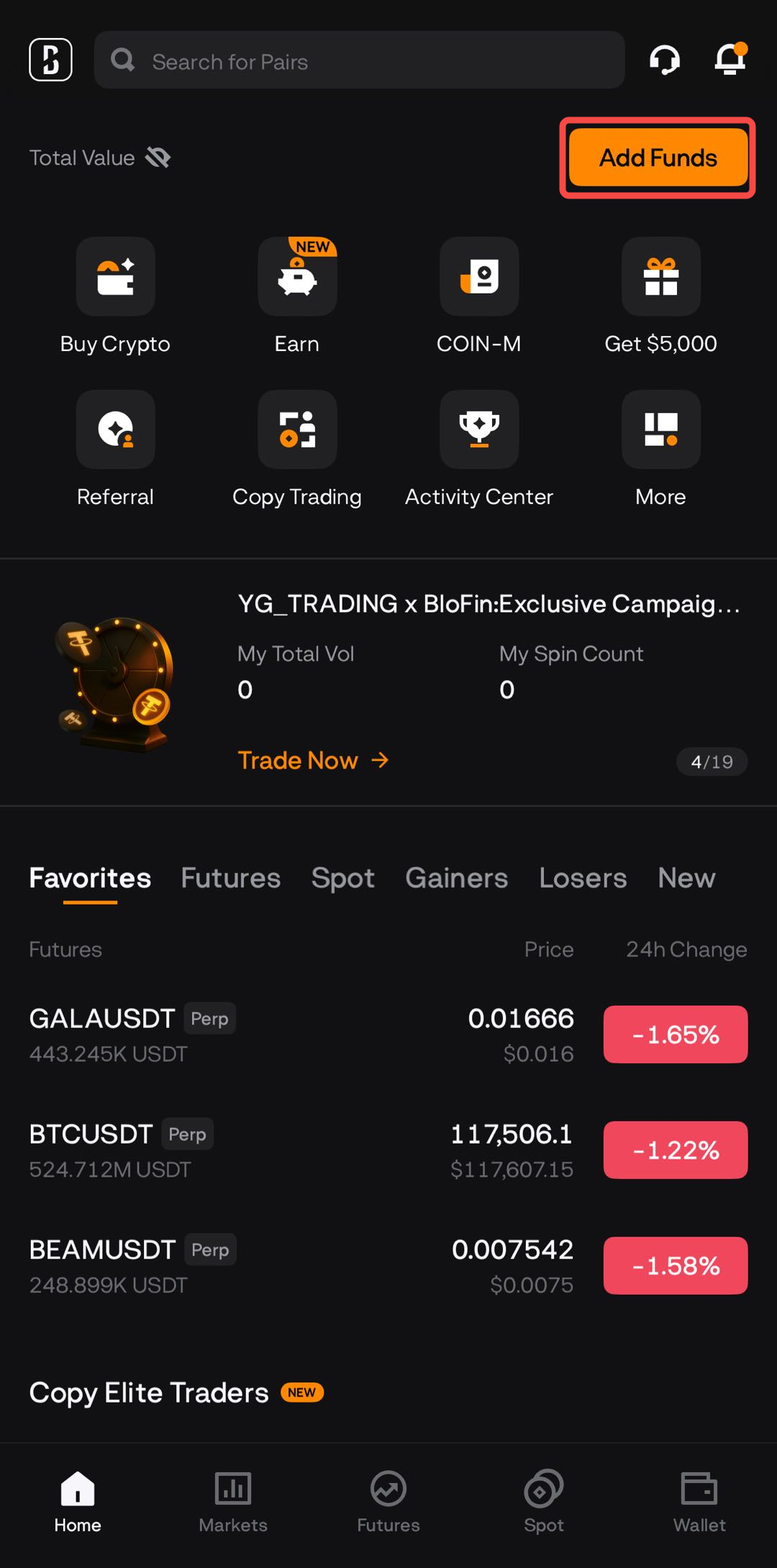
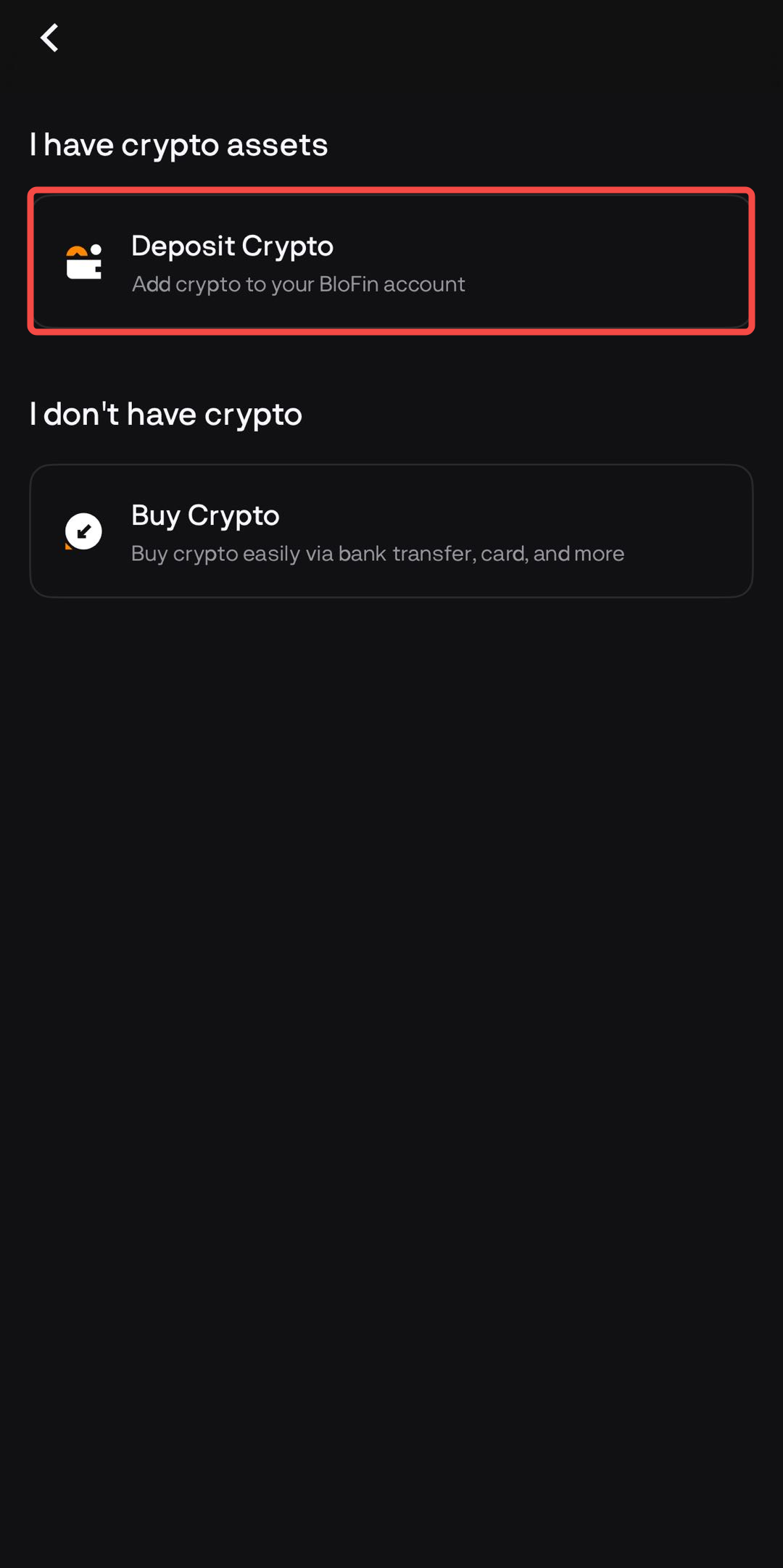
Alternatively, go to Wallet → Deposit.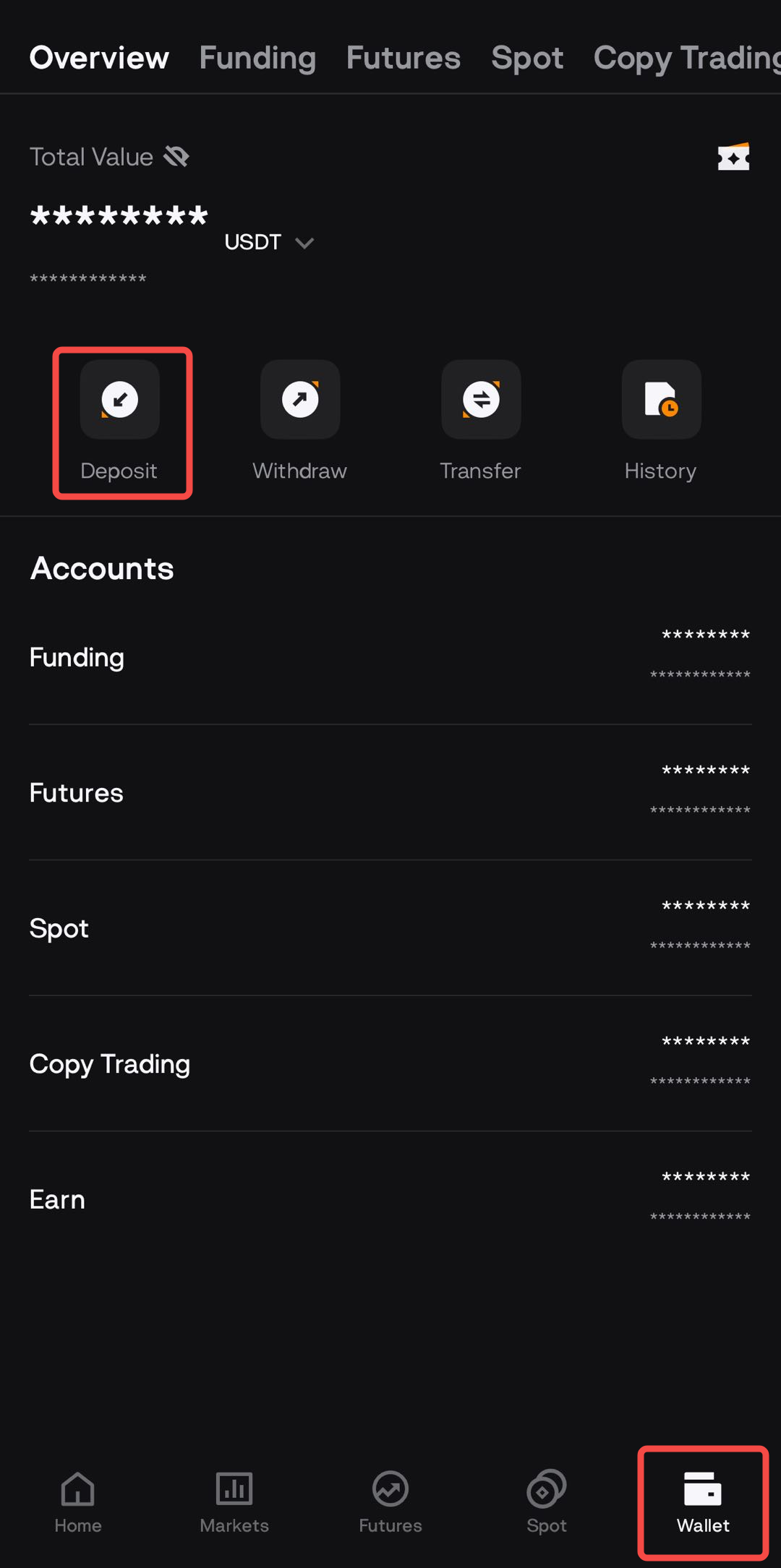
-
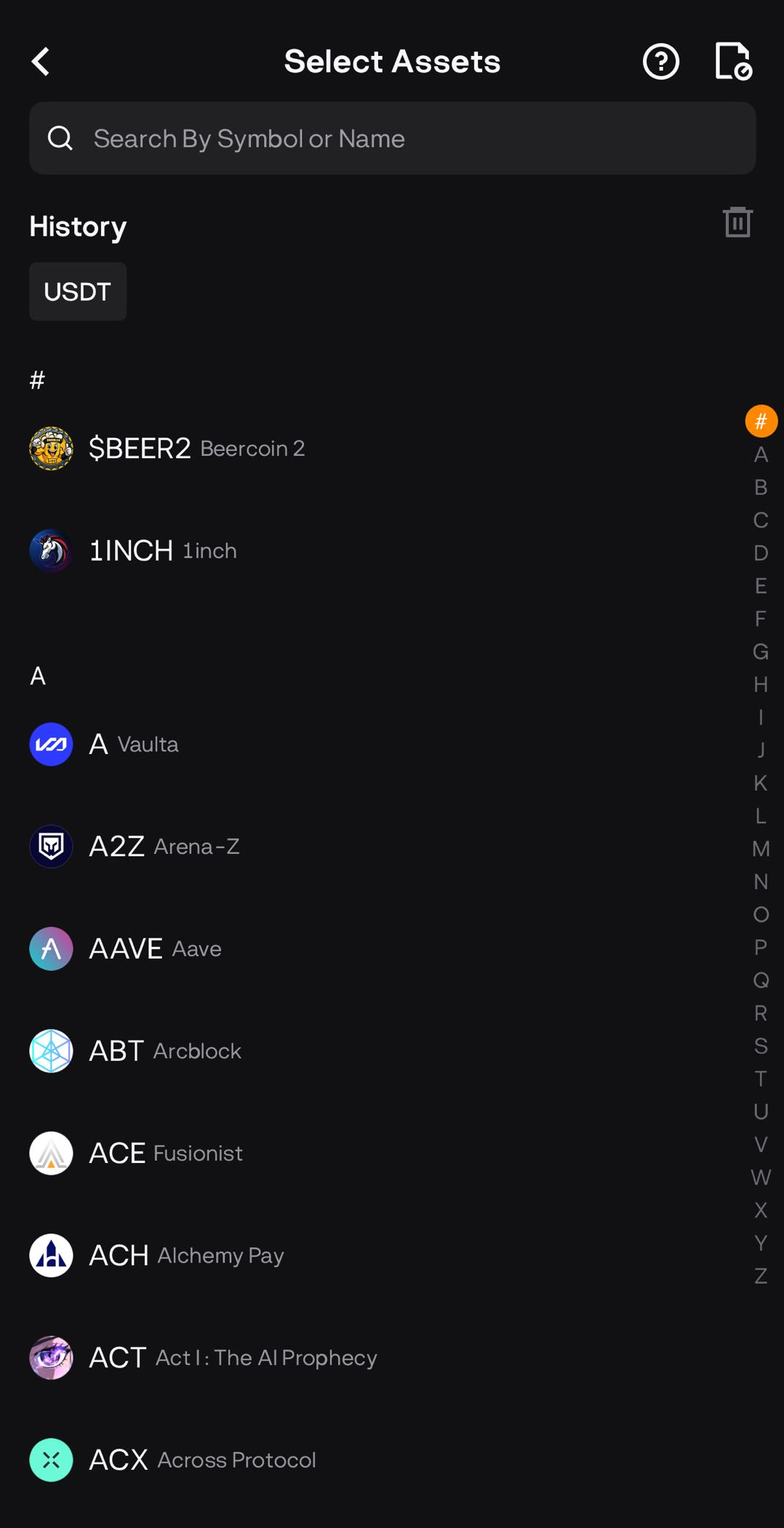
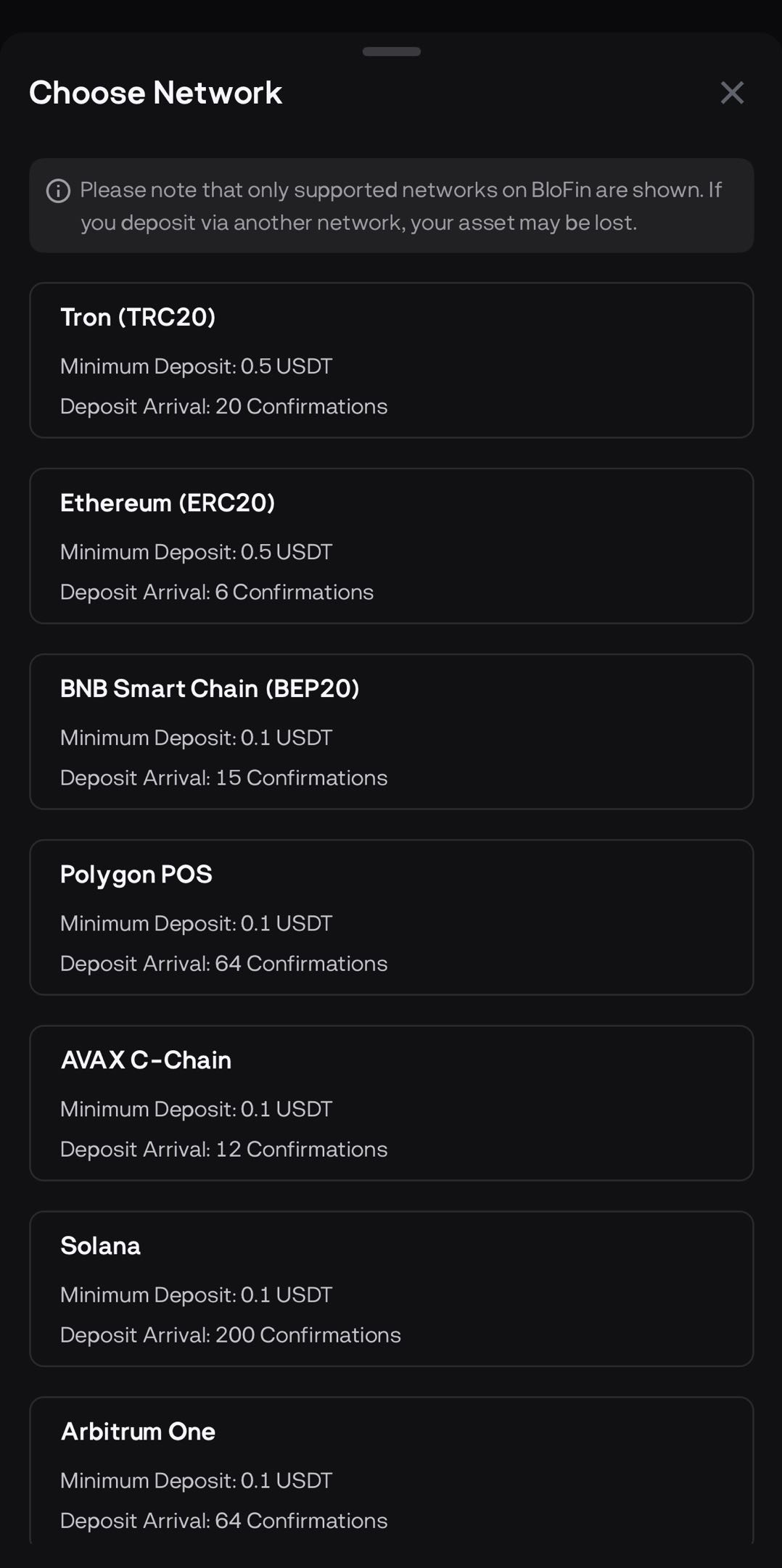
Select the crypto asset you want to deposit and choose the deposit network carefully.
-
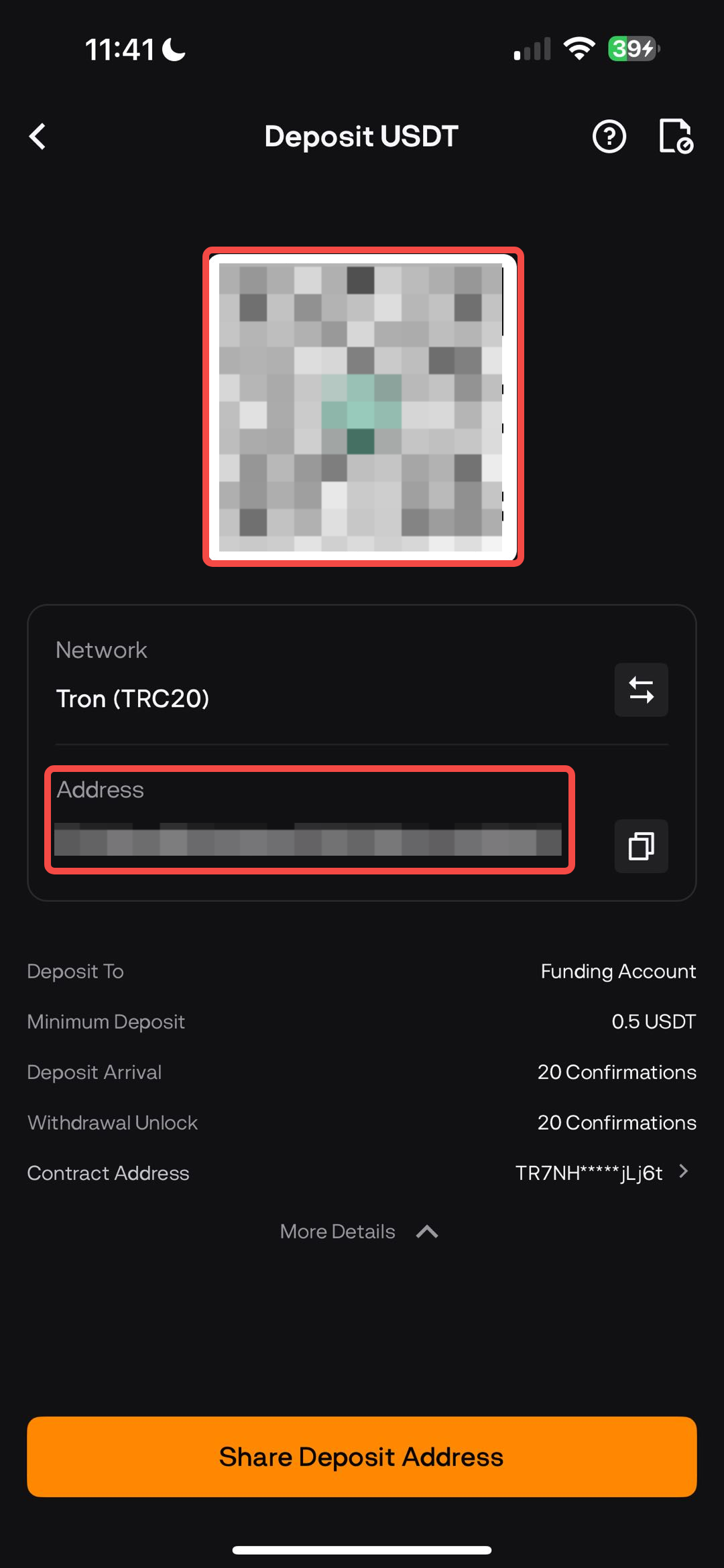
Copy the address or scan the QR code to initiate the transfer from your sending wallet.
-
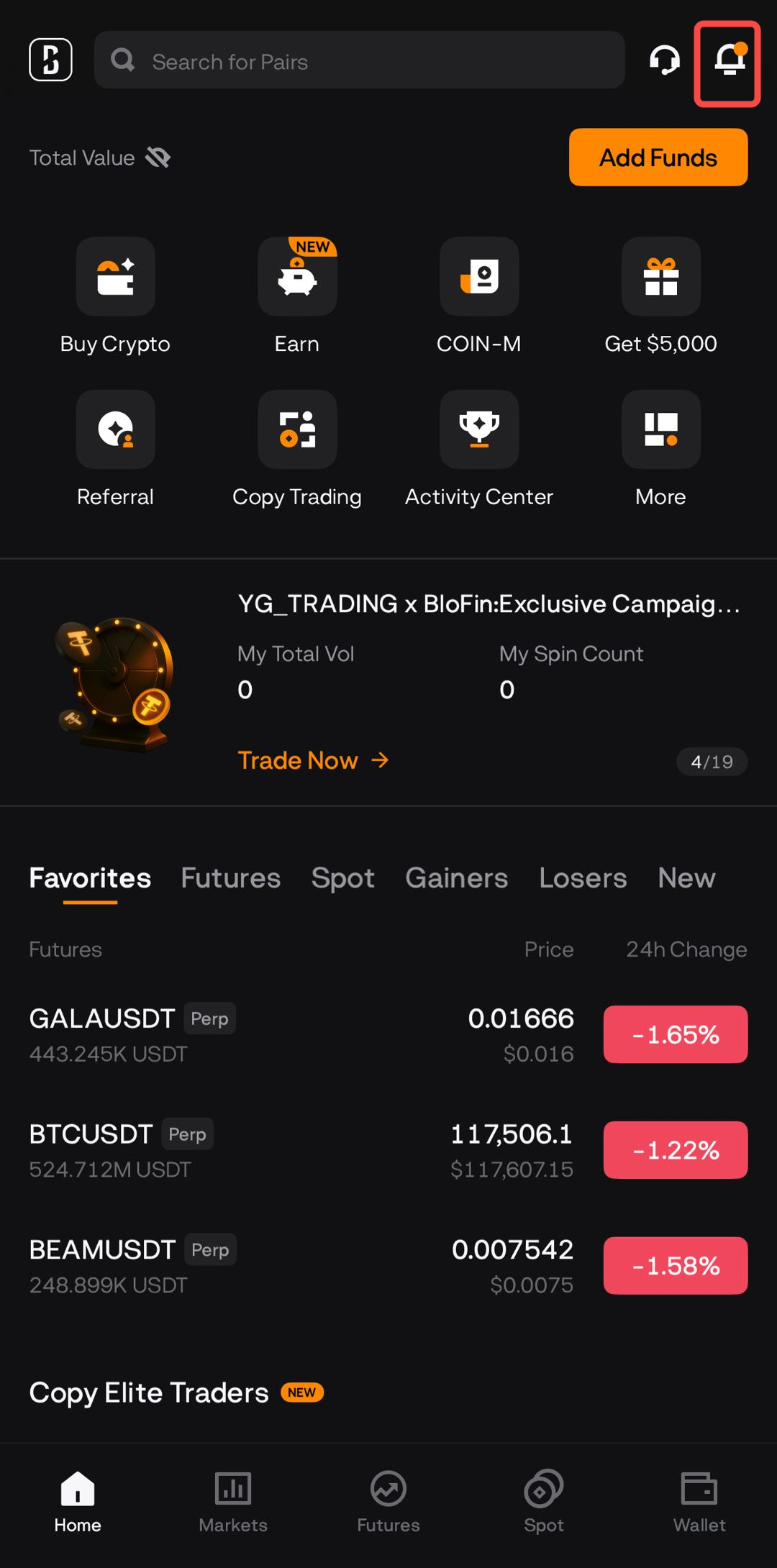
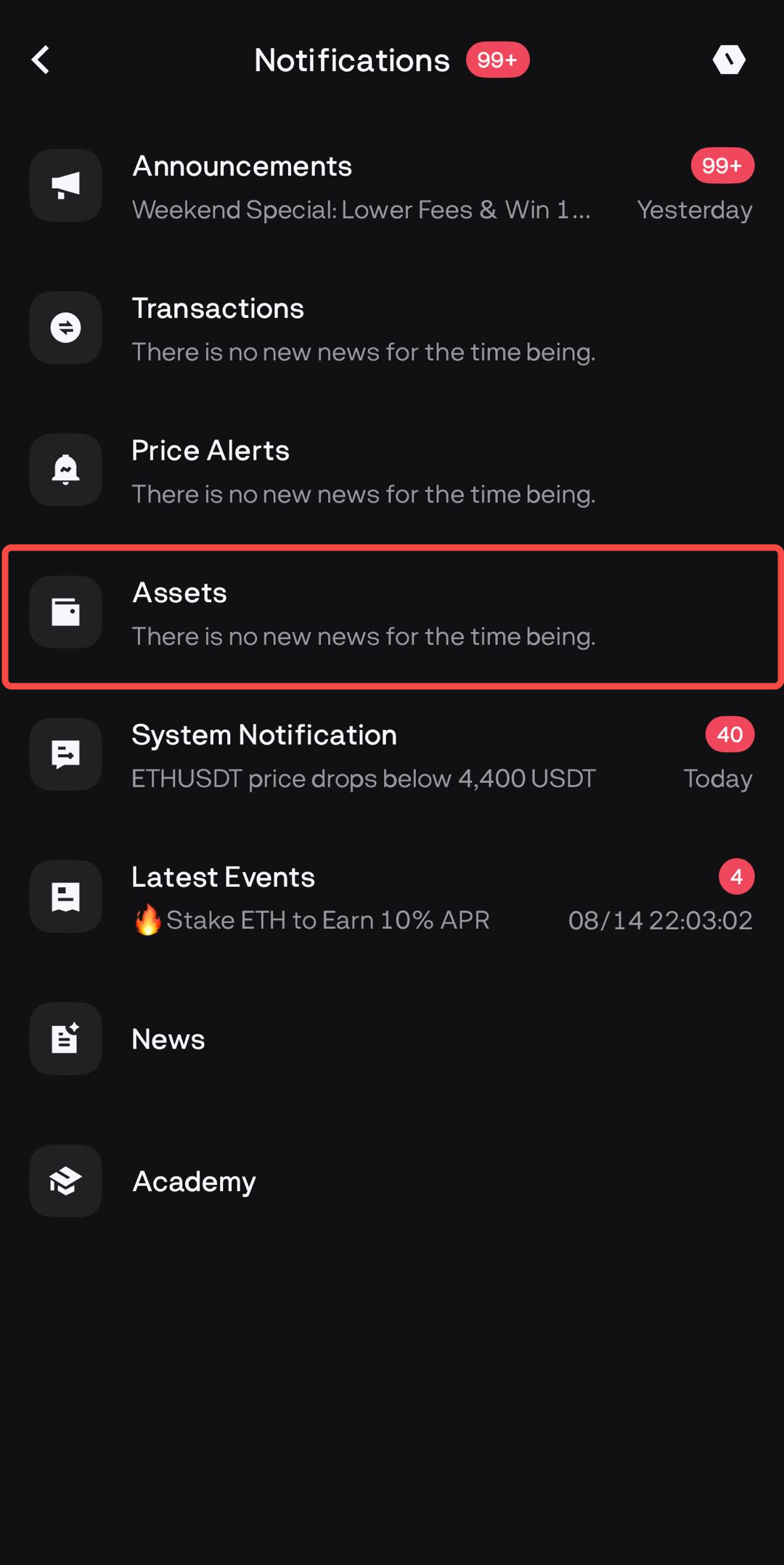
After the required blockchain confirmations, your funds will appear in your Funding Account. You will receive a deposit confirmation via registered email and notification center.
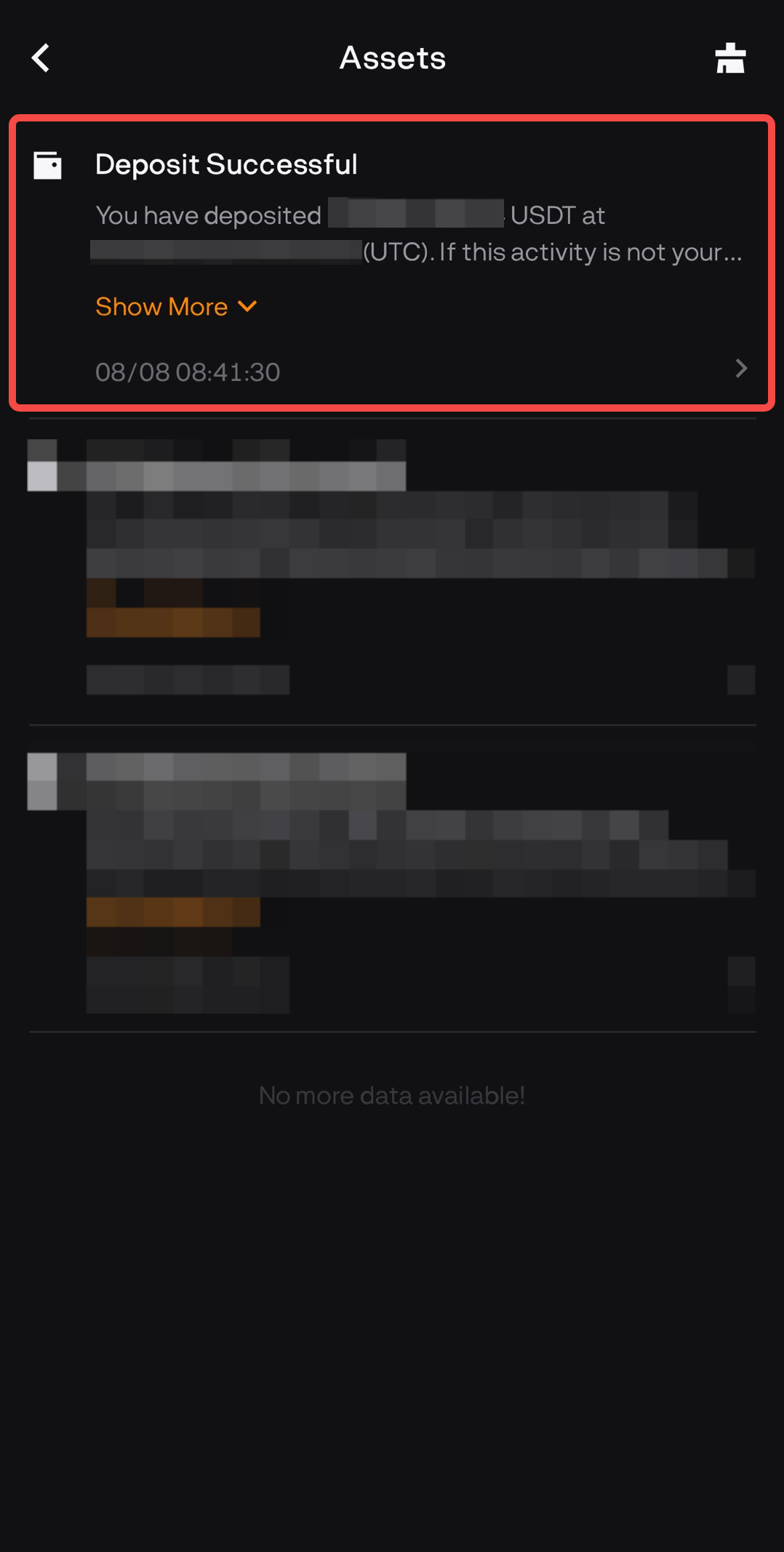
-
You can check your Deposit History by clicking on
 [History Icon] on the Deposit page.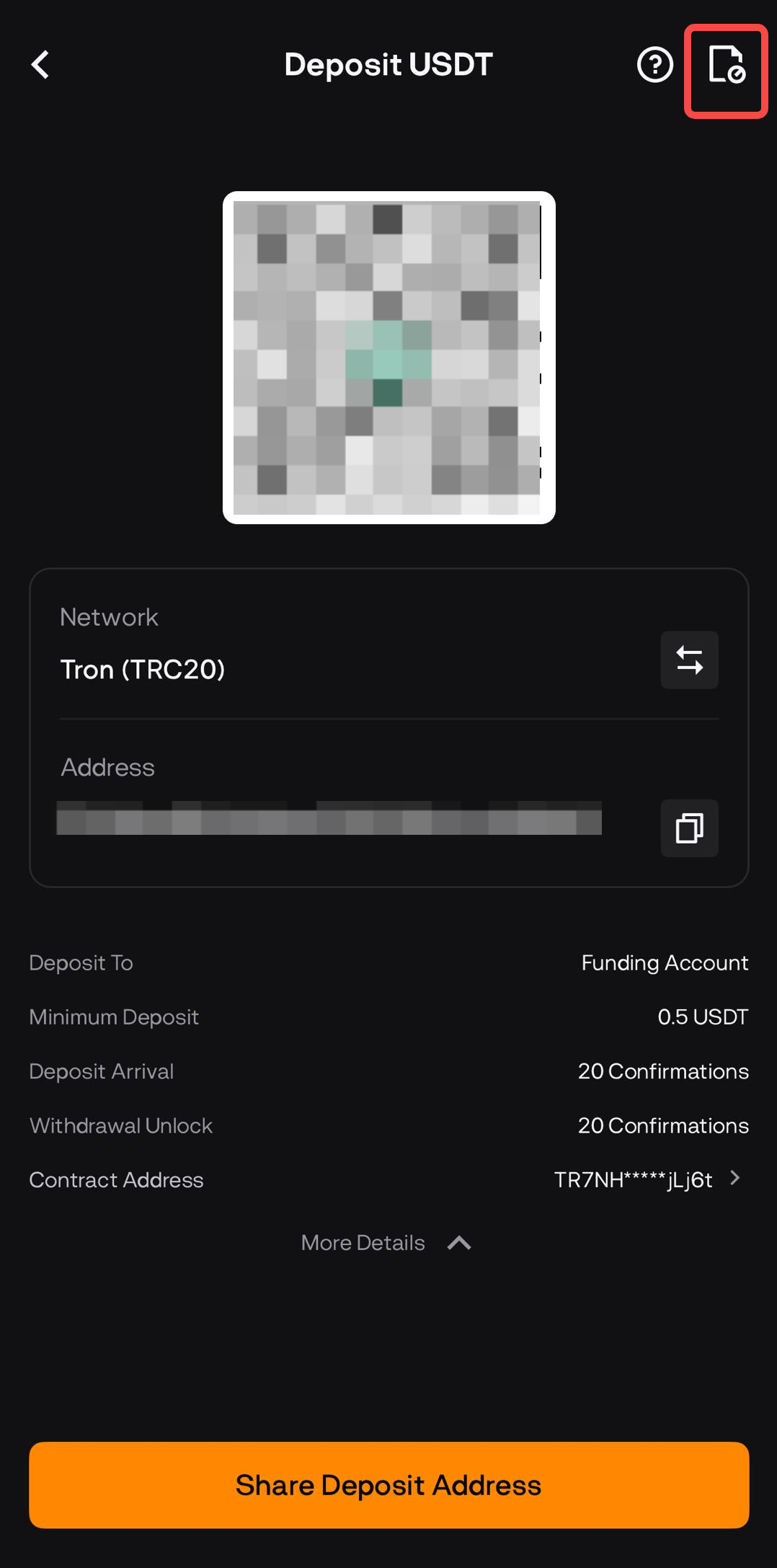
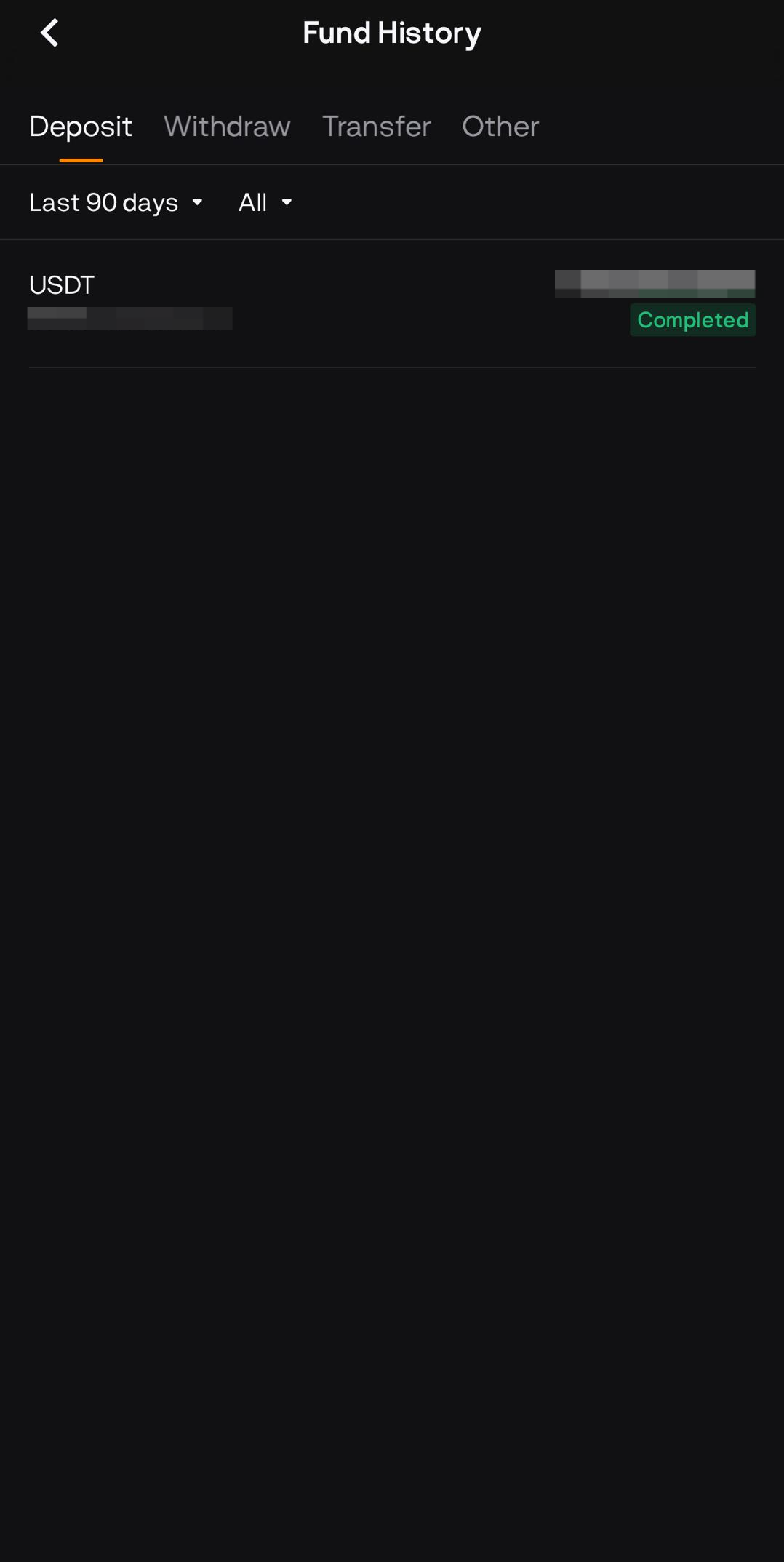
Alternatively, go to Wallet → History.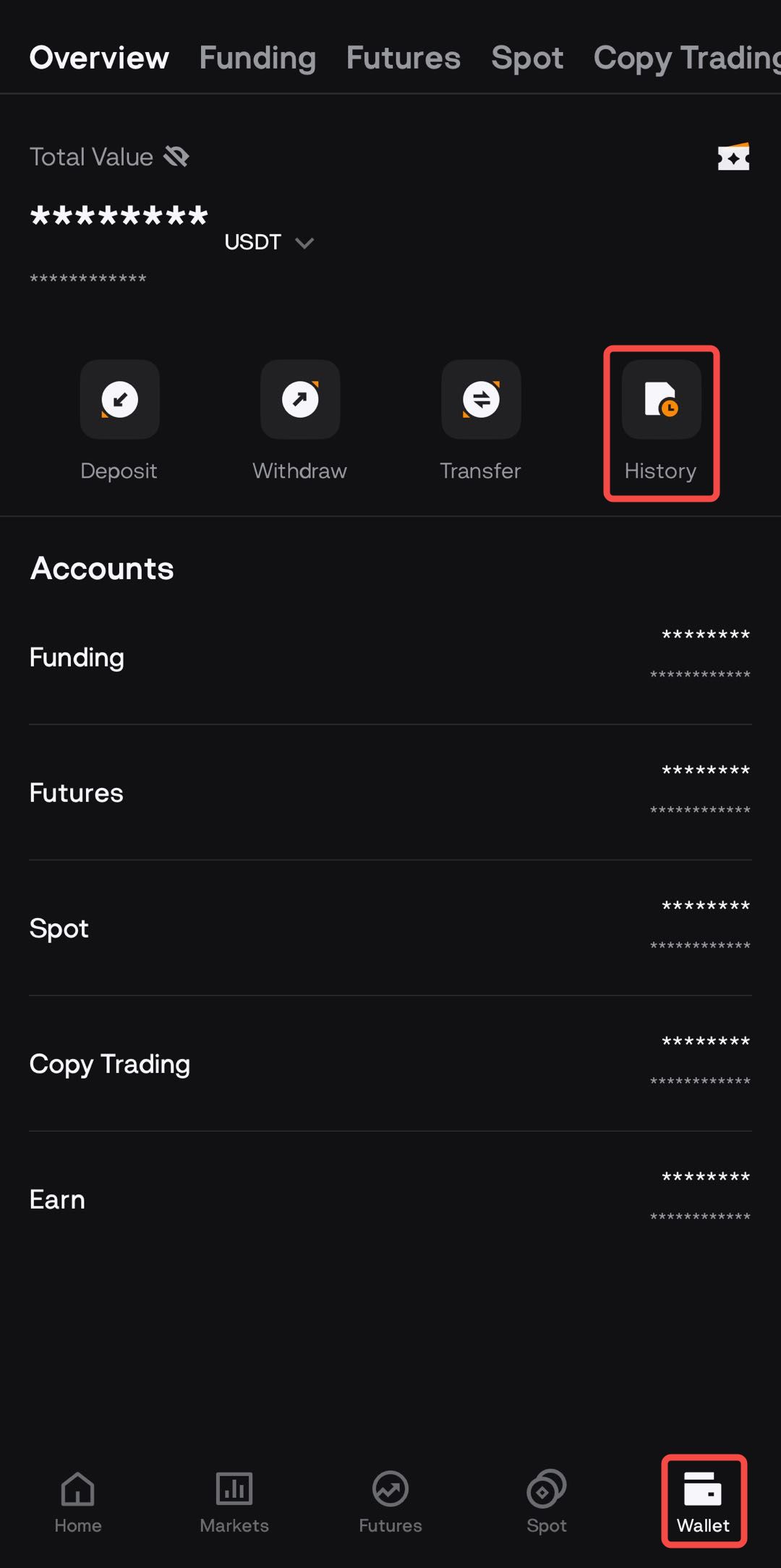
Important Reminders
- Only deposit supported assets and networks.
Always deposit using the exact assets and networks listed on the BloFin deposit page. If an asset or chain isn’t listed, do not send it — deposits made on unsupported networks cannot be credited and may be permanently lost. - Match the network exactly.
Always choose the same network on BloFin and on the sending platform (e.g., TRC20 ↔ TRC20, ERC20 ↔ ERC20). A network mismatch can lead to permanent loss of funds. -
Verify the token’s contract address.
For tokens on smart-contract chains (e.g., ERC20, BEP20), confirm the official contract address from a trusted source (project website / BloFin deposit page) before sending. Look out for look-alike tickers (e.g., multiple “USDT” contracts on different chains). -
Check if a memo/tag is required.
Some assets need a Memo/Tag (or Destination Tag) to credit correctly (e.g., XRP, XLM, EOS, BEP2 BNB). If required, enter it exactly as shown. Missing or incorrect tags can delay or prevent crediting. -
Confirm the minimum deposit amount.
Each asset/network has a minimum. Amounts below this won’t be credited (and often can’t be recovered). Check the minimum every time on the deposit page. -
Use a small test transfer for first-time deposits.
When depositing to a new address or using a new network for the first time, always start with a small transfer that still meets the minimum deposit amount required by BloFin to verify everything is set up correctly. Once the test transfer arrives correctly, you can confidently proceed with your full deposit.
- Native vs. wrapped assets.
Make sure you’re depositing the exact asset type the page shows (e.g., ETH (ERC20) vs WETH, BTC vs WBTC). Wrapped versions are different tokens. -
Security basics.
Copy/paste addresses carefully, avoid QR codes from untrusted sources, enable 2FA for security of the account. -
Know where funds arrive.
Deposits typically credit to your Funding Account first. From there, transfer to Spot/Futures/Earn as needed. -
If something looks wrong—stop and recheck.
Don’t “guess and send.” Re-open the BloFin deposit page, confirm asset, network, address, memo/tag, minimum, and try a test transfer if unsure.
For more details and common issues about deposits and withdrawals, please visit our Deposit & Withdrawal FAQ section.