
How Much Are The Withdrawal Fees?
April 21, 2026 at 10:58 PMWithdrawal fees on BloFin are dynamic and depend on the blockchain network you use. Follow the steps below to view the current fee for your chosen asset and network.
How to Check Withdrawal Fees on Web
Log in to your BloFin account at https://blofin.com/ and go to Assets → Withdraw, on the Assets Page.
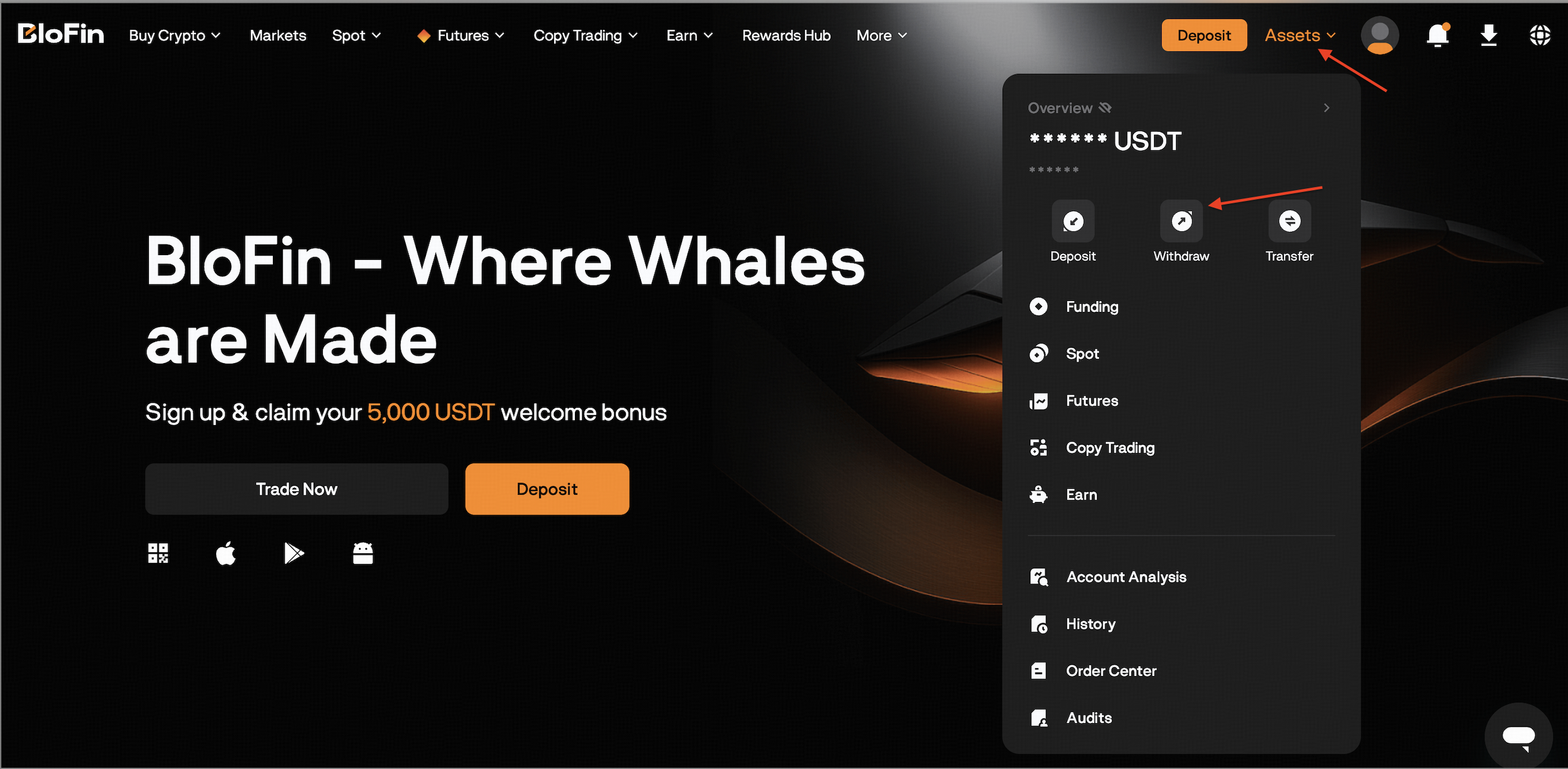
Select the cryptocurrency you want to withdraw and choose the withdrawal network (e.g. TRC20, ERC20, BEP20). The network fee will be displayed.
Note: Fees vary depending on the chosen network and current blockchain conditions.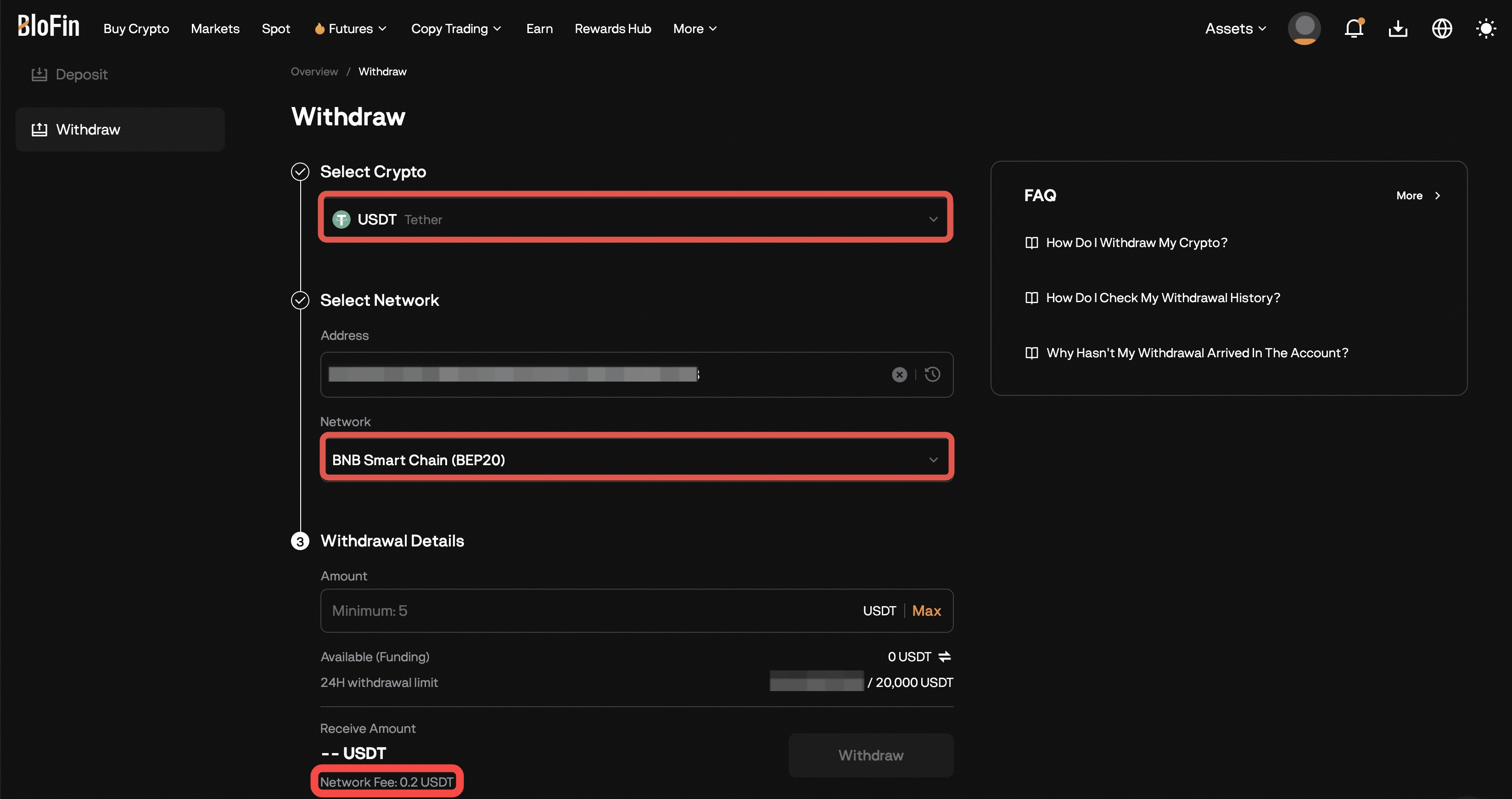
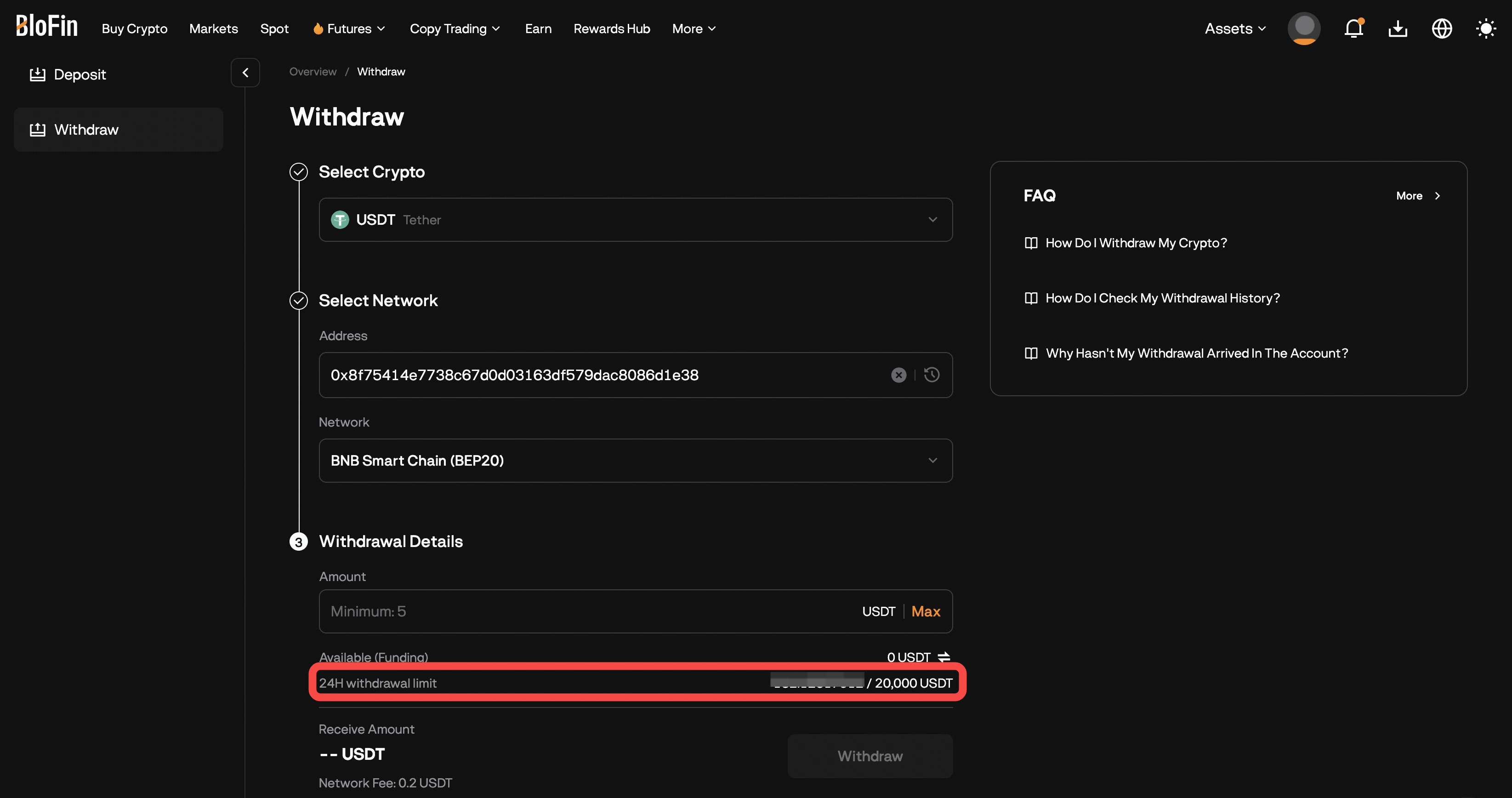
You’ll also see the minimum withdrawal amount and withdrawal limit based on your verification level.
How to Check Withdrawal Fees on Blofin App
-
Open the BloFin App and log in. Tap Wallet → Withdraw, or click the Withdraw button on the Wallet page.
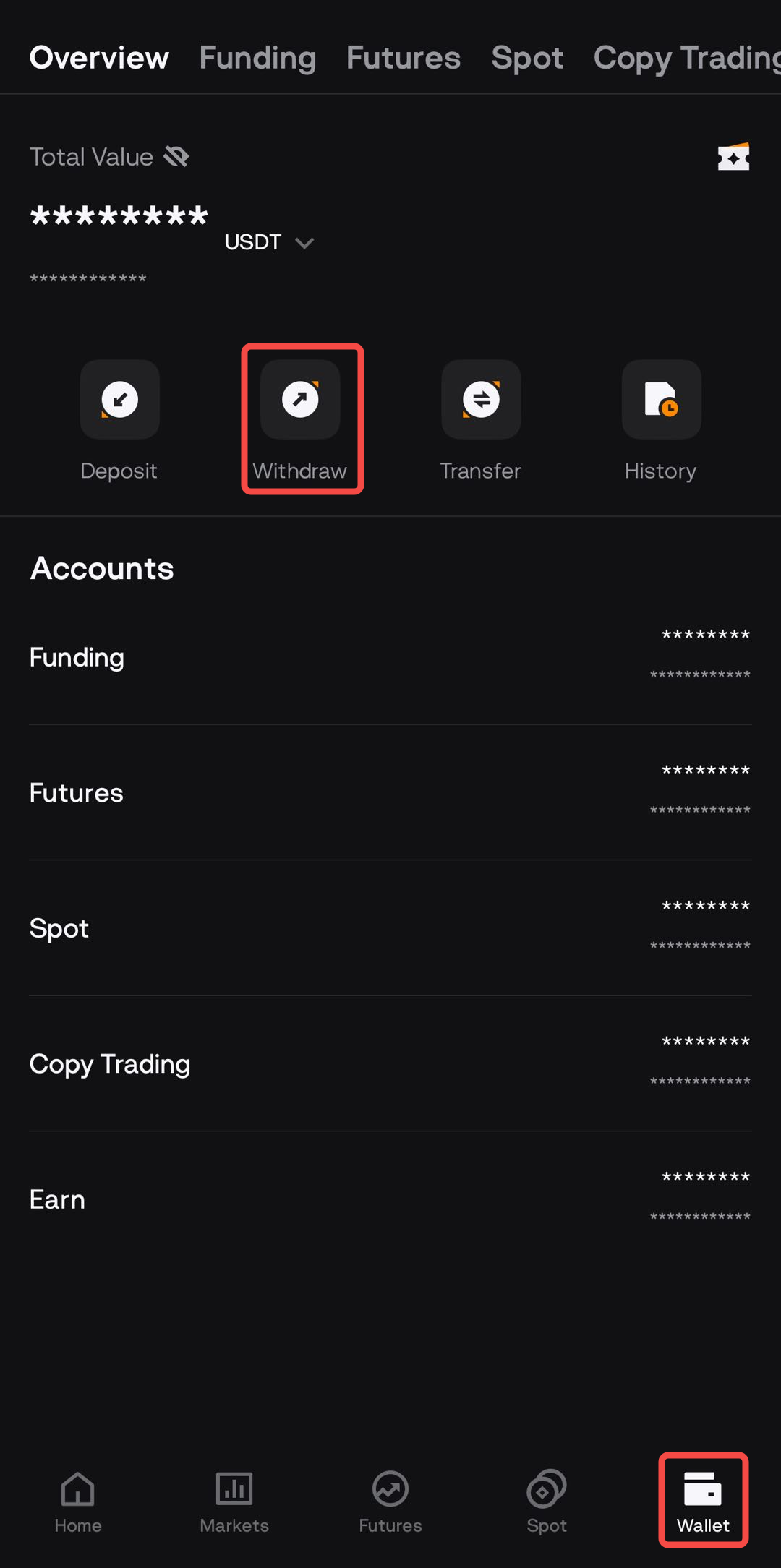
Select the cryptocurrency you want to withdraw and choose the withdrawal network (e.g., TRC20, ERC20, BEP20). The network fee and the minimum withdrawal amount will be displayed automatically.
Note: Fees vary depending on the chosen network and current blockchain conditions.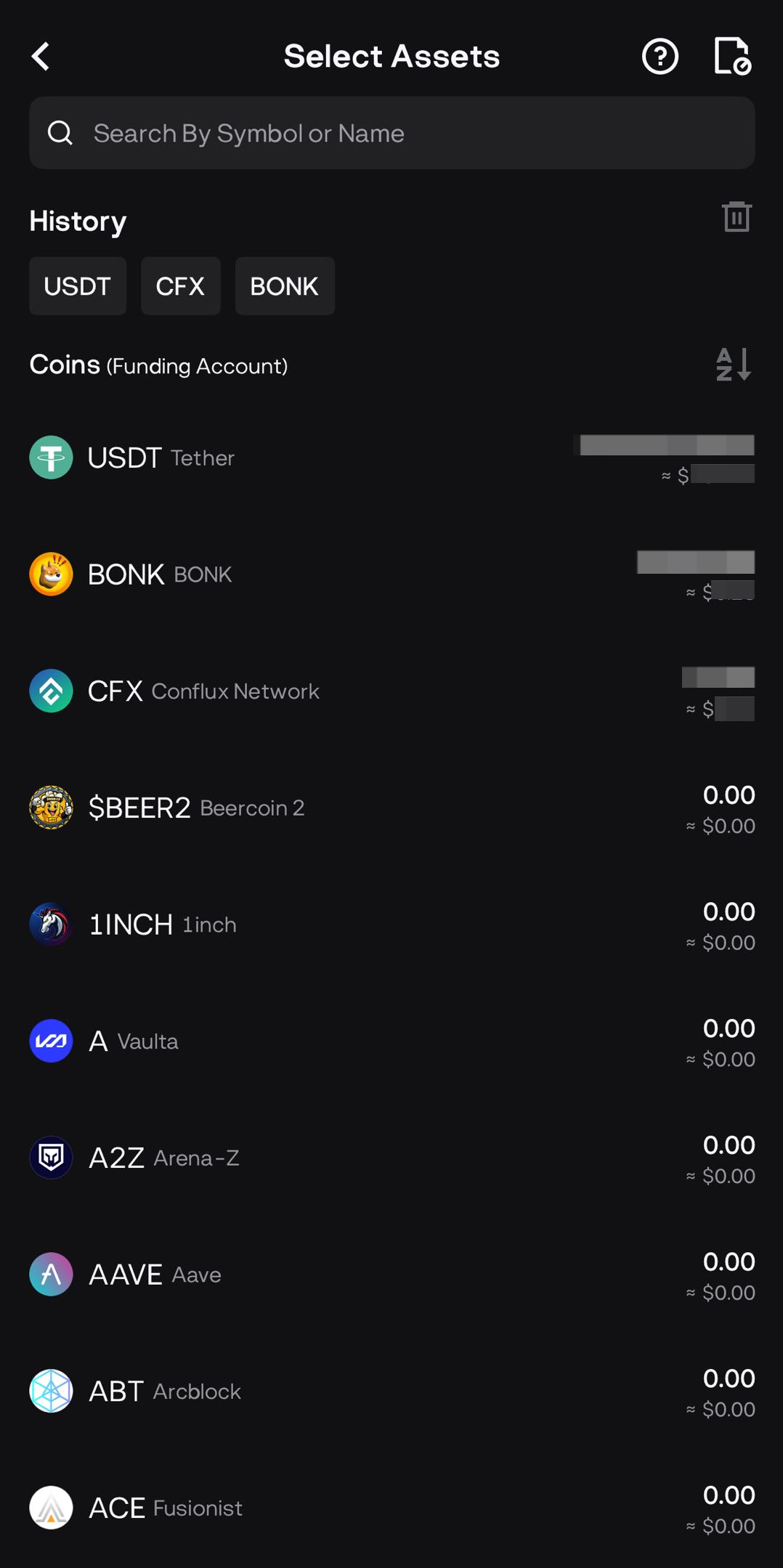
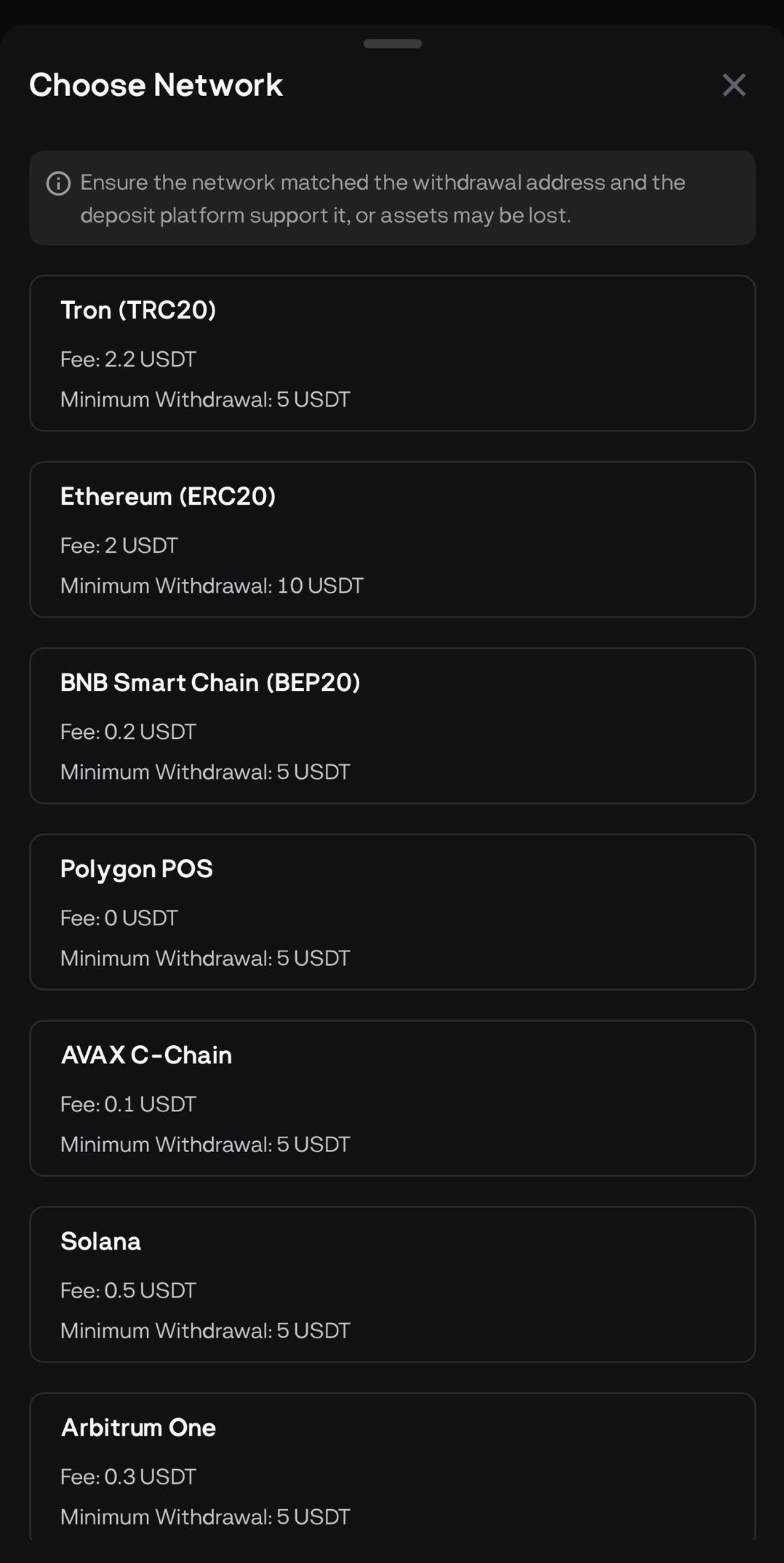
Why Do Withdrawal Fees Vary?
- These are network fees, not BloFin charges—they’re paid to blockchain miners or validators who process your transaction.
- The fees fluctuate based on network congestion, transaction demand, and the asset’s blockchain conditions.
Quick Tips to Minimize Fees
When possible, use cheaper networks for the same asset (e.g., choose TRC20 over ERC20 when supported).
Avoid conducting withdrawals during periods of heavy network congestion.
If you’re making multiple withdrawals, consider batching a larger amount to minimize per-transaction fees.
Withdrawal Limits
Your withdrawal limit depends on your verification level (KYC).
Basic KYC has a 20,000 USDT 24-hour cumulative limit.
Higher KYC levels increase this limit (e.g., Personal Verification: up to 1,000,000 USDT; Address Verification: up to 2,000,000 USDT).
To enjoy a higher withdrawal limit, please complete your KYC.