
Where Can I Find My Deposit Address?
April 21, 2026 at 10:52 PMTo deposit crypto into your BloFin account, you’ll need to generate a deposit address. The steps differ slightly depending on whether you’re using Web or the App.
How to Obtain Address on Web
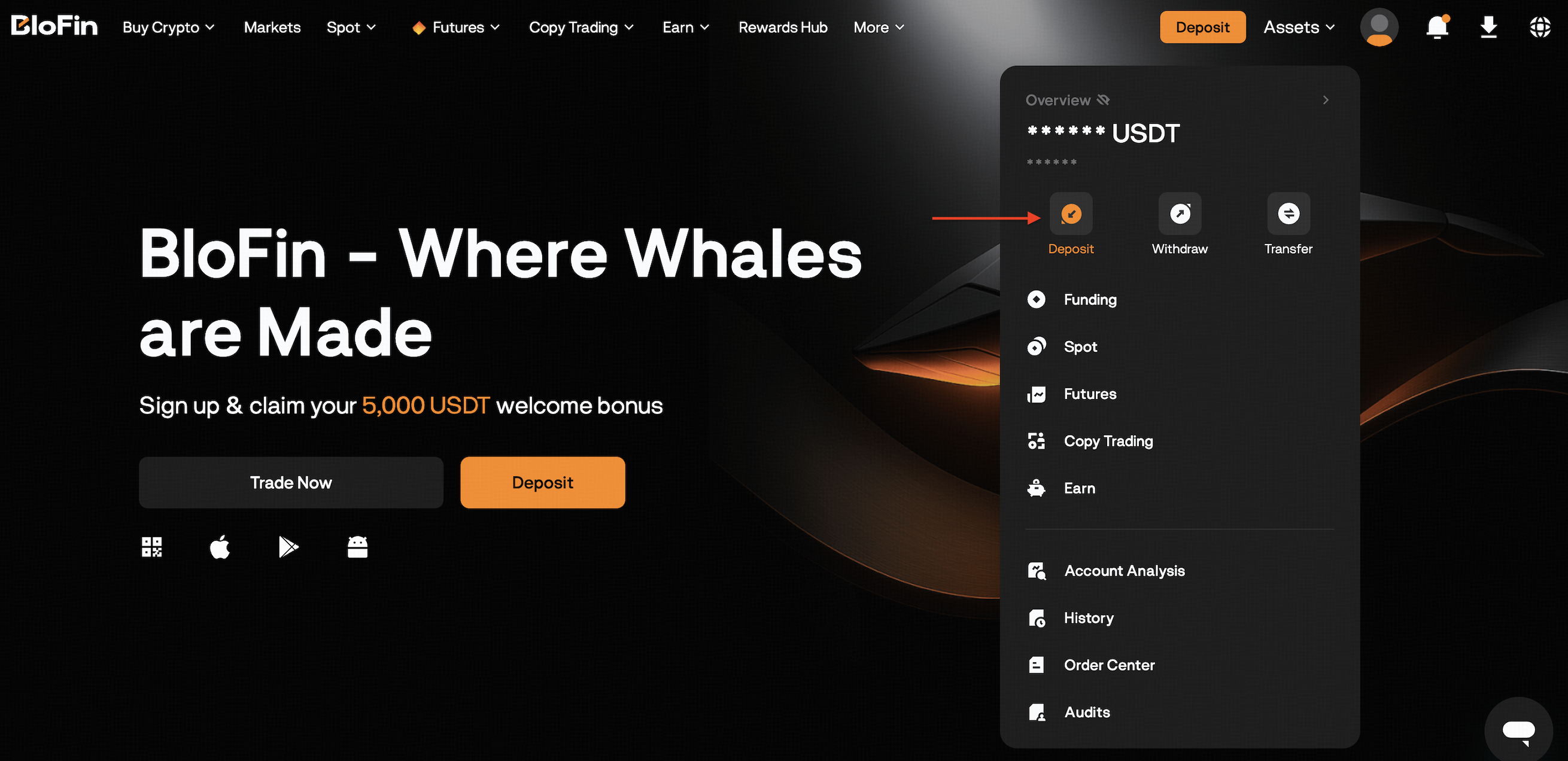
Log in to your BloFin account at https://blofin.com/ and go to Assets, and click the Deposit button on the Assets Page.
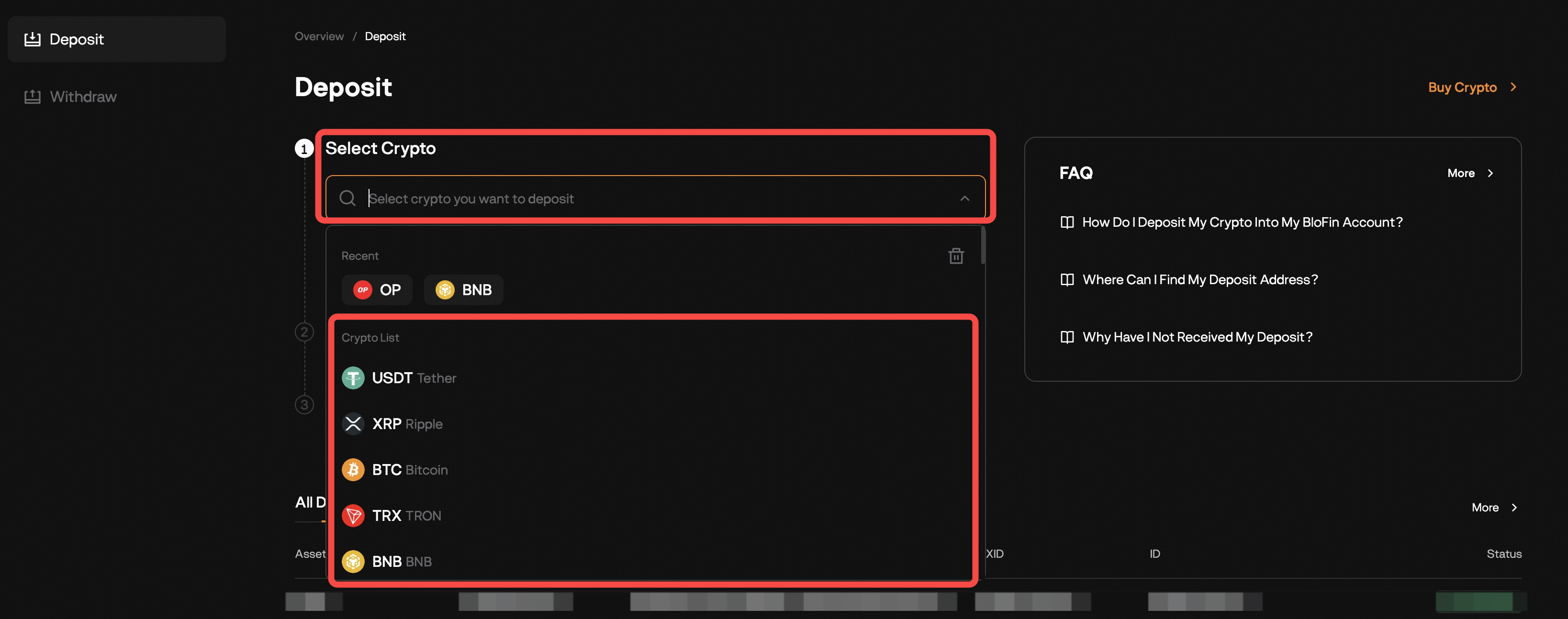
Select the cryptocurrency you want to deposit (e.g., USDT).
-
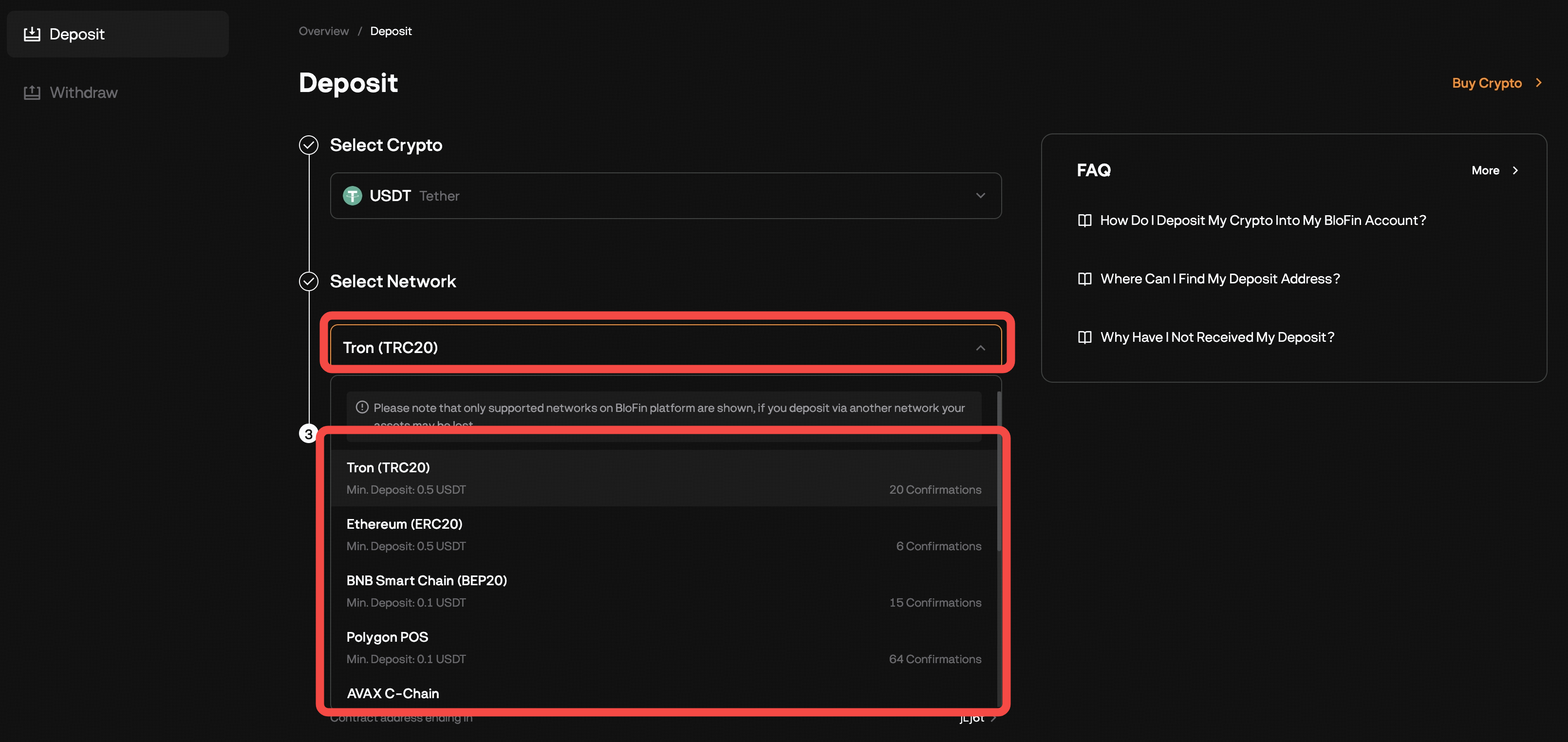
Choose the correct network (e.g., TRC20, ERC20, BEP20).
⚠️ Ensure the sending platform uses the same network.
-
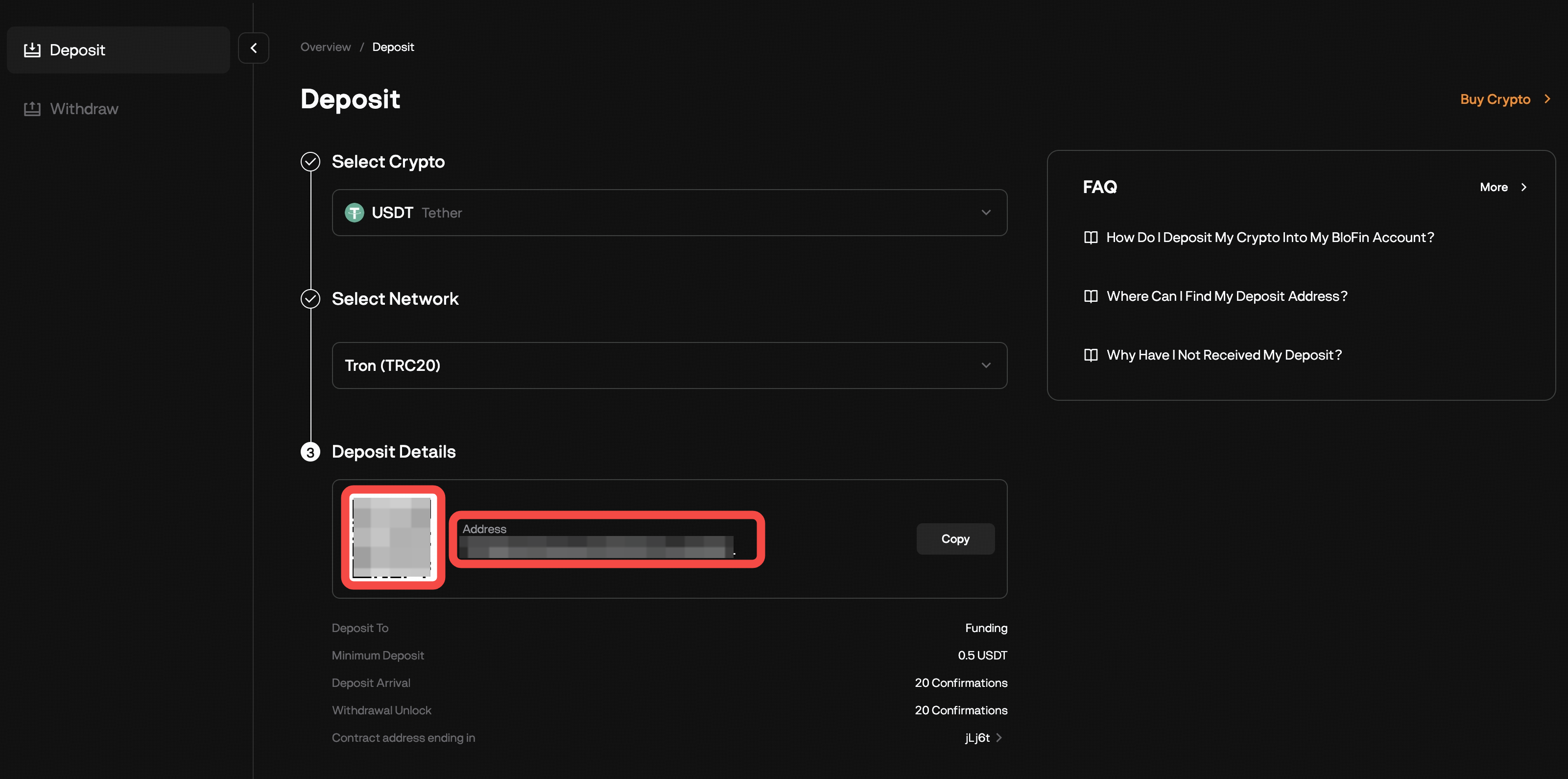
Your unique deposit address will be displayed. You can either:
Copy the address, or
Scan the QR code provided.
How to Obtain Address on App (iOS/Android)
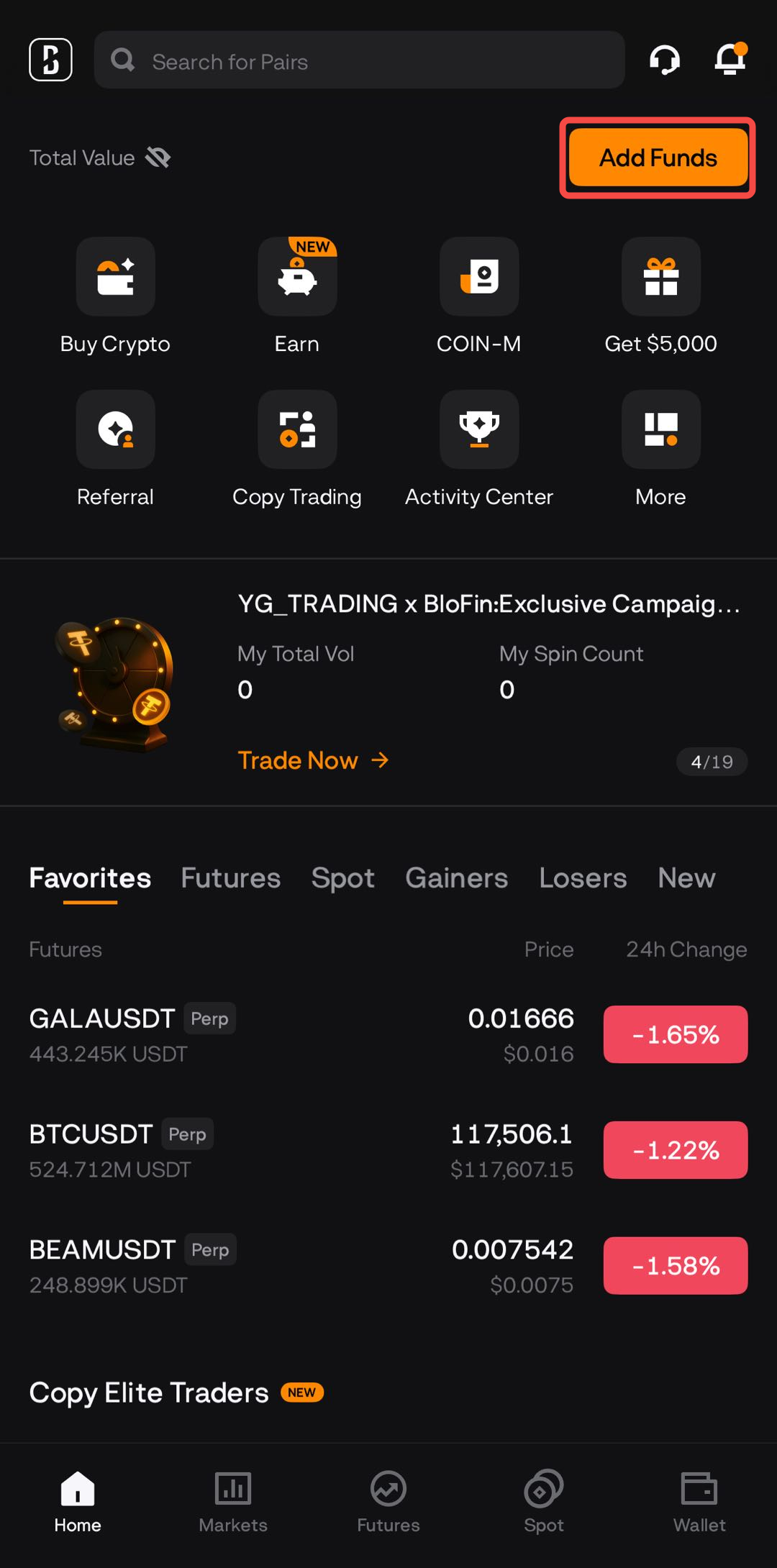
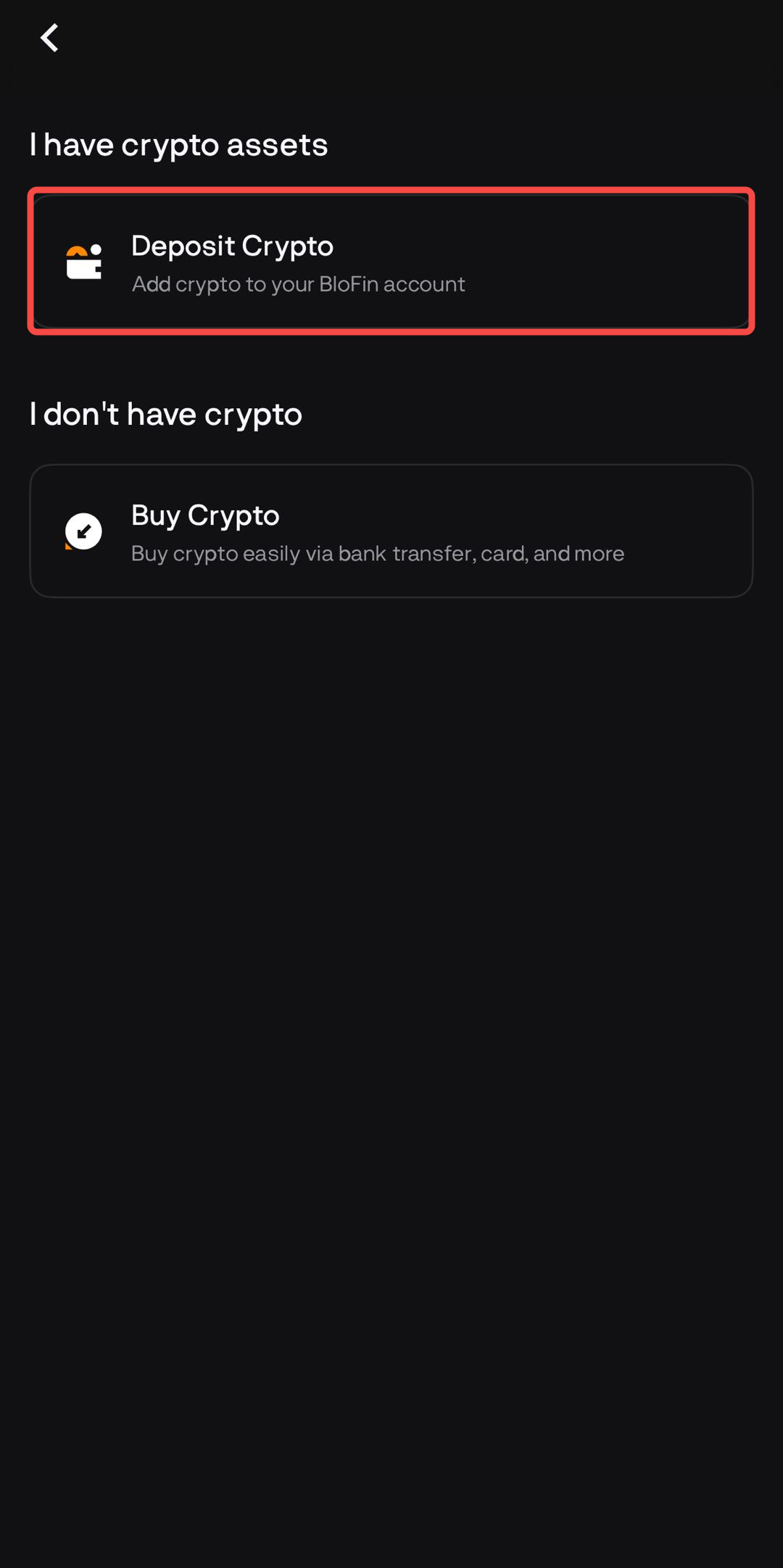
Open the BloFin App and log in. Tap Add Funds → Deposit Crypto
Alternatively, go to Wallet → Deposit.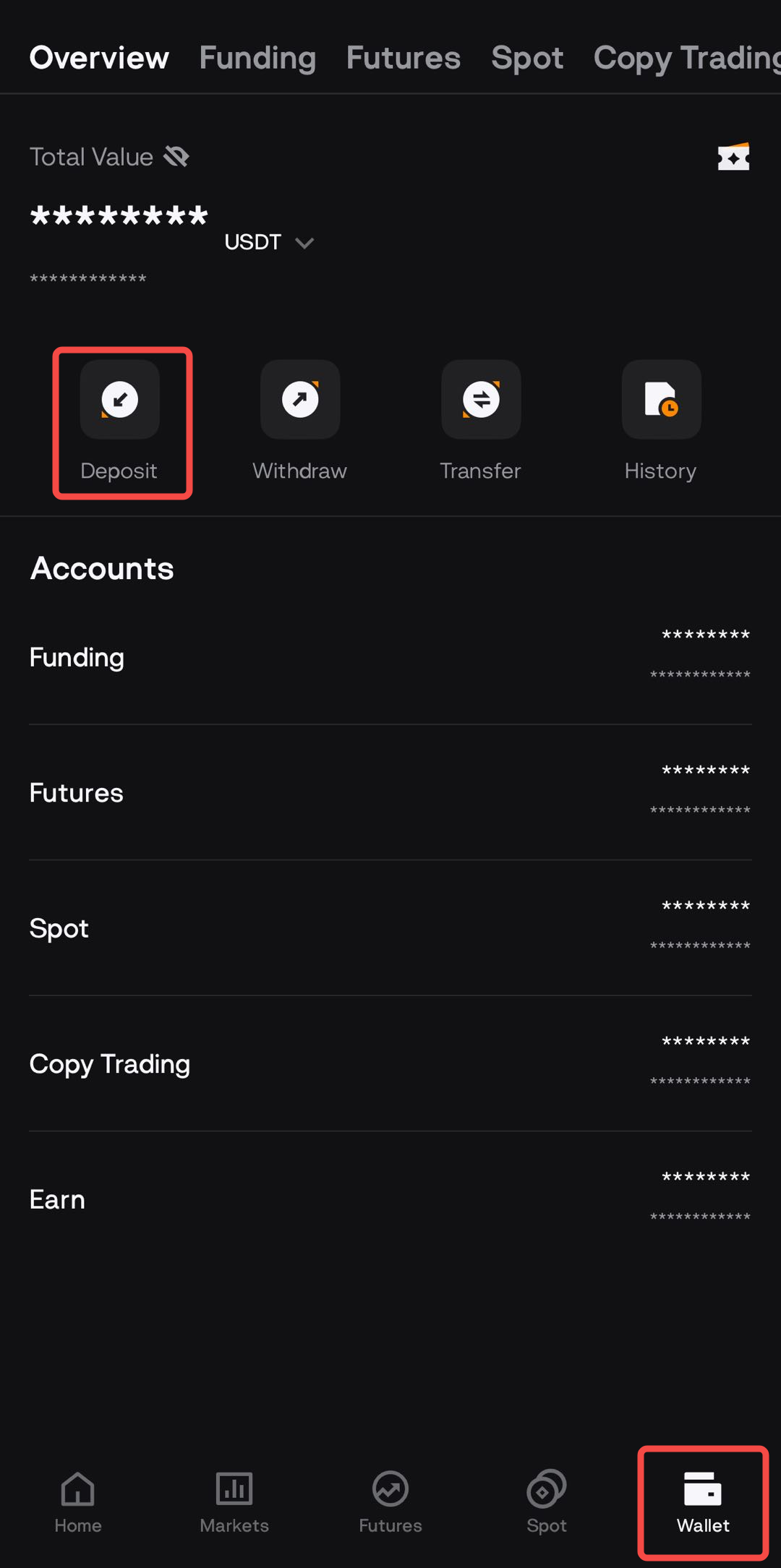
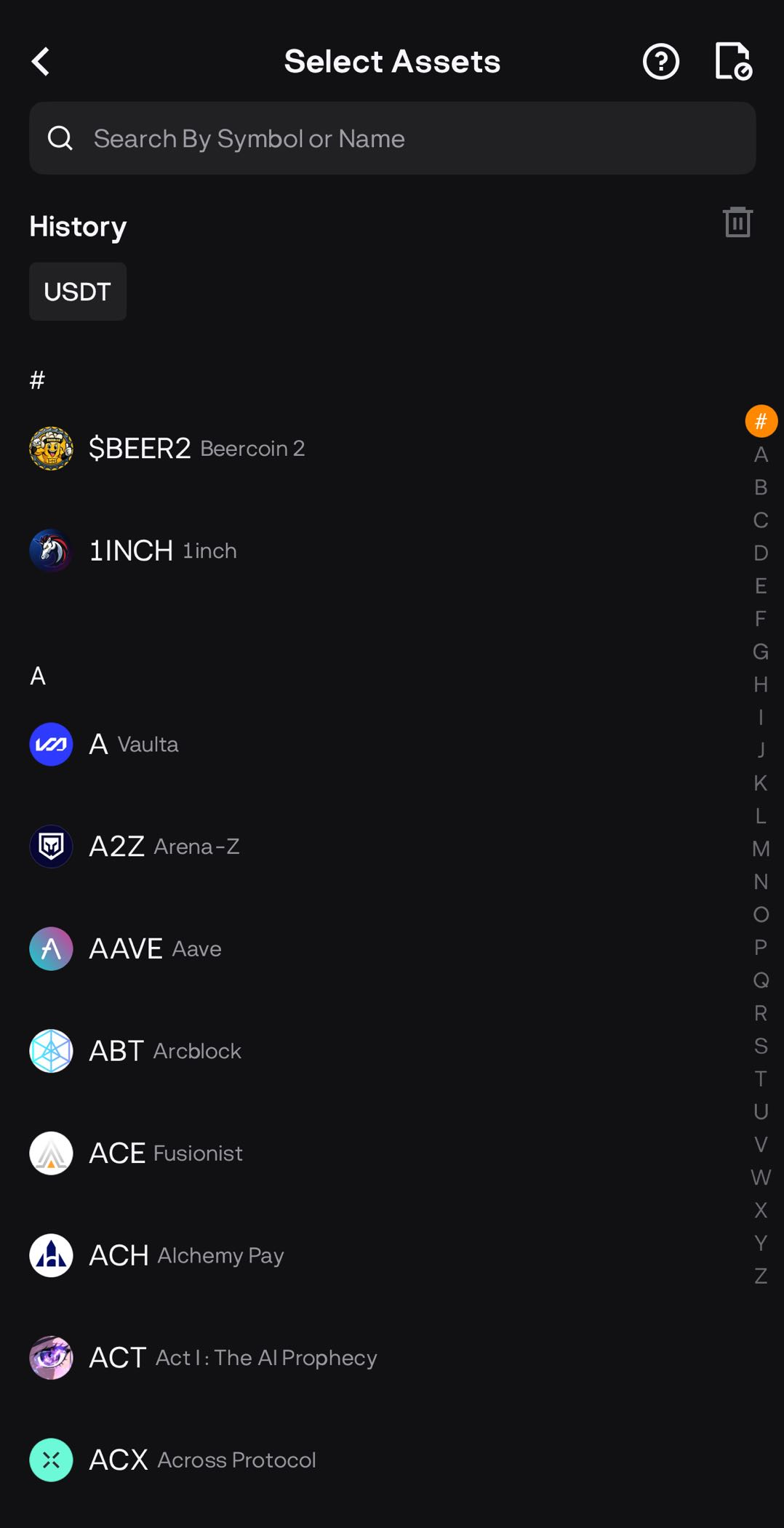
- Select the crypto asset you want to deposit and choose the deposit network carefully.
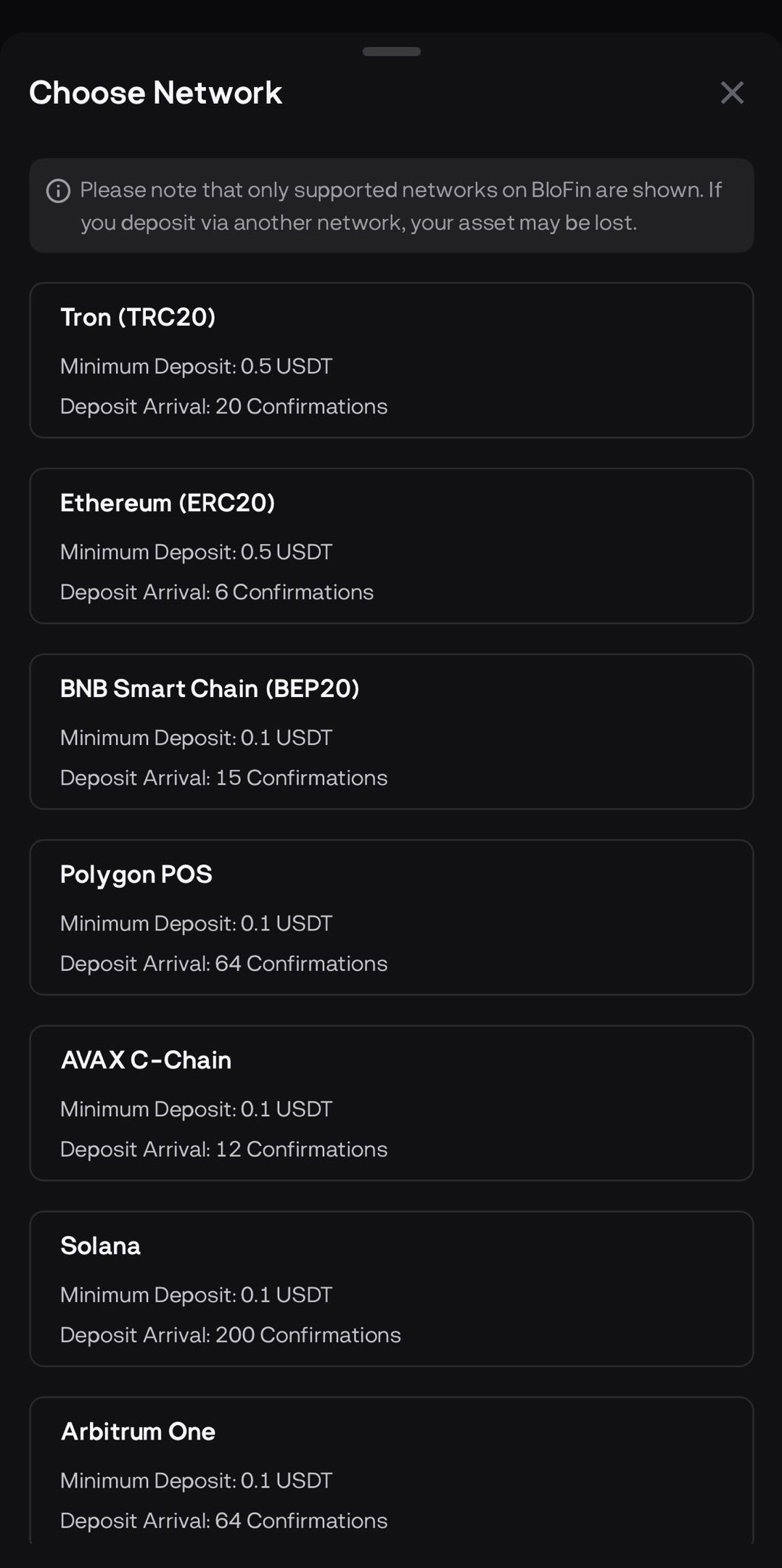
-
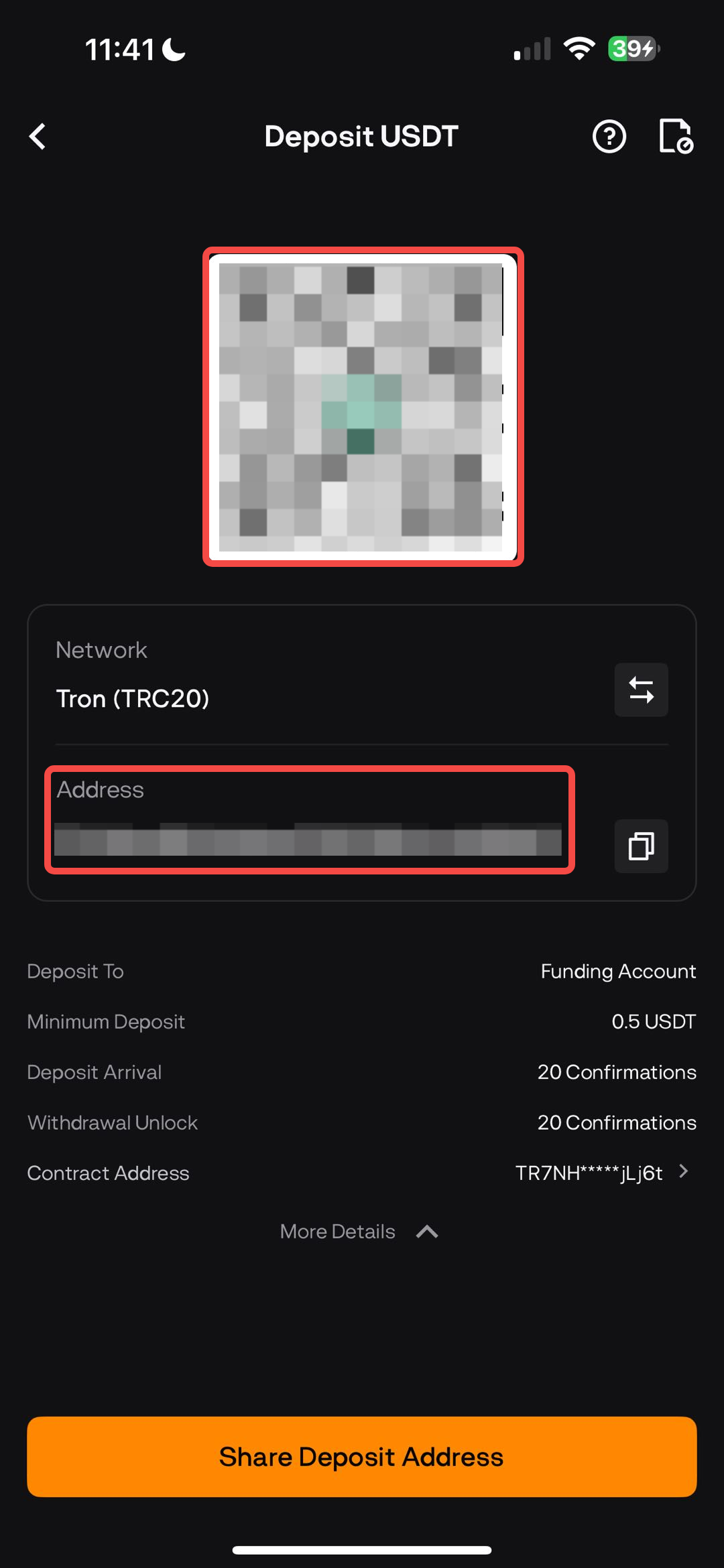
Your deposit address and QR code will be shown.
Tap Copy to copy the address, or
Use the QR code to scan directly from your sending wallet.
Important Notes
Always match the network between BloFin and your sending platform. A mismatch can cause permanent loss of funds.
Some assets require a Memo/Tag (e.g., XRP, XLM, TON). Make sure to include it exactly as shown.
Each crypto has a minimum deposit amount. Deposits below this limit will not be credited.
Deposit addresses usually remain unchanged, but always confirm on the deposit page before sending. If there is any update, BloFin will notify users officially.
For more details on deposits and withdrawals, visit our Deposit & Withdrawal FAQ.