
How to Get Started with Spot Grid Bot on BloFin?
December 17, 2025 at 05:52 PMHere’s a step-by-step guide to creating your first Spot Grid Bot on BloFin.
Trade via Trading Bot Page
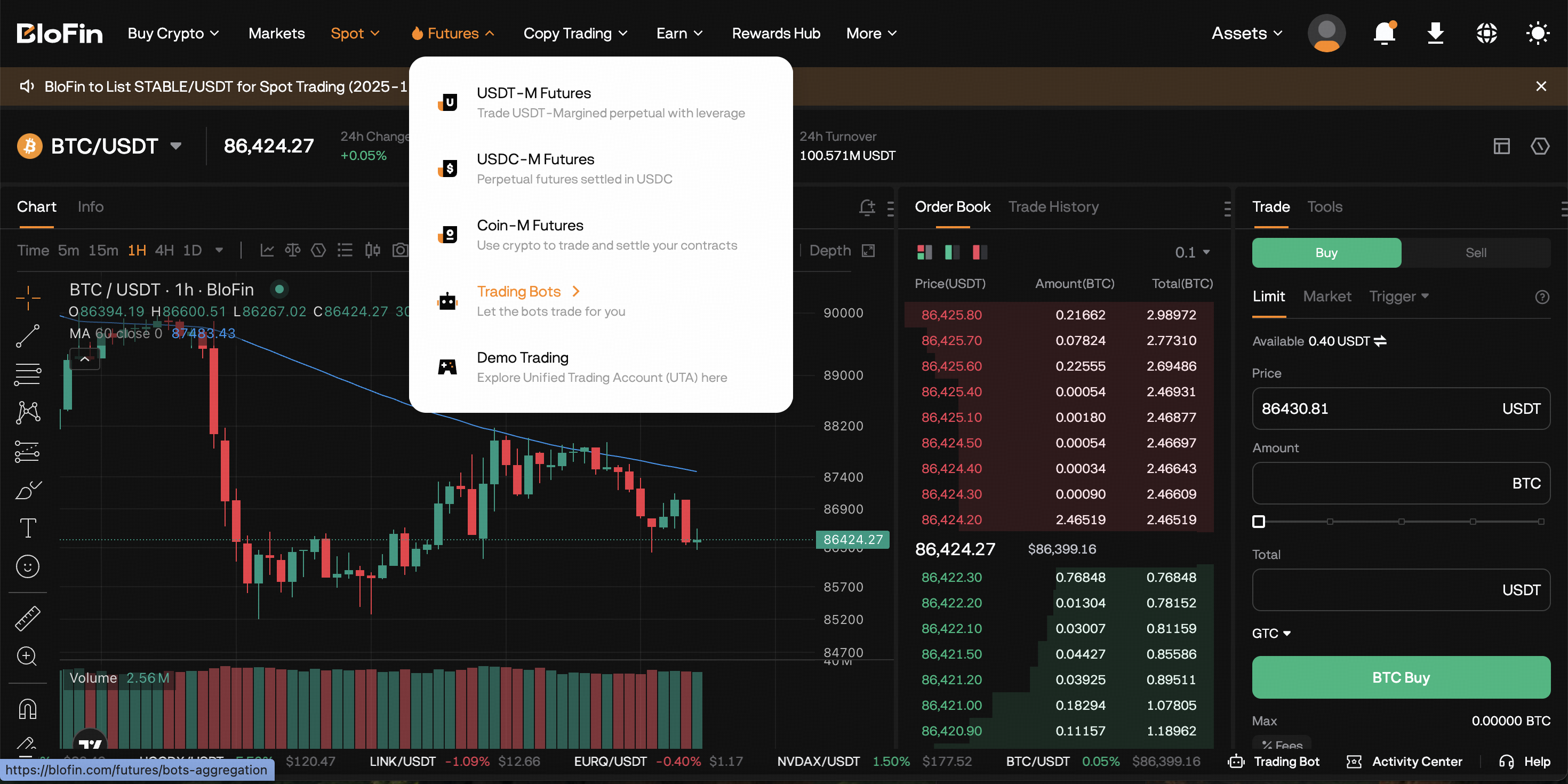
Step 1: Please click on Futures → Trading Bots in the navigation bar to enter the BloFin Trading Bots page.
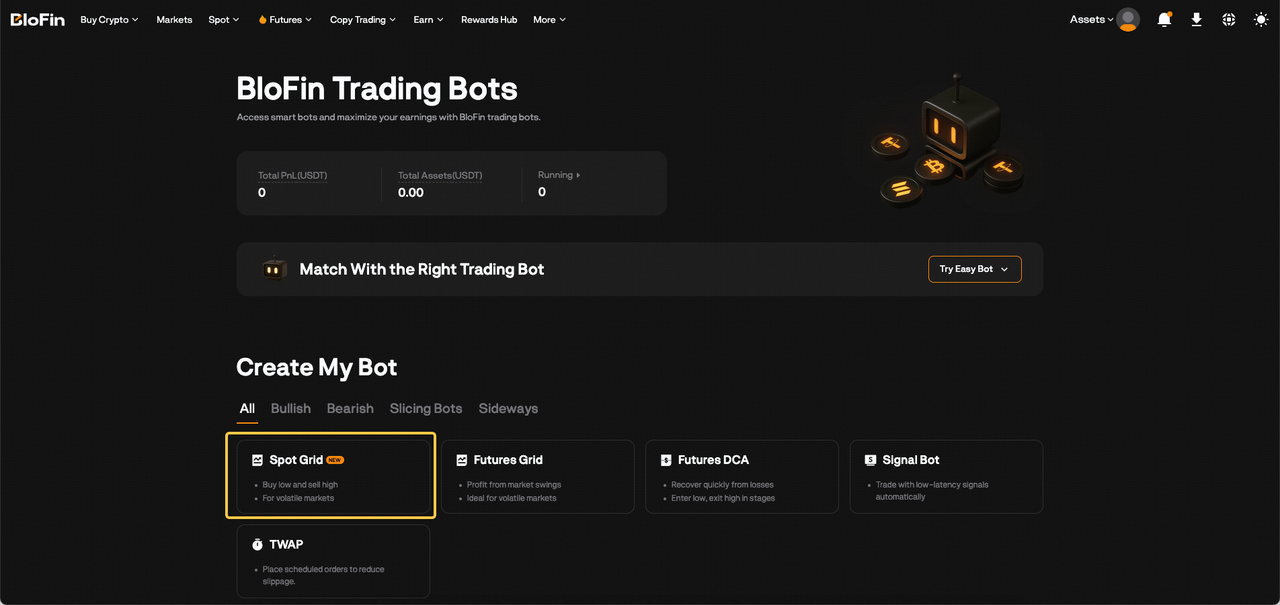
Step 2: Create your Spot Grid Bot by clicking on Spot Grid to go to the Create Spot Grid Bot page. The maximum amount of Spot Grid Bot can be created is 20 bots.
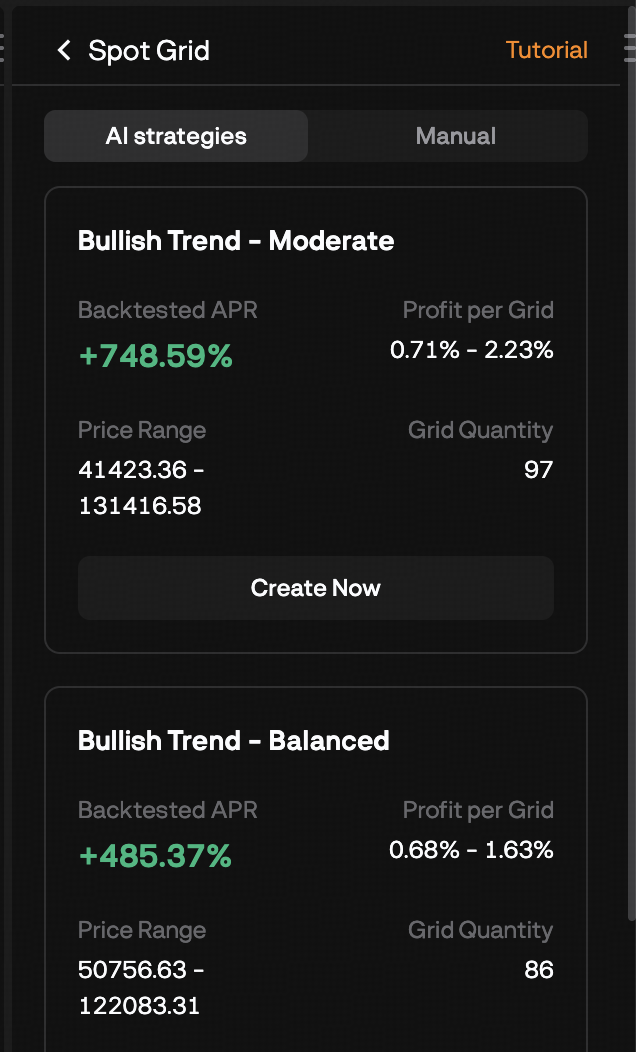
Step 3: You can create Spot Grid Bots in two ways:
a) AI Strategy
Spot: Select spot trading pair
AI Strategy Type: Select the AI strategy that suits you and click Create Now
Invested Amount: Enter the amount to invest
Then, click on Create Now.
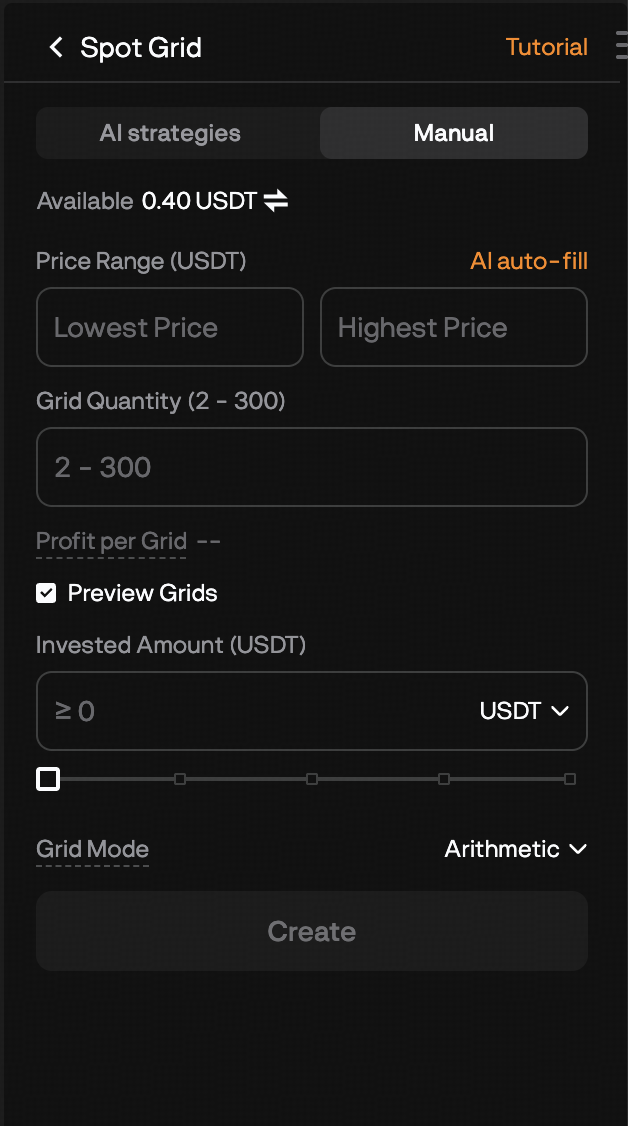
b) Manual
Spot: Select spot trading pair
Price Range: Set the lowest price and the highest price
Grid Quantity: Enter the number of grids
Invested Amount: Enter the amount to invest
Then, click on Create.
Step 4: Please double-check the grid bot information you’ve created, and then click on Confirm to start trading.
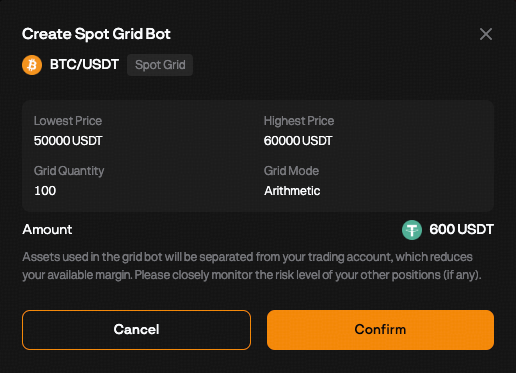
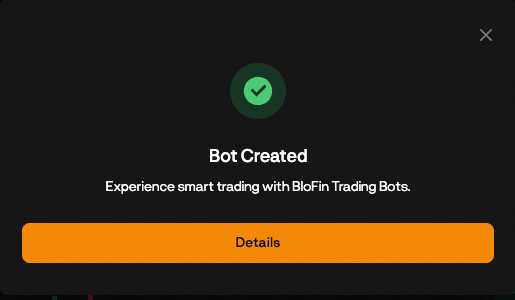
Your Spot Grid Bot has been successfully created!
You can click "Details" in the "Bot Created" pop-up window to explore more information, including current status of your Spot Grid Bot, current orders and your order history.
Trade via Spot Trading Page
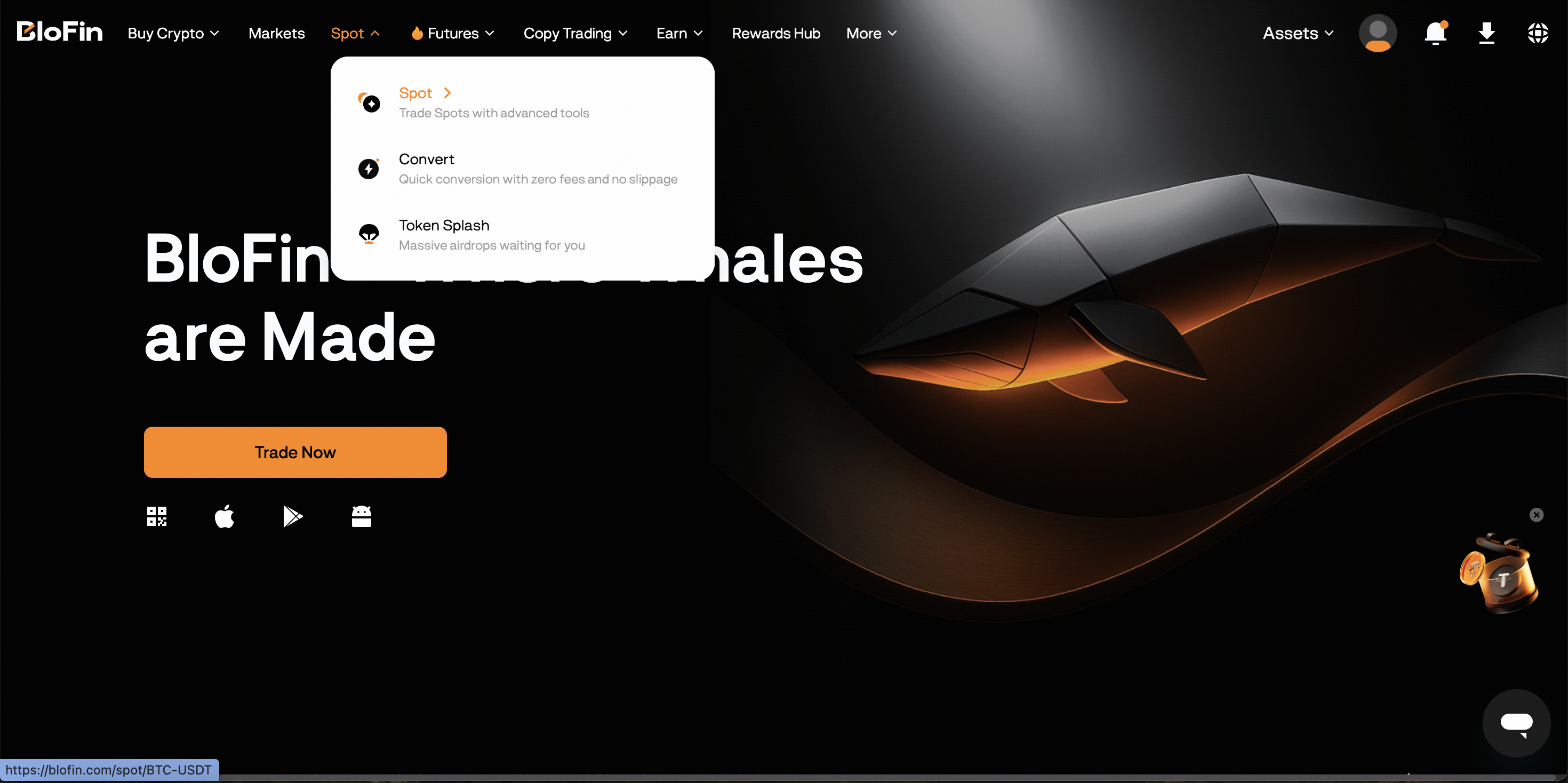
Step 1: Please click on Spot in the navigation bar to enter the Spot Trading page.
Step 2: Select "Tools" in the order placement area on the right
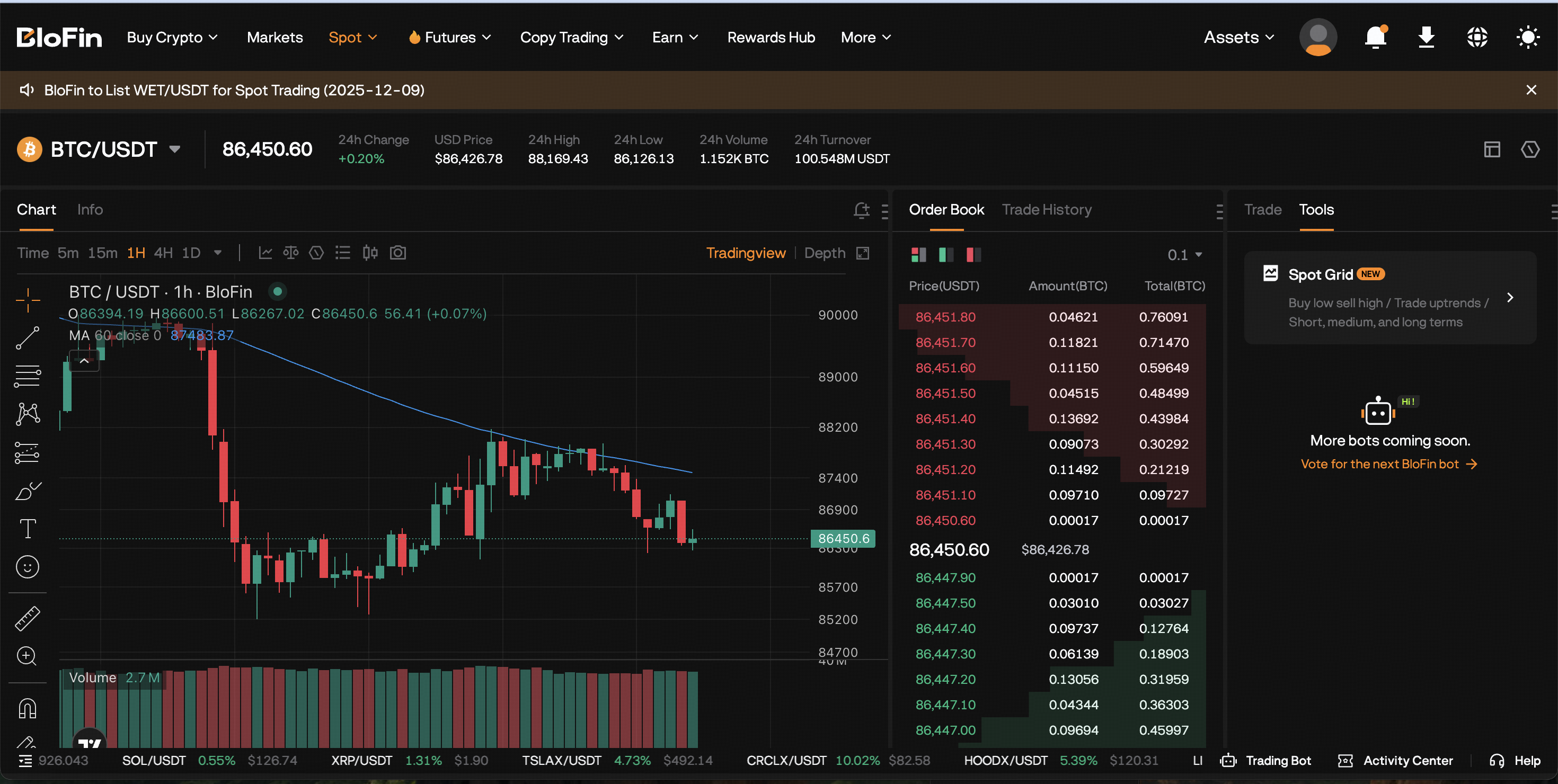
Step 3: You can create Spot Grid Bots in two ways:
a) AI Strategy
Spot: Select spot trading pair
AI Strategy Type: Select the AI strategy that suits you and click Create Now
Invested Amount: Enter the amount to invest
Then, click on Create Now.
b) Manual
Spot: Select spot trading pair
Price Range: Set the lowest price and the highest price
Grid Quantity: Enter the number of grids
Invested Amount: Enter the amount to invest
Then, click on Create.
Step 4: Please double-check the grid bot information you’ve created, and then click on Confirm to start trading.
Your Spot Grid Bot has been successfully created!
You can click "Details" in the "Bot Created" pop-up window to explore more information, including current status of your Spot Grid Bot, current orders and your order history.
Was this article helpful?