
How to Convert Your Assets (Web)
April 22, 2026 at 05:32 AM BloFin Convert makes it easy to buy or sell cryptocurrencies in just a few clicks. It supports a wide range of assets, allowing you to quickly and seamlessly convert any amount of one token into another.
1. Log in to your account, navigate to Spot, and select Convert
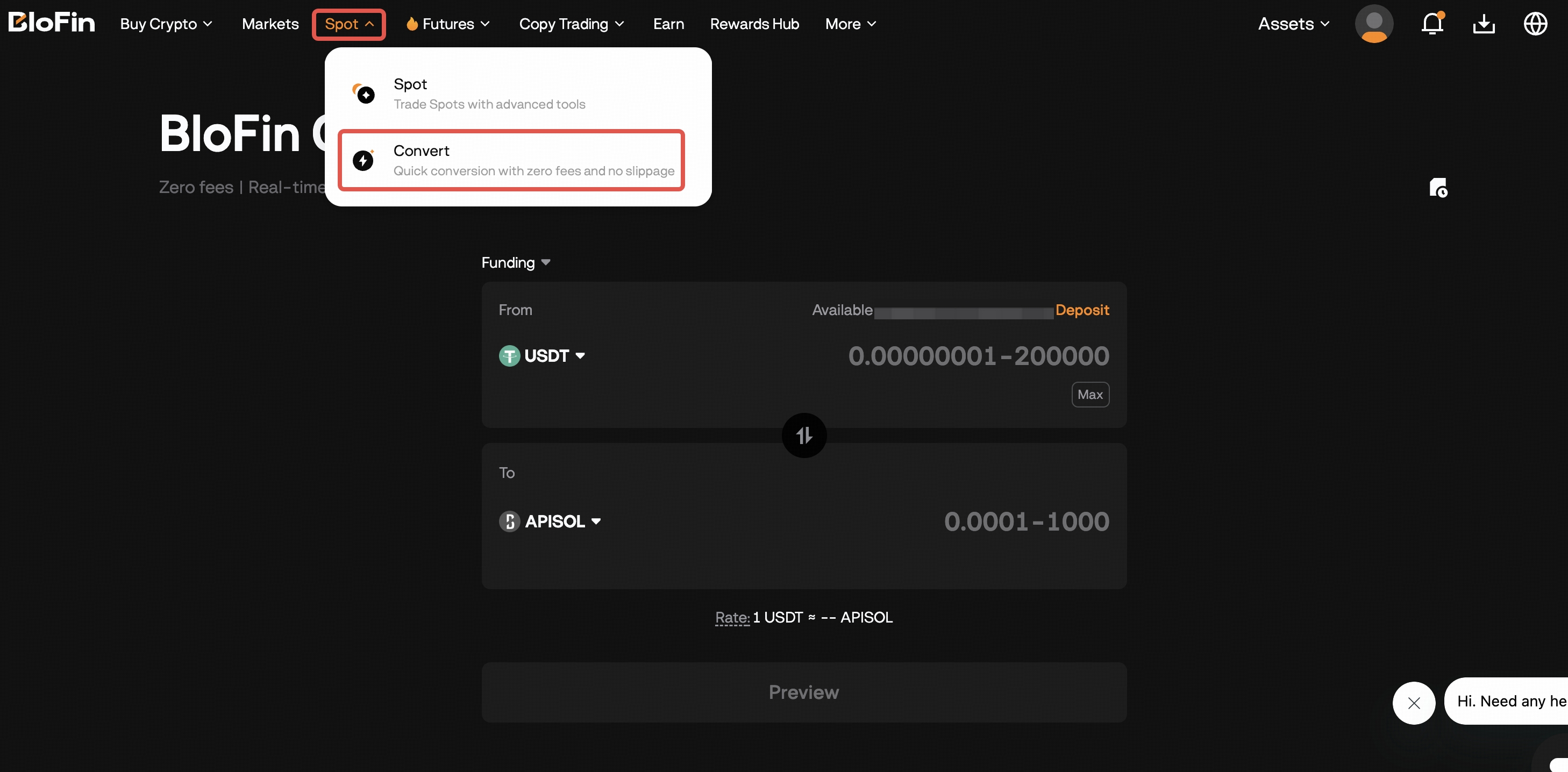
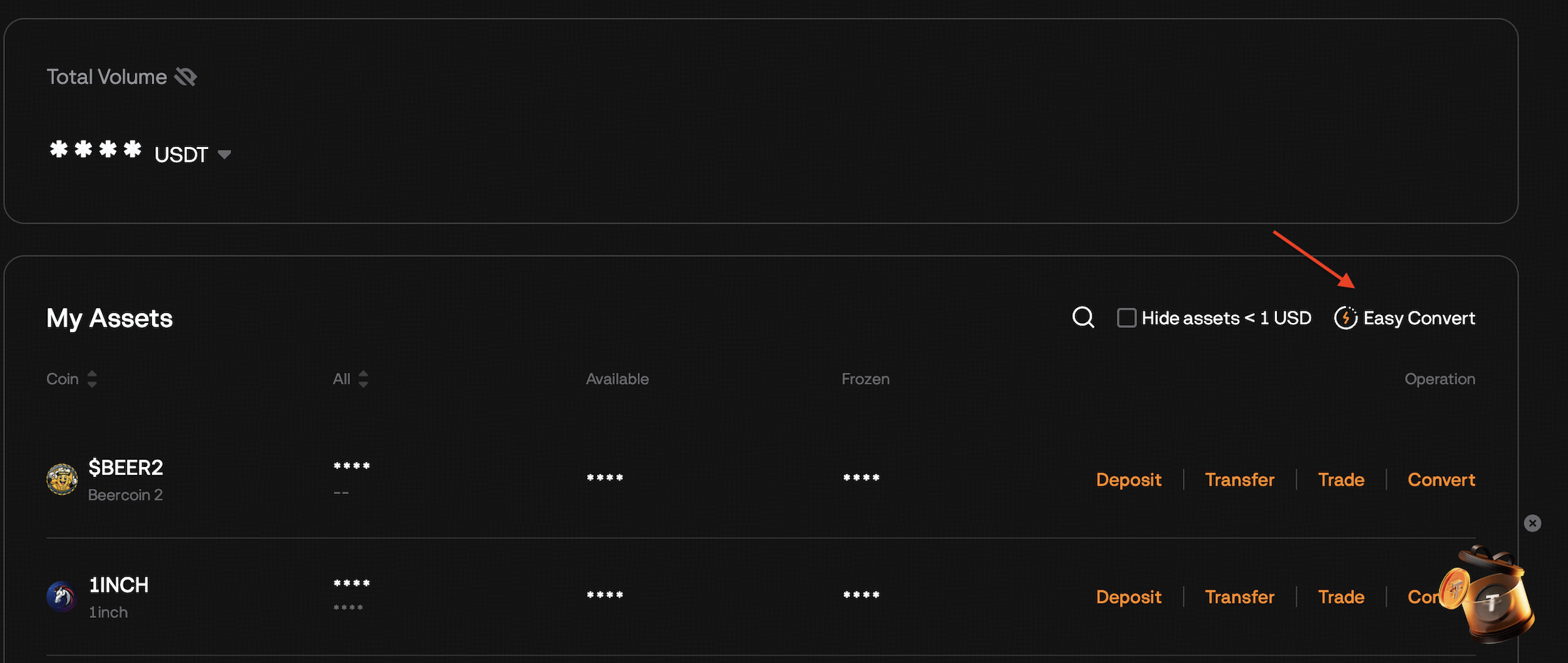
- You can also access Convert from your Spot or Funding Account under the Overview page.
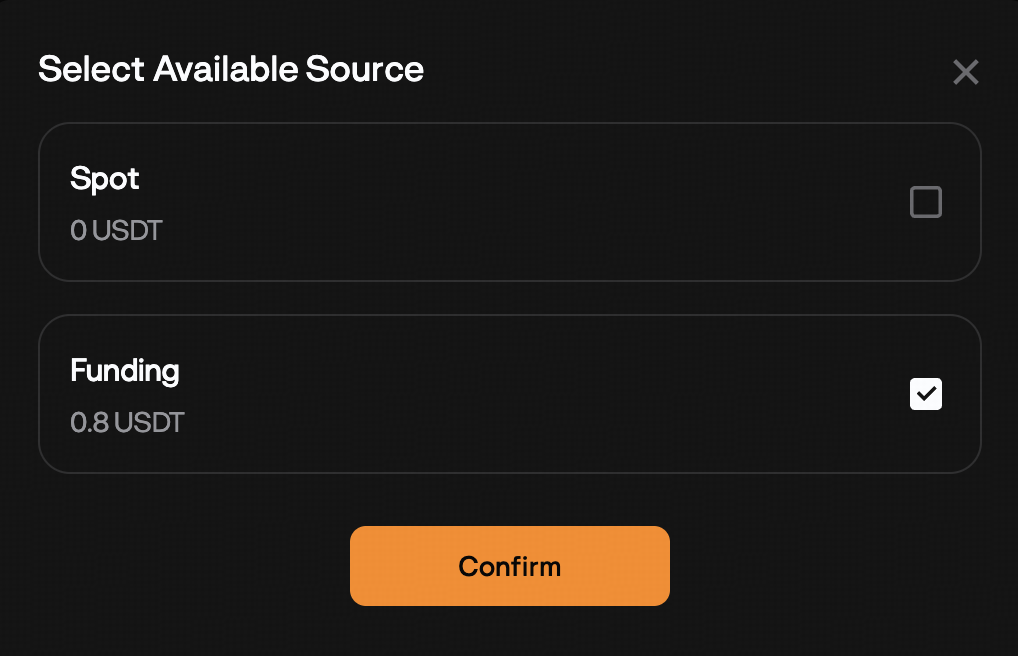
2. Choose funds from your Spot or Funding account
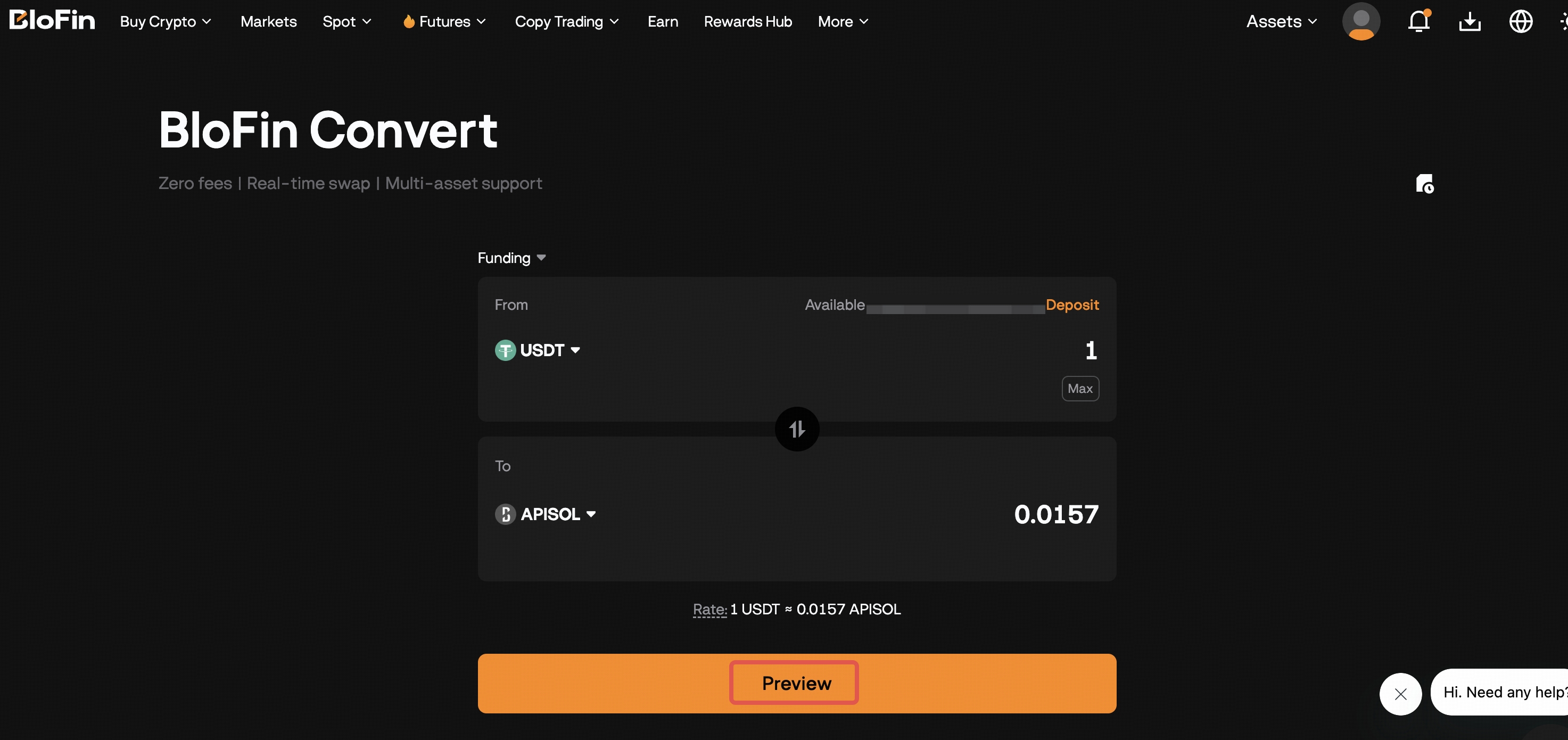
- Select the available crypto in the From/To sections.
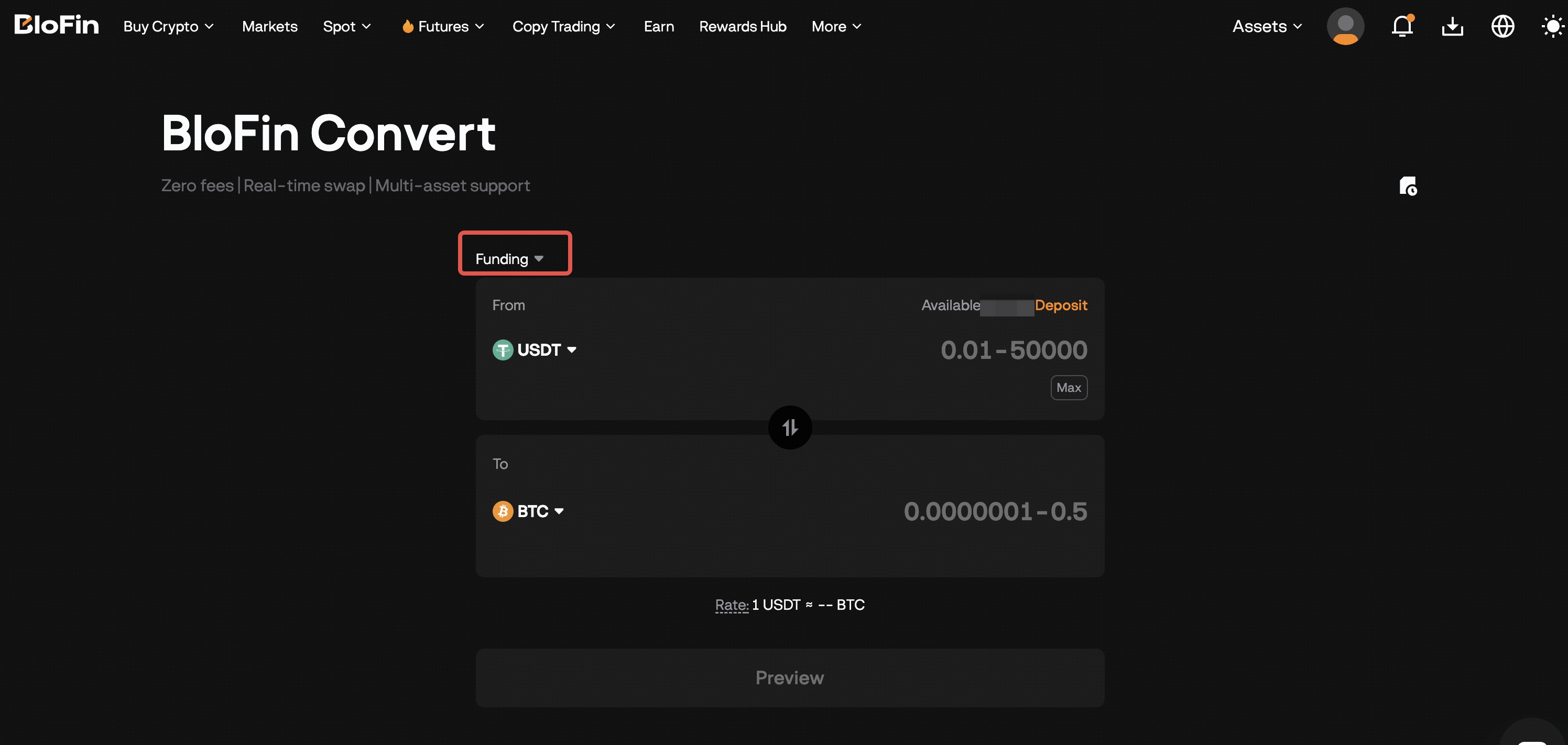
3. Input the amount you want to convert and click Preview to check the order details.
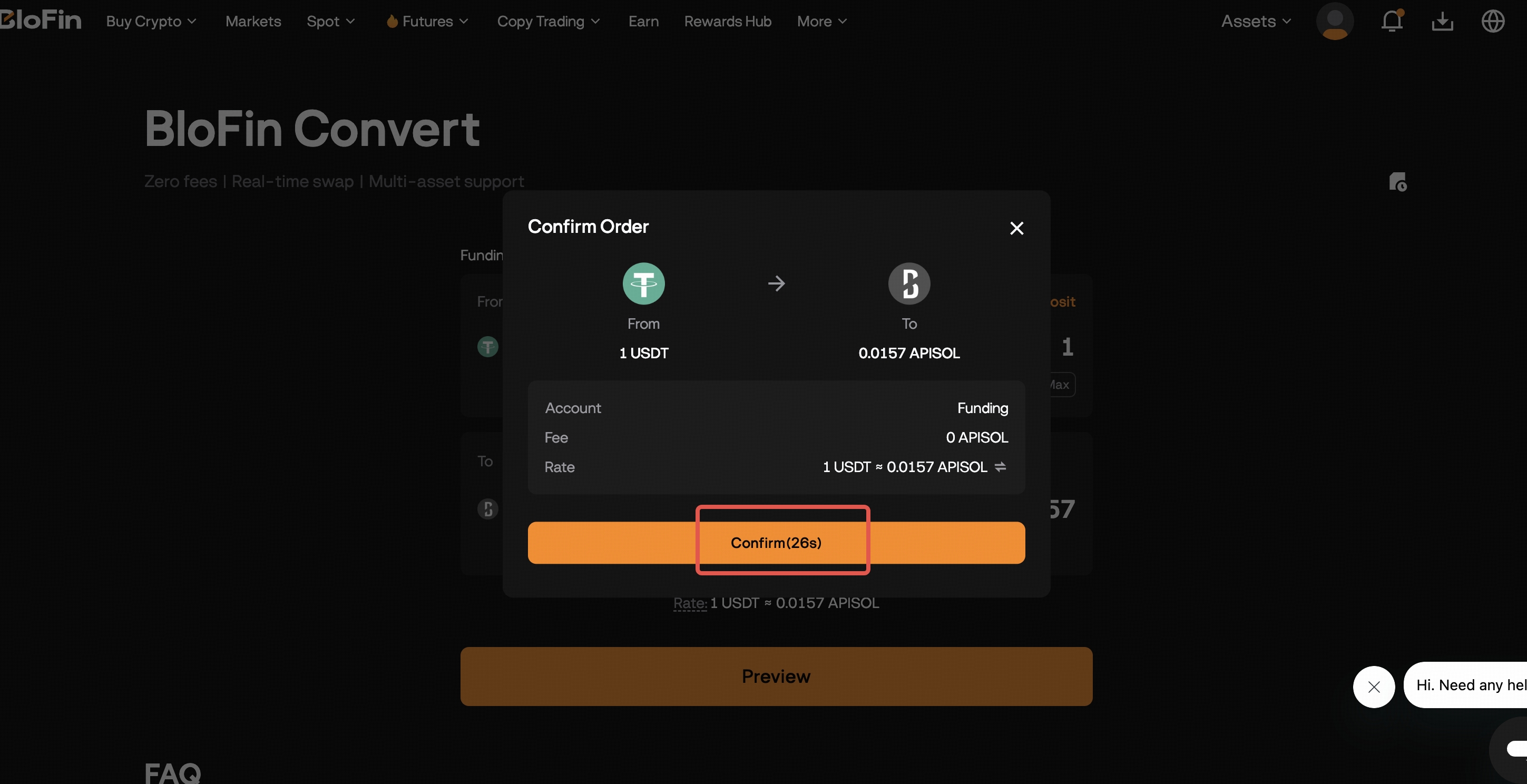
4. Click Confirm to complete your order.
Note:
- Only supported cryptos for Convert will be shown.
- The conversion rate is updated every 30 seconds to ensure you're getting the most accurate rate. If you didn't select Confirm within 30 seconds, you'll need to select Refresh to receive a new conversion rate and complete your order.
Was this article helpful?