
How Do I Transfer My Crypto Into My Sub-account?
April 21, 2026 at 11:28 PMOn the Webpage
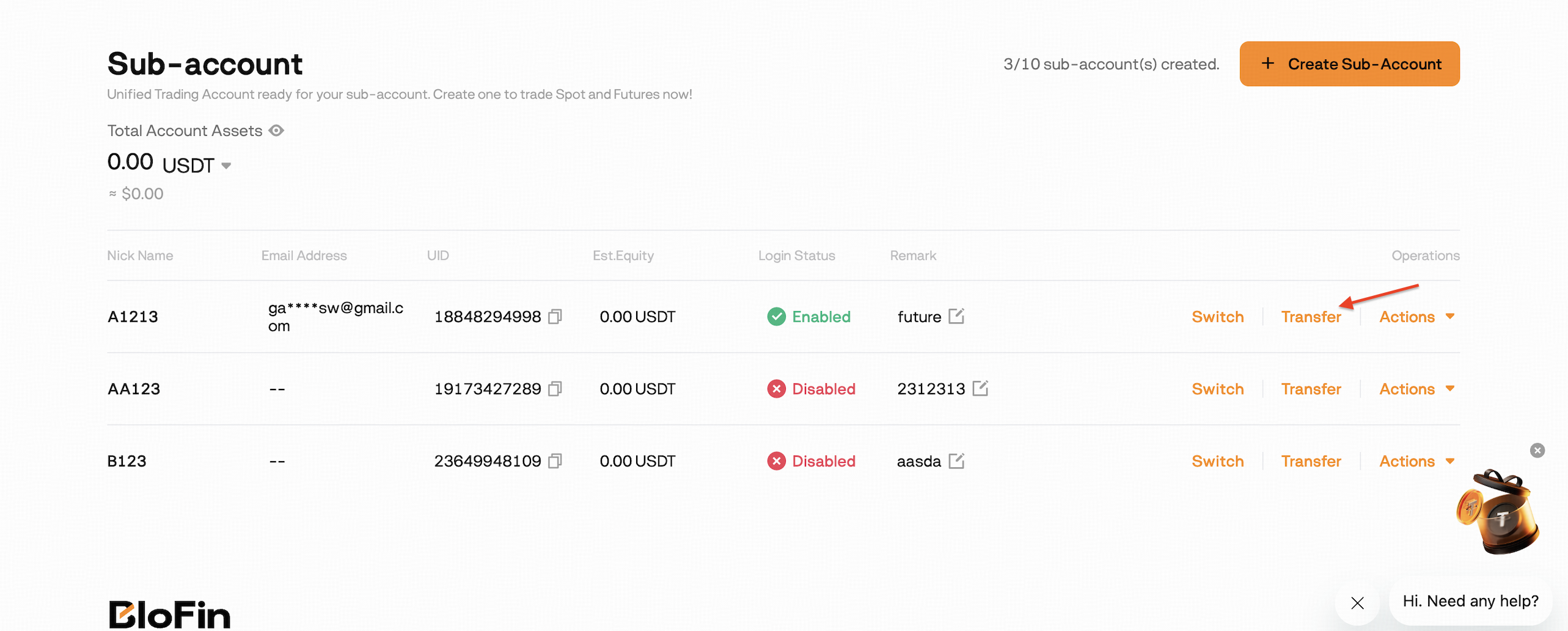
1. Log in to your BloFin main account, click [User Avatar] -> [Sub-accounts], find the sub-account that you want to transfer funds and select [Transfer].
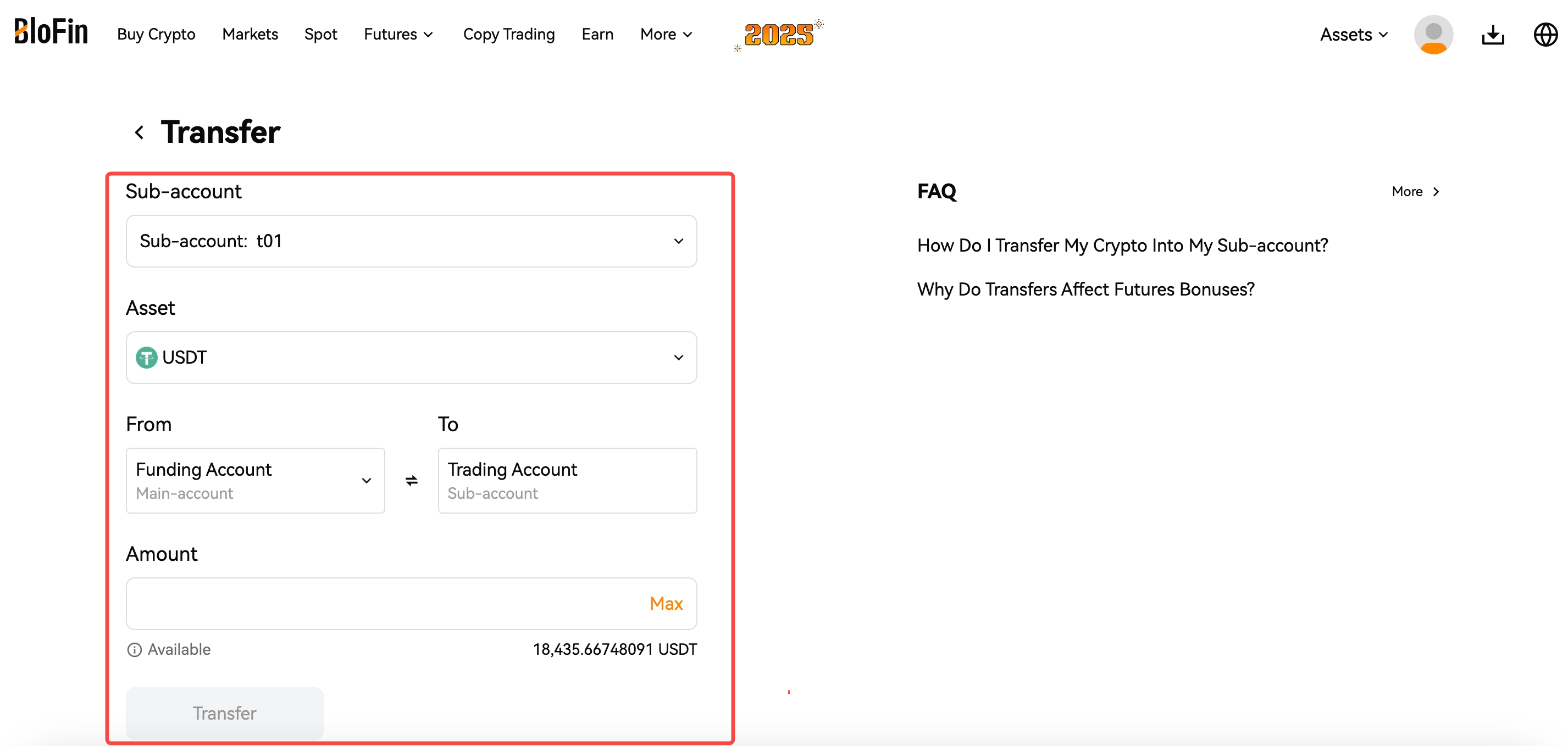
2. On the Transfer interface, select the [Sub-account] you would like to transfer and your preferred crypto in [Asset].
3. Adjust the [From - To ] details according to your preference.
4. Fill in the [Amount] and click [Transfer] to complete your crypto transfer from your main account to your sub-account.
On the App
Log in to your BloFin main account and go to transfer via one of the following:
Option 1:
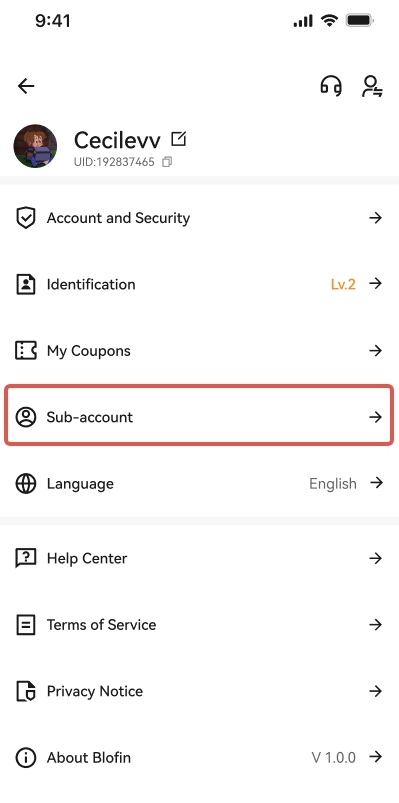
- Log in to your BloFin main account, go to the Profile page, and select Sub-account.
- Go to the Sub-account page, click on Transfer to enter the Transfer page, and select Main and Sub-account.
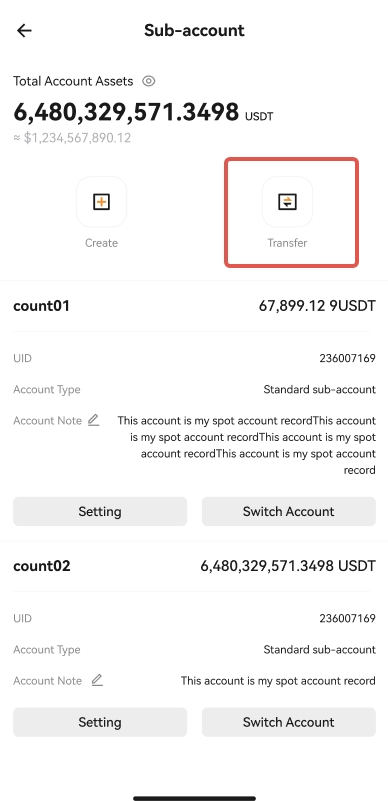
- Select the transfer direction (From-To), the name of the sub-account, and the cryptocurrency.
Option 2:
- Log in to your BloFin main account and select Wallet - Transfer.
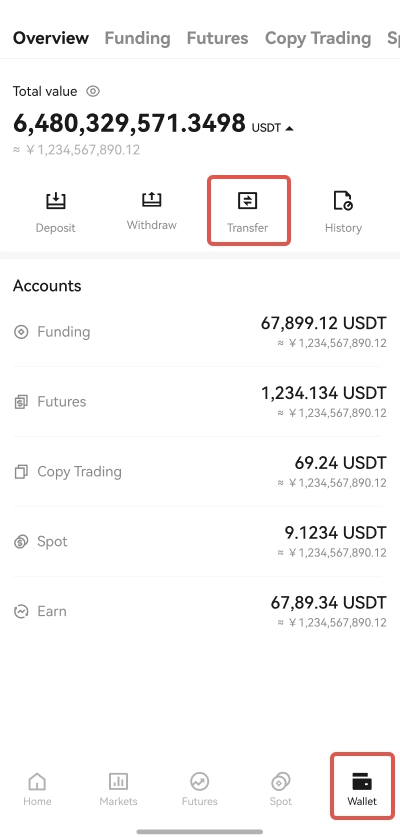
- Enter the Transfer page, and select Main and Sub-account.
- Select the transfer direction (From-To), the name of the sub-account, and the cryptocurrency.
- Enter the amount to transfer, then click Transfer to complete the process.
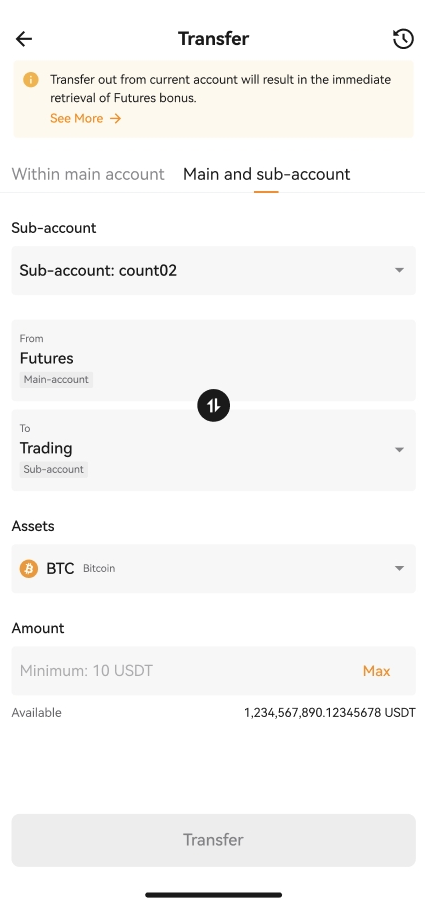
Note: Switching the transfer direction enables fund transfers between the main account and sub-accounts.
Was this article helpful?