
Trader: SyncMaster Feature
July 17, 2026 at 04:50 PMWhat is SyncMaster – Forced Sync in Copy Trading?
SyncMaster – Forced Sync is a feature in BloFin’s Copy Trading system designed to give copy traders full control over how their strategy is executed across all followers. When Forced Sync is enabled, all copiers are required to follow the exact same trading parameters set by the trader they’re copying—helping ensure consistency, reduce performance gaps, and eliminate risk discrepancies.
This feature is especially useful for traders who want to maintain the integrity of their strategy and offer their followers a more consistent and hands-off experience.
How to Enable SyncMaster?
Before enabling the SyncMaster feature, Master Traders have to ensure that they currently have no open positions in their account. Please note that SyncMaster currently only supports setting parameters for Smart Copy Mode.
On Web
Step 1: The Master Trader can enable the SyncMaster feature from the Copy trading -> My Copy Trading -> Settings -> Copy Settings page.
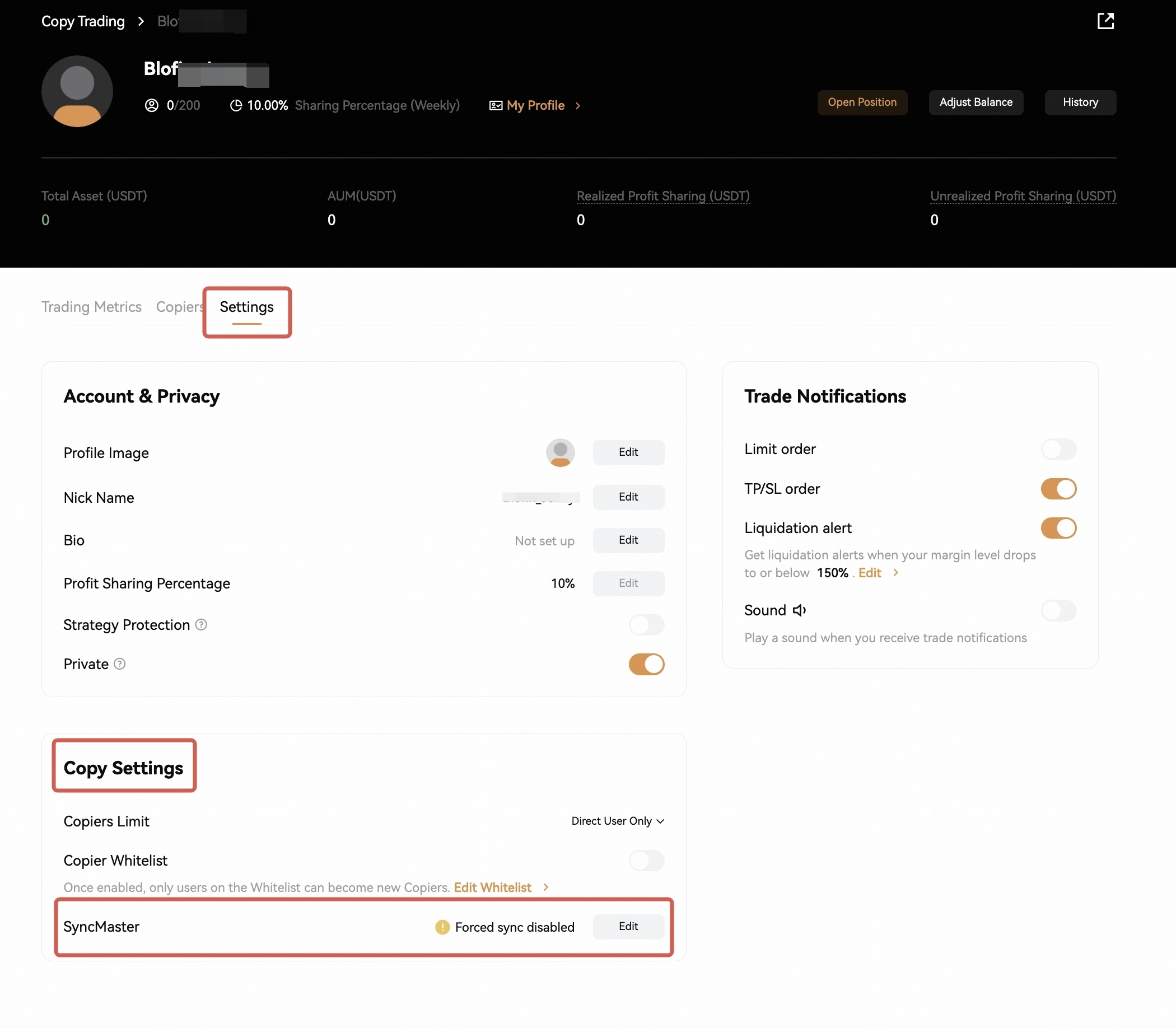
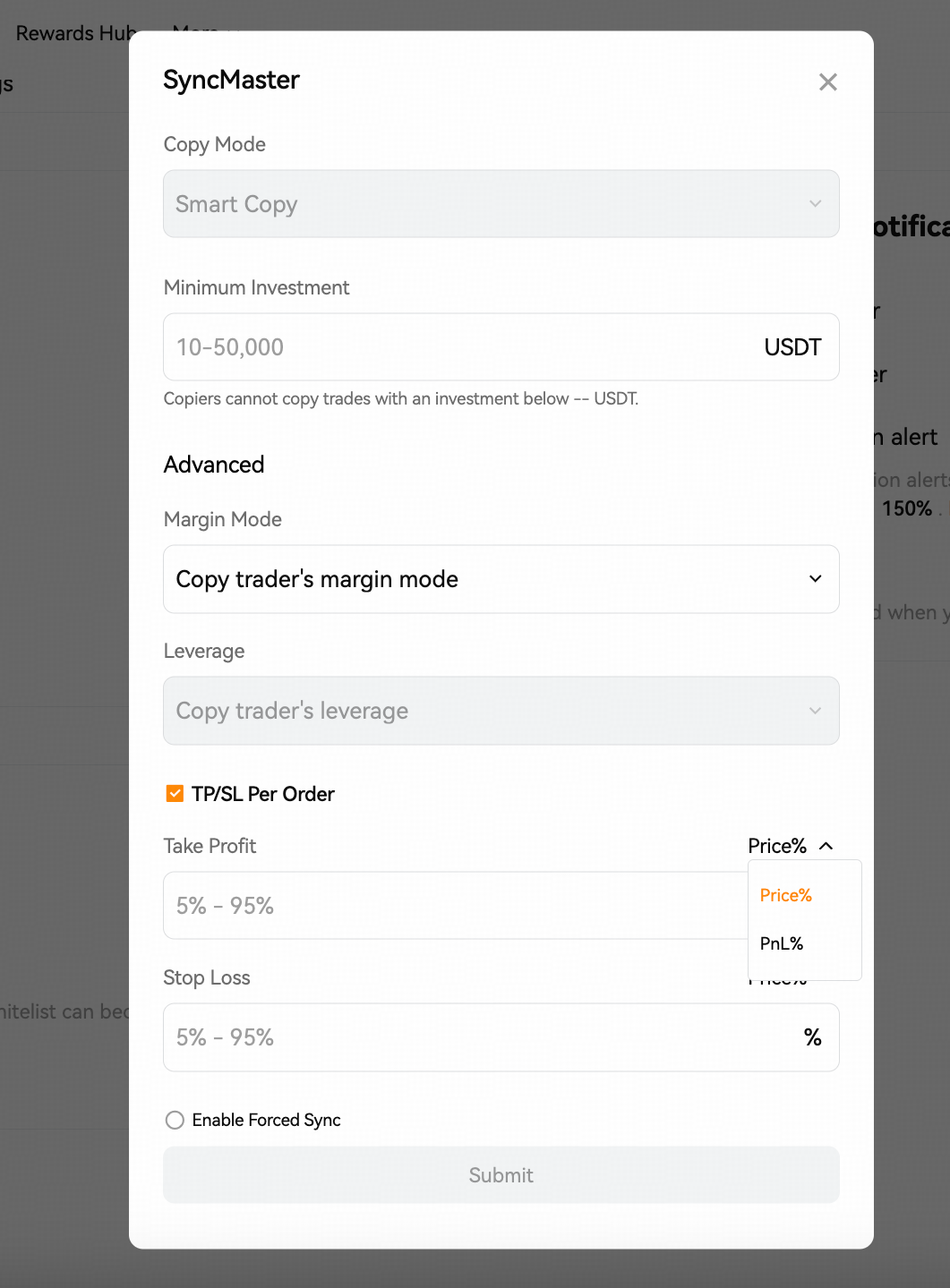
Step 2: On the SycnMaster setting page, you will first need to set the minimum investment. This represents the minimum investment amount required for your copiers in order to follow and copy your trades. It is only available for Smart Copy Mode.
Basic setting:
Minimum investment: from 100 USDT to 100,000 USDT.
Advanced Settings include:
Margin Mode: Copy trader's margin mode, Isolated margin, Cross margin.
Leverage: Copy trader's leverage only.
Take Profit and Stop Loss: set TP/SL per order based on price% or PnL%.
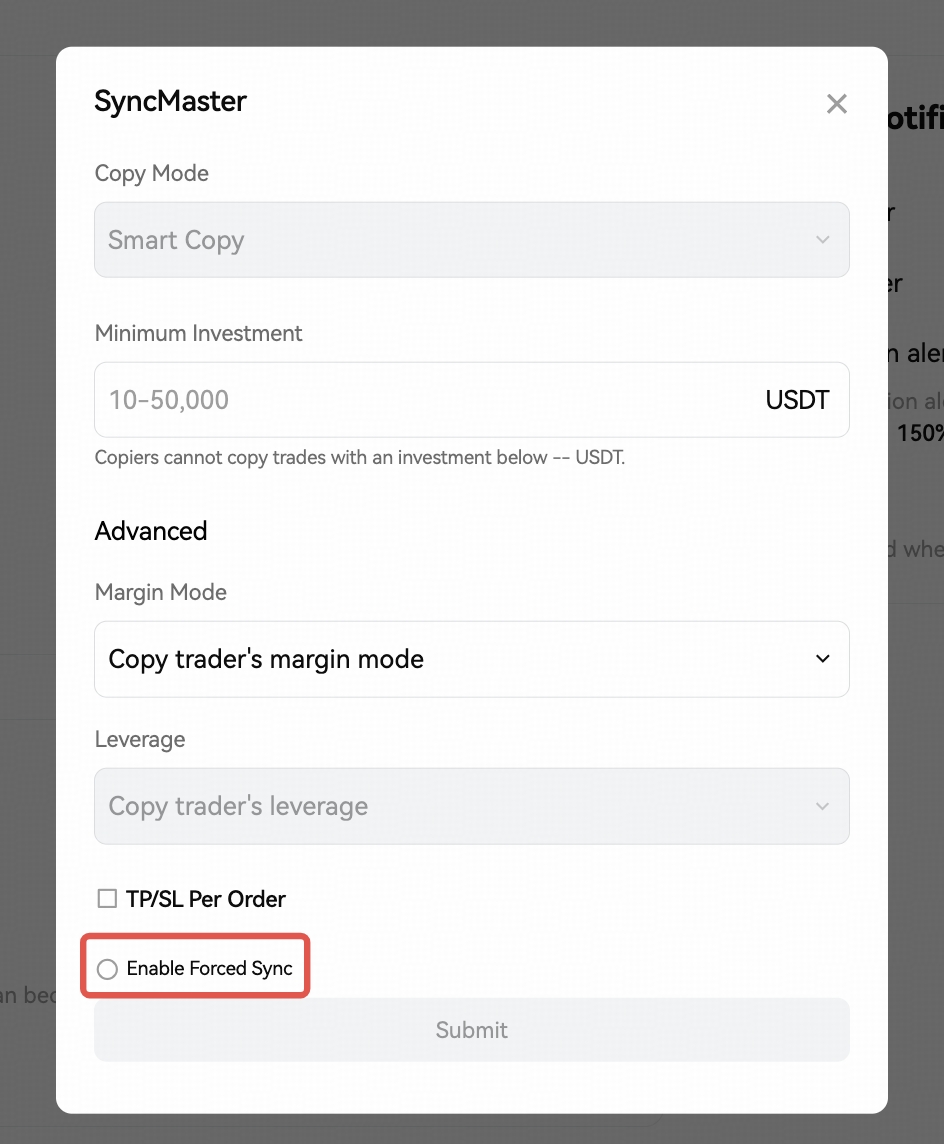
Step 3: Choose to enable or disable the Forced Sync feature. By default, Forced Sync is disabled. After enabling Forced Sync, copiers can no longer modify the aforementioned Copy Trading parameters. If Forced Sync is not enabled, copiers can modify Copy Trading parameters when they follow, and your settings will only serve as recommended parameters for the copiers.
On App
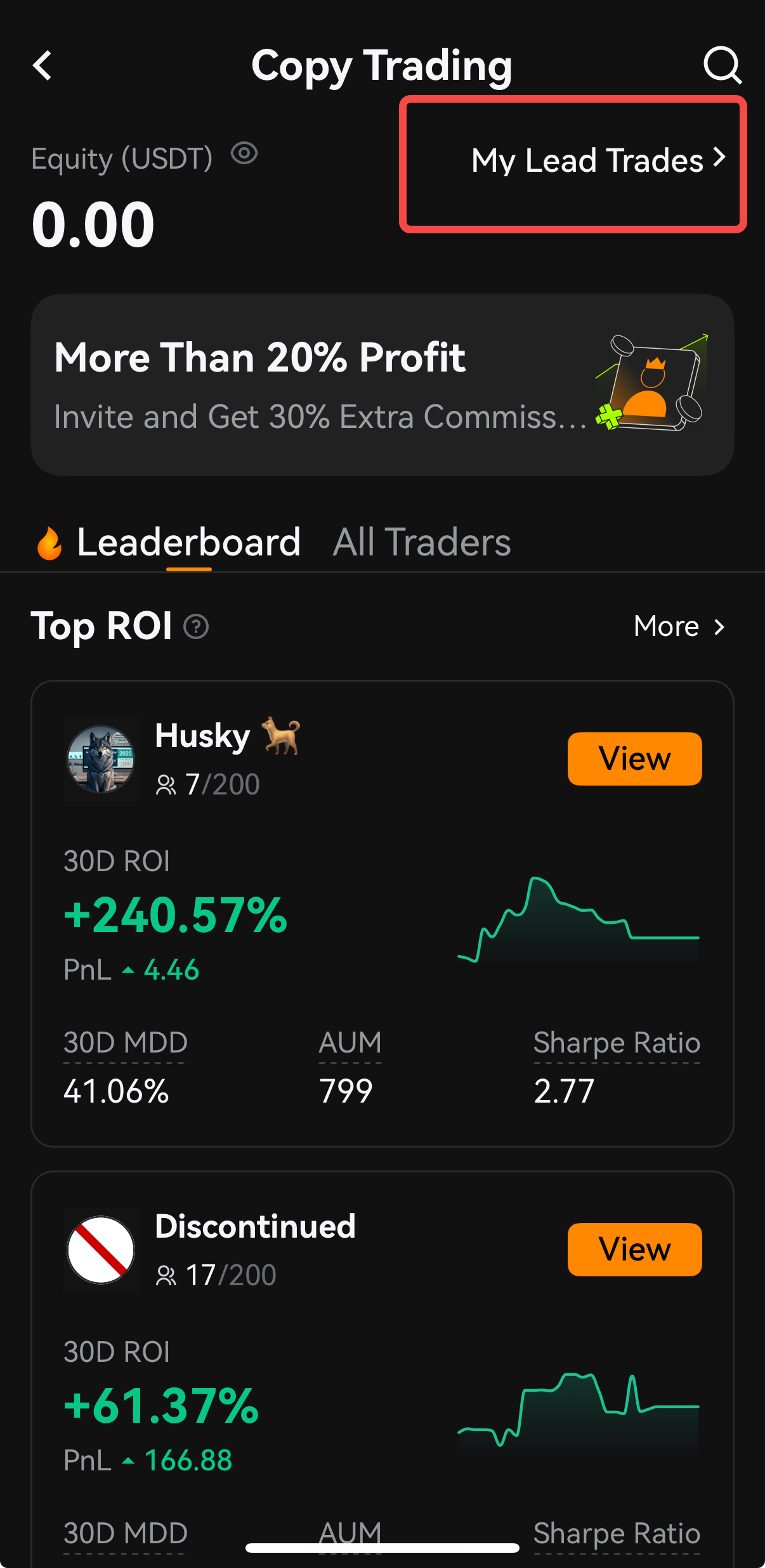
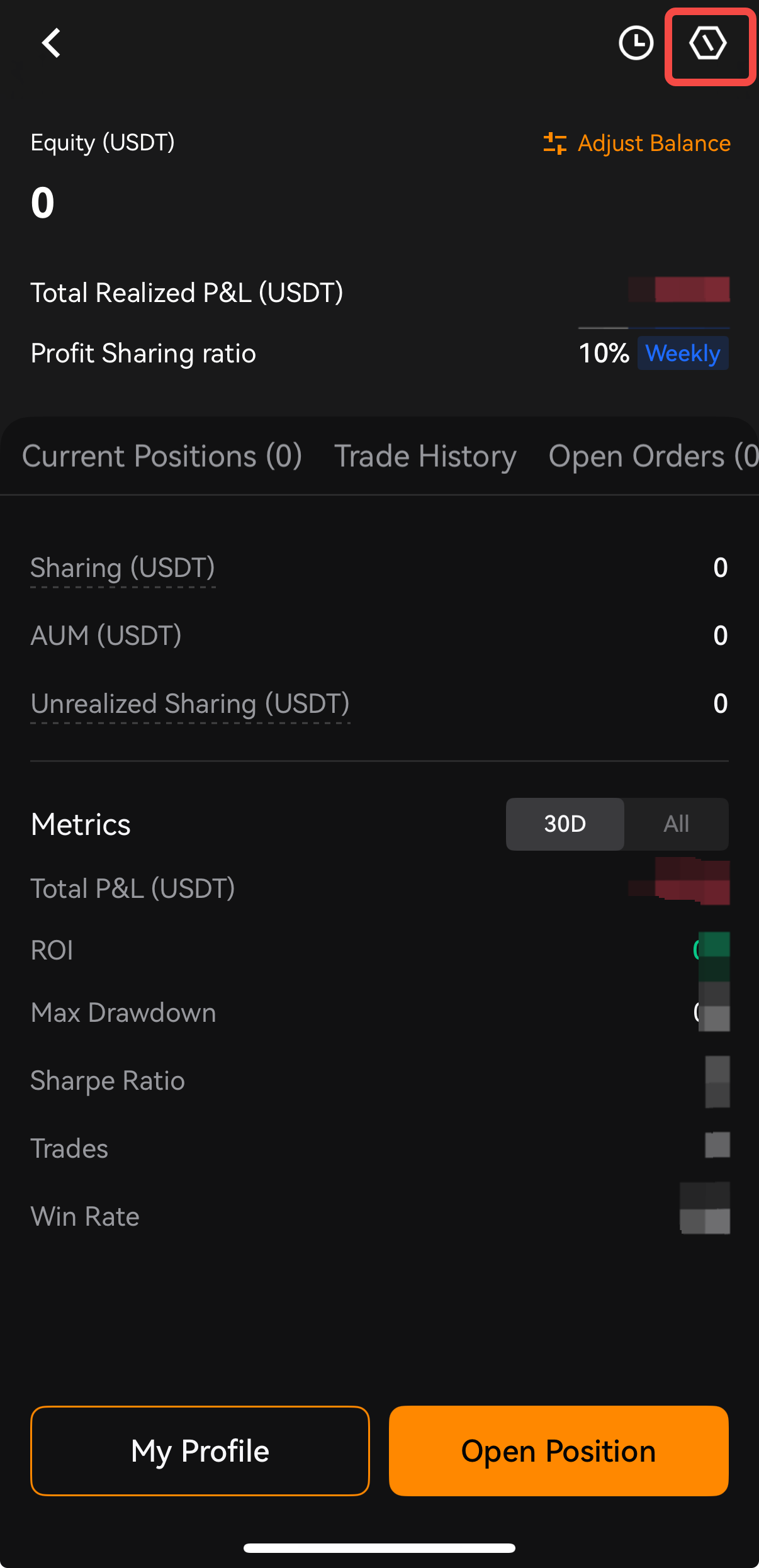
Step 1: The Master Trader can enable the SyncMaster feature from the Copy trading -> My Lead Trades -> Settings icon at the top right corner to the settings page
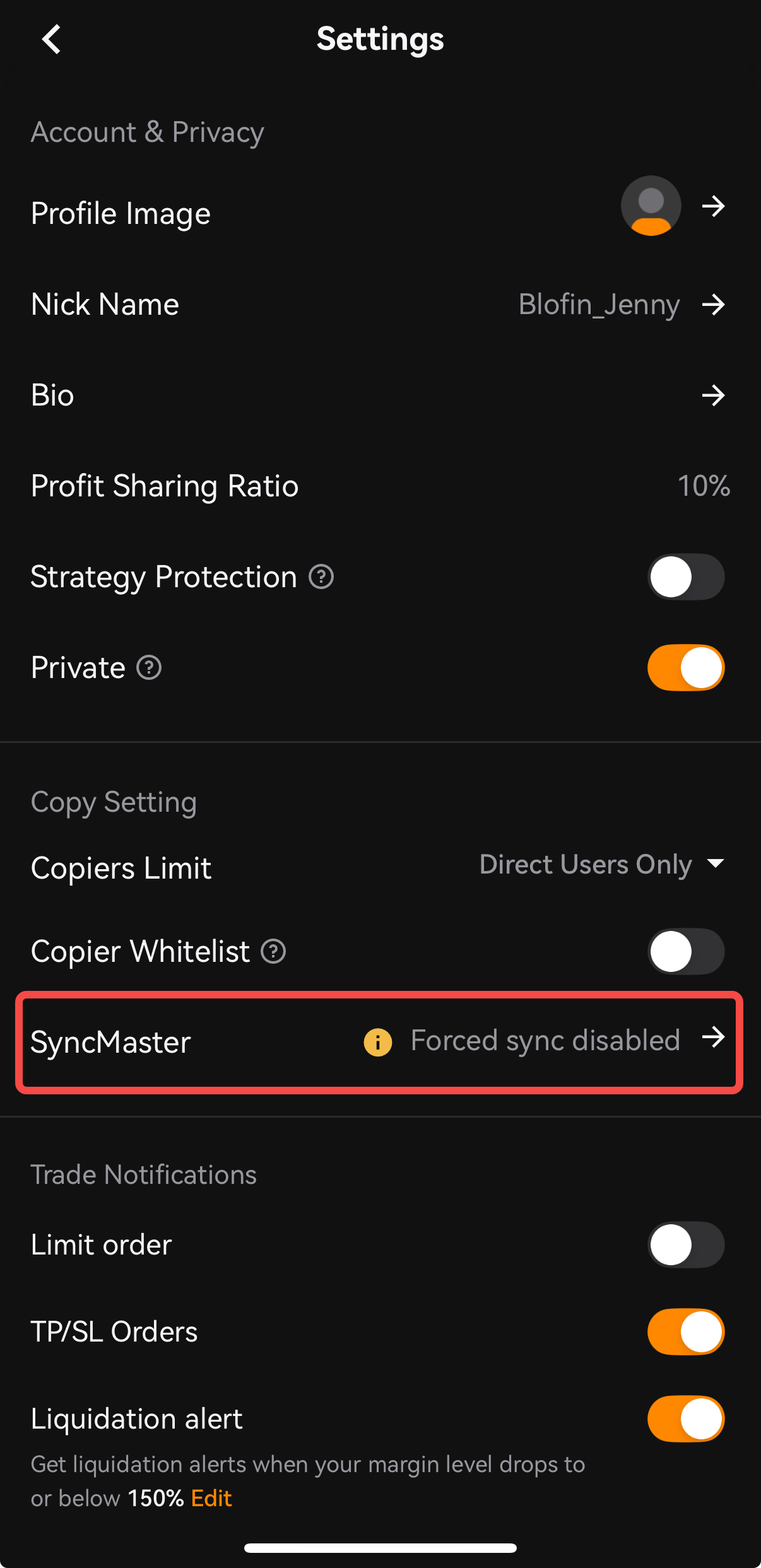
Step 2: Select Copy setting - SyncMaster.
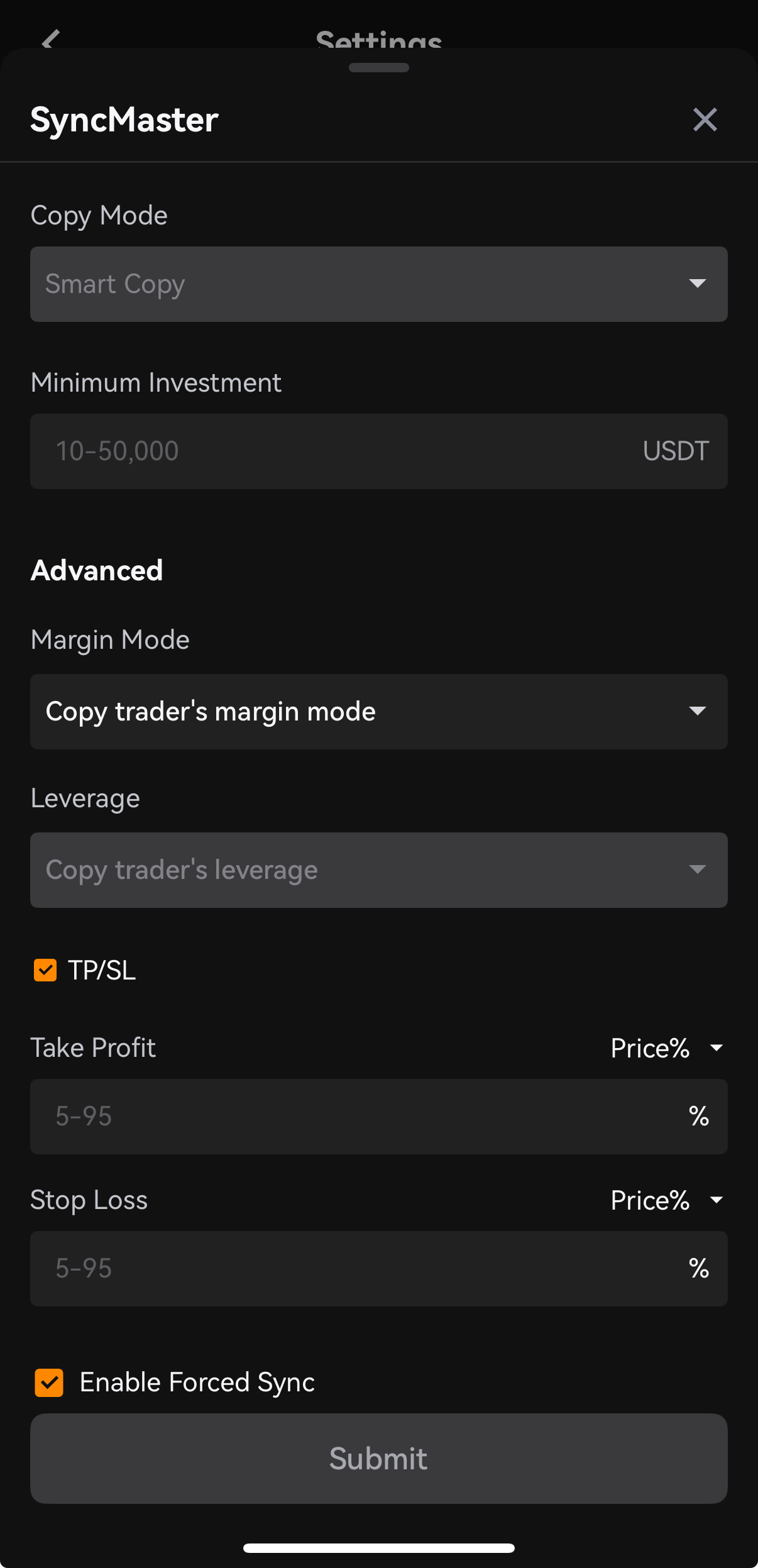
On the SycnMaster setting page, you will first need to set the minimum investment. This represents the minimum investment amount required for your copiers in order to follow and copy your trades. It is only available for Smart Copy Mode.
Basic setting:
Minimum investment: from 100 USDT to 100,000 USDT.
Advanced Settings include:
Margin Mode: Copy trader's margin mode, Isolated margin, Cross margin.
Leverage: Copy trader's leverage only.
Take Profit and Stop Loss: set TP/SL per order bases on price% or PnL%.
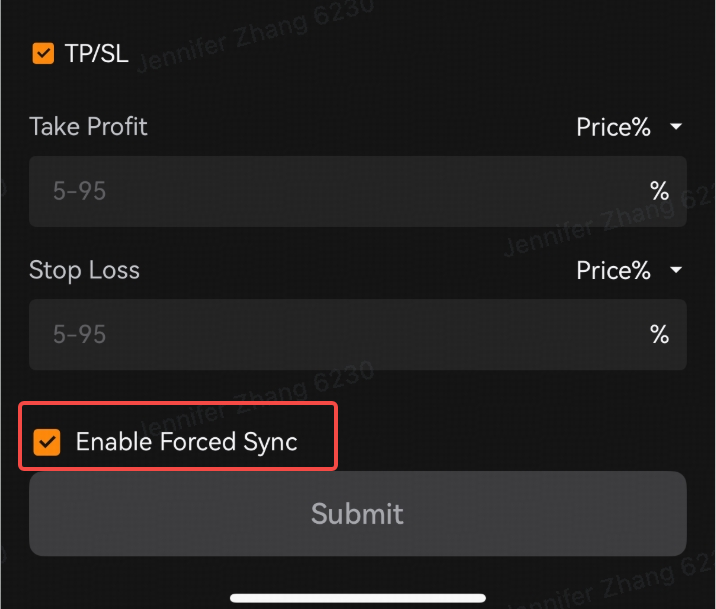
Step 3: Choose to enable or disable the Forced Sync feature. By default, Forced Sync is disabled. After enabling Forced Sync, copiers can no longer modify the aforementioned Copy Trading parameters. If Forced Sync is not enabled, copiers can modify Copy Trading parameters when they follow, and your settings will only serve as recommended parameters for the copiers.
Why is Forced Sync Useful?
SyncMaster – Forced Sync offers several key benefits for both traders and copiers:
| Benefits | Description |
| Strategy Alignment | All copiers follow the same rules and trade behavior as the trader. |
| Reduced Risk Discrepancy | Eliminates mismatched leverage, margin modes, or stop-loss settings. |
| Beginner-Friendly | Ideal for copiers who want to follow a trader without adjusting technical settings. |
| Performance Consistency | Helps ensure all copiers experience similar results to the trader. |
Example Scenario
Let’s say a Copy trader activates Forced Sync and configures the following:
Leverage: 10x
Margin Mode: Cross Margin
TP/SL: 5% Take Profit, 5% Stop Loss
Minimum Investment: 10 USDT per order
Once Forced Sync is active:
All copiers must allocate at least 10 USDT per trade.
Every copied trade will use 10x leverage, Cross Margin, and the same TP/SL settings.
Copiers cannot change these settings — they are fully aligned with the trader’s strategy.
This setup ensures that every copier is experiencing the strategy exactly as intended by the trader, regardless of their individual risk preferences or trading experience.
Frequently Asked Questions (FAQs)
Q: Can copiers adjust settings like leverage or TP/SL when Forced Sync is enabled?
A: No. All controlled settings will be locked and followers must use the trader’s exact configuration.
Q: Who activates Forced Sync?
A: Only the master trader can enable or disable Forced Sync. Copiers are notified when a trader has Forced Sync turned on.
Q: When should a trader use Forced Sync?
A: Forced Sync is ideal when:
The trader wants full control over how their trades are copied.
They aim to deliver consistent performance to all followers.
Their strategy depends heavily on specific risk settings that should not be altered.
Q: Can Forced Sync be turned off later?
A: Yes. The trader can disable Forced Sync at any time, which will then allow copiers to customize their settings again. However, existing positions may continue to follow the previous Forced Sync rules.
Final Thoughts
SyncMaster – Forced Sync gives professional traders the ability to deliver a standardized, controlled copy trading experience, and provides copiers with the confidence that they are truly replicating the trader’s strategy—without needing to worry about complex configurations or setting errors.
If you’re a trader looking to protect your strategy’s integrity or a copier who wants a simplified, fully guided trading journey, Forced Sync is a feature designed with you in mind.