
How to Use Recurring Buy on BloFin: A Beginner’s Guide (APP)
January 12, 2026 at 02:32 PMInvest Smarter with Automated Crypto Purchases
Crypto markets move fast — sometimes within seconds. Predicting the ideal buying moment is difficult even for experienced traders. That’s why many investors rely on recurring investment strategies: buying a fixed amount of crypto at regular intervals to gradually build their portfolio, without trying to time the market.
To make this process effortless, BloFin offers the Recurring Buy feature. Simply set your preferred asset, amount, and schedule, and BloFin will automatically execute purchases daily, weekly, biweekly, or monthly. No charts, no constant monitoring — just a consistent, long-term investment plan powered by automation.
What Is Recurring Buy?
Recurring Buy is an automated investment feature that allows you to purchase selected cryptocurrencies at fixed intervals with a preset amount.
Once activated, the system executes your plan at your chosen schedule — regardless of short-term market movements.
This strategy is based on Dollar-Cost Averaging (DCA), helping reduce the impact of volatility while supporting long-term portfolio growth.
How Recurring Buy Works
- You set your investment plan:
- Target crypto
- Payment currency
- Investment amount
- Execution frequency
- Execution time
- BloFin executes purchases automatically
When the scheduled time arrives, the system buys your selected crypto at the latest available market price.
- Execution records and notifications
After each execution, you can review the transaction details directly in your Recurring Buy history.
The system automatically schedules the next execution based on your chosen frequency, ensuring smooth, continuous investing.
How to Set Up Recurring Buy on BloFin
Step 1: Access the Recurring Buy Feature
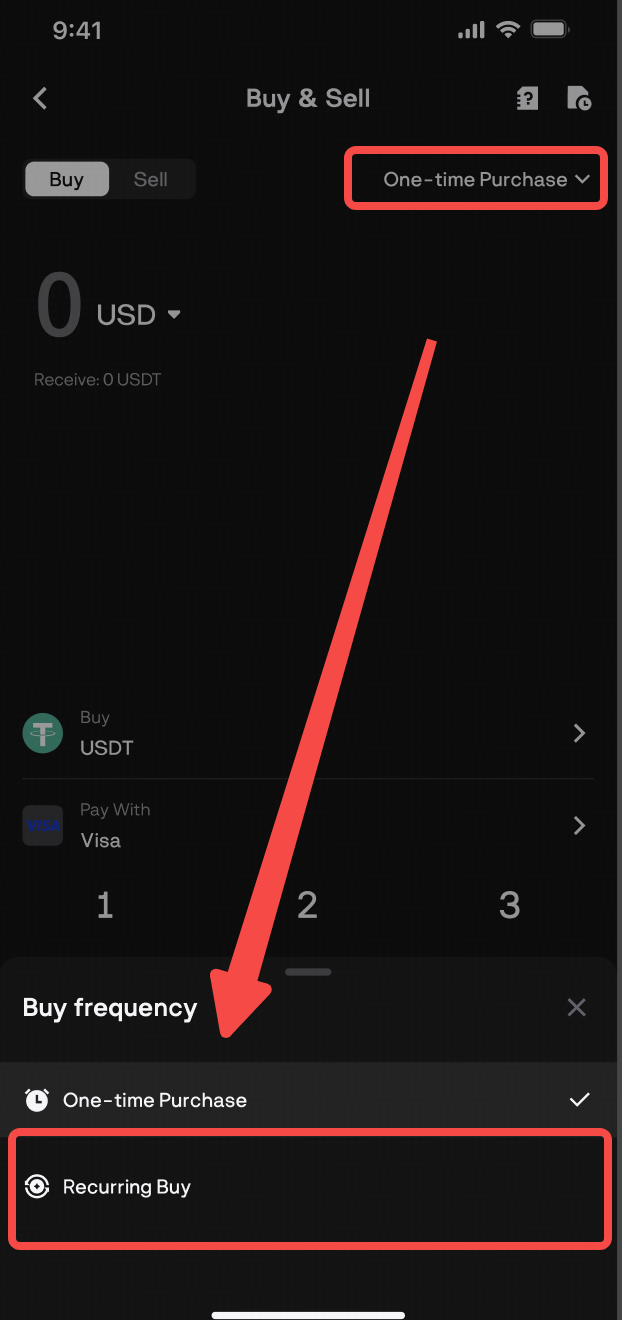
Step 2: Create a New Recurring Buy Plan
Follow these simple steps to set up your plan:
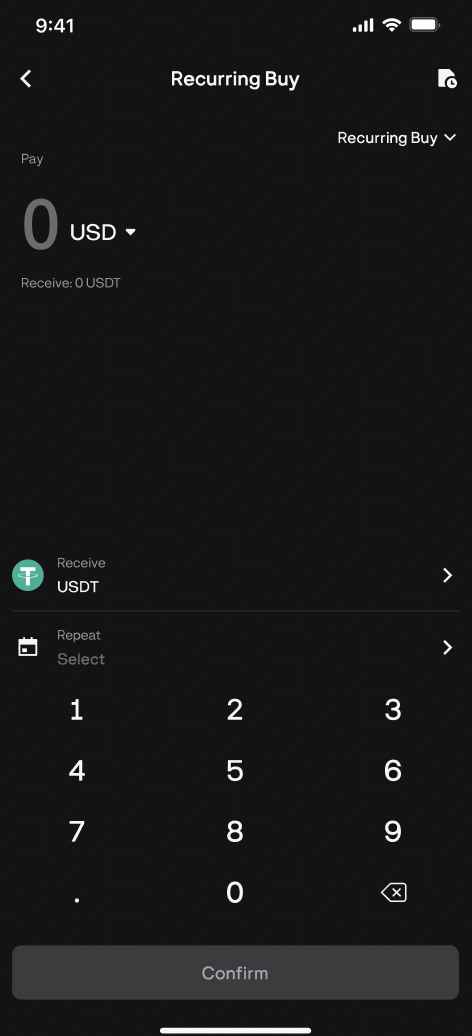
- Choose your cryptocurrency
- Select the crypto you want to purchase regularly (e.g., BTC, ETH, or USDT) from the dropdown menu.
- Enter your investment amount
- Enter the fixed amount in fiat you wish to invest in each recurring order (e.g., 100 USD).
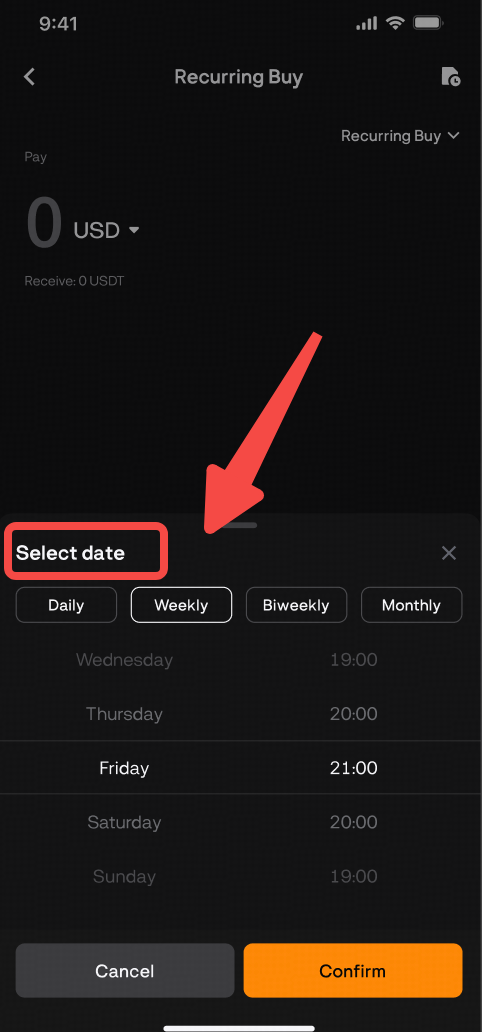
- Set Your Frequency
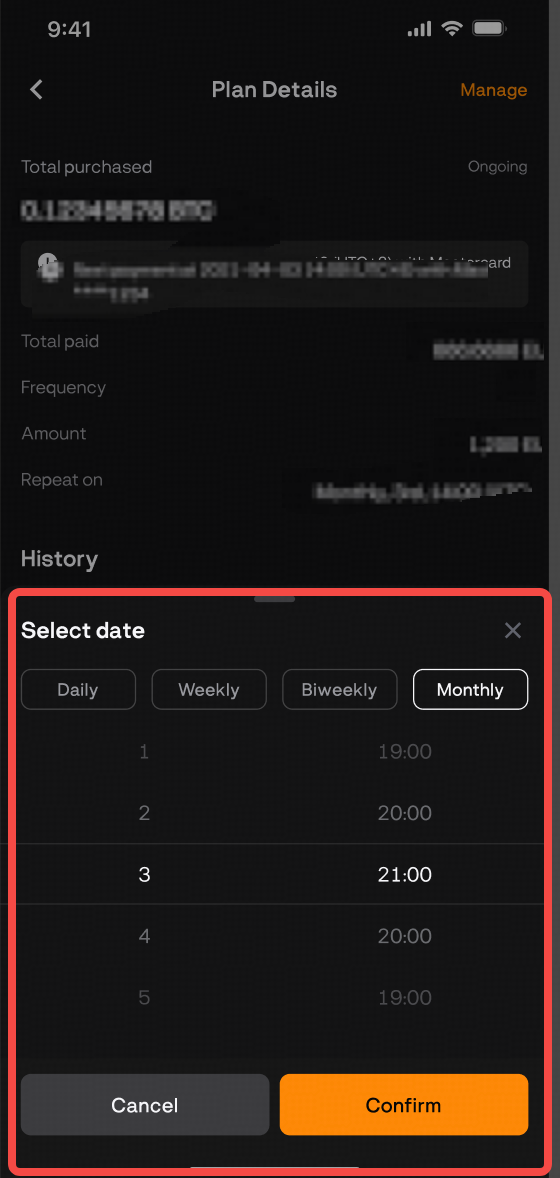
- Select an interval for auto buy: Daily, Weekly, Bi-weekly, or Monthly.
- For weekly or monthly plans, pick a specific day of the week or a date of the month.
- Select the exact plan execution time in UTC.
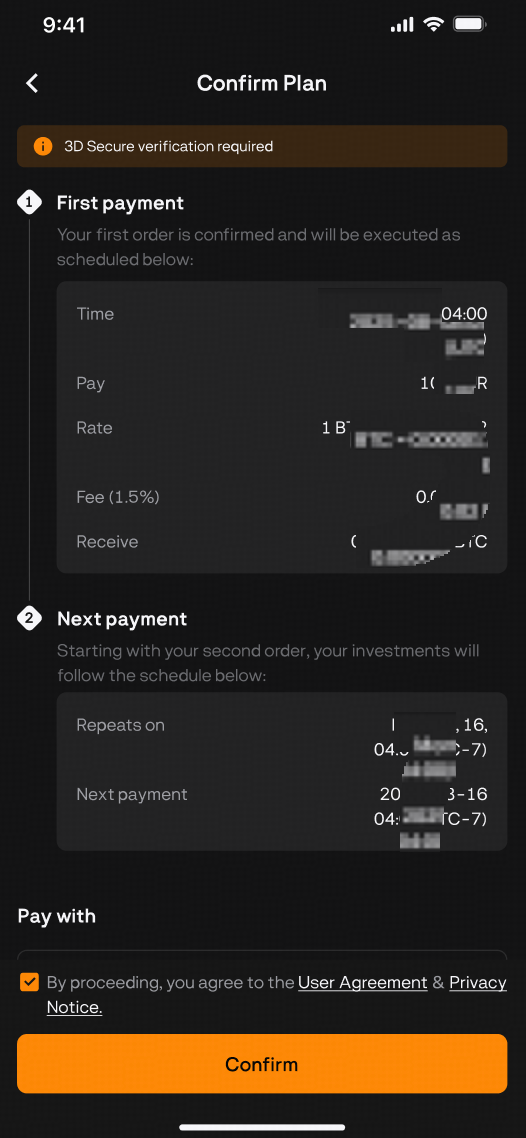
Step 3: Review and Activate Your Plan
- Before final confirmation, carefully review all details of your plan:
- Pay: The amount you will pay each time.
- Receive: The estimated amount of cryptocurrency to be purchased (based on the estimated real-time price).
- Repeat: Your chosen frequency and execution time.
- Payment Method: The card on file for automatic payments.
- Once confirmed, click the "Confirm" button to activate your Recurring Buy plan.
Step 4: Manage and Monitor
- Once activated, your first purchase and all future purchases will be executed automatically at the scheduled time.
- You can view all your plans in the "My Plans" section (top-right).
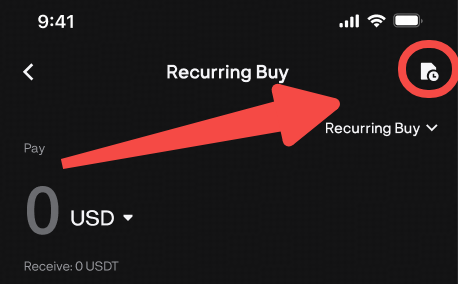
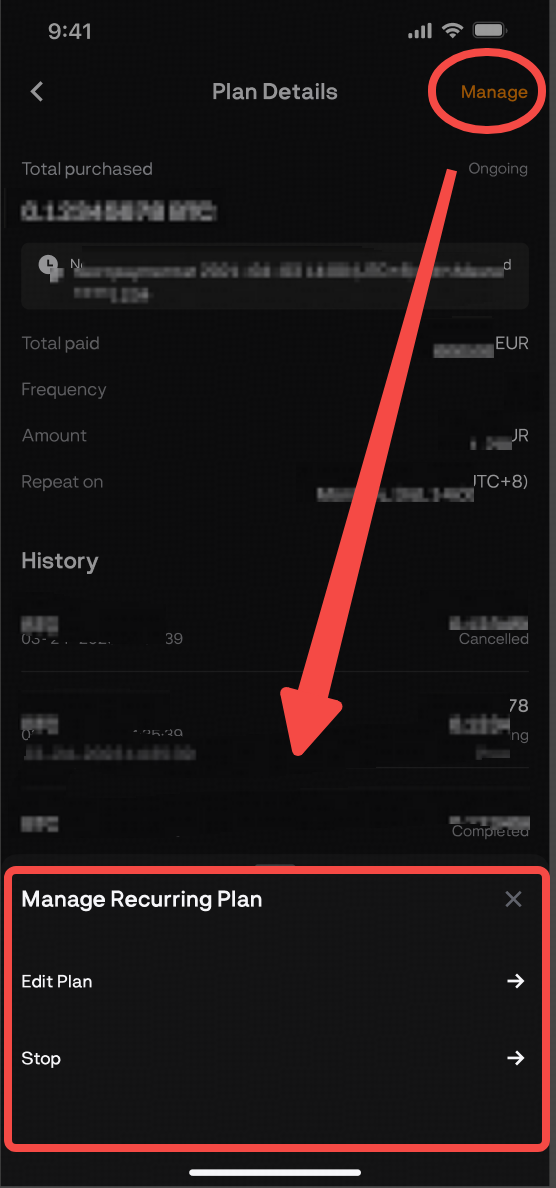
- For each ongoing plan, you can:
- View the entire history for plan execution.
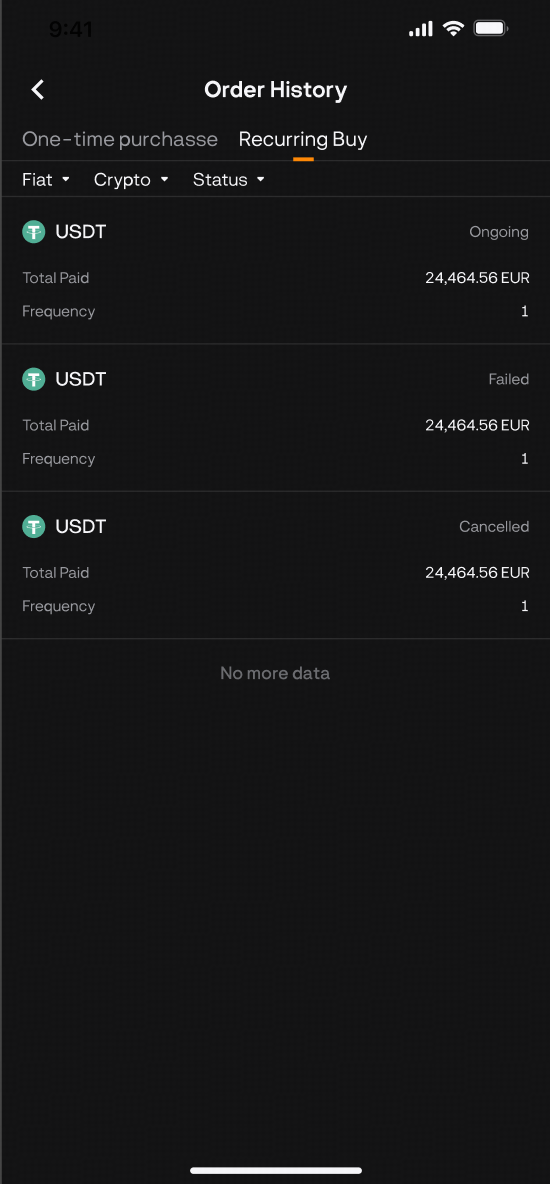
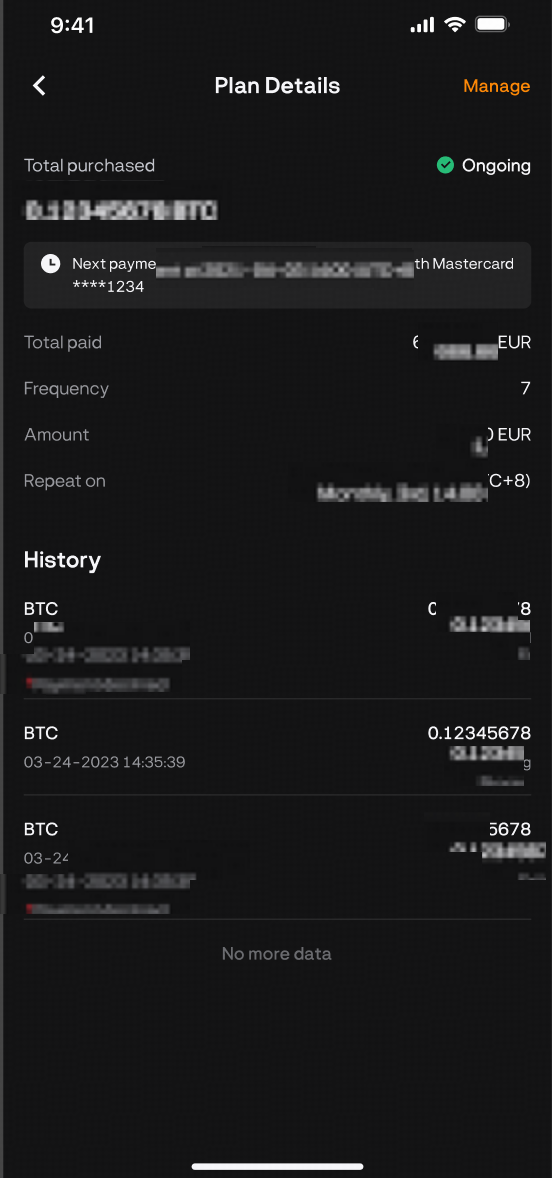
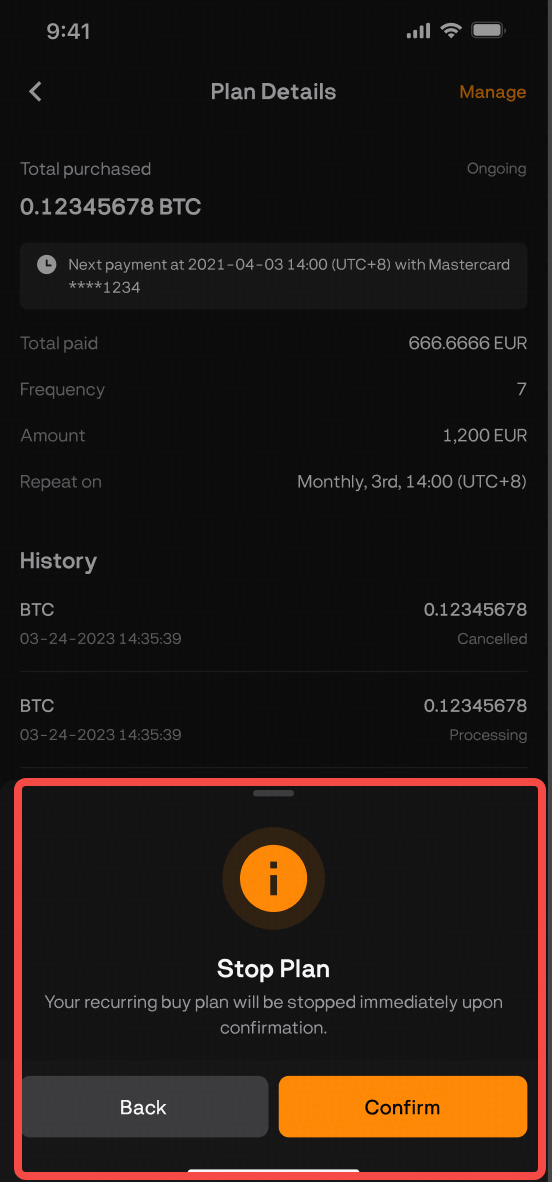
- Cancel the plan to permanently stop future automatic purchases.
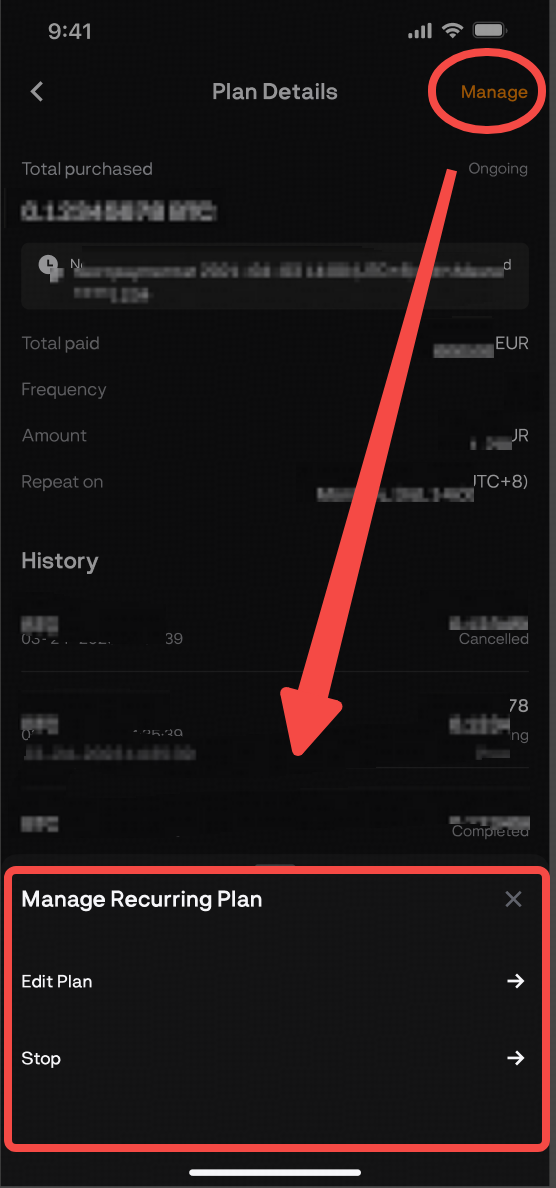
- Edit the plan, typically to reduce the investment frequency.
-
Note: Successfully purchased cryptocurrency will be automatically credited to your BloFin Spot Wallet. If a purchase order fails (e.g., due to insufficient funds), it will be skipped for that cycle, and the system will automatically retry in the next scheduled cycle.
Was this article helpful?