How To Transfer Assets among Different Accounts?
August 23, 2025 at 01:07 PMOn BloFin, your funds can be kept in different accounts depending on what you want to do (trade, earn interest, or withdraw). Sometimes you need to move assets from one account to another. Here’s the updated guide!
Types of Accounts
- Funding Account → For deposits and withdrawals (your main wallet).
- Spot Account → For buying and selling crypto on the Spot market.
- USDT-M → For trading futures using USDT.
- USDC-M → For trading futures using USDC.
- COIN-M → For futures trades using crypto (like BTC, ETH, XRP, etc.,) as margin.
- Earn Account → For saving crypto and earning interest.
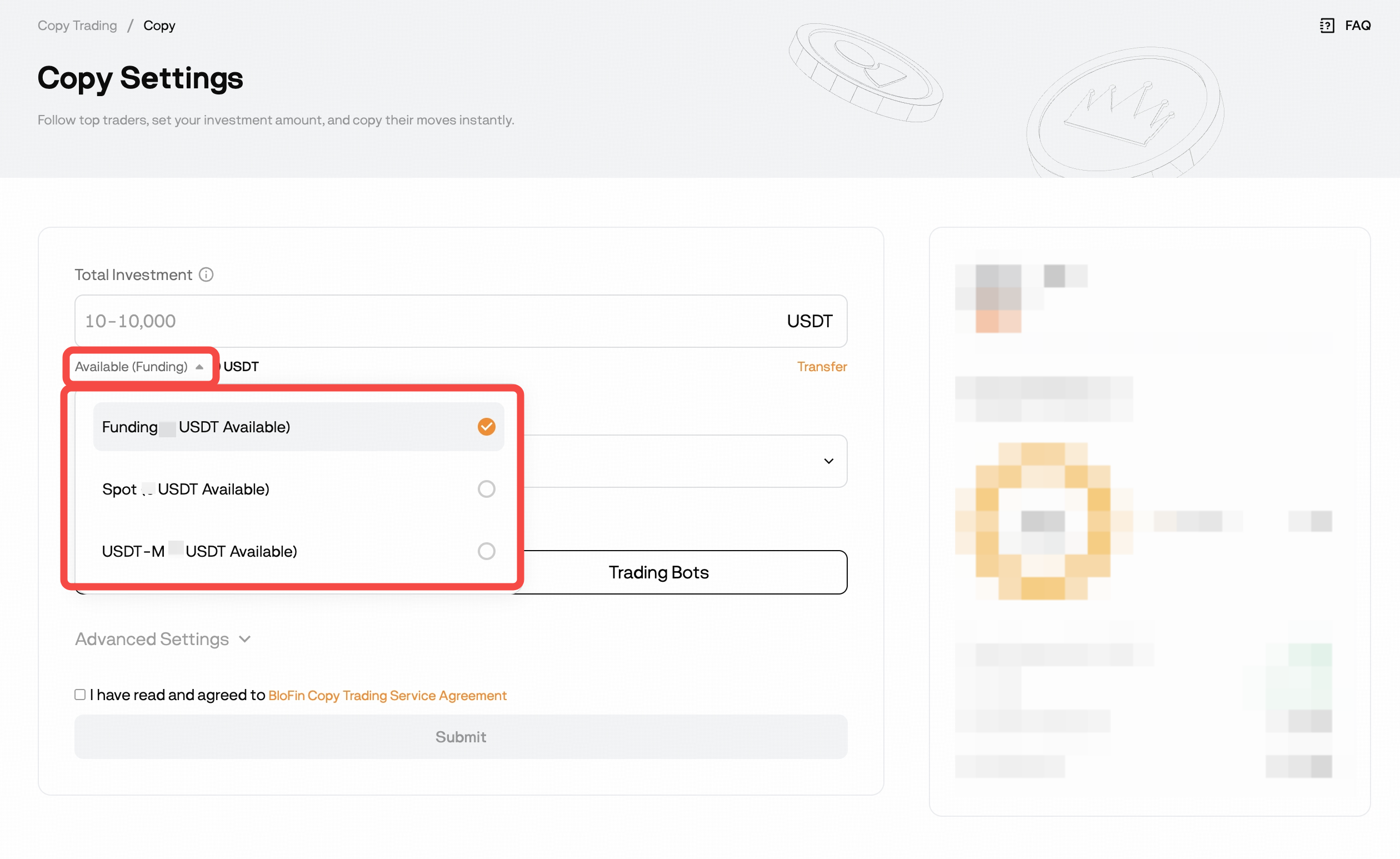
- Copy Trading Account – No separate transfers required; during setup you simply select which account (Funding, Spot, or USDT-M) your USDT will come from to copy a Master Trader.
👉 Tip: If you want to withdraw, make sure your funds are in your Funding Account.
How to Transfer via Web
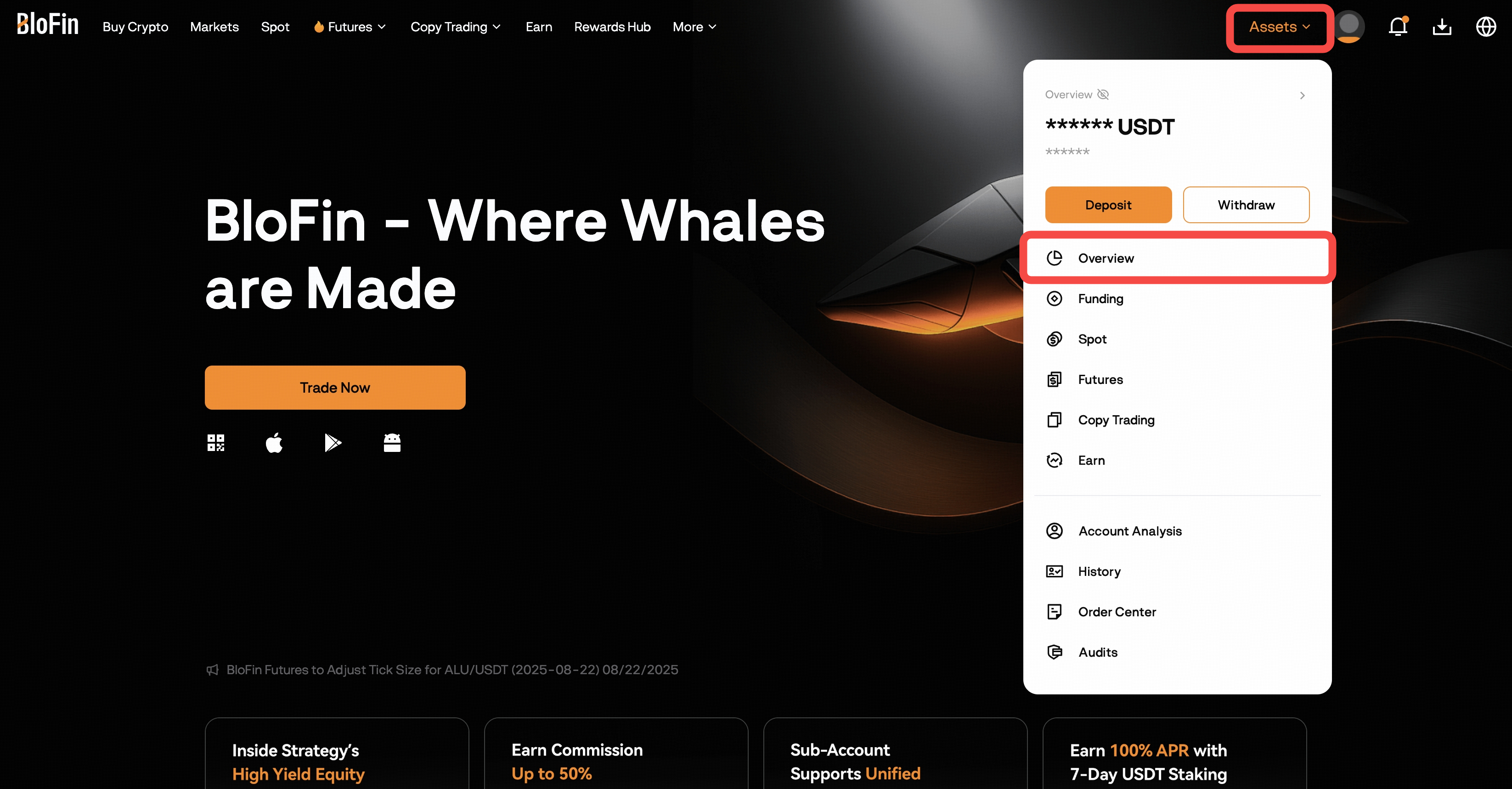
- Log in to your BloFin account and Go to Assets → Overview
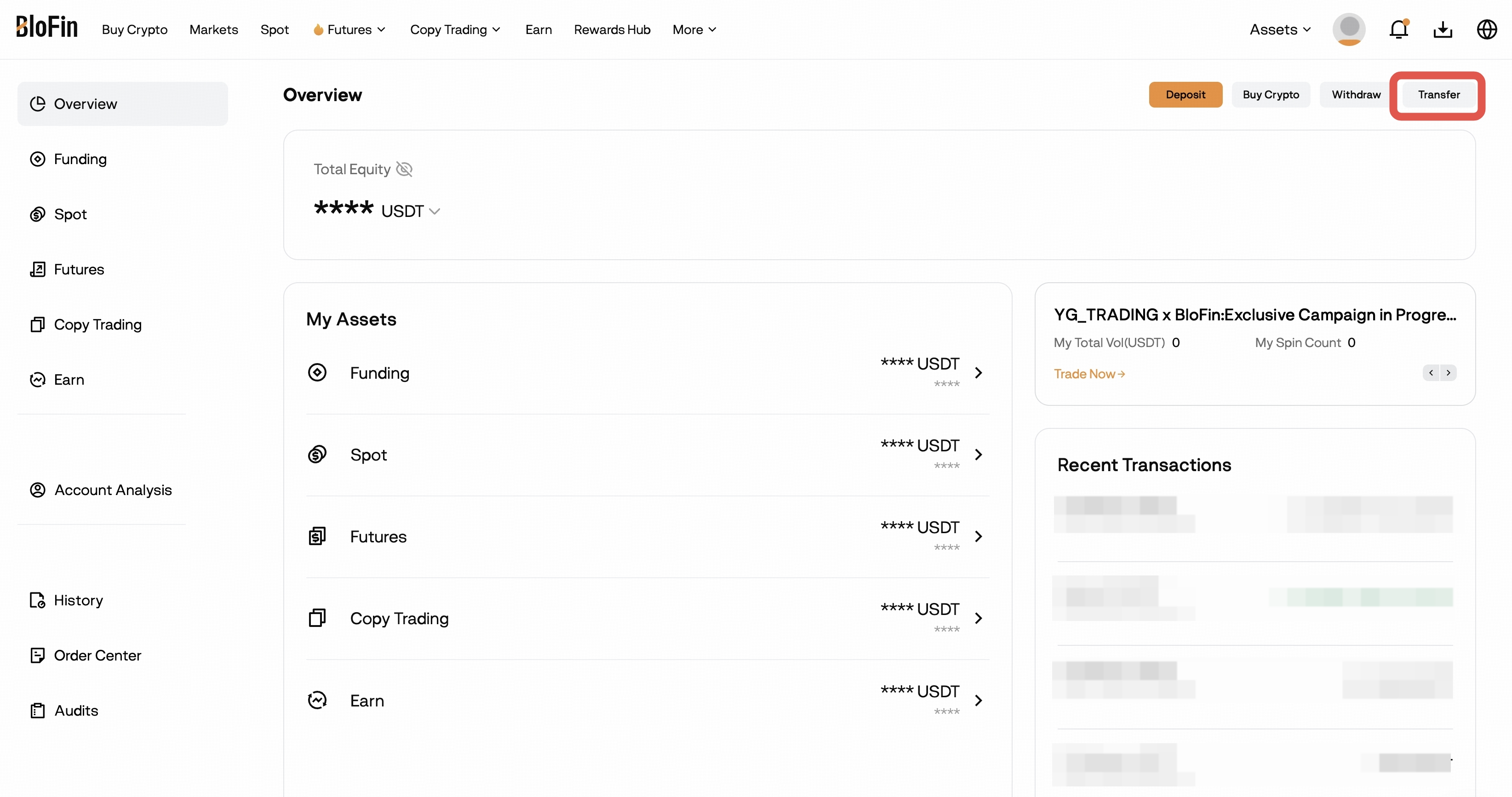
- Click Transfer
- Choose:
- From: the account you’re moving funds from.
To: the account you’re moving funds to.
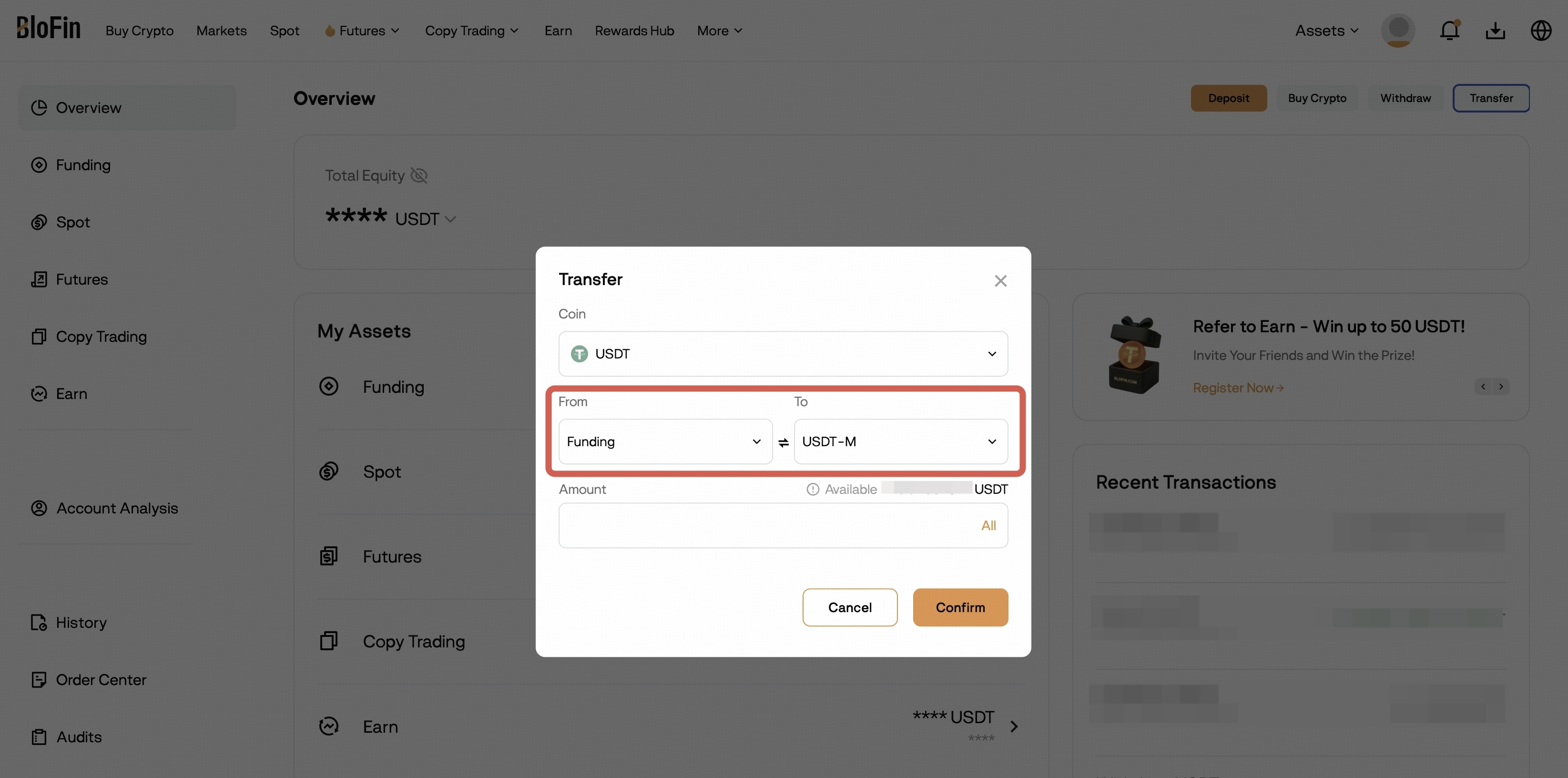
Swap Button Tip:
- The ⇄ button between "From" and "To" quickly switches them.
- Example: If you set Funding → USDT-M but realize it should be the other way, just click the button to swap.
- Select the crypto (e.g., USDT, BTC, ETH).
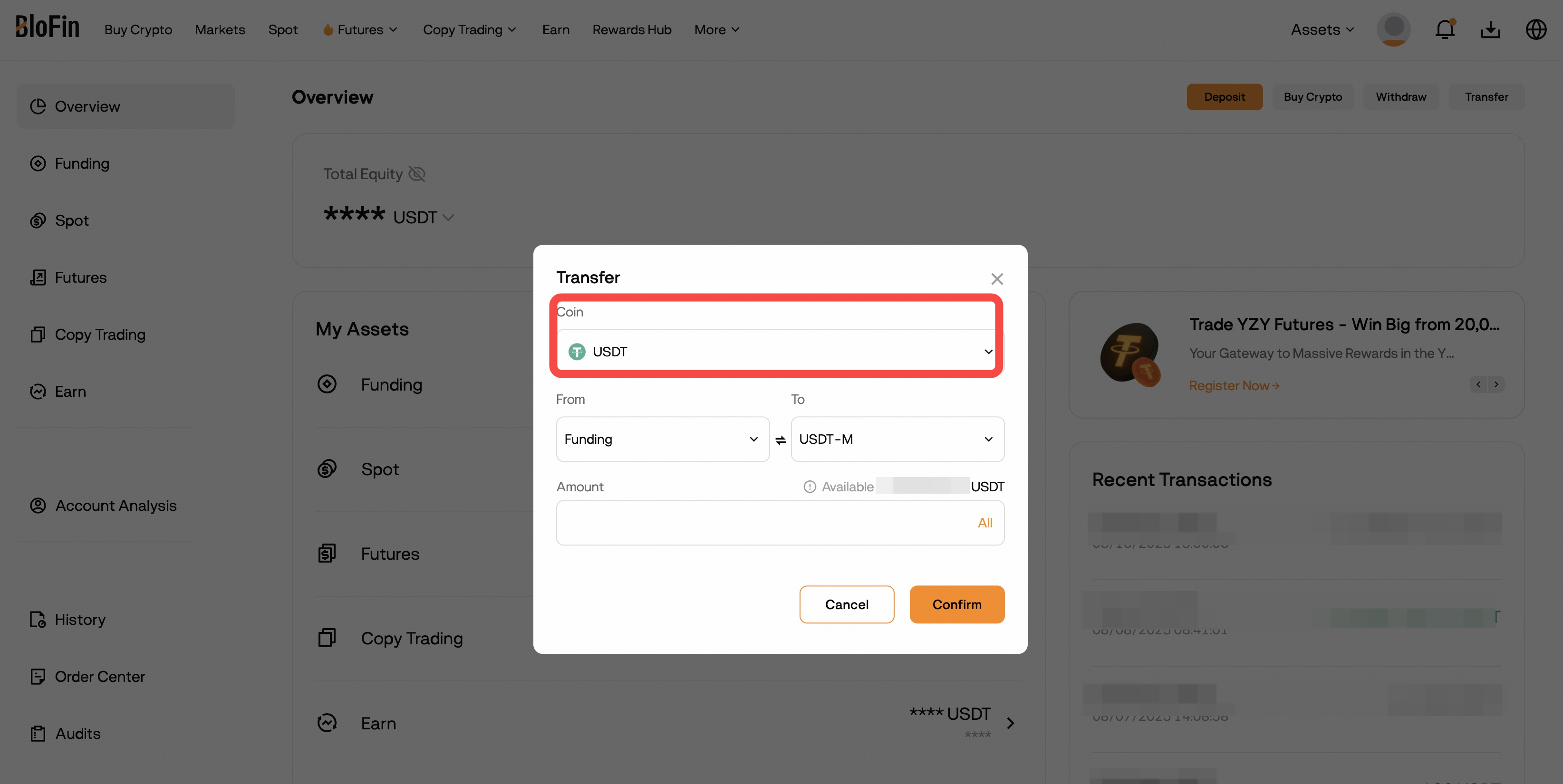
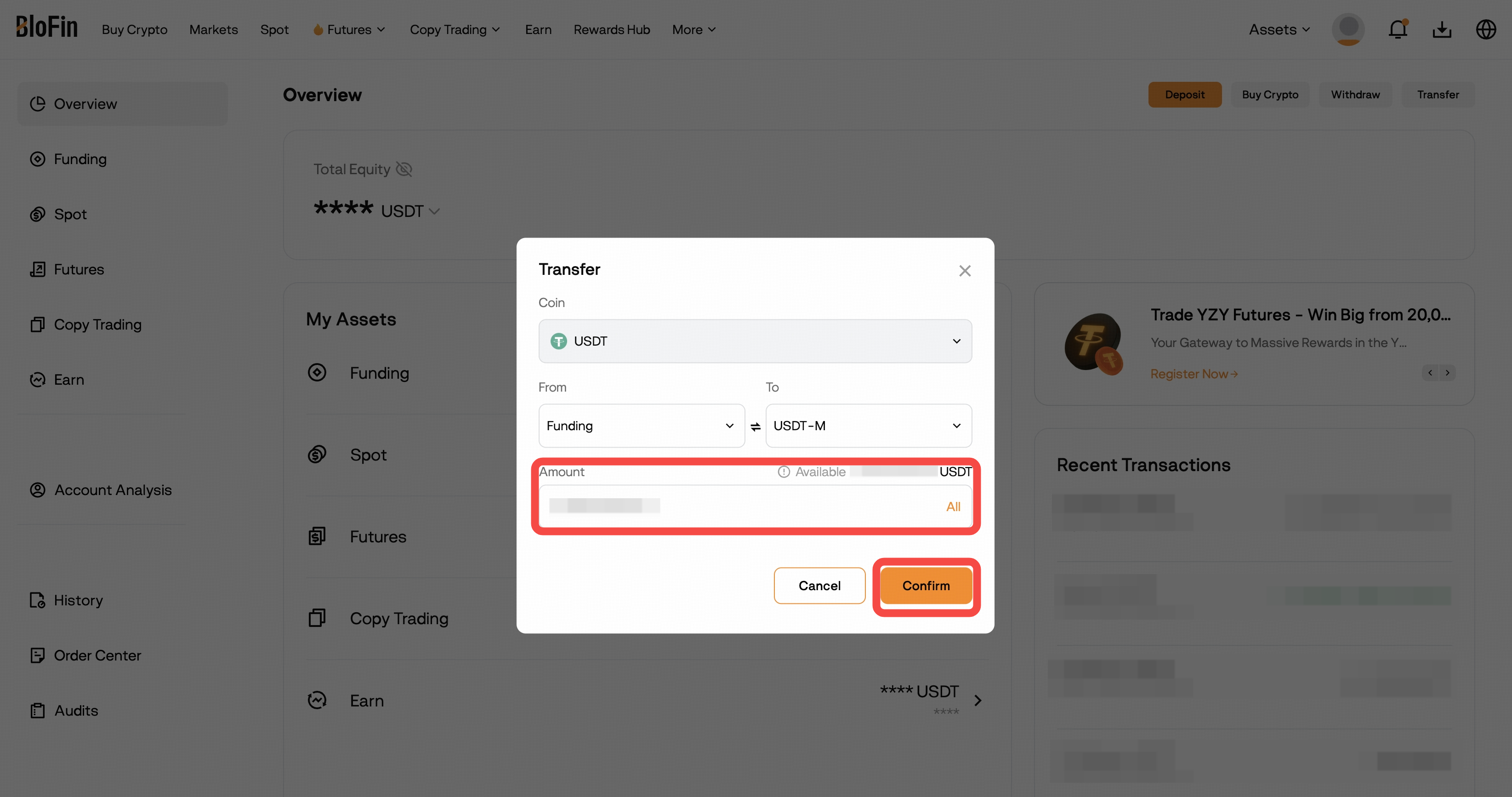
- Enter the amount and Click Confirm
How to Transfer via App
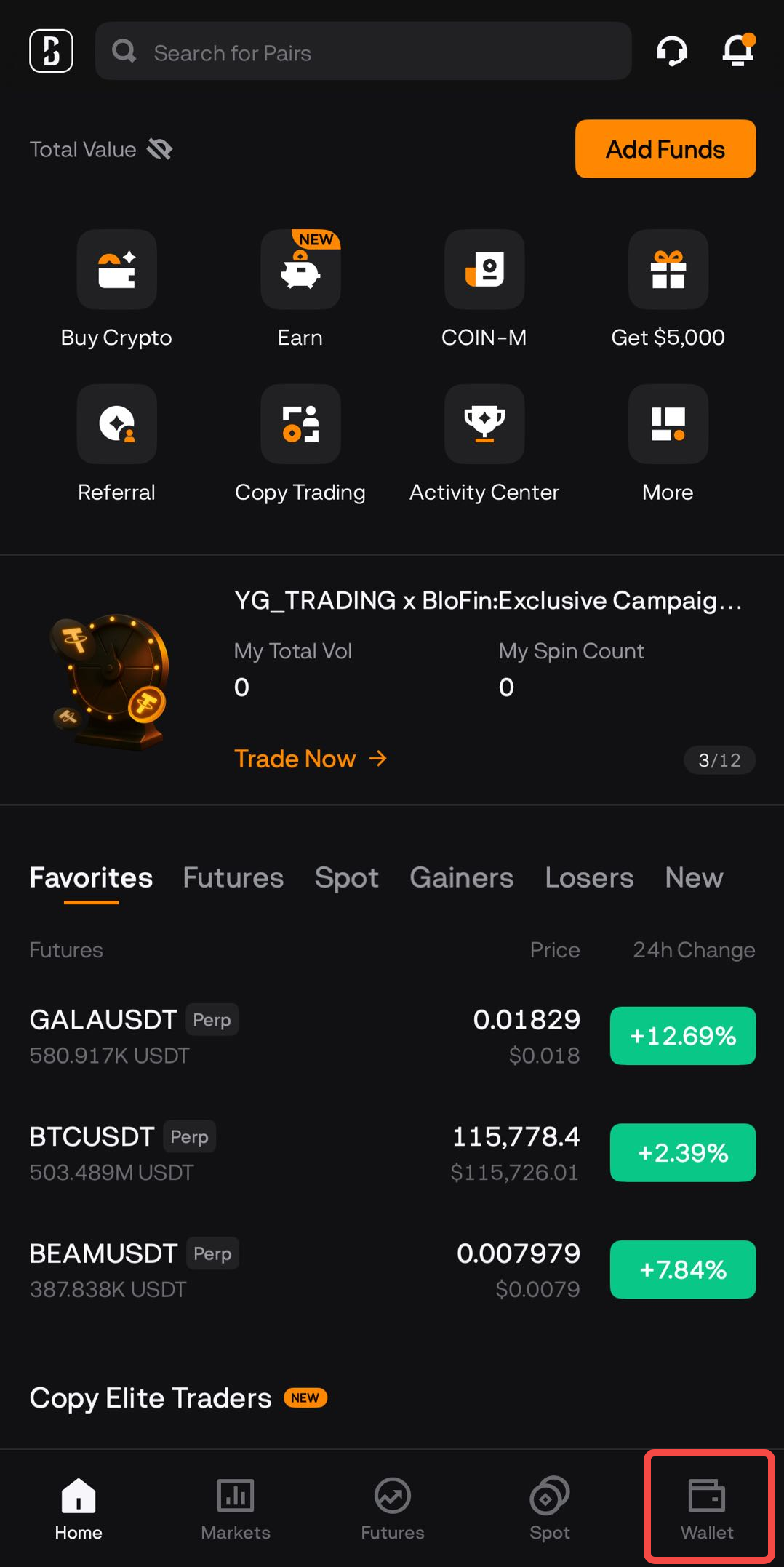
Open the BloFin App → Tap Wallet.
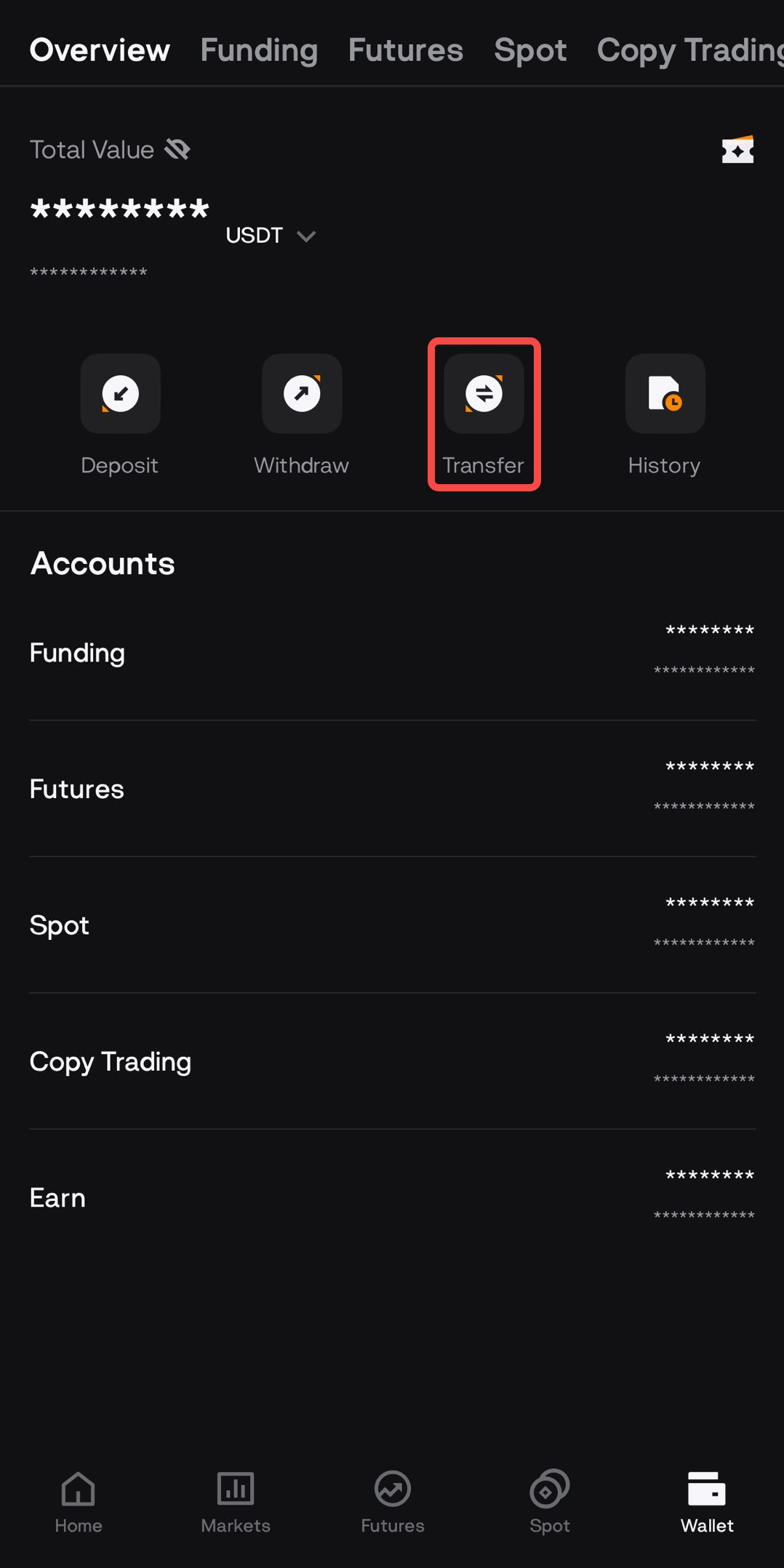
Tap Transfer.
- Choose From, To, Coin, and Amount.
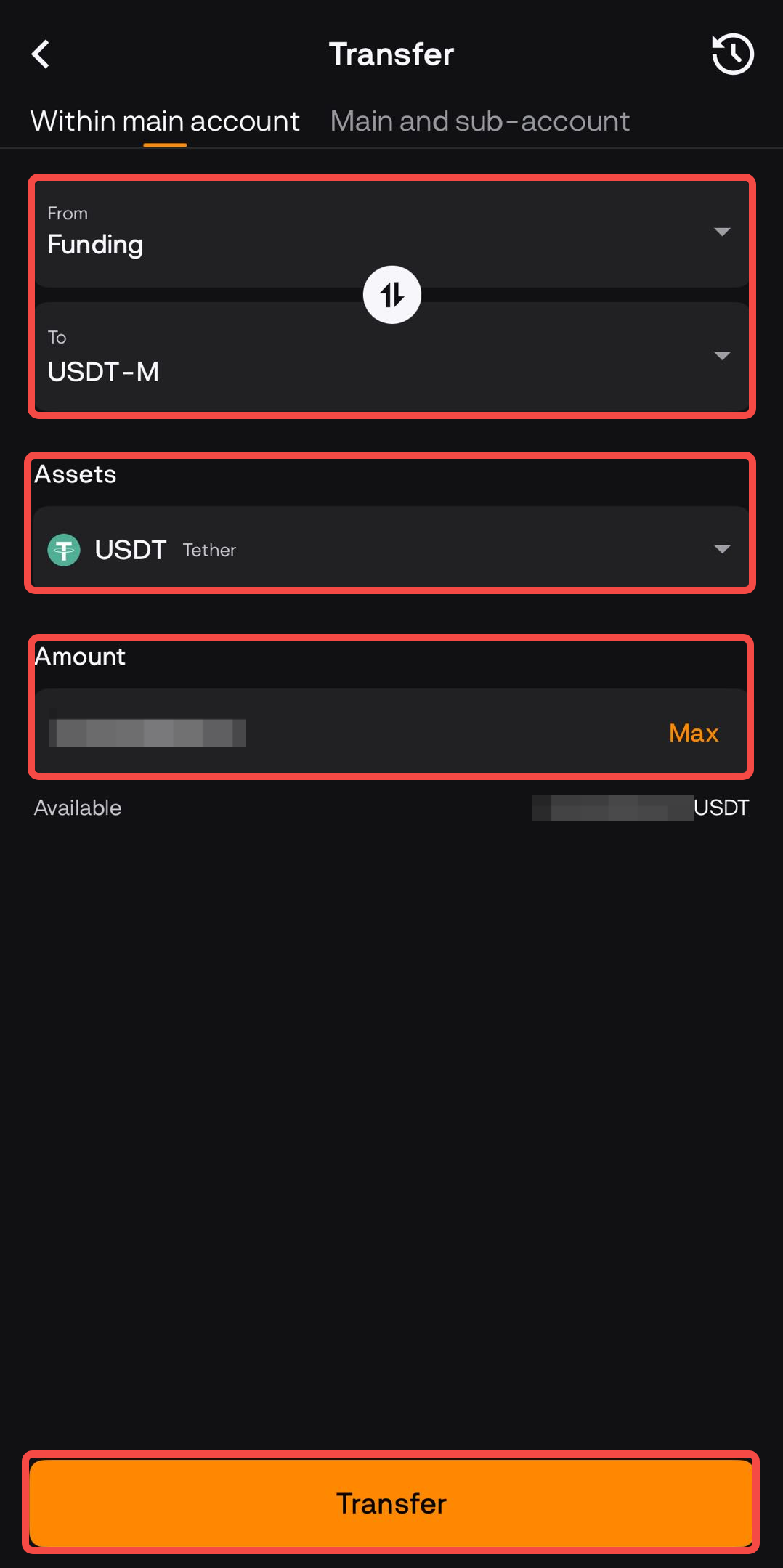
- Use the ↑↓ button if you want to swap directions.
- Tap Transfer → Done
Frequently Asked Questions
Q: Which account do I use for withdrawals?
A: You do not need to transfer funds back to the Funding Account first. During withdrawal, you may directly select available balances from supported accounts, such as Funding, Spot, or Earn-Flexible Assets, through the account selection dropdown.
Q: Can I transfer between different Futures accounts?
A: Yes. You can move assets between USDT-M, USDC-M, and COIN-M Futures Accounts easily using the transfer option.
Q: Can I transfer from Earn to other accounts?
A: Yes. If you want to withdraw or trade, first transfer your funds from Earn back to Funding or Spot.
Q: Do I need to pay fees for transfers between accounts?
A: No. All transfers between BloFin accounts are free of charge.
Q: How do I transfer funds to my Copy Trading account?
A: There’s no need to make a manual transfer to a Copy Trading account.
- Just make sure you already have USDT available in one of your accounts (Funding, Spot, or USDT-M).
- When you start following a trader, during the setup process, you’ll be asked to choose which account your USDT will come from.
- Simply select the account you want to use, and your funds will be linked to Copy Trading automatically.
👉 In short: You don’t need to move money separately — just have USDT ready, pick the account when setting up Copy Trading, and you’re good to go. The system will automatically transfer your funds to your copy trading account once successfully copied a trader.